Emergency Call Buttons for Personal Safety, Medical Alerts, and Public Help Points
Emergency call buttons provide one-touch access to help for seniors, lone workers, public facilities, bathrooms, campuses, and medical safety needs through wearable, mobile, wall-mounted, and monitored systems.
Becke Telcom
An emergency call button is a simple device with an important purpose: it gives people a direct way to request help when they cannot safely use a normal phone. A fall in the bathroom, sudden chest pain, a security threat at the door, or an accident in a public area can all become serious very quickly. In those moments, a one-touch call button can shorten the time between the incident and the response.
These devices are commonly used by seniors living independently, people with medical conditions, post-surgery patients, individuals with disabilities, lone workers, and public facilities that need fixed help points. The form can vary from a wearable pendant to a wristband, wall-mounted button, mobile GPS button, or SIP-based emergency intercom. The main value is the same: fast, clear, and reliable access to help.
A good emergency call button should not be chosen only by price or appearance. The right system depends on who will use it, where it will be installed, how the call should be routed, whether monitoring is needed, and whether the button must work through landline, cellular, Wi-Fi, SIP, or an emergency communication platform.
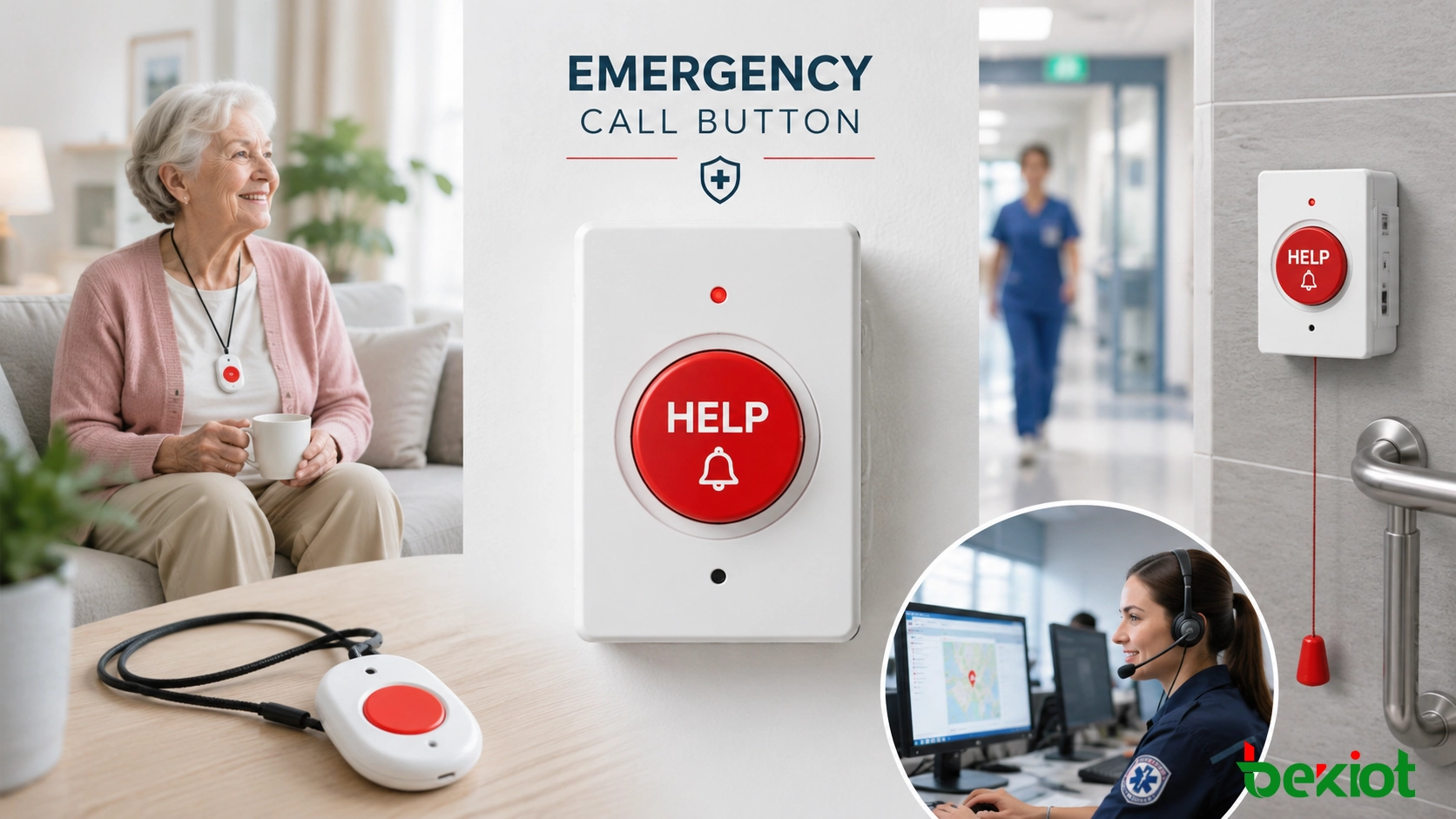
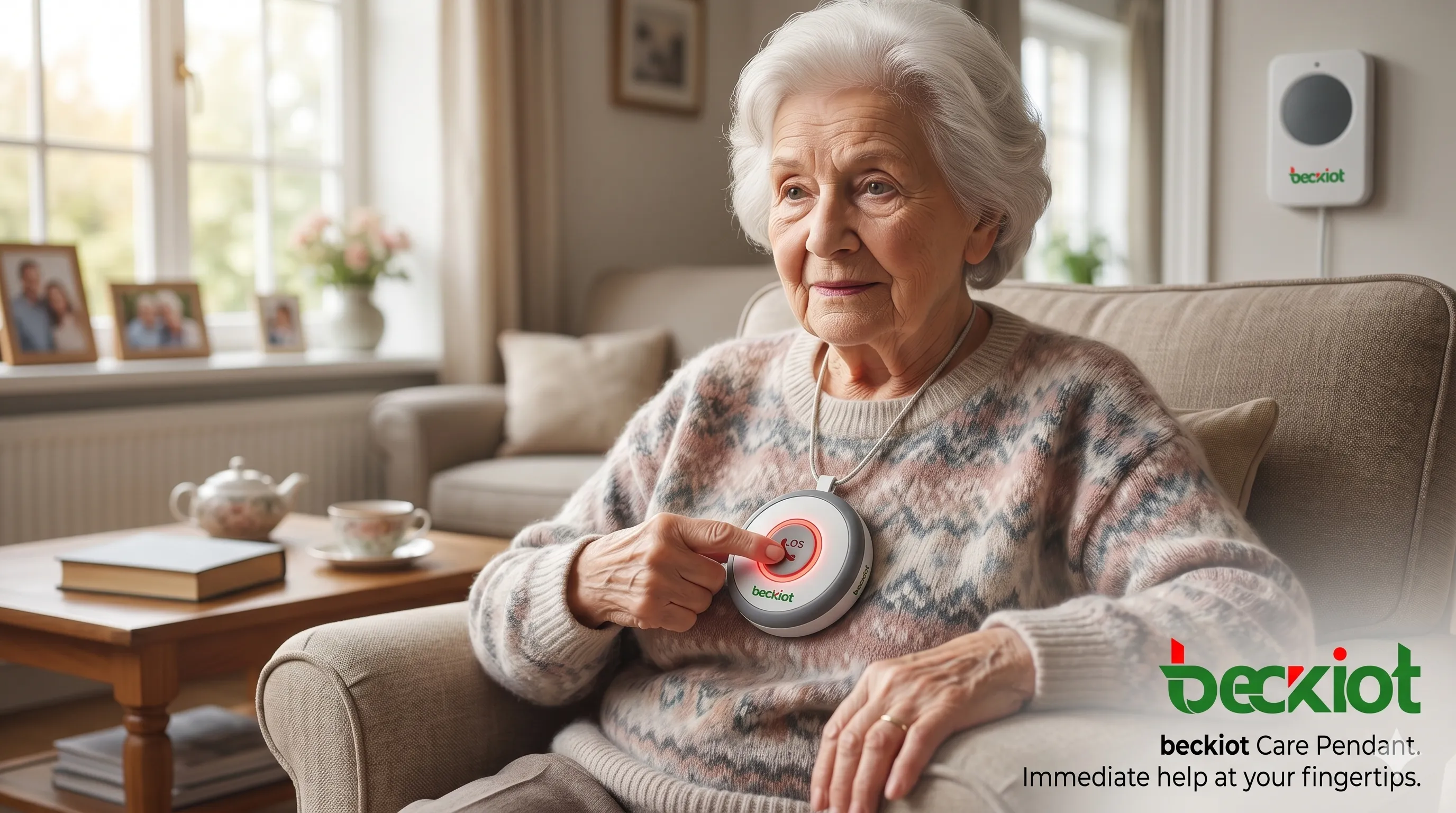
Wearable emergency call buttons help seniors and vulnerable users request help quickly when a phone is not within reach.
What an Emergency Call Button Does
An emergency call button is a wearable or fixed device that sends an alert when activated. Depending on the system design, the alert may go to a 24/7 monitoring center, family member, caregiver, building security office, control room, dispatch desk, or emergency service number.
A basic home system may include a wearable button and a base station. The user presses the button, and the base station places a call through a landline, cellular network, or internet connection. More advanced systems may include two-way voice, fall detection, GPS location, mobile app alerts, call recording, or integration with building safety systems.
An emergency call button is not only a small accessory. It is a safety access point designed for situations where time, location, and simple operation matter.
How Emergency Call Buttons Work
The operation is intentionally simple. The user presses the button, or in some systems the device detects a fall automatically. The button then sends a signal to a base station, mobile device, alarm panel, SIP intercom, or communication platform. From there, the call or alert is routed to the correct response destination.
In a home medical alert system, the base unit usually opens a two-way voice channel so the user can speak with an operator. If the user cannot answer, the operator may follow the user’s emergency profile and contact family members, caregivers, neighbors, or emergency services.
In a public building or commercial project, a wall-mounted emergency button may connect to a security desk, control room, or dispatch platform. In a SIP-based system, the call can also display the device location, trigger a camera view, start a recording, or notify a response team.
Main Components of a Typical System
Most emergency call button systems include several key parts. The exact configuration depends on whether the system is for home care, mobile personal safety, public facilities, or industrial emergency communication.
Help button: A wearable, handheld, wall-mounted, or fixed emergency button used to start the alert.
Base station or hub: A device that receives the button signal and places the emergency call through landline, cellular, Wi-Fi, or VoIP.
Monitoring center or response team: The destination that receives the alert and follows the response procedure.
Two-way voice function: A speaker and microphone that allow the user and operator to communicate.
Optional safety features: Fall detection, GPS tracking, status indicators, battery backup, waterproof design, and remote supervision.
Who Needs an Emergency Call Button?
Emergency call buttons are often associated with elderly care, but their use is much broader. They are suitable for anyone who may need a fast and simplified way to request help.
Seniors Living Alone
For older adults living independently, a wearable emergency button can provide confidence and practical protection. If a fall, dizziness, chest pain, or sudden weakness occurs, the user may not be able to older adults living independently, a wearable emergency button can provide confidence and practical protection. If a fall, dizziness, chest pain, or sudden weakness occurs, the user may not be able to reach a phone. A pendant or wristband button keeps help within reach.
People with Medical Conditions
People with heart disease, diabetes, epilepsy, severe allergies, breathing problems, or mobility limitations may benefit from emergency call buttons. The button gives them a simpler way to request help when symptoms appear suddenly or when speaking and dialing become difficult.
Post-Surgery and Rehabilitation Patients
Recovery at home can involve temporary mobility limitations. A patient may need help after dizziness, pain, weakness, or a fall. An emergency button helps bridge the gap between independence and safe recovery support.
Lone Workers and Field Staff
Emergency call buttons are also useful for lone workers, including security guards, delivery workers, home health aides, janitors, maintenance staff, and people working late or in remote areas. Mobile buttons with GPS or cellular communication can support personal safety outside the home.
Public Buildings and Shared Facilities
Fixed emergency buttons are commonly installed in accessible restrooms, elevators, parking areas, campuses, hotels, nursing homes, hospitals, stations, and public service buildings. They provide help access for anyone nearby, not only registered users.
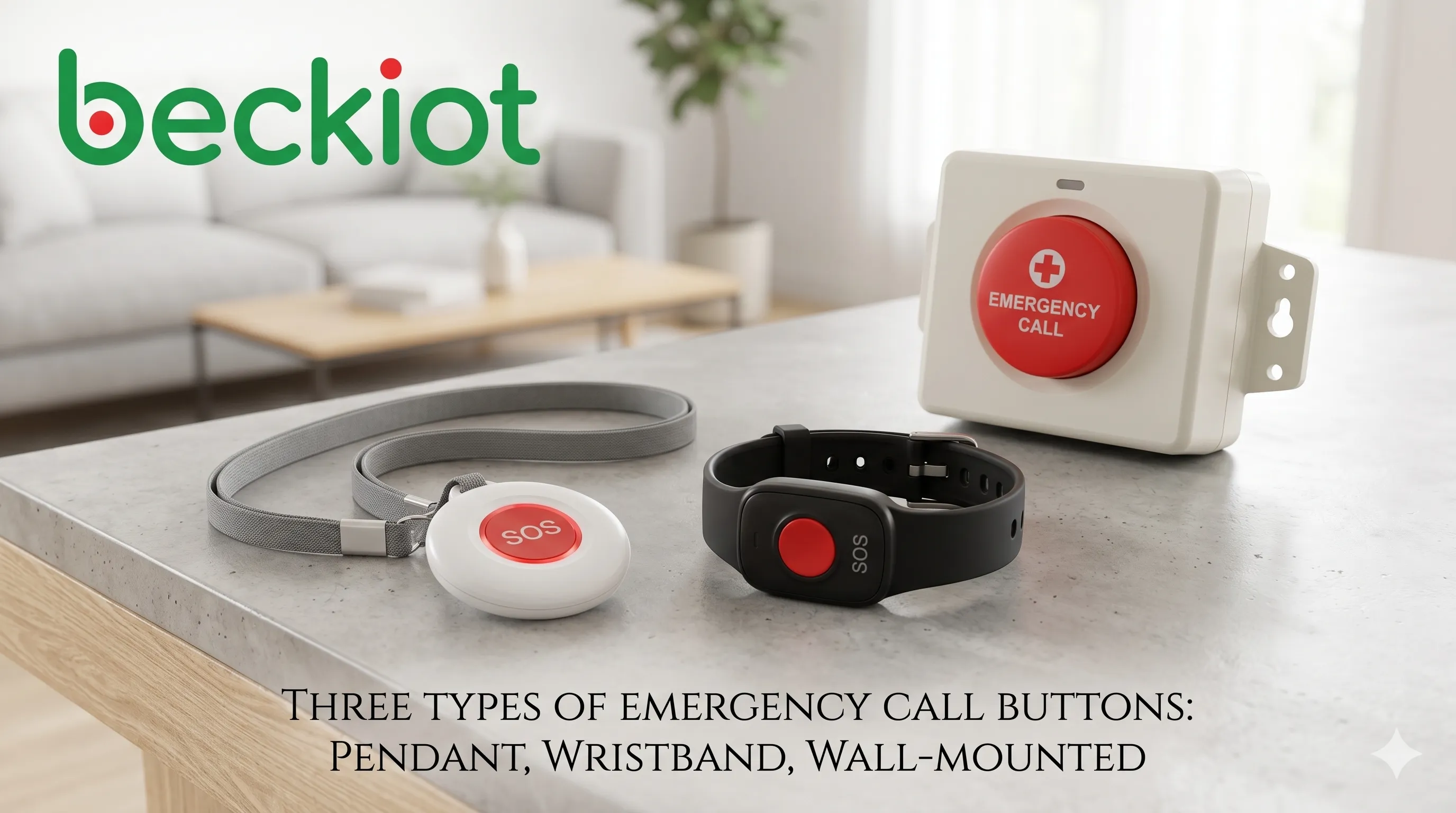
Common emergency call button designs include wearable pendants, wristbands, mobile buttons, and fixed wall-mounted help points.
Common Types of Emergency Call Buttons
Landline-Based Medical Alert Systems
Landline-based systems are traditional home medical alert solutions. The base unit connects to a telephone jack and power outlet, while the wearable button communicates wirelessly with the base station.
This type is suitable for users who still have a stable home phone line. It is simple and familiar, but it is limited to the home environment and may require backup power during outages.
Cellular and Mobile Emergency Buttons
Cellular emergency buttons do not need a landline. Some systems use a home base station with cellular service, while others are fully portable devices with built-in GPS and two-way voice. They are useful for active seniors, lone workers, outdoor users, and people who need protection beyond the home.
The main points to check are cellular coverage, battery life, charging habits, GPS accuracy, and monthly service cost.
Smart Watch and Wearable Hybrid Devices
Smart watches and dedicated medical alert watches combine emergency calling with functions such as step tracking, heart rate monitoring, fall detection, and location sharing. They are more discreet than traditional pendants and may be preferred by users who want a modern wearable device.
The trade-off is that these devices usually need more frequent charging and may cost more upfront.
Wall-Mounted Emergency Buttons
Wall-mounted emergency buttons are often installed in bathrooms, showers, bedrooms, accessible restrooms, elevators, nursing homes, hotels, and public facilities. They are useful in fixed locations where people may need help but may not be wearing a pendant.
These buttons can connect to an alarm panel, intercom system, SIP platform, nurse call system, or building security center. They are not portable, but they are durable and easy to locate.
Features That Matter Most
Simple One-Touch Operation
In an emergency, the user should not need to unlock a phone, search for a contact, or remember a number. The button should be easy to press, clearly marked, and able to start the response process immediately.
Reliable 24/7 Monitoring or Response Routing
If the system uses professional monitoring, the monitoring center should be staffed around the clock. If the system is used in a building or industrial site, the call should route to the correct security office, control room, nurse station, or dispatch team.
Waterproof and Bathroom-Safe Design
Bathrooms and showers are common risk areas for falls. A wearable or wall-mounted emergency button should be waterproof or at least water-resistant enough for the intended location. For shower use, the protection rating should be checked carefully.
Two-Way Voice Communication
Two-way voice allows the user to explain the problem and allows the operator to give instructions. If the user cannot respond, the operator can still follow the emergency response plan.
Fall Detection
Fall detection uses sensors and algorithms to identify sudden falls and trigger an alert automatically. This is helpful when the user loses consciousness or cannot press the button. However, no fall detection system is perfect. It may miss some falls or create false alerts, so manual button access remains important.
GPS Location for Mobile Use
GPS is important for mobile emergency buttons. If the user is away from home and cannot explain the location, GPS helps the operator or caregiver find the person faster.
Battery Life and Backup Power
Wearable buttons should have dependable battery life, and base stations should include backup power for outages. Mobile devices should be easy to charge and should provide low-battery reminders.
Cost and Service Planning
Emergency call button costs vary by device type, monitoring plan, communication method, and added features. A basic home system usually costs less than a mobile GPS system. Fall detection, cellular communication, caregiver apps, and professional monitoring may increase the monthly cost.
Buyers should compare the total cost rather than only the equipment price. Important items include activation fees, monitoring fees, fall detection add-ons, cellular plans, cancellation terms, replacement policies, warranty coverage, and whether long-term contracts are required.
For commercial or public projects, the cost should also include installation, cabling, SIP integration, alarm panel connection, software platform configuration, testing, and long-term maintenance.
Installation and Setup Tips
A home emergency button system should be tested immediately after installation. The user should press the button, confirm that the monitoring center or caregiver receives the alert, and verify that the speaker and microphone work clearly.
For fixed wall-mounted buttons, placement matters. Common locations include bathrooms, shower areas, bedside positions, accessible restrooms, elevators, reception areas, parking help points, and public corridors. The button should be easy to reach and clearly visible.
For larger buildings and public facilities, installation should be tested as part of the full safety workflow. This includes call routing, location display, alarm notifications, camera linkage, dispatch rules, and backup response contacts.
Common Misunderstandings
“A mobile phone is enough.”
A mobile phone is useful, but it may not be reachable after a fall. It may also be locked, out of battery, damaged, or without signal. A dedicated emergency button is designed for simpler operation under stress.
“Emergency buttons are only for elderly users.”
Seniors are a major user group, but emergency buttons also help people with medical conditions, lone workers, disabled users, rehabilitation patients, and people in public facilities who need quick help.
“Monitoring is always automated.”
Many professional medical alert systems use live operators. In building projects, the response may be handled by security staff, control room operators, nurses, or dispatch teams rather than an automated voice system.
“Only wearable buttons matter.”
Wearable buttons are useful, but fixed buttons also matter. Bathrooms, elevators, public restrooms, parking garages, campuses, hotels, hospitals, and workplaces often need wall-mounted help points.
How Becke Telcom Fits Commercial and Public Safety Projects
Consumer medical alert buttons are suitable for many home users. For public buildings, campuses, hospitals, industrial sites, and facility-level emergency communication, the requirement is usually broader. The system may need SIP calling, two-way voice, location identification, alarm linkage, dispatch integration, and long-term device monitoring.
Becke Telcom provides SIP intercoms, emergency call stations, industrial telephones, paging terminals, and emergency communication solutions for public and industrial environments. These systems can help connect fixed emergency call buttons or help points with control rooms, IP PBX systems, CCTV platforms, dispatch consoles, and public address systems.
For projects where emergency call buttons must work as part of a complete safety communication system, Becke Telcom can support product selection, system integration, and project-level deployment planning.
Conclusion
Emergency call buttons provide a simple but powerful safety function. They help people request help quickly when a normal phone is not practical, available, or easy to use. For seniors, medical users, lone workers, and public facility visitors, this can make response faster and more reliable.
The best choice depends on the real use case. A senior living alone may need a waterproof wearable button with monitoring and fall detection. An active user may need a mobile GPS button. A public building may need wall-mounted emergency buttons connected to a security desk or SIP communication system. A campus, hospital, or industrial site may need a full emergency communication platform.
A good emergency call button system should be easy to activate, reliable in daily operation, clear in voice communication, and connected to a response path that works when help is needed most.
FAQ
What is an emergency call button?
An emergency call button is a wearable or fixed device that sends an alert or starts a call when the user needs help. It may connect to a monitoring center, caregiver, security office, control room, or emergency response team.
Can emergency call buttons work without a landline?
Yes. Many modern systems use cellular networks, Wi-Fi, VoIP, or SIP communication. For mobile use, cellular coverage and battery life should be checked before choosing a device.
Can I use an emergency button outside the home?
Yes, if you choose a mobile emergency button with cellular communication and GPS. Traditional home systems usually only work within a certain range of the base station.
What happens if the button is pressed by accident?
In most monitored systems, the user can tell the operator it was a false alarm. The operator will usually cancel the response if there is no emergency. Some systems also include a cancel function.
Do emergency call buttons work during a power outage?
Many base stations include backup batteries, but performance depends on the system design. Cellular systems may continue working if the device has battery power and network coverage. Public or commercial systems should be planned with backup power.
Is fall detection worth adding?
Fall detection is useful for people with balance problems, previous falls, or high medical risk. It can trigger an alert even when the user cannot press the button. However, because no system is perfectly accurate, it should be treated as an added safety layer rather than the only protection.