Cloud services are computing resources and digital capabilities delivered over a network, most commonly the internet, on an on-demand basis. Instead of buying, installing, and maintaining every server, storage system, software platform, or application locally, an organization can consume services operated by a provider and access them when needed.
These services range from computing power and data storage to managed databases, development platforms, security tools, collaboration software, backup systems, analytics, and business applications. Their value comes not simply from moving technology away from a local server room, but from changing how resources are provisioned, managed, scaled, and paid for.
Cloud adoption can shorten deployment cycles and support distributed operations, but it does not remove the need for architecture planning, security controls, or cost management. The right model depends on the workload, the required level of control, and the responsibilities an organization is prepared to retain.

Cloud services provide computing, storage, software, and other digital capabilities through flexible online service models.
Meaning in modern IT
A Service-Based Delivery Model
In a traditional IT environment, an organization may purchase hardware, install software, plan capacity, and maintain systems throughout their useful life. With cloud services, some or all of those capabilities are supplied through a provider-managed environment. Users access the service through a web console, application, network connection, or API rather than managing every underlying component themselves.
This approach changes the work required from internal IT teams. Routine infrastructure ownership may decrease, while the importance of service configuration, access management, integration, performance monitoring, and supplier governance increases. The provider takes responsibility for defined layers of the service, but the customer still needs to operate the service appropriately.
More Than Online Storage
File storage and hosted email are familiar examples, but cloud services also support application hosting, enterprise software, identity management, data analysis, AI workloads, remote collaboration, disaster recovery, and industrial monitoring. A business might use one service for its customer portal, another for backups, and a third for communication between distributed teams.
Cloud services are therefore a delivery model rather than a single product category. Different services can be combined, while selected applications and equipment remain on premises. This flexibility makes cloud adoption a continuing architecture decision, not necessarily a one-time migration of every system.
Working principle
Shared Infrastructure and Service Abstraction
Cloud providers operate computing, storage, and networking infrastructure in data centers. Virtualization and other abstraction technologies allow physical resources to be allocated as logical environments for different workloads. Automation and orchestration tools help provision resources, apply configurations, monitor operation, and adjust capacity.
Customers typically request resources through a management portal, API, or service interface. Depending on the service model, they may configure virtual machines and networks, deploy application code, or simply sign in to a finished application. The provider manages the underlying layers defined by the service agreement.
On-Demand Provisioning and Elastic Capacity
Cloud resources can often be created, expanded, reduced, or retired faster than physical infrastructure can be purchased and installed. This is useful for variable workloads, development projects, seasonal demand, new branches, and digital services whose traffic changes over time.
Elasticity does not mean unlimited capacity or automatic cost efficiency. Quotas, regional availability, service limits, performance requirements, and configuration still matter. Workloads need monitoring and capacity planning, and unused resources may continue generating charges until they are shut down or removed.
Provider and Customer Responsibilities
Responsibility is shared, but the boundary differs by service. A provider may maintain physical facilities and core infrastructure, while the customer manages account permissions, data access, application settings, and workload configuration. A managed application service can reduce infrastructure tasks further, but it does not automatically make the customer's data, identities, or business processes secure.
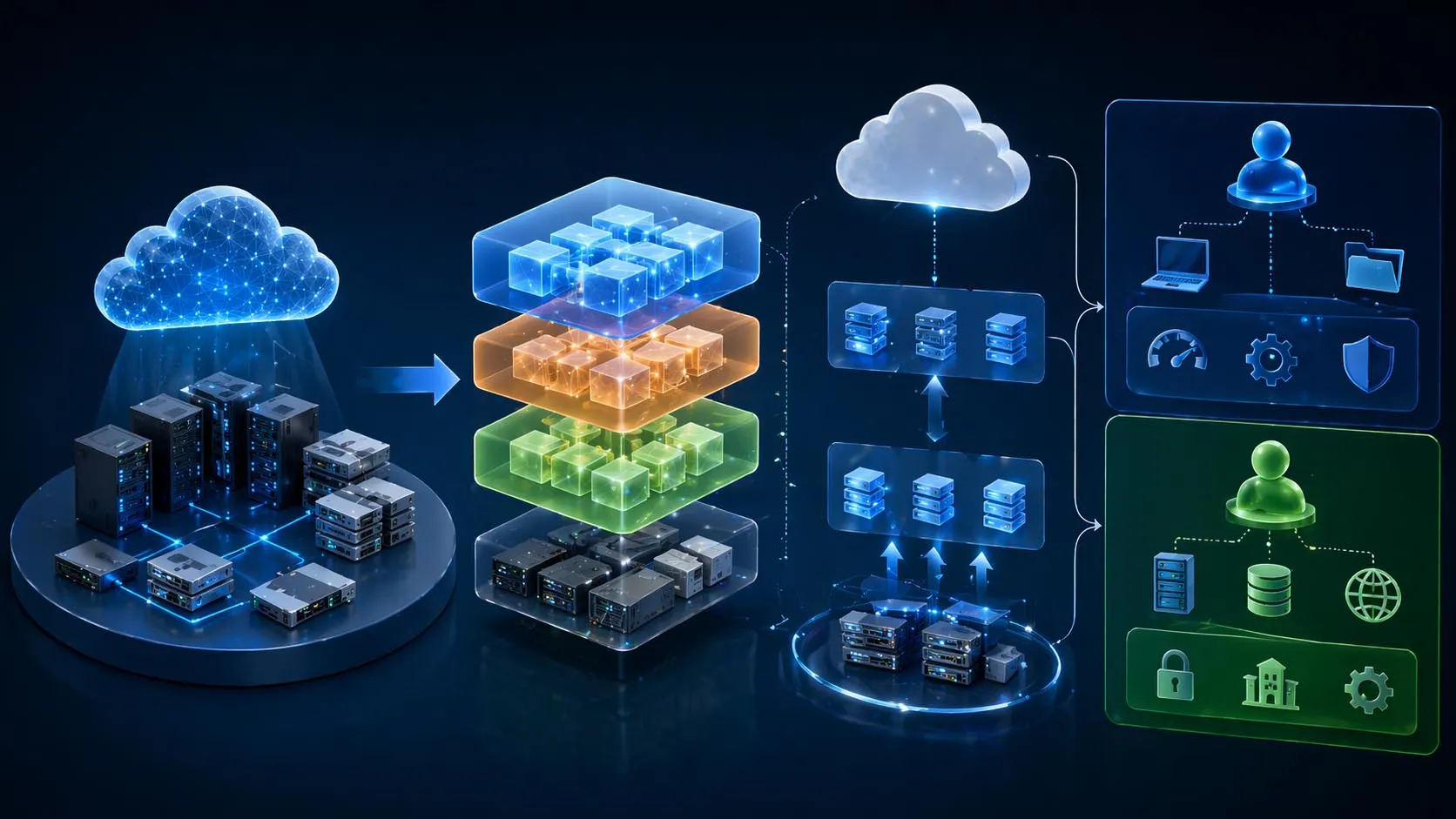
Cloud architecture separates provider-managed infrastructure from the services and configurations controlled by the customer.
Main Types of Cloud Services
Cloud services are commonly grouped into three models: Infrastructure as a Service (IaaS), Platform as a Service (PaaS), and Software as a Service (SaaS). The key difference is how much of the technology stack the provider operates and how much the customer configures.
| Service model | Provider typically manages | Customer typically manages | Common uses |
|---|
| IaaS | Physical facilities, hardware, and virtualization layer | Operating systems, applications, data, and many network or security settings | Workload hosting, test environments, storage, and recovery systems |
| PaaS | Infrastructure plus managed runtime, middleware, or development services | Application code, data, and service-specific configuration | Application development, APIs, managed databases, and deployment pipelines |
| SaaS | The application and most of its underlying operating environment | User access, business settings, data governance, and permitted integrations | Email, collaboration, CRM, ERP, and customer support software |
Infrastructure as a Service
IaaS supplies configurable computing, storage, and networking resources. It suits organizations that need control over operating systems and application environments without owning all the physical equipment. That flexibility also leaves the customer with more responsibility for patching, workload security, configuration, and resource sizing.
Platform as a Service
PaaS provides managed environments for developing and running applications. Developers can concentrate on code and application behavior instead of maintaining every server and runtime component. The trade-off is dependence on the platform's supported tools, versions, interfaces, and service limits.
Software as a Service
SaaS delivers a finished application through a browser, client, or managed interface. It is often the simplest entry point for organizations adopting cloud services because deployment and software maintenance are largely handled by the provider. Customers must still review identity controls, data handling, licensing, integration options, availability, and exit arrangements.
Benefits and Common Business Applications
Scalability and Faster Deployment
Cloud services can help organizations provision environments more quickly and adjust capacity as demand changes. Teams can test new applications, open services for new users, or expand digital operations without waiting for every infrastructure component to be purchased and installed. The business benefit depends on sound configuration and whether the selected service supports the required workload.
Operational Efficiency and Resilience
Provider-managed services can reduce the amount of routine hardware and platform maintenance performed by internal teams. Cloud architectures may also support backups, geographic redundancy, monitoring, and recovery options. These capabilities improve resilience only when they are designed, configured, and tested against business recovery objectives; a cloud deployment alone does not guarantee continuity.
Where Organizations Use Cloud Services
Enterprise applications: Email, collaboration, CRM, ERP, document management, and workflow services used across departments and locations.
Application development: Hosting websites, mobile back ends, APIs, test environments, and software delivery pipelines.
Backup and disaster recovery: Off-site copies, archival storage, recovery environments, and restoration workflows.
Distributed operations: Centralized dashboards, remote access, field-data aggregation, alerts, and multi-site monitoring.
Communications: Hosted calling, messaging, meetings, and related services for users working across offices or remotely.
Cloud services can be particularly useful when a business needs consistent access across multiple locations or must support changing demand. In industrial and operational environments, cloud-based monitoring may complement local control systems, but time-sensitive or safety-critical functions should retain the local control and continuity arrangements their operating requirements demand.
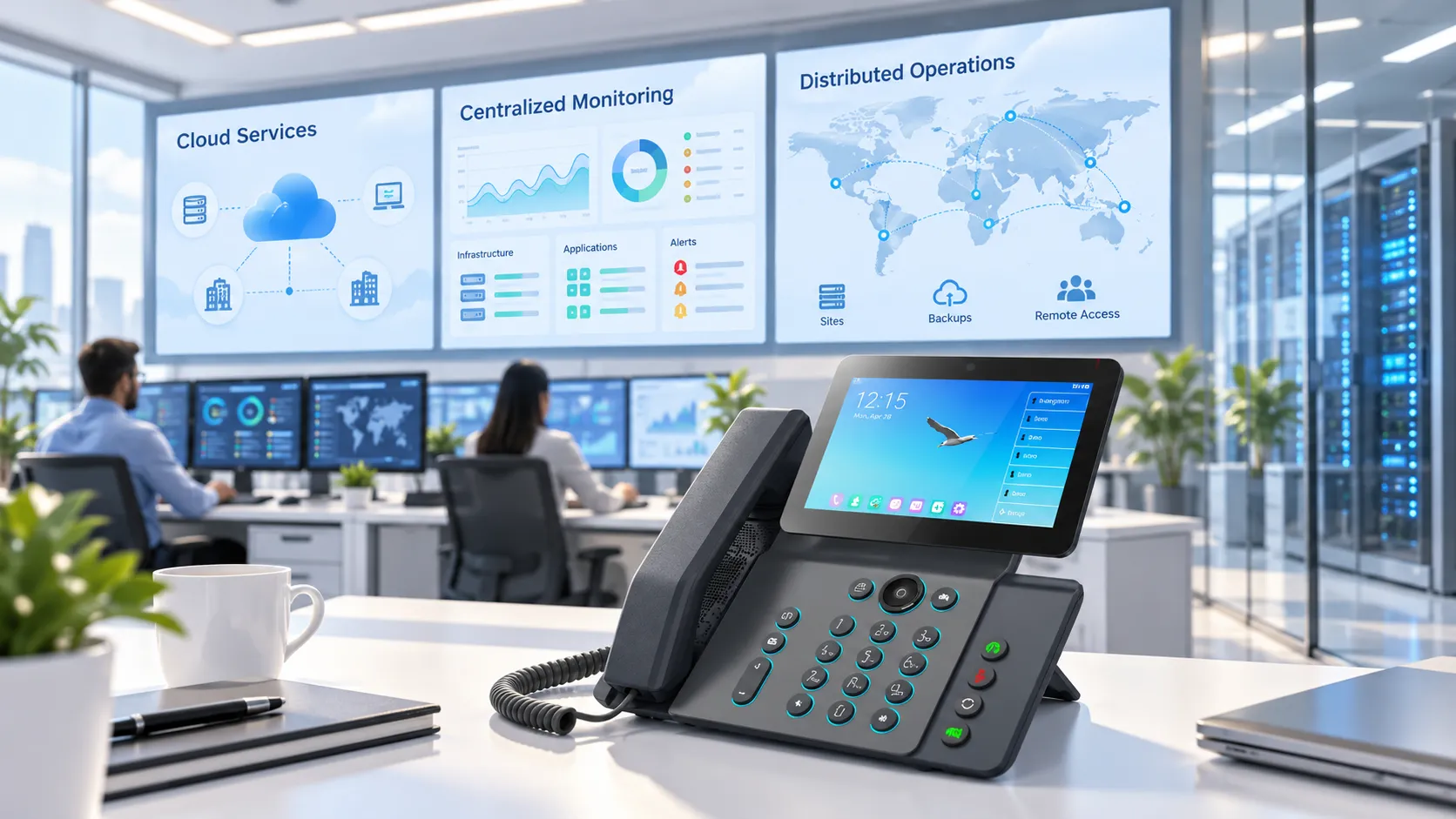
Centralized monitoring can improve visibility across cloud workloads, applications, and distributed sites.
Adoption Considerations and Operational Controls
Security, Privacy, and Governance
Before adopting a cloud service, identify the data it will process, the users who need access, the required retention periods, and any regulatory or contractual restrictions. Review identity and access management, multifactor authentication, logging, encryption options, backup policy, incident notification, data export, and deletion procedures. Confirm which controls are provided by the vendor and which must be configured by the customer.
Integration and Deployment Architecture
Cloud services need to work with existing applications, data sources, identity systems, networks, and operational processes. A hybrid model may be appropriate when legacy systems, local devices, latency requirements, or business continuity obligations make a full migration impractical. Map dependencies before moving a workload, and decide how data, authentication, monitoring, and failure recovery will work across environments.
Cost Visibility and Service Management
Cloud pricing may depend on resource size, storage volume, data transfer, transaction counts, user licenses, support tiers, and optional features. Costs can rise when resources are oversized, duplicated, or left running after a project ends. Establish budgets, usage alerts, ownership tags, lifecycle rules, and periodic reviews before scaling production workloads.
Service selection should also account for availability commitments, support response, maintenance windows, regional coverage, portability, and contract termination. The lowest initial price may not produce the lowest operating cost if the service requires extensive integration work or makes it difficult to retrieve data and move workloads later.
A Practical Readiness Checklist
Define the business outcome and identify the workloads that will move or remain local.
Choose IaaS, PaaS, SaaS, or a hybrid combination according to the required control and operational responsibility.
Document data classification, access roles, retention, recovery objectives, and compliance constraints.
Validate application compatibility, network connectivity, identity integration, and dependencies.
Estimate recurring and usage-based costs, then assign an owner to monitor them.
Test backup restoration, service recovery, monitoring, and the process for exporting data before broad deployment.
Cloud services deliver the strongest results when flexibility is matched with clear ownership, appropriate security controls, measurable recovery plans, and active cost management. The objective is not to move every system to the cloud, but to place each workload in an environment that fits its technical and business requirements.
FAQ
What are cloud services in simple terms?
Cloud services provide computing, storage, software, and other digital capabilities through a network on demand. The provider operates defined parts of the technology stack, while the customer accesses and manages the service according to its model.
What is the difference between IaaS, PaaS, and SaaS?
IaaS provides configurable infrastructure, PaaS provides a managed application development or runtime environment, and SaaS provides a finished application. The models differ mainly in how much of the underlying stack the provider manages.
Are cloud services suitable for small businesses?
Yes. Small businesses can use cloud services to access business software, collaboration, hosting, backup, and security capabilities without operating all the underlying infrastructure. Suitability depends on workload needs, recurring cost, connectivity, and data requirements.
Do cloud services eliminate the need for on-premises systems?
No. Some organizations keep local systems for latency, device compatibility, regulatory, resilience, or operational reasons. Hybrid architectures allow cloud services to work alongside on-premises applications and infrastructure.
How can an organization control cloud costs?
Use budgets and alerts, assign resource ownership, monitor usage, remove idle resources, choose appropriate capacity, and review storage and data-transfer charges. Regular cost reviews help ensure that cloud spending remains aligned with actual demand.