Call Transfer in Business Phone Systems: Meaning, Types, Benefits, and Practical Use
Call transfer helps business phone systems move live calls between users, departments, IP phones, SIP endpoints, and service teams without disconnecting the caller or breaking the conversation flow.
Becke Telcom
Call transfer is a common but important telephony function that allows an active call to be moved from one user, extension, department, device, or endpoint to another without forcing the caller to hang up and dial again. In simple terms, the first person who answers the call can pass the conversation to the person or team that is better suited to handle it.
This function is used every day in business phone systems, IP PBX platforms, SIP communication networks, reception desks, customer service teams, hospitals, hotels, schools, public service offices, and enterprise communication systems. Many callers do not reach the final person they need on the first attempt. A receptionist may need to send a call to finance. A support agent may need to escalate a case to a specialist. A hotel front desk may need to transfer a guest request to housekeeping or maintenance. Call transfer makes these handoffs possible while keeping the conversation alive.
For that reason, call transfer is more than a convenient button on a phone. It is a basic part of professional call handling. It helps organizations route live conversations more efficiently, reduce repeated explanations, improve caller experience, and connect people with the right destination faster.
What Call Transfer Means
Call transfer is the process of moving an ongoing call from one communication endpoint to another. The first user receives or answers the call, decides that another user or department should continue the conversation, and then uses the transfer function on a desk phone, softphone, operator console, or communication platform to redirect the call.
The caller remains inside the same communication session. They do not need to disconnect, search for another number, explain the issue again from the beginning, or restart the call journey manually. This is the main value of call transfer: it keeps the conversation continuous while changing the person or endpoint responsible for handling it.
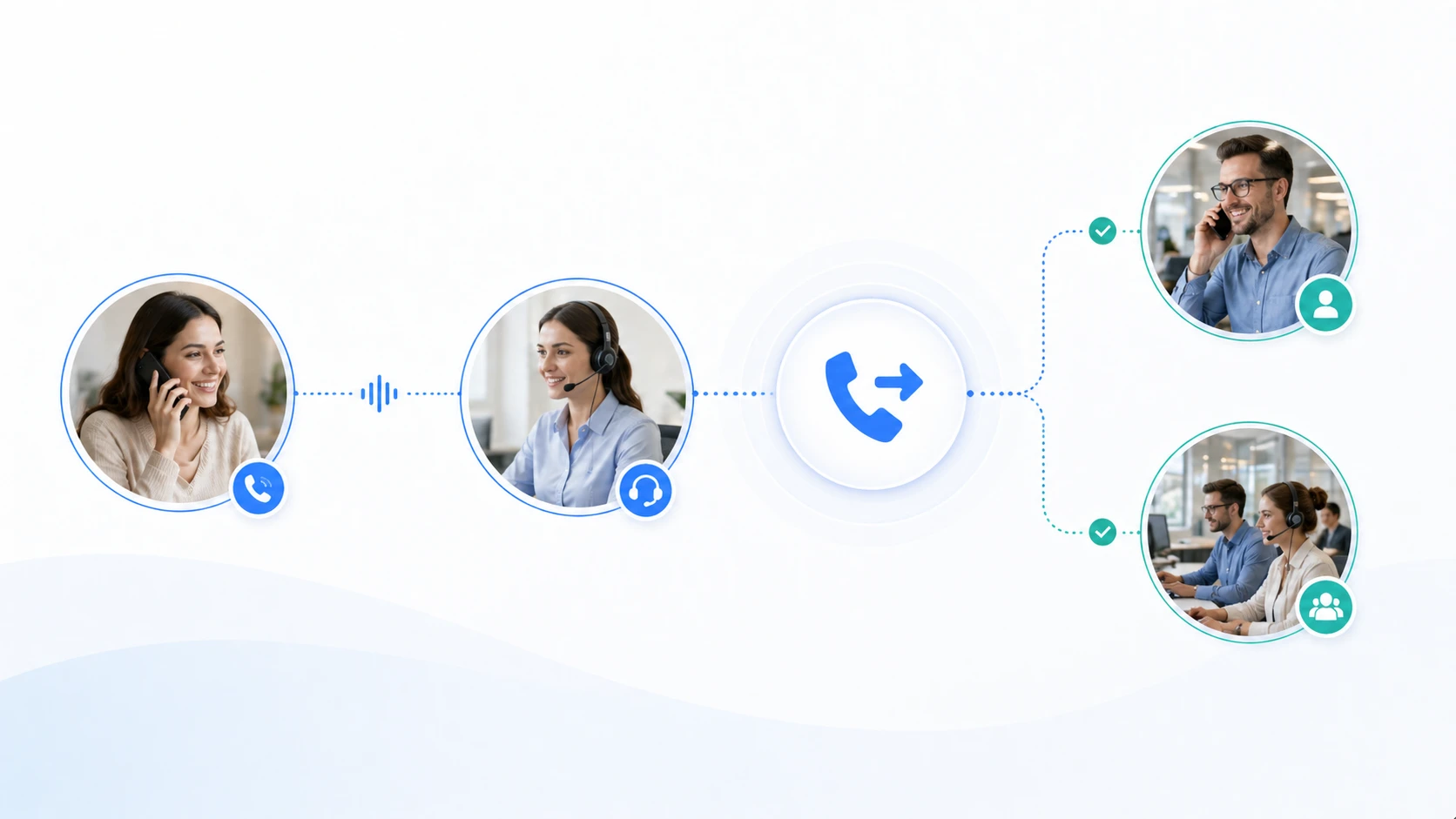
Call transfer keeps the caller connected while moving the live conversation to the right person, team, or endpoint.
In a business phone system, this function reflects how real organizations work. One person may answer the main number, but different teams may handle sales, support, billing, logistics, administration, technical service, security, or emergency response. Call transfer allows the phone system to follow that real business structure instead of forcing every call to end at the first answering point.
Call transfer moves a live call from the first answering point to the correct person or department without restarting the conversation.
Why Call Transfer Matters in Daily Communication
In real office and service environments, the first person who answers a call is often not the final problem-solver. They may act as a guide, receptionist, coordinator, operator, nurse station, front desk, or first-level service agent. Their role is to understand what the caller needs and send the call to the most suitable destination.
Without call transfer, the process becomes less efficient. The caller may be asked to hang up and dial another number. They may need to explain the same situation again. They may reach the wrong department, fail to reach the correct person, or wait for a callback. Each extra step increases frustration and creates more chances for communication failure.
Call transfer reduces this friction. It allows the organization to manage the handoff inside the live call process. For the caller, the experience feels smoother. For staff, the workflow becomes easier to control. For the organization, calls are handled in a more professional and structured way.
How Call Transfer Works
The basic process starts when a user is already speaking with a caller. After understanding the caller’s request, the user decides that another destination should continue the conversation. This destination may be an internal extension, another department, a queue, a hunt group, a mobile extension, a branch office, or an external number if the system allows it.
The user then activates the transfer function. On an IP phone, this may be done through a transfer key or screen menu. On a softphone, it may appear as a call control button. On an operator console, it may be handled through a drag-and-drop interface or a contact list. The communication platform then uses call control logic to redirect the live session.
In modern IP PBX and SIP-based systems, transfer is handled through signaling and platform control rather than simple physical line switching. This makes call transfer more flexible, especially when calls need to move between desk phones, softphones, mobile clients, remote extensions, or multi-site endpoints.
Call Transfer Is a Workflow Step, Not Only a Button
Many users think of transfer as a single button on a phone. In actual communication design, it is better to treat it as a workflow step. The action does not simply move a call somewhere else. It changes responsibility, keeps the caller inside the communication path, and supports a handoff between people or teams.
The first user may need to identify the correct department, check whether the destination is available, briefly explain the situation, or decide whether the call should be transferred directly or introduced first. This means call transfer is closely linked with call handling discipline, staff training, routing rules, and service quality.
A transfer key starts the action, but a good transfer process depends on choosing the right destination and handling the caller clearly.
Main Types of Call Transfer
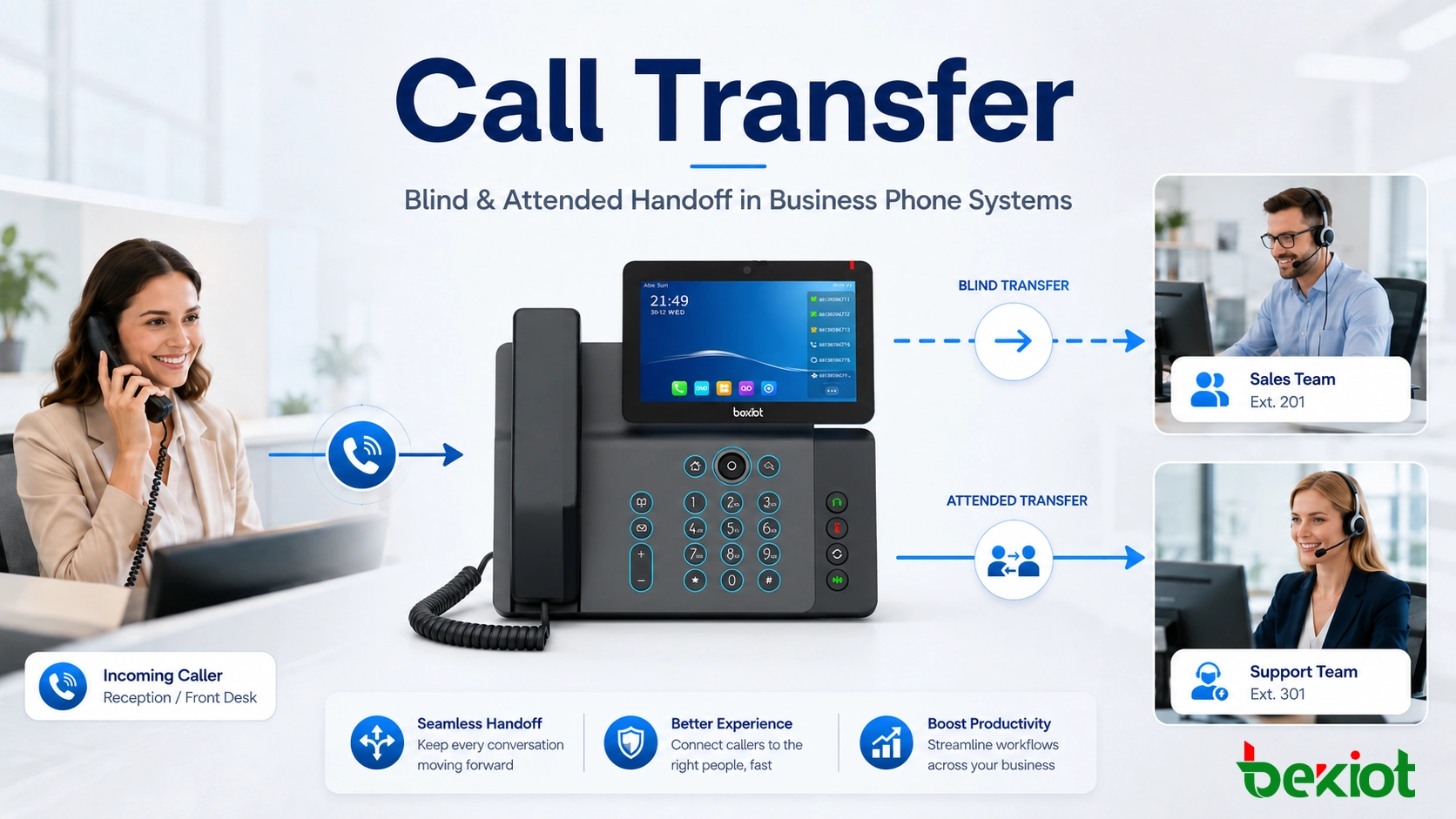
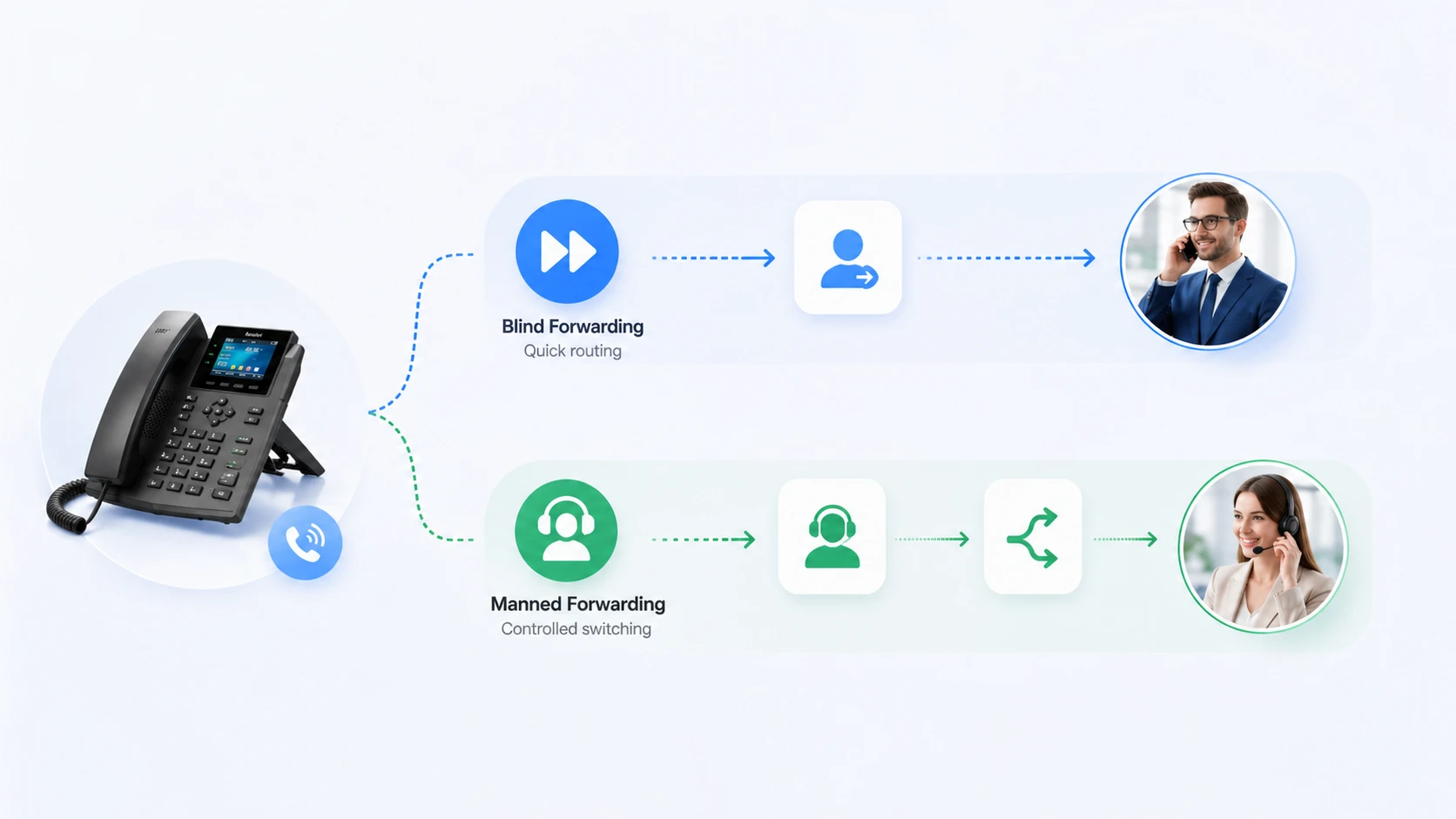
Most business phone systems support two common transfer methods: blind transfer and attended transfer. Both methods move a live call, but they are used in different situations.
Blind Transfer
Blind transfer, also called unattended transfer, sends the call directly to another destination without speaking to the recipient first. The first user chooses the target extension or number and transfers the call immediately.
This method is fast and useful when the destination is clear. For example, a front desk may know that all payroll questions should go to the finance extension, or all room service requests should go to the hotel service desk. Blind transfer reduces handling time and keeps call flow moving.
However, blind transfer works best when the target is likely to answer and the routing choice is accurate. If the recipient is unavailable or the call is sent to the wrong place, the caller may feel abandoned or may need to explain the issue again.
Attended Transfer
Attended transfer, also called supervised transfer or consultative transfer, means the first user contacts the target person or department before completing the handoff. The original user can explain who is calling, summarize the issue, confirm availability, and then decide whether to complete the transfer.
This method takes slightly more time, but it often creates a better caller experience. It is especially useful for executive offices, customer service escalation, healthcare communication, complex technical support, VIP service, and situations where context matters.
In practical use, attended transfer feels more professional because the call is not simply pushed away. The recipient receives context, and the caller is less likely to feel lost inside the system.
Blind transfer is fast for clear destinations, while attended transfer gives staff more control before completing the handoff.
Core Features of Call Transfer
Call transfer may seem simple from the user side, but it includes several important communication features that support business operations.
Live Session Continuity
The most important feature is continuity. The caller does not need to hang up, redial, or restart the conversation. The communication system keeps the call active while changing the endpoint. This reduces unnecessary interruption and helps the call move forward naturally.
In customer-facing environments, continuity directly affects service quality. Every time a caller is forced to restart the interaction, the chance of frustration increases. A well-handled transfer keeps the experience smoother and more controlled.
Flexible Handoff Between Devices and Teams
A transferred call can often be sent to many types of destinations, depending on the system design. It may go to an individual extension, a ring group, a call queue, a softphone, a mobile client, a branch office, or an external number. This flexibility is important because modern organizations rarely depend on one device type or one location.
Staff may work from office desks, front desks, mobile devices, remote offices, or shared operator positions. A strong call transfer function allows the phone system to support these mixed working models without making the caller manage the complexity.
Integration with Call Management Functions
Call transfer becomes more useful when it works with other call management features. These may include call hold, call park, call pickup, BLF status, presence information, IVR menus, ring groups, call queues, voicemail, recording, and operator consoles.
For example, a receptionist may check a colleague’s status through BLF before transferring. A support agent may place the caller on hold, consult a specialist, and then complete an attended transfer. An operator may move a call into a queue if the target department is busy. These combined workflows make the system more powerful than a basic phone line.
Advantages of Call Transfer
Call transfer brings practical value to both callers and organizations. Its main advantage is that it helps connect a caller with the correct person or department faster and with less confusion.
Faster Access to the Right Person
In a business environment, many calls arrive through a shared main number, reception line, hotline, service desk, or department group. The first person who answers may not be the right final handler. Call transfer allows that person to move the call directly into the next stage instead of asking the caller to solve the routing problem alone.
This saves time for the caller and reduces handling pressure for staff. A caller who is transferred correctly and quickly often feels that the organization is responsive and coordinated.
Less Repetition for the Caller
A poor transfer process often forces the caller to repeat the same information many times. This is one of the most frustrating parts of phone support. With attended transfer, the first user can brief the next recipient before the caller joins. Even with blind transfer, the caller at least stays inside the same call path rather than starting again manually.
Reducing repeated explanations improves the human experience of the call. It also makes service teams appear more connected internally.
Better Internal Coordination
Call transfer supports cooperation between departments. A receptionist can connect a visitor inquiry to administration. A sales team can transfer a technical question to support. A nurse station can move a call to another ward or on-duty staff member. A hotel front desk can send requests to housekeeping, maintenance, or guest services.
Instead of giving callers another number and hoping they reach the right place, staff can manage the handoff directly inside the communication system. This makes internal coordination more reliable.
Improved Efficiency in Busy Environments
In high-volume communication environments, one person cannot handle every request personally. Transfer prevents bottlenecks by allowing the first answering user to pass the call to the right resource and then become available for the next caller.
This is useful for reception desks, operator positions, customer service teams, clinics, hotels, schools, dispatch offices, and multi-line business phone systems. The result is a smoother call flow and better use of staff capacity.
The best transfer experience does more than move the call. It helps the next conversation begin with the right context and less confusion.
Common Applications of Call Transfer
Call transfer is used in almost every professional phone environment because live calls often need to move between people, teams, or sites.
Office Reception and Main Number Handling
Office reception is one of the most common call transfer scenarios. Visitors, customers, suppliers, job applicants, and internal staff often call a main number first. The receptionist identifies the purpose of the call and transfers it to the right extension, department, or manager.
In this case, call transfer turns the reception point into a guided access point. It helps callers reach the organization through one simple number while still being routed to the correct destination.
Customer Service and Support Teams
Customer service teams use call transfer when callers need different service stages. A general inquiry may need billing support. A billing question may need a supervisor. A technical issue may need escalation to a specialist. Transfer allows these handoffs to happen during the same call.
This is especially useful when combined with call queues, IVR menus, and customer service reporting. The system can bring callers into the right workflow while still allowing staff to redirect calls when needed.
Healthcare Communication
Hospitals, clinics, nurse stations, laboratories, pharmacies, and administration offices often use call transfer to connect calls quickly between departments. A caller may reach a general line first but actually need a ward, appointment desk, doctor’s office, emergency department, or nurse station.
In healthcare environments, clear call transfer can improve response speed and reduce communication confusion. Attended transfer may be especially useful when the caller’s situation requires context before the next staff member takes over.
Hospitality and Property Services
Hotels, resorts, serviced apartments, and property management offices use call transfer to move guest or tenant requests to the correct service team. A guest may call the front desk about room service, maintenance, housekeeping, transportation, or emergency assistance.
Transfer helps the front desk remain efficient while ensuring that requests reach the responsible department. This supports better service quality and a more professional guest experience.
Call Transfer in IP PBX and SIP Systems
In modern IP PBX and SIP communication systems, call transfer is one of the most frequently used live call control features. It can be activated through IP phones, softphones, operator consoles, unified communication apps, touchscreen terminals, headset platforms, or dispatch-style interfaces.
SIP-based systems make transfer more flexible because the call is controlled by signaling logic and platform rules. This allows calls to move between different device types and locations. A call may begin on a desk phone, transfer to a softphone, move to a queue, or reach a mobile extension depending on the system configuration.
This is important for multi-site and hybrid work environments. Staff may be located in different offices, branches, control rooms, or remote locations, while callers still expect one smooth communication experience. Call transfer helps connect these distributed resources into one workable voice service.
In IP PBX and SIP systems, call transfer can connect desk phones, softphones, extensions, queues, and remote endpoints in one call workflow.
Best Practices for Using Call Transfer
A call transfer feature is only effective when people use it properly. Poor transfer habits can create confusion even if the phone system is technically capable.
Choose the Right Transfer Method
Blind transfer is useful when the destination is obvious and likely to answer. Attended transfer is better when the issue is complex, sensitive, urgent, or likely to need context. Staff should understand the difference and choose the right method instead of using the same transfer style for every call.
Tell the Caller What Is Happening
Before transferring, it is good practice to explain where the caller is being sent and why. A simple sentence such as “I will transfer you to our technical support team” helps reduce uncertainty. Callers are more comfortable when they understand the next step.
Check Availability When Context Matters
If the call is important, sensitive, or likely to require immediate attention, staff should consider attended transfer. Confirming availability before completing the handoff prevents callers from being sent to an unavailable endpoint or the wrong person.
Review Repeated Transfer Problems
If callers are often transferred several times before reaching the right person, the issue may not be the transfer feature itself. It may indicate unclear routing rules, outdated department lists, poor IVR design, weak staff training, or unclear ownership of certain call types.
Businesses should review transfer patterns and improve routing logic when repeated transfer problems appear.
A successful call transfer is not measured only by whether the call moved, but by whether the handoff improved the caller’s outcome.
Conclusion
Call transfer is the function that moves a live call from one user, extension, device, or department to another without ending the session. Its main value is continuity. The caller stays connected while the communication system changes the person or endpoint responsible for handling the conversation.
The most common transfer methods are blind transfer and attended transfer. Blind transfer is fast and efficient when the destination is clear. Attended transfer provides more control and context when the call requires a smoother handoff. Together, these methods support a wide range of business communication needs.
In offices, customer service teams, healthcare environments, hospitality operations, IP PBX platforms, and SIP-based communication systems, call transfer helps callers reach the right destination faster, reduces repeated explanations, improves internal coordination, and makes voice workflows more professional.
Becke Telcom provides communication products and solutions for IP PBX, SIP telephony, dispatch communication, industrial voice systems, and enterprise call management scenarios. For projects that need reliable call routing, transfer handling, queue integration, and centralized voice communication, Becke Telcom can support practical system planning and deployment.
FAQ
What is call transfer in simple terms?
Call transfer means moving a live phone call from one person, phone, extension, or department to another without disconnecting the caller. The conversation stays active while the responsible handler changes.
What is the difference between blind transfer and attended transfer?
Blind transfer sends the call directly to another destination without speaking to the recipient first. Attended transfer contacts the recipient first, confirms availability or explains the situation, and then completes the handoff.
Where is call transfer commonly used?
Call transfer is commonly used in office phone systems, reception desks, customer service teams, healthcare communication, hotel front desks, IP PBX platforms, and SIP-based business telephony systems.
Why is attended transfer useful?
Attended transfer is useful when the call needs context, confirmation, or a smoother handoff. It allows the first user to speak with the recipient before connecting the caller, which can reduce confusion and improve service quality.
Can call transfer work with IP phones and softphones?
Yes. In modern IP PBX and SIP systems, call transfer can work with IP phones, softphones, operator consoles, mobile extensions, call queues, ring groups, and remote endpoints, depending on system configuration.