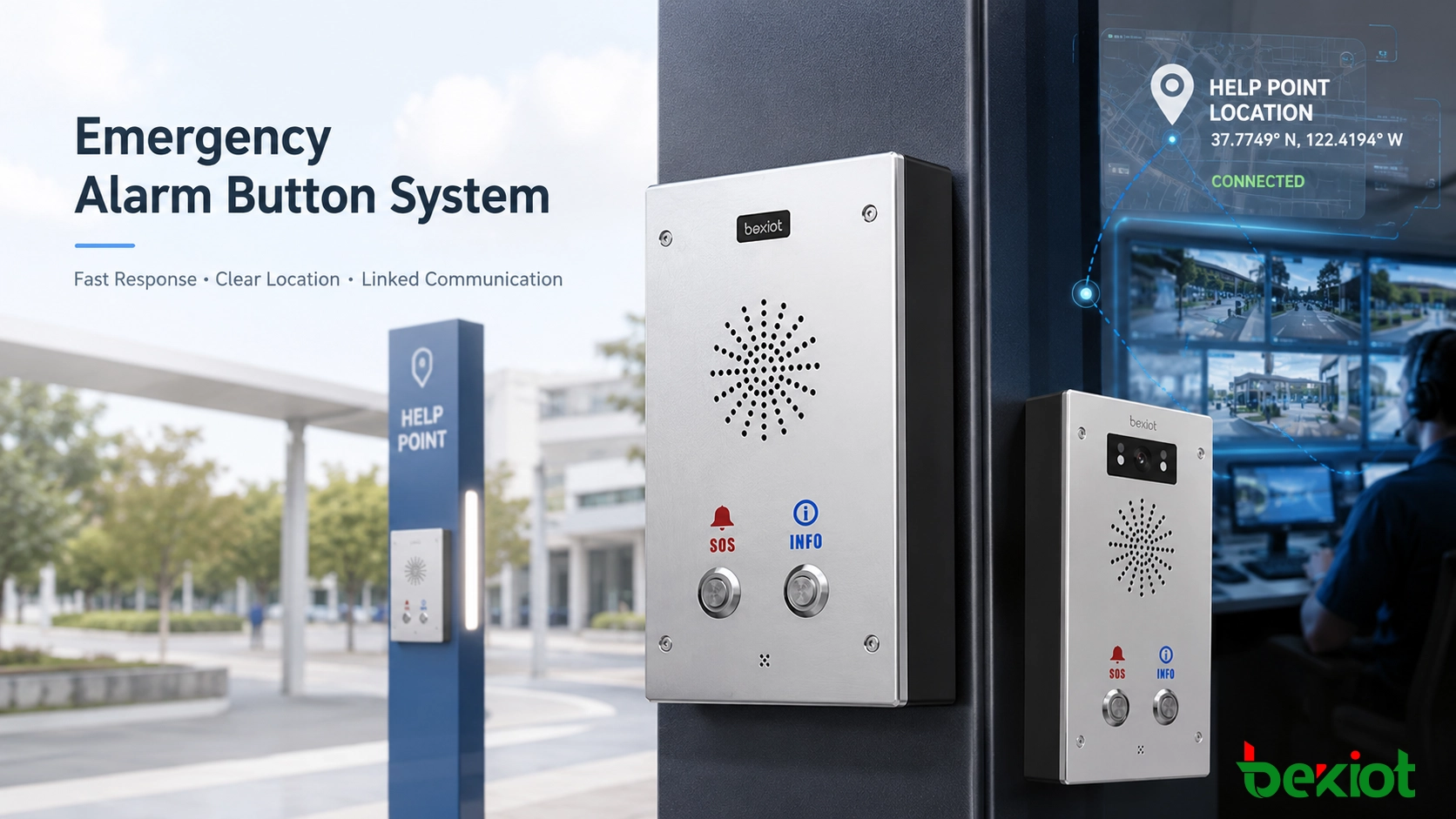
Alarm Button Systems for Emergency Help and Fast Response
A practical guide to alarm button systems for emergency help, security response, industrial safety, public spaces, campuses, healthcare facilities, and integrated dispatch communication.
Becke Telcom
An alarm button is a manual emergency trigger used when a person needs immediate assistance, reports danger, discovers a fault, or wants to notify a control room quickly. It is also known as a panic button, SOS button, emergency button, help button, duress button, or manual alarm trigger. Although the names vary by industry, the purpose is the same: to give people a simple and direct way to turn an urgent situation into a system-recognized alarm event.
Unlike automatic sensors, an alarm button depends on human action. A person presses the button because they have noticed something that requires attention. This may be a safety threat, medical emergency, equipment fault, security incident, visitor request, elevator trouble, workplace injury, or public help request. Once triggered, the button should send a clear signal to the correct response role, record the event, identify the location, and support follow-up action.
The value of an alarm button is speed. In a stressful moment, it gives users one visible action that starts a defined emergency response process.
An alarm button converts a manual emergency action into a traceable event that can be received, located, verified, and handled by the response team.
What an Alarm Button Does in a Safety System
An alarm button should not be seen as a standalone piece of hardware. In a real project, it is part of a larger response system. The button may connect to a security platform, dispatch center, access control system, fire alarm system, public address system, industrial control system, communication platform, or building management system.
When the button is pressed, the system should do more than show a generic alarm. It should identify which button was triggered, where it is installed, what type of event it represents, which team should respond, and what linked actions should follow. For example, an SOS button at a parking lot may trigger a control room pop-up, open a nearby camera view, start a voice call, notify security guards, and record the entire event.
This is the key difference between a basic switch and a complete alarm button system. A switch only sends a signal. A well-designed alarm button solution supports the full workflow: trigger, transmission, confirmation, location display, operator response, event recording, reset, and maintenance.
From Button Press to Response Workflow
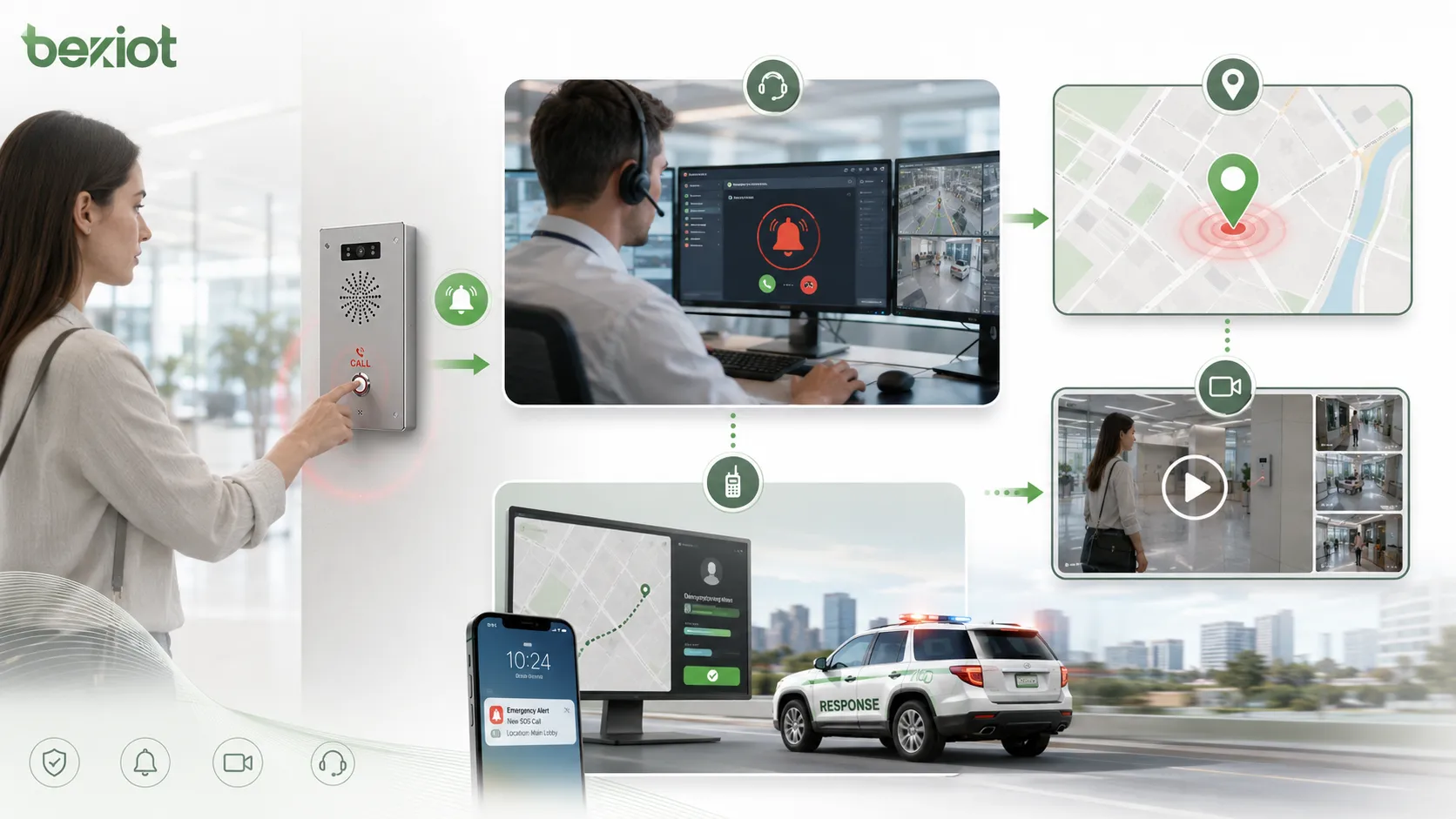
A typical alarm button workflow starts with a physical action. The user presses the button because they need help or want to report an emergency. The device then sends a signal through dry contact, relay output, IP network, wireless transmission, serial communication, SIP signaling, or another supported method.
After the signal reaches the platform, the system identifies the device and displays the alarm information. A control room operator may see the device name, zone, floor, room number, map location, alarm level, and trigger time. If the alarm button is linked to a camera, the relevant video may open automatically. If it is linked to a communication system, a voice call or intercom session may be started.
The response does not end when the alarm appears on screen. The operator may need to acknowledge the event, contact the现场 point, dispatch personnel, broadcast instructions, escalate to another department, or mark the incident as resolved after verification. For this reason, the alarm button should be planned as part of an operational process, not only as an electrical input.
Signal Methods and System Compatibility
Alarm buttons can use different signal output methods depending on the project. Simple devices may use dry contact or relay output. These are widely supported by access control panels, alarm hosts, I/O modules, industrial controllers, and some communication gateways. They are reliable and easy to integrate when the project only needs a clear open or closed signal.
IP-based alarm buttons can send data through Ethernet or a private network. They may support device addressing, event reporting, remote configuration, status monitoring, and platform integration. In projects where alarm events need to be displayed on a dispatch system or management platform, IP-based devices can provide better visibility and easier maintenance.
Some emergency help points or alarm terminals also support voice communication. When the button is pressed, the system can start a call to a control room, security desk, nurse station, or dispatch console. This is useful because operators can speak directly with the person at the alarm point and confirm what has happened.
Core Features of a Practical Emergency Button
A good alarm button should be easy to find, easy to press, and difficult to misunderstand. In stressful situations, users may not have time to read instructions. The device should have a clear color, recognizable shape, suitable labeling, and an installation position that matches the risk scenario.
Reliable signal transmission is equally important. The alarm path should be designed so that the signal reaches the platform consistently. Engineers should consider cable distance, network availability, power supply, backup power, input module status, wireless signal strength, and communication supervision. If the button is used in a critical environment, failure monitoring and regular testing should be included.
Location identification is another major feature. Response teams cannot act quickly if they only receive a general alarm. The system should show the exact device ID, area, building, floor, room, map point, camera linkage, or nearby landmark. In large facilities, location information can reduce response time significantly.
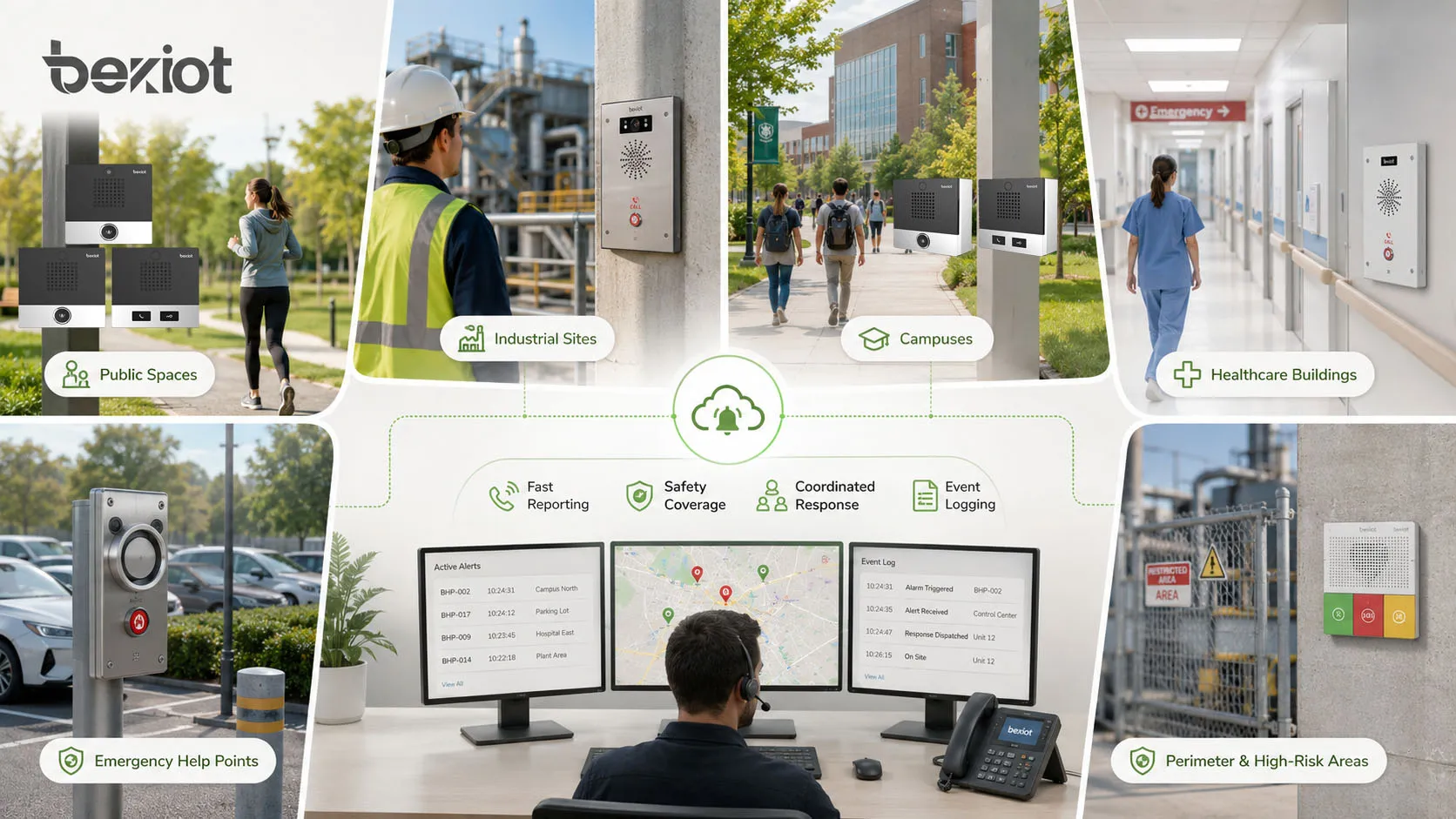
Alarm button systems improve emergency reporting, safety coverage, response coordination, and traceable event management in different environments.
Benefits in Daily Operation and Emergency Response
The most direct benefit of an alarm button is faster emergency reporting. People do not need to search for a phone number, open an app, or explain their location first. A single press can send the event to the right platform and response team.
Alarm buttons also improve safety coverage. Cameras and sensors are useful, but they cannot detect every situation. A person may see a conflict, medical issue, equipment fault, suspicious behavior, or hidden danger before an automatic system can identify it. Manual alarm points give users a way to report these problems immediately.
Another benefit is traceability. A professional system can record the alarm time, device ID, operator acknowledgment, response actions, reset time, and related audio or video records. These logs help with incident review, management accountability, maintenance planning, and safety improvement.
Where Alarm Buttons Are Commonly Used
In public safety environments, alarm buttons are often installed at help points, parking lots, entrances, ticket halls, public corridors, service counters, and outdoor emergency stations. Users can press the button when they face danger, need assistance, or report an abnormal situation.
In industrial and utility sites, alarm buttons may be placed in workshops, machine rooms, substations, control areas, hazardous zones, chemical storage areas, pump stations, tunnels, and maintenance points. These locations often require fast reporting because accidents, equipment faults, gas leaks, or process abnormalities can escalate quickly.
Healthcare and care facilities use alarm buttons for patient assistance, nurse call support, emergency help, elderly care, restroom alarms, treatment-room alerts, and staff duress situations. In these environments, the alarm button should be easy to reach and linked to a clear response role.
Schools, campuses, and commercial buildings can use alarm buttons in reception areas, classrooms, laboratories, dormitories, elevators, security posts, parking facilities, and isolated corridors. For large sites, alarm buttons can work together with cameras, access control, public address, and security dispatch systems.
Transportation and infrastructure projects also rely on manual alarm points. Subway stations, railway platforms, tunnels, bus terminals, airports, bridges, underpasses, and highway service areas often need visible emergency help devices so that passengers or staff can contact the control center quickly.
Integration with Voice, Video, and Dispatch
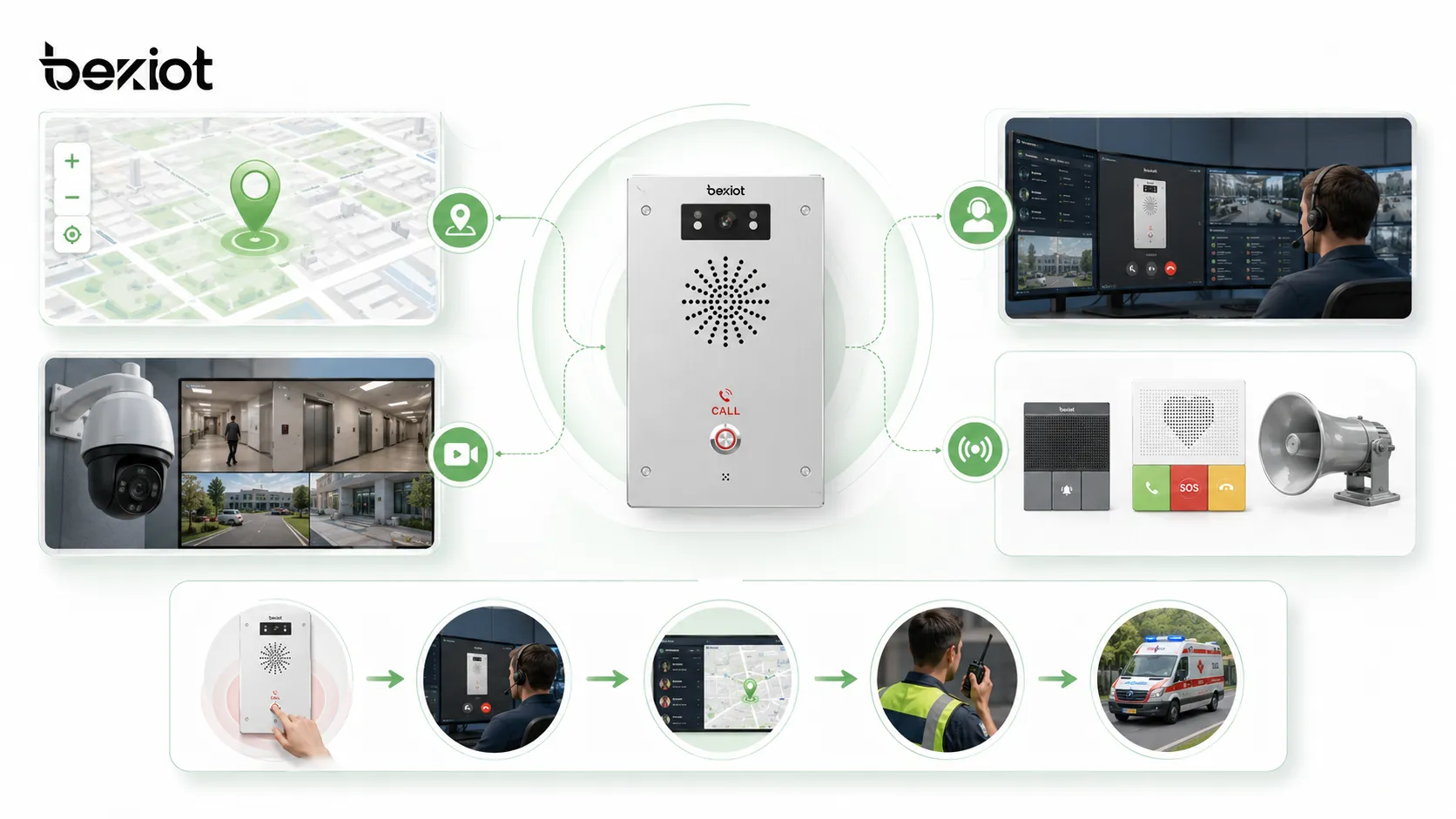
Alarm buttons become more valuable when they are integrated with communication and response systems. A simple alarm signal can inform the operator that something has happened. A linked communication workflow can help the operator understand what happened and coordinate the response.
Voice call linkage is one common design. After the button is pressed, the system can automatically call a control room, security center, nurse station, or dispatch console. The operator can speak with the person at the site, confirm the situation, and provide instructions.
Video and map linkage are also important. When an alarm is triggered, the platform can open the nearest camera and highlight the location on a map. This helps the operator verify whether the event is a real emergency, a false alarm, a medical issue, a security threat, or an equipment problem.
Broadcast and notification linkage can extend the response. The system may activate local sound and light alarms, send messages to duty staff, start a public address announcement, or notify response teams through a dispatch platform. This is especially useful in industrial, transportation, campus, and public safety projects.
Selection Factors for Real Projects
Choosing an alarm button should start from the environment and response workflow. A button installed indoors at a service desk has different requirements from one installed outdoors in a tunnel, factory, parking lot, or coastal facility. The device must match the installation conditions, expected users, risk level, and system interface.
Selection Factor
Why It Matters
What to Check
Installation environment
The device must withstand site conditions
Indoor, outdoor, dust, moisture, corrosion, impact, temperature
Signal method
It determines platform compatibility
Dry contact, relay, IP, wireless, SIP, serial communication
Operation design
It affects ease of use and false alarm control
Button size, protective cover, long press, key reset, indicator light
Location display
Response teams need accurate position information
Device ID, zone, floor, map point, camera linkage, room label
Maintenance access
Long-term reliability depends on testing and service
Accessible mounting, status monitoring, test mode, replaceable parts
False alarm prevention should also be considered. In public areas, a protective cover, long-press trigger, key reset, or operator confirmation workflow may reduce accidental activation. In high-risk areas, however, the button must remain easy to press. The design should balance quick access with reasonable protection against misuse.
For emergency help points, SOS terminals, and integrated alarm applications, Becke Telcom BHP-SOS series can be selected according to installation environment, voice communication requirement, linkage platform, and response workflow. The device should be matched to the project rather than selected only by appearance or button type.
Alarm button selection should consider operation design, location display, communication linkage, false alarm prevention, and maintenance access.
Deployment Practices That Improve Reliability
Location planning is one of the most important deployment tasks. Alarm buttons should be installed where people can reach them quickly and where risk is likely to occur. They should be visible, accessible, clearly labeled, and protected from accidental damage. In public spaces, the installation position should consider both user convenience and vandalism risk.
Alarm levels and response rules should be defined before the system goes live. Not every alarm has the same urgency. A duress alarm, medical emergency, equipment fault, and help request may require different response teams. The platform should route each alarm type to the correct role and display useful information instead of only showing a generic signal.
Testing should involve real operators, not only engineers. Operators should confirm whether they can understand the alarm message, identify the location, contact the现场 point, open linked video, dispatch personnel, and close the event correctly. If the workflow is unclear during testing, it will be even more difficult during a real incident.
Maintenance for Long-Term Operation
An alarm button is only reliable if it is tested and maintained. Maintenance should include regular function tests, physical inspection, communication status checks, power supply verification, cable condition inspection, indicator light checks, platform event confirmation, and response record review.
Test records should include device ID, location, test time, test result, operator response, reset status, and corrective action. These records help facility managers identify weak points and prove that the emergency help system is being maintained properly.
Physical condition matters as well. Buttons installed outdoors, in industrial areas, or in public spaces may face dust, moisture, impact, corrosion, vibration, or vandalism. Regular inspection can prevent hidden failures and reduce the risk of discovering a problem only during an emergency.
Common Mistakes to Avoid
One common mistake is treating the alarm button as a simple electrical contact. The signal may reach the platform, but the response workflow may still be incomplete if the system does not identify location, display event type, record logs, or notify the right team.
Another mistake is installing buttons without considering user behavior. A device may be technically correct but placed too far away, hidden behind furniture, mounted too high, or difficult to recognize under stress. Emergency devices must be planned from the user’s point of view.
A third mistake is ignoring maintenance. Alarm buttons may remain unused for long periods, but they must work immediately when needed. Without regular testing, a damaged cable, failed power supply, network issue, or platform configuration error may go unnoticed.
Summary
An alarm button is a simple device, but its role in an emergency response system is important. It gives people a fast and visible way to report danger, request help, trigger a workflow, and alert the right response team.
A dependable alarm button system should include clear physical design, reliable signal transmission, accurate location display, voice or video linkage when needed, defined response rules, traceable logs, and regular maintenance. It should also be selected according to the environment, user behavior, platform compatibility, and long-term operation requirements.
For public spaces, industrial sites, transportation facilities, healthcare buildings, campuses, and smart buildings, alarm buttons can improve emergency reporting, reduce response delay, and support safer operation when they are integrated into a complete communication and dispatch workflow.
FAQ
What is the difference between an alarm button and an SOS button?
An SOS button is usually used for help requests or emergency assistance. An alarm button is a broader term and may include SOS, panic, duress, fault, security, or manual emergency triggers.
Can an alarm button show its exact location?
Yes. The platform can identify the button through device ID, zone, floor, room label, map point, or linked camera. Accurate location information depends on how the device and platform are configured.
Should an alarm button trigger a voice call?
It depends on the scenario. Voice linkage is useful when operators need to speak with the person at the alarm point, verify the event, or provide instructions before dispatching a team.
How can false alarms be reduced?
False alarms can be reduced through protective covers, long-press operation, key reset, clear labeling, proper installation height, operator confirmation, and user training. The design should still allow fast activation during real emergencies.
What should be included in regular alarm button testing?
Testing should confirm button activation, platform alarm display, location identification, operator acknowledgment, voice or video linkage, notification output, reset function, and event log recording.