Emergency Command Boxes for Field Communication and Mobile Response
A practical guide to emergency command boxes for field rescue, disaster response, temporary command, weak-network video return, SIP dispatch, video conferencing, multi-protocol media processing, and rugged field operations.
Becke Telcom
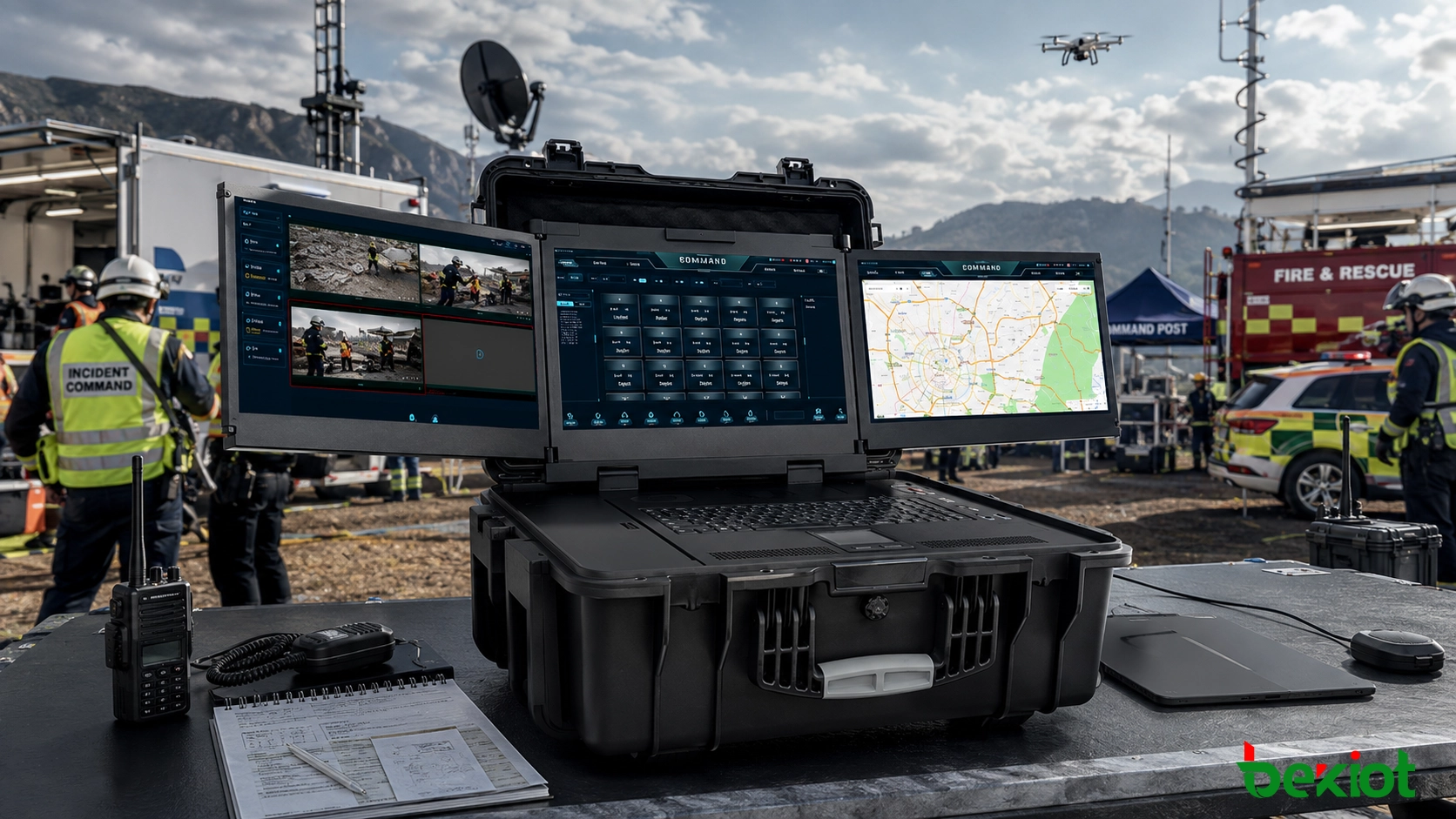
In emergency response, disaster rescue, forest fire control, field inspection, industrial safety, public security, and temporary command operations, communication often has to be restored before a complete command system can be deployed. When power, network access, and road transportation are disrupted, the command team needs more than a portable case with several screens. It needs a field-ready system that can quickly connect people, video sources, communication links, media platforms, and upper-level command centers.
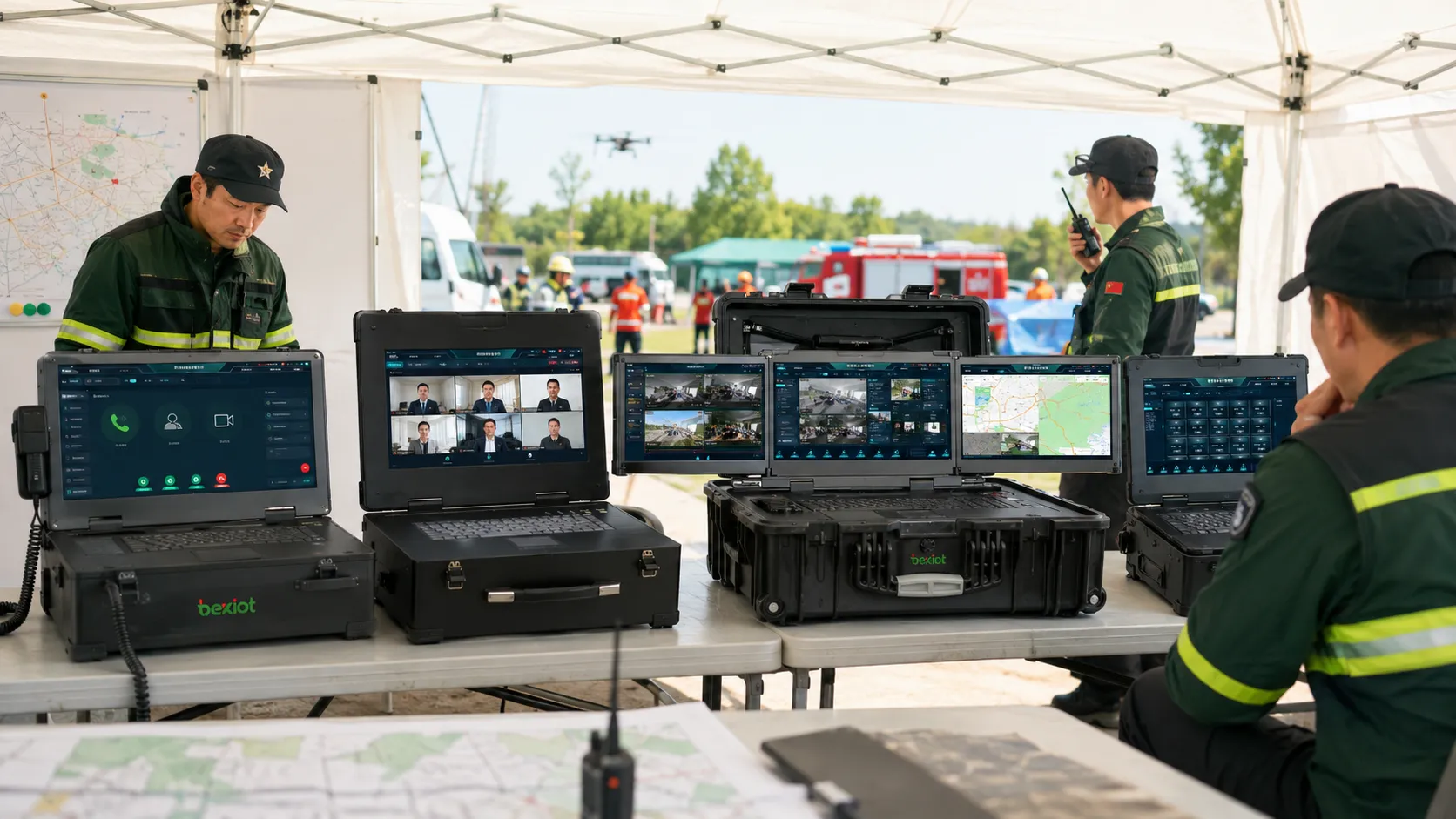
Many emergency command boxes look similar from the outside. They may use a rugged suitcase, folding display screens, antennas, battery modules, network ports, and a dispatch interface. Their product descriptions may also include similar terms such as video conferencing, voice dispatch, drone video return, surveillance access, recording, and remote command center connection. However, the internal architecture may be completely different. This is why products with similar appearances can have very different prices, performance levels, field stability, and real command value.
A practical selection process should not start from the number of screens or the shape of the case. It should start from the field mission. Buyers need to understand whether the system is built around SIP communication, video conferencing, audio-video media processing, or only rugged computing. These technical routes determine what the command box can actually do in an emergency site.
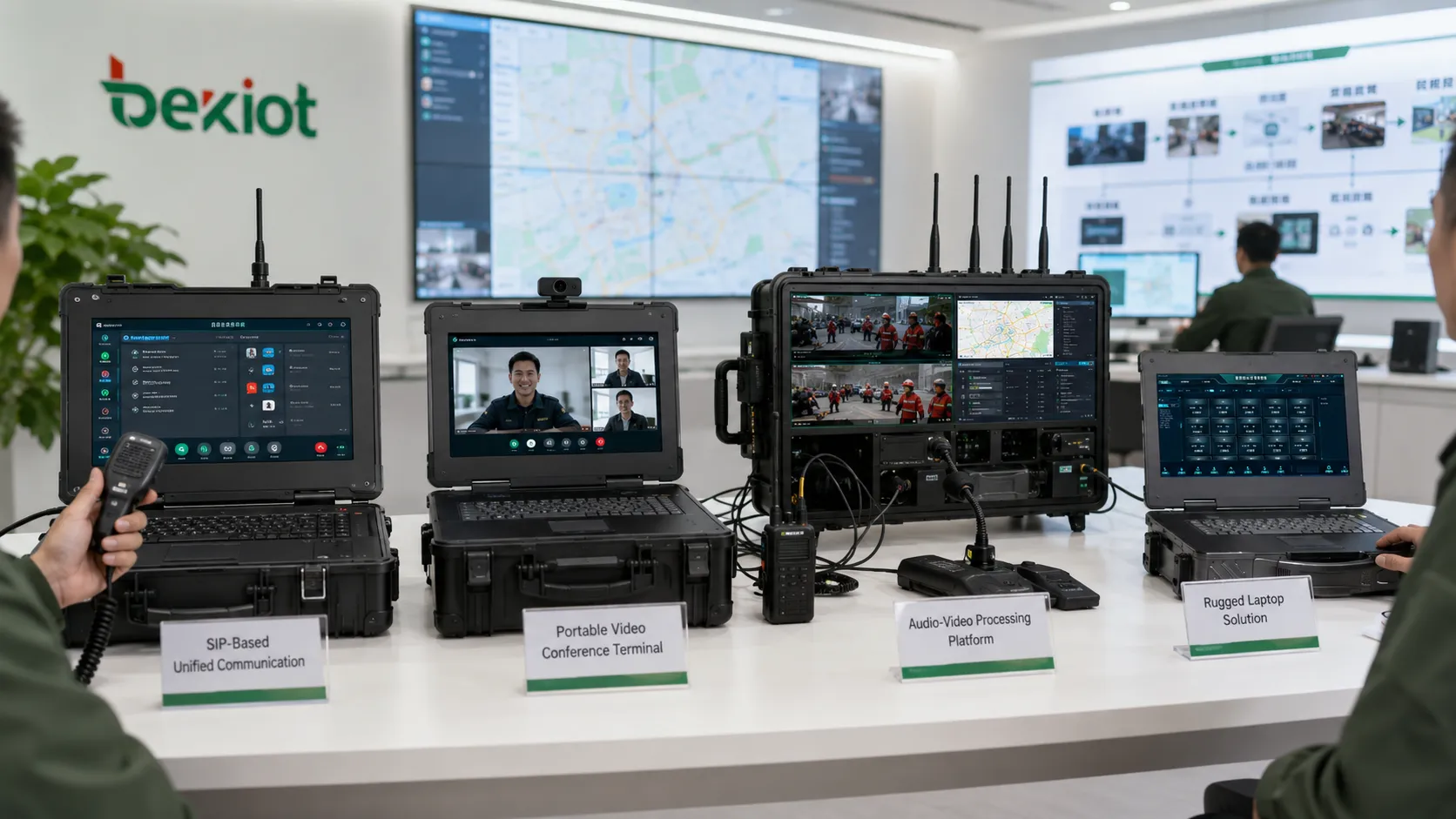
Emergency command boxes may look similar, but their system architecture, protocol capability, media processing ability, and field command value can be very different.
Architecture Matters More Than Appearance
An emergency command box is not simply a portable computer placed inside a protective case. Its value depends on whether it can help the field team communicate, receive video, process media, coordinate local action, record important events, and share selected information with the command center.
In real projects, different manufacturers build command boxes from different starting points. Some products are based on unified communication software. Some are portable video conference terminals. Some focus on audio-video processing and multi-protocol access. Others are rugged computers that can run software but do not provide native command or media-processing functions.
This difference affects every part of the project. It affects how many devices can be connected, whether drone video can be returned smoothly, whether weak-network video can remain usable, whether the system can dock with upper-level platforms, and whether a non-specialist operator can use the device under pressure.
SIP-Based Unified Communication Boxes
A unified communication command box is a common type of field command product. Its main idea is to place a SIP-based communication system inside a portable box. The system can support voice calls, video calls, dispatch functions, conferencing, intercom access, and gateway connection. Operators can use a local dispatch interface to manage on-site communication resources.
The advantage of this architecture is openness. SIP is mature and widely supported. IP phones, SIP intercoms, video phones, emergency call terminals, VoIP gateways, radio gateways, and dispatch platforms can often be connected through standard SIP registration or trunking. For projects that mainly require voice dispatch and basic video communication, this architecture can be practical and relatively fast to deploy.
Some unified communication command boxes are built around FreeSWITCH or similar SIP platforms. These platforms are powerful for telephony, call routing, conferencing, and SIP communication. When the project is mainly about calling, intercom, internal dispatch, and platform connection, the SIP-centered route can work well.
Strengths in Voice Dispatch
This type of command box is suitable for field teams that need fast voice coordination. It can connect SIP endpoints, dispatch seats, emergency phones, gateway devices, and remote command platforms. It is also easier to connect with an existing IP PBX or SIP-based dispatch system when the customer already has a communication platform.
For emergency field projects that focus on communication restoration, SIP access can provide a useful foundation. Field users can call the command box, the command box can call upper-level platforms, and dispatchers can organize voice channels through a familiar communication workflow.
Limits in Complex Video Return
The limitation appears when the emergency site includes many non-SIP video sources. Drones, RTSP cameras, GB/T28181 devices, RTMP streams, HDMI sources, portable encoders, and robot video feeds may all need to be connected at the same time. A SIP-centered system is not naturally designed to process every stream format directly.
If all these video sources must be converted into SIP before they can be used, the project may require extra gateways, encoders, protocol converters, or media servers. This increases equipment stacking, cabling work, power consumption, heat generation, and failure points inside the portable system.
Another issue is operation complexity. Some unified communication platforms are designed for fixed command centers and professional dispatchers. In a temporary emergency site, the operator may be a field responder rather than a trained communication engineer. If the workflow is too complicated, the system may be difficult to use at the most critical moment.
Portable Video Conference Terminal Boxes
Another product type is built by placing the core board of a video conference terminal inside a rugged box. In this design, the command box is essentially a movable video meeting endpoint. After power-on, the field team can join a video meeting with headquarters or a command center.
This approach is useful when the main task is remote consultation. The field site becomes a meeting participant, and the command center can see the on-site team, hear verbal reports, and provide guidance. For some applications, this is enough. A rescue team, inspection group, or emergency team may only need a fast way to join a headquarters meeting.
However, this type of product should not be confused with a complete field command system. A video conference terminal can support communication between people, but it usually does not provide strong device management, media routing, local dispatch, multi-source video processing, or flexible platform distribution.
Suitable Use Cases
A portable video conference terminal box is suitable for remote reporting, expert consultation, command center briefing, and simple audio-video interaction between the field and headquarters. If the organization already has a mature video conference platform and the field network is stable, this type of command box can be simple and cost-effective.
Limitations in Emergency Command
The weakness is field integration. A video conference terminal usually cannot manage many front-end devices, retrieve different video streams, convert multiple protocols, record local command resources, or send selected images to different platforms. It is a meeting node rather than a local media command hub.
Network requirements can also be high. Emergency sites often rely on 4G, 5G, satellite links, temporary broadband, or ad hoc networks. If the product cannot compress, transcode, or adapt video streams for weak-network operation, the meeting quality may drop when the team needs it most.
Different command box architectures solve different problems, from SIP communication and video conferencing to multi-protocol media processing and rugged field computing.
Audio-Video Processing Command Boxes
An audio-video processing command box uses a different design logic. Instead of relying only on SIP communication or video conferencing, it places media processing at the center of the system. Its purpose is to receive, convert, compress, route, preview, record, display, and distribute multiple types of field audio and video resources.
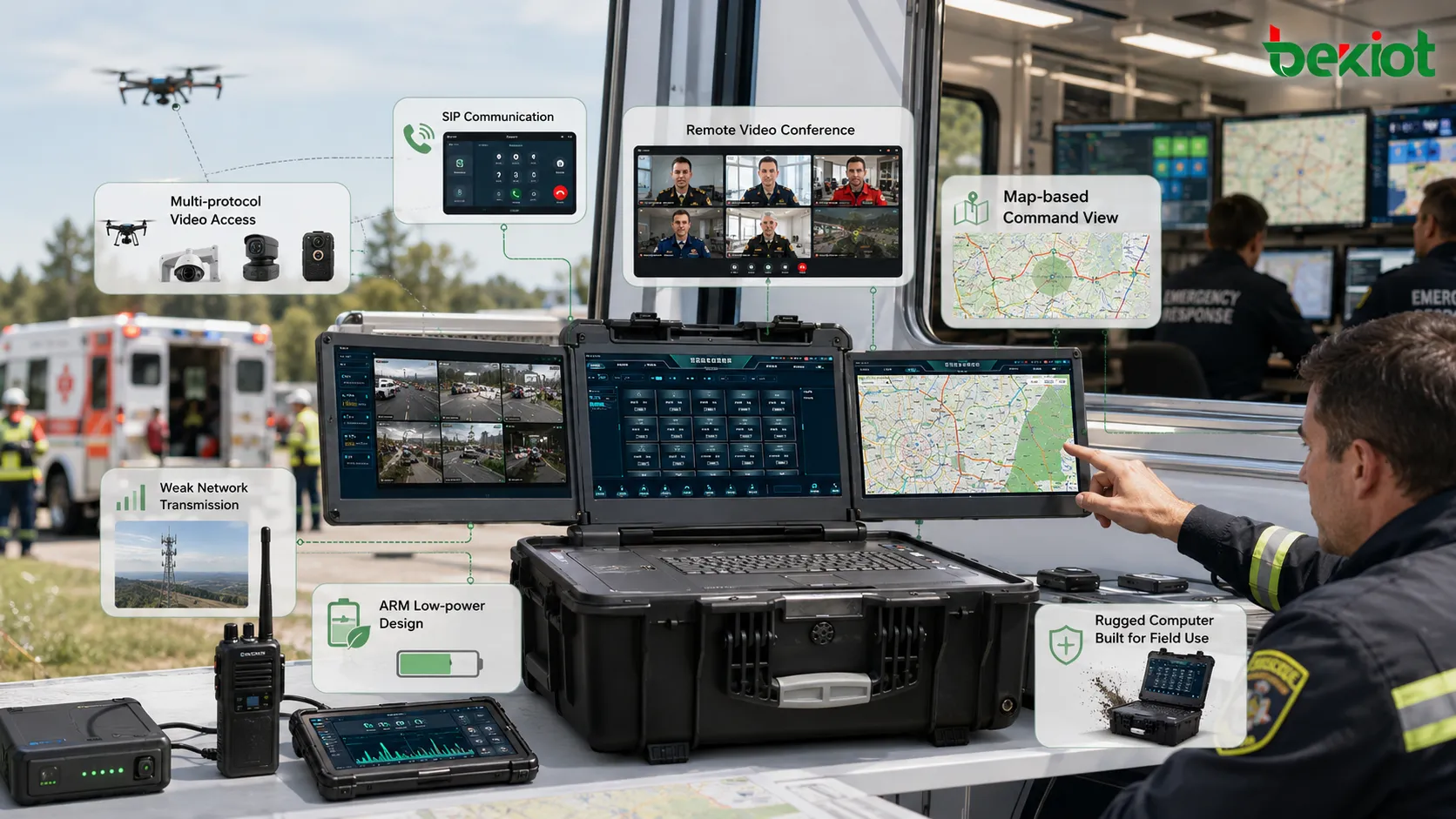
This architecture is more suitable for complex emergency scenes. A strong audio-video processing command box can handle SIP, GB/T28181, RTMP, RTSP, WebRTC, HDMI, and other media access or output methods. It can combine video conferencing, unified communication, command dispatch, streaming media access, encoding, decoding, video matrix functions, local preview, and platform sharing into one portable device.
With GPU acceleration, the system can process multiple streams in real time. Operators can preview video, switch sources, compose command views, push selected images, record events, and share resources with upper-level platforms. This gives the field team a more direct “what you see is what you command” workflow.
Multi-Protocol Access
One of the strongest advantages of this architecture is protocol flexibility. A drone may output HDMI or RTSP. A portable camera may push RTMP. A surveillance camera may register through GB/T28181. A video phone may use SIP. A browser-based viewer may require WebRTC. A command box that can process these sources directly reduces the need for extra converters.
This is valuable in real emergency projects because the field team cannot always choose one standard device type. The system must be ready to connect mixed equipment quickly, especially when different departments bring different cameras, radios, terminals, and media sources to the same site.
Weak-Network Video Return
Emergency sites often have unstable network conditions. Wireless links, mobile routers, satellite communication, temporary private broadband, and ad hoc networks may provide limited bandwidth. Without video adaptation, live images may freeze, drop frames, blur, or disconnect.
A media-processing command box can compress and lighten video streams for weak-network operation. The original article highlights that multiple video streams can be transmitted with bandwidth as low as 100 Kbps after lightweight processing. In emergency command, the priority is not always high-definition image quality. The priority is to maintain usable visual information for decision-making when the network is poor.
Lower Power for Field Deployment
Field command equipment must often work from batteries, vehicle power, generators, or temporary power supplies. Some advanced command boxes use ARM low-power architecture rather than a heavy X86 structure. Compared with server-style systems, an ARM-based design can reduce power consumption, heat output, weight, and runtime pressure.
This matters during outdoor rescue, vehicle command, temporary tents, remote inspection, and disaster response. A command box with lower power consumption and less heat is usually easier to carry, easier to power, and more reliable in mobile deployment.
Rugged Computer-Style Command Boxes
Some products are marketed as emergency command boxes, but they are closer to rugged computers. They may use a suitcase structure, a multi-screen design, and a reinforced chassis. From the outside, they can look professional. Functionally, however, they are usually field workstations rather than complete command systems.
A rugged computer can run software, display maps, connect to a remote platform, edit documents, process field data, and serve as an operator terminal. It can be useful in emergency response projects, especially when the field team needs a durable workstation.
But by itself, a rugged computer does not usually provide native dispatch, protocol conversion, multi-source video processing, video routing, local recording, communication control, or platform output. If the buyer expects it to replace a true emergency command box, there may be a gap between the appearance and the actual system capability.
How to Choose the Right Type
The right selection depends on the mission. If the project mainly needs SIP voice dispatch and basic communication access, a unified communication command box may be enough. If the field team only needs to join headquarters meetings, a portable video conference terminal box may be practical. If the project requires multi-source video access, weak-network transmission, protocol conversion, local media processing, recording, and upper-platform sharing, an audio-video processing command box is usually more suitable.
If the project only needs a durable computer to run software, view maps, fill in reports, or connect to existing platforms, a rugged computer box may be appropriate. It should not be purchased as a full command system unless dispatch, gateway, media processing, and platform functions are already provided elsewhere.
For emergency communication projects that need to connect portable command boxes with voice, video, intercom, broadcasting, conferencing, alarms, radio, dispatch, and instant messaging services, the Becke Telcom Converged Communication System can be used as an upper-level platform layer. It helps field command devices become part of a larger emergency communication and dispatch network.
Product Type
Main Architecture
Best Fit
Key Limitation
Unified Communication Command Box
SIP platform, dispatch console, gateways, unified communication software
Voice dispatch, SIP endpoint access, basic field communication
Limited native support for mixed video streams and complex media processing
Video Conference Terminal Box
Portable video meeting terminal inside a rugged case
Remote consultation, meeting participation, field-to-headquarters video link
Limited field dispatch, device control, protocol access, and weak-network adaptability
Audio-Video Processing Command Box
Multi-protocol media processing with SIP, GB/T28181, RTMP, RTSP, WebRTC, HDMI, and GPU acceleration
Emergency command, multi-source video return, weak-network media sharing, field media dispatch
Works best when connected with a suitable upper-level platform for broader coordination
Rugged Computer Box
Rugged laptop or multi-screen portable computer
Field workstation, platform client, mapping terminal, data entry
No native command dispatch or media processing capability by itself
The right emergency command box should be selected according to field workflow, protocol access, media processing demand, power consumption, and operator usability.
Technical Checks Before Purchase
Buyers should first identify what the device really is. Is it a communication terminal, a video meeting terminal, a true audio-video processing platform, or a rugged computer? The product name alone does not answer this question.
Protocol access should be checked carefully. A stronger emergency command box should support multiple field sources, such as SIP endpoints, GB/T28181 devices, RTSP cameras, RTMP streams, HDMI inputs, WebRTC viewing, and local video files. It should also support output to upper-level platforms, not only local display.
Media processing ability is equally important. The system should be evaluated for real-time encoding, decoding, transcoding, stream mixing, video composition, preview, recording, platform forwarding, and weak-network transmission. If every field source requires an external converter, the command box may become too complex for rapid emergency deployment.
Power design should also be considered. Emergency command boxes may work with batteries, vehicle power, generators, or temporary supplies. Lower power consumption, lower heat, longer runtime, and easier transport are important for field usability.
Where Advanced Command Boxes Create More Value
The highest value appears when many field resources must be coordinated at once. A rescue team may need drone video, portable camera video, radio communication, command center video meetings, local recording, and upper-level platform sharing. A forest fire team may need mobile cameras, broadband ad hoc networks, voice dispatch, terrain information, and expert consultation. An industrial emergency team may need fixed cameras, temporary cameras, SIP calls, mobile terminals, and video evidence archiving.
In these scenarios, the command box should not only connect to headquarters. It should also help the on-site team make decisions locally. Operators need to see the scene, select important sources, speak to the right team, send video to the right platform, record the process, and continue operating when the network is unstable.
This is why multi-protocol media access, weak-network video adaptation, local command operation, and simple user workflow are more important than the external appearance of the box. A well-designed system turns the emergency site into a real command node rather than a temporary viewing terminal.
Summary
Emergency command boxes may look similar, but their real value depends on internal architecture. SIP-based unified communication boxes are useful for voice dispatch and basic communication. Portable video conference terminal boxes are suitable for remote meetings and consultation. Audio-video processing command boxes are better for multi-source media access, weak-network video return, protocol conversion, and field command workflows. Rugged computer boxes are useful as durable workstations, but they should not be confused with complete command systems.
A good emergency command box should match the field mission, network condition, operator skill level, protocol requirement, media source type, power environment, and upper-level platform. In real emergencies, the best system is not the one with the most impressive appearance. It is the one that can be started quickly, connected easily, operated clearly, and kept working when the field environment becomes difficult.
FAQ
What should be tested before accepting an emergency command box?
Acceptance testing should include startup time, battery runtime, SIP calling, video input access, HDMI input, protocol conversion, local preview, recording, upper-platform sharing, weak-network transmission, audio pickup, speaker output, and recovery after network interruption.
Can one command box work without an upper-level platform?
Some systems can support local preview, communication, recording, and basic field command independently. However, multi-site coordination, centralized user management, large-scale recording, and upper-level command sharing usually require a platform.
How can buyers avoid purchasing only a rugged computer?
Buyers should check whether the product has native dispatch functions, built-in media processing, protocol access, video routing, local recording, communication control, and platform output. If all functions depend on external software and separate systems, it is closer to a rugged computer.
Why is weak-network performance important?
Emergency sites often rely on mobile networks, satellite links, temporary broadband, or ad hoc networks. If the command box cannot compress, adapt, or prioritize video streams, it may fail when bandwidth becomes unstable.
Should an emergency command box use X86 or ARM architecture?
Both can be used. X86 may provide stronger general computing capability, while ARM can offer lower power consumption, less heat, lighter deployment, and better suitability for portable emergency environments.
What information should be prepared before choosing a command box?
Prepare the field scenario, number of users, expected video sources, communication devices, network conditions, upper-level platform requirements, battery runtime needs, recording needs, and whether non-professional operators must use the system.