SIP Paging Gateway for VoIP Paging, Public Address Integration, and Emergency Notification
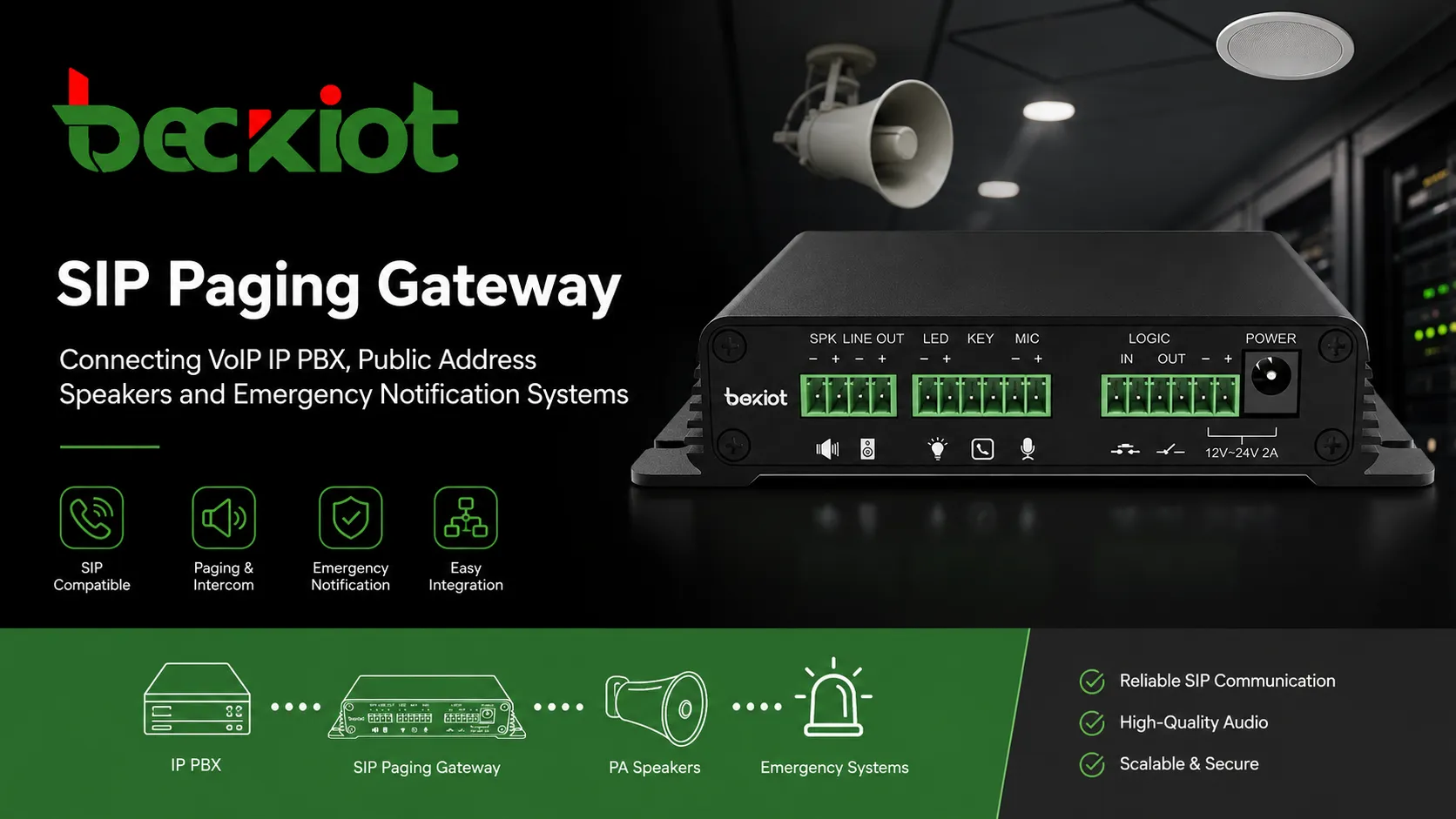
A SIP Paging Gateway connects VoIP phone systems with public address speakers, amplifiers, paging zones, and emergency notification workflows for live paging, PA upgrades, and SIP-based safety communication.
Becke Telcom
In many buildings, campuses, factories, hospitals, warehouses, transport sites, and public facilities, VoIP phone systems and public address systems still operate as separate communication networks. Staff use IP phones for daily calls, while paging speakers, amplifiers, horns, and emergency broadcasts are controlled through another platform or an older PA system.
This separation creates real operational problems. When an urgent announcement needs to be delivered, operators may have to switch between different devices, software screens, microphone stations, or control panels. In emergency situations, this can delay response and make communication less coordinated.
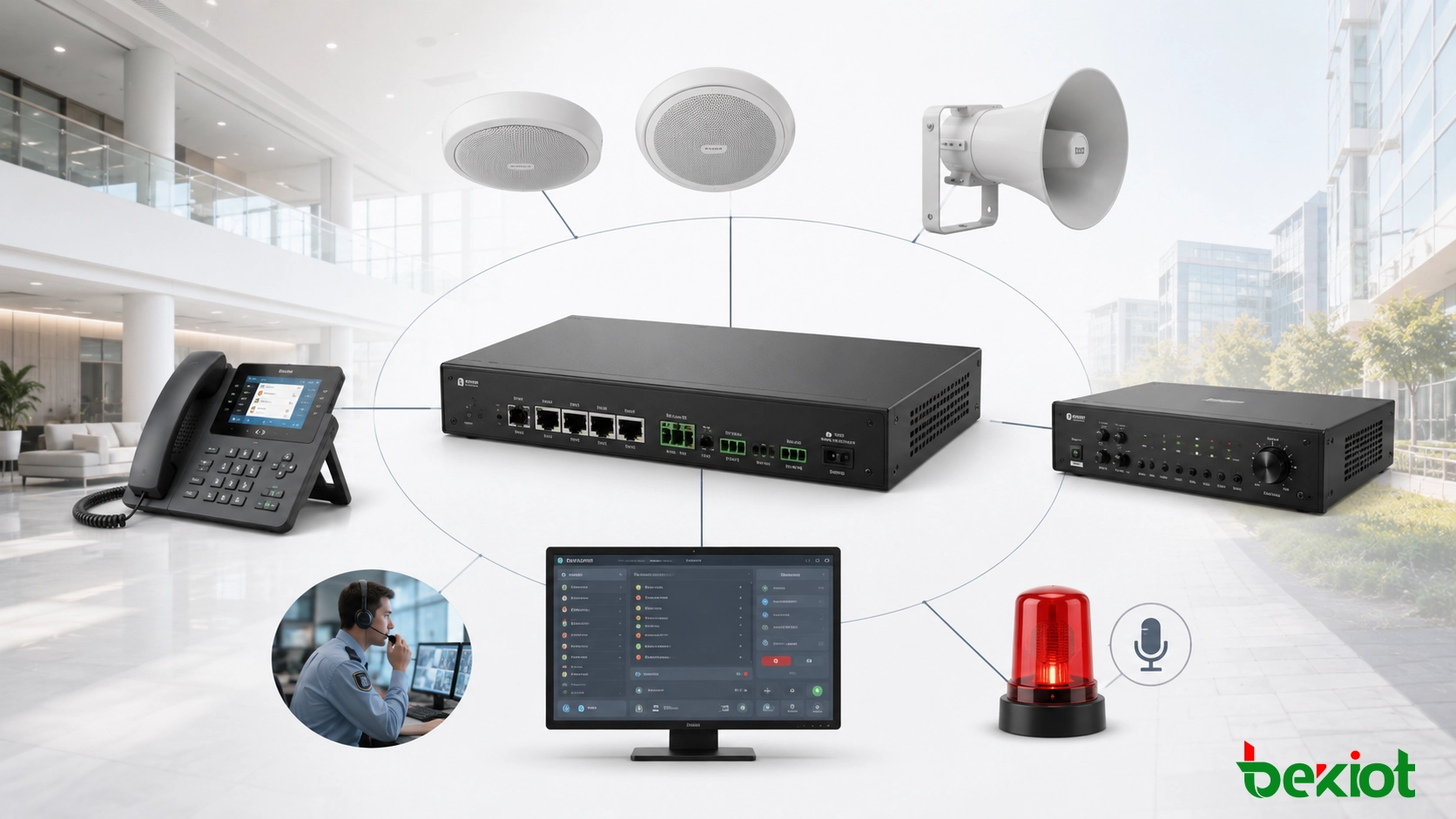
A SIP Paging Gateway solves this gap by connecting SIP-based voice communication with public address and emergency notification infrastructure. It allows IP PBX systems, SIP servers, VoIP phones, dispatch consoles, and unified communication platforms to trigger live paging, zone announcements, priority broadcasts, and emergency voice alerts through speakers, amplifiers, paging terminals, and existing PA equipment.
For organizations that want to modernize paging without replacing every speaker or amplifier, a SIP Paging Gateway is one of the most practical upgrade paths. It brings traditional PA systems into the IP communication environment, improves daily announcement efficiency, and creates a stronger foundation for emergency voice notification.
A SIP Paging Gateway connects VoIP communication systems with public address speakers, amplifiers, and emergency notification workflows.
Why VoIP and Public Address Systems Need Integration
A VoIP system is mainly designed for person-to-person or group voice communication. A public address system is designed for one-to-many announcements. In real facilities, both systems are often needed every day, but they may be deployed separately. Phones, softphones, and dispatch terminals run on the IP network, while analog amplifiers, ceiling speakers, horn speakers, and zone controllers remain part of a legacy audio system.
When these systems are isolated, operation becomes more complex. A receptionist may answer calls on an IP phone but need a separate microphone to page a warehouse. A security operator may receive an alarm on one screen but need another device to broadcast instructions. A facility manager may need to maintain two independent systems even though both are used for voice communication.
SIP paging integration simplifies this workflow. Once the paging gateway is connected to the SIP platform, authorized users can make announcements from familiar devices such as IP phones, dispatch consoles, softphones, or IP PBX feature codes. Paging becomes part of the normal communication system instead of a separate audio island.
The value of a SIP Paging Gateway is not only audio conversion. It turns public address into a controlled, callable, and manageable part of the VoIP communication network.
What Is a SIP Paging Gateway?
A SIP Paging Gateway is a device that connects a SIP or VoIP communication system with paging speakers, PA amplifiers, analog speaker lines, IP audio endpoints, or emergency notification equipment. It usually registers to an IP PBX, SIP server, hosted VoIP platform, softswitch, or dispatch system as a SIP endpoint or paging extension.
When the gateway receives a SIP call, it answers automatically and converts the incoming voice stream into an audio signal that can be used by public address equipment. Depending on the model and system architecture, the gateway may provide line-level audio output, relay outputs, alarm inputs, multicast paging, local speaker control, zone outputs, or integration with an emergency notification platform.
In simple terms, the gateway acts as a bridge between two communication layers. On one side, it understands SIP signaling and VoIP media streams. On the other side, it outputs usable audio for amplifiers, speakers, horns, paging zones, or alarm-linked devices. This allows a standard IP phone or PBX extension to become a paging source.
How a SIP Paging Gateway Works
SIP Call Initiation
The paging process usually starts when an operator dials a paging extension, presses a shortcut key, selects a paging group from a dispatch console, or triggers a rule from the IP PBX or management platform. The SIP system routes the call to the SIP Paging Gateway.
The gateway answers the SIP session automatically and receives the voice stream from the caller. The operator can then speak live, and the gateway sends the audio to the configured PA output, amplifier, speaker group, or paging zone.
Audio Conversion and Output
A professional SIP Paging Gateway converts digital VoIP audio into a format that can be used by public address equipment. In many projects, this means line-level audio output to an amplifier. In other designs, it may involve powered speakers, IP speakers, multicast endpoints, analog speaker zones, or external control devices.
Audio quality depends on several factors, including codec selection, network stability, audio gain, amplifier quality, speaker type, background noise, and acoustic layout. Codec support such as G.711 or G.722 can help improve voice clarity when the rest of the system is designed properly.
Zone Paging and Priority Control
Larger sites usually need paging by area. A factory may need separate zones for production lines, warehouses, offices, outdoor yards, and equipment rooms. A school may need paging for classrooms, corridors, playgrounds, dormitories, and administration areas. A hospital may need department-based paging.
A SIP Paging Gateway can support zone paging through multiple outputs, external zone controllers, multicast groups, or integration with a paging platform. Emergency priority is also important. Urgent announcements should be able to override routine paging, background music, scheduled tones, or low-priority messages.
Emergency Notification Triggering
A SIP Paging Gateway can also become part of an emergency notification workflow. It may connect with fire alarm inputs, emergency buttons, access control systems, sensors, CCTV platforms, dispatch systems, or alarm management software.
When an event occurs, the system may automatically start a call, play a warning tone, broadcast a pre-recorded message, activate a relay output, or open a live announcement channel for the control room. This does not replace certified life-safety systems where required, but it can greatly improve operational notification and site-wide communication when designed correctly.
Key Features That Matter in Real Projects
SIP and IP PBX Compatibility
Compatibility is the first requirement. The gateway should support standard SIP registration and interconnection with IP PBX systems, SIP servers, hosted VoIP platforms, softswitches, and dispatch platforms. It should work as a normal SIP endpoint, paging extension, or paging interface within the communication system.
Real projects often involve mixed systems. The gateway may need to work with existing IP phones, SIP trunks, PBX dial plans, dispatch consoles, intercom terminals, paging servers, and call recording platforms. Testing SIP registration, codec behavior, DTMF support, NAT traversal, and routing rules is important before large-scale deployment.
Live Paging and Scheduled Announcements
Live paging allows authorized users to make real-time announcements from phones, consoles, or software platforms. This is useful for visitor guidance, staff notification, warehouse dispatch, school announcements, production coordination, hospital notices, and public service messages.
Some systems can also support scheduled announcements. Schools may use scheduled bells, factories may use shift-change reminders, and commercial buildings may use automated service notifications. When connected with a management platform, paging becomes easier to schedule, standardize, and control.
Multicast Paging for Large Sites
For large buildings and multi-zone facilities, multicast paging can distribute one audio stream to many network endpoints efficiently. A SIP Paging Gateway may receive a SIP call and then send audio to multicast-enabled speakers, paging terminals, or additional gateways.
This design reduces the need to create many separate SIP calls when the same announcement must reach many devices. It is commonly useful in campuses, factories, logistics centers, warehouses, and multi-building environments.
Legacy PA System Integration
One of the strongest advantages of a SIP Paging Gateway is retrofit value. Many buildings already have working ceiling speakers, horn speakers, wall speakers, amplifiers, or analog speaker lines. Replacing all of them may be costly and unnecessary.
By adding a SIP Paging Gateway, these existing PA assets can be controlled from the VoIP network. This reduces upgrade cost, shortens installation time, and provides a practical migration path from traditional paging to IP-based paging and emergency notification.
Alarm Linkage and External Control
Paging gateway projects often require more than audio output. Relay contacts, dry contact inputs, alarm triggers, strobe activation, door control, or external device linkage may also be needed. These functions allow paging to become part of the site’s safety and security workflow.
For example, an emergency button can trigger a pre-recorded alert, a fire alarm signal can start a priority broadcast, or a dispatch platform can activate a selected paging zone. This turns the gateway into a practical part of the event-response chain.
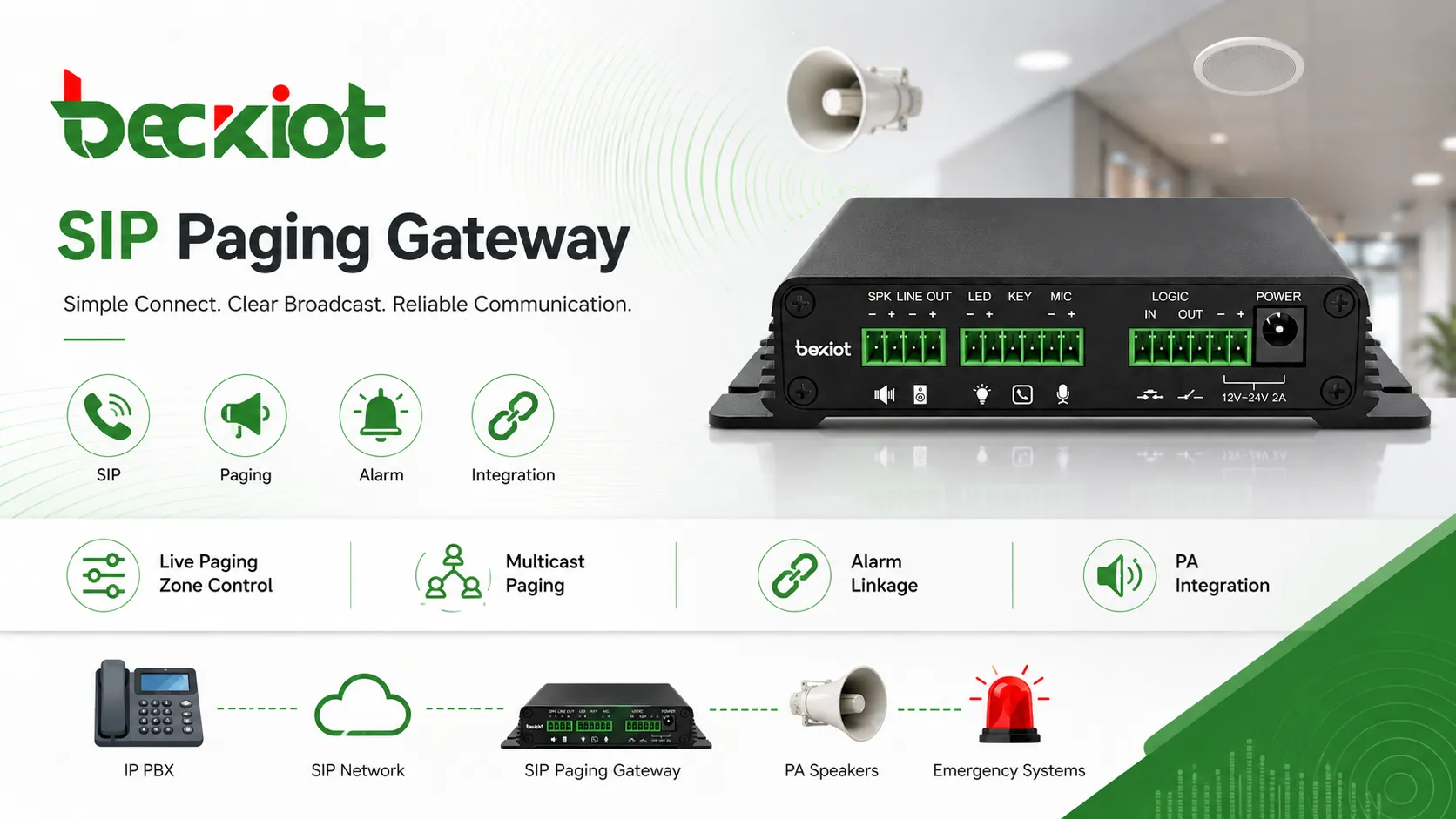
Important SIP Paging Gateway features include live paging, zone control, multicast distribution, alarm linkage, and legacy PA integration.
Typical Deployment Scenarios
Offices and Commercial Buildings
In office buildings, a SIP Paging Gateway can support reception announcements, staff notifications, visitor calls, meeting reminders, service alerts, parking notices, and emergency evacuation messages. Staff can page from existing IP phones instead of using a separate microphone station.
For multi-floor commercial buildings, zone paging allows messages to be sent only to selected areas such as lobbies, office floors, parking levels, service corridors, or equipment rooms.
Schools and Campuses
Schools and campuses need daily announcements, class-change tones, emergency alerts, and campus-wide notification. A SIP Paging Gateway can connect the school’s IP PBX or communication platform with PA speakers across classrooms, corridors, playgrounds, dormitories, libraries, and administrative areas.
The same system can support both routine communication and urgent safety messages, making it useful for daily management and emergency response.
Factories and Warehouses
Industrial sites often include noisy workshops, production lines, loading docks, warehouses, outdoor yards, and maintenance areas. A SIP Paging Gateway can connect dispatch communication with rugged speakers, horn speakers, paging amplifiers, or existing PA zones.
Operators can make production announcements, maintenance calls, safety reminders, shift-change notices, and emergency instructions from a central console or SIP phone. When integrated with alarms or sensors, the system can also support automated warning broadcasts.
Hospitals and Healthcare Facilities
Hospitals can use SIP paging for department notices, nurse station announcements, emergency codes, public messages, and operational coordination. A SIP Paging Gateway allows healthcare facilities to connect IP PBX systems with existing PA infrastructure and paging zones.
This helps different areas, such as wards, corridors, offices, service zones, and public waiting areas, receive targeted announcements without disturbing the whole facility unnecessarily.
Transportation and Public Safety Sites
Metro stations, airports, tunnels, parking facilities, public service halls, and emergency command sites require clear public announcements and urgent notification. SIP Paging Gateway deployment can support service messages, evacuation instructions, traffic guidance, emergency alerts, and control room paging.
In these environments, the gateway should be designed as part of a reliable communication architecture that considers redundancy, zone planning, audio coverage, emergency priority, and dispatch workflow.
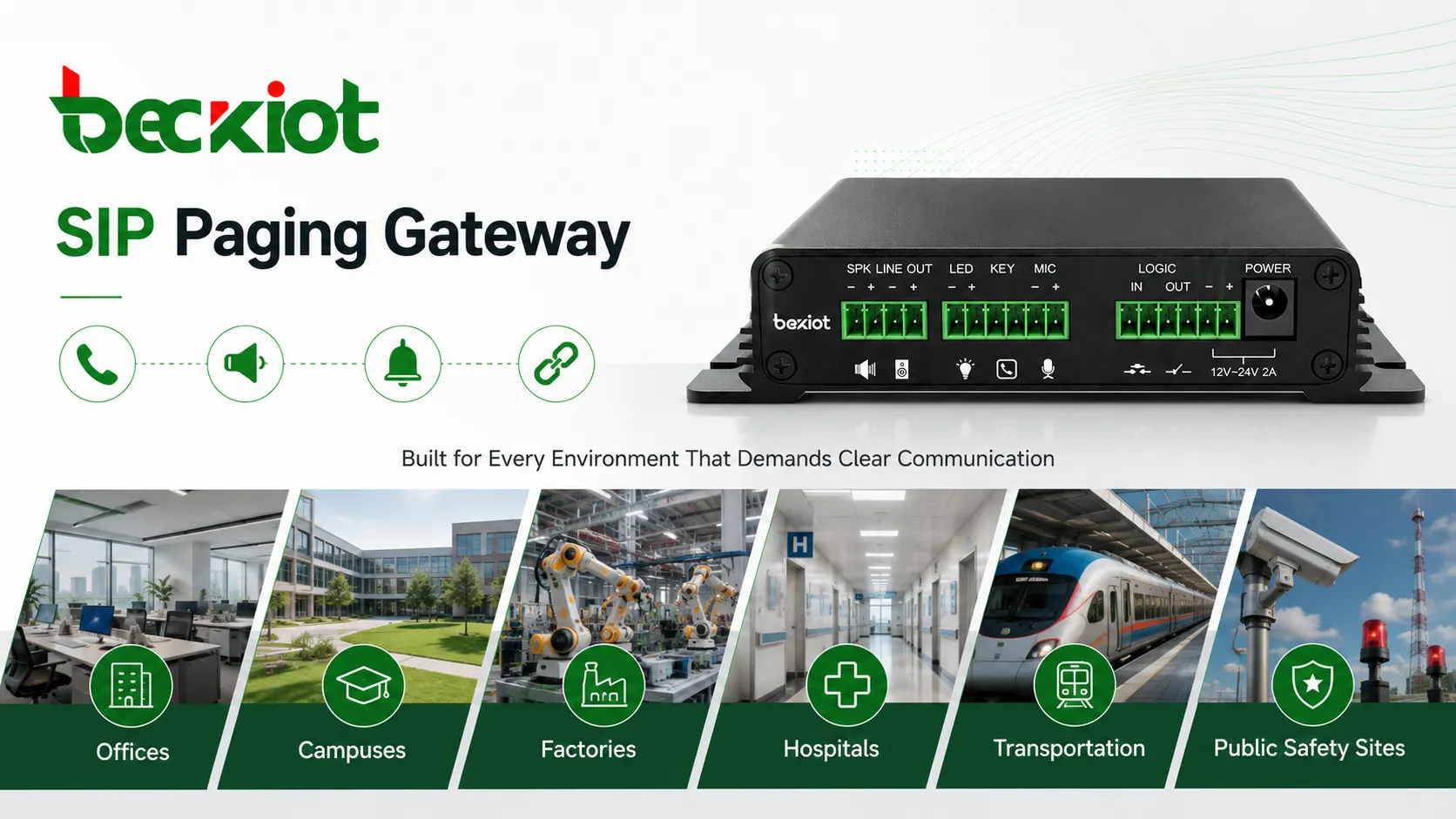
SIP Paging Gateway solutions are widely used in commercial buildings, campuses, factories, healthcare facilities, transportation sites, and public safety environments.
Why SIP Paging Is Better Than an Isolated PA System
Unified Communication Workflow
Traditional PA systems often work separately from telephones, intercoms, dispatch platforms, alarm systems, and emergency communication tools. SIP paging brings public address into the VoIP environment, allowing announcements to be made through familiar communication devices.
This improves operational efficiency because paging, intercom, calling, dispatch, and emergency notification can be designed as connected workflows instead of separate systems.
Lower Upgrade Cost
In many retrofit projects, existing speakers and amplifiers do not need to be removed immediately. A SIP Paging Gateway can connect those legacy PA assets with the IP communication system, helping users modernize step by step.
This migration-friendly approach is useful for schools, factories, hospitals, warehouses, campuses, and commercial buildings that already have installed PA infrastructure.
Better Scalability
As a facility grows, new paging gateways, SIP endpoints, IP speakers, paging zones, or dispatch consoles can be added to the network. Compared with rigid analog paging systems, SIP-based architecture is usually easier to expand across floors, buildings, workshops, and remote sites.
Stronger Emergency Response
When connected with alarms, monitoring platforms, emergency buttons, and control room workflows, the SIP Paging Gateway becomes part of a complete emergency notification chain. It helps deliver urgent voice instructions more quickly and consistently to the people who need them.
For safety-sensitive environments, this integration value is often more important than the paging function alone.
What to Consider Before Choosing a SIP Paging Gateway
Port Count and Zone Requirements
Before selecting a gateway, confirm how many paging zones are required and whether each zone needs independent audio output. A small office may only need one or two zones, while a factory, hospital, school, or campus may require many zones across different buildings and floors.
Audio Output and Amplifier Compatibility
The gateway should match the existing or planned audio infrastructure. Some projects require line-level output to a PA amplifier. Others may need connection to powered speakers, IP speakers, analog speaker lines, paging controllers, or zone amplifiers. Output type, impedance, gain control, and audio clarity should be reviewed carefully.
SIP Platform and Codec Support
The gateway should be tested with the project’s IP PBX, SIP server, hosted VoIP platform, or dispatch system. Codec support, registration method, DTMF behavior, extension routing, firewall traversal, and SIP account configuration can all affect real performance.
Security and Network Management
A paging gateway is part of the IP network, so it should not be treated as a simple audio accessory. Secure configuration, user authentication, network segmentation, VLAN planning, reliable management, and restricted access are important. Where required, TLS, SRTP, HTTPS, Syslog, and centralized provisioning may also be considered.
Emergency Workflow and Priority Logic
If the gateway will be used for emergency notification, the project should define who can trigger broadcasts, which messages have priority, which zones receive alerts, and how the system behaves during network or power failure.
Emergency communication should be planned as a workflow. The gateway is one device in that workflow, but the full system should also include alarm triggers, operator permissions, message templates, backup routing, speaker coverage, and maintenance procedures.
SIP Paging Gateway for Integrated Paging Projects
In practical deployment, a SIP Paging Gateway should be selected according to the existing VoIP platform, paging zones, speaker infrastructure, alarm linkage requirements, site environment, and long-term maintenance plan. For projects involving IP PBX integration, public address modernization, emergency notification, or industrial paging, gateway selection should be handled together with the overall communication architecture.
The Becke Telcom SIP Paging Gateway can help connect SIP communication systems with paging amplifiers, speakers, public address zones, emergency call stations, alarm systems, and control room platforms. It is suitable for buildings, campuses, factories, hospitals, transportation facilities, energy sites, warehouses, and public safety communication projects that need unified voice paging and emergency notification.
Becke Telcom can also support related communication system design, including SIP paging, IP PBX, dispatch consoles, emergency intercoms, industrial telephones, IP speakers, alarm linkage, and multi-zone voice communication. This helps project teams build a system that supports both daily operation and urgent response.
Conclusion
A SIP Paging Gateway is one of the most practical ways to connect VoIP communication with public address and emergency notification systems. It allows organizations to use SIP phones, IP PBX systems, dispatch consoles, and alarm platforms to deliver live paging, zone announcements, and urgent voice alerts through speakers and PA infrastructure.
For modern facilities, the value is not only in paging itself. The real value is building a unified, scalable, and manageable communication system that supports daily announcements, operational coordination, public address, alarm linkage, and emergency response from one IP-based architecture.
FAQ
What is a SIP Paging Gateway?
A SIP Paging Gateway is a device that connects SIP or VoIP systems with paging speakers, PA amplifiers, IP audio endpoints, or emergency notification systems. It allows IP phones, IP PBX systems, and dispatch platforms to trigger public address announcements.
Can a SIP Paging Gateway work with an IP PBX?
Yes. A SIP Paging Gateway can usually register to or connect with an IP PBX, SIP server, softswitch, hosted VoIP platform, or dispatch system as part of the communication architecture.
Can it connect to existing public address speakers?
Yes. Many SIP Paging Gateway solutions are designed to connect VoIP systems with existing PA amplifiers and analog speaker lines, making retrofit and upgrade projects easier.
Where is a SIP Paging Gateway commonly used?
It is commonly used in offices, campuses, factories, warehouses, hospitals, transportation stations, public buildings, industrial sites, and emergency communication projects.
Why use SIP paging instead of a traditional PA system?
SIP paging allows public address functions to be integrated with VoIP, IP PBX, dispatch, alarm, and emergency systems. This improves scalability, control, daily operation efficiency, and emergency response capability.