Smart Wake-Up Call System Solution: Automated Notification, Confirmation and Traceable Records
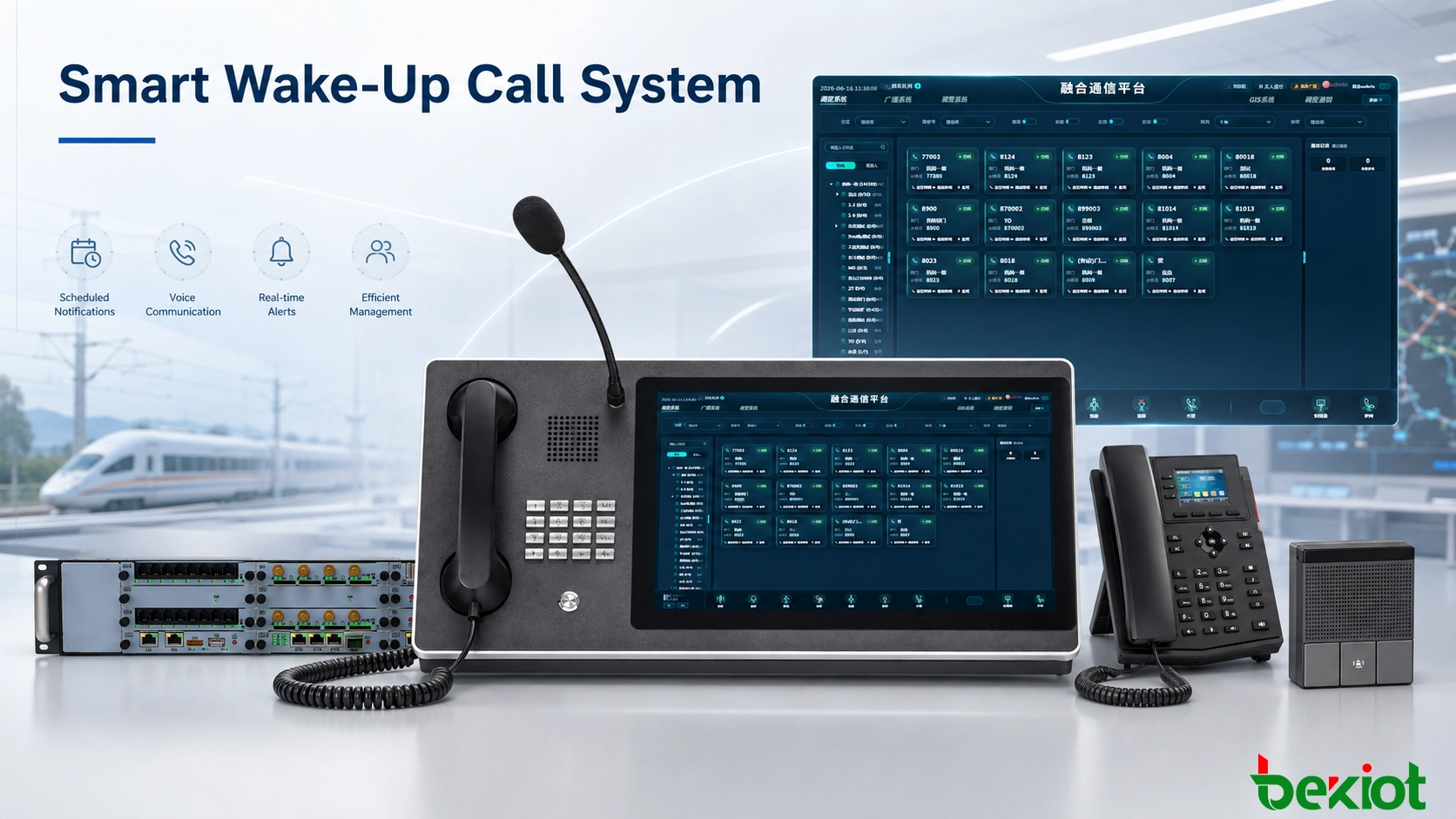
A smart wake-up call system manages scheduled staff notifications, confirmation feedback, exception handling and traceable records for railway, transport, energy, industrial and 24-hour duty operations.
Becke Telcom
Railway dormitories, transport bases, energy stations, industrial facilities and other 24-hour operations often manage large numbers of time-sensitive staff notifications. Different teams may start work at different hours, temporary replacements may appear at short notice, and night-shift operators may need to handle several scheduled calls within a limited period.
Manual calling can still work for a small team, but it becomes difficult to manage when the number of people, shifts and locations increases. A smart wake-up call system organizes these activities as scheduled tasks. Each task has a defined recipient, execution time and result, allowing duty personnel to see what has been completed and which cases still need attention.
The system is particularly useful where notification is part of an operating procedure rather than a casual reminder. A missed call in a 24-hour duty environment may affect shift handover, maintenance preparation, crew departure or emergency readiness. For this reason, the solution focuses on task status, confirmation and follow-up instead of simply increasing the number of automated calls.
Why Scheduled Calls Need Task Management
A telephone system can show that a call was placed, but duty management usually needs more information. Operators need to know who was supposed to receive the notification, when the call should have occurred, whether the person answered and whether any further action is still required.
This becomes especially important during shift handover. If the previous operator only leaves handwritten notes or a list of dialed numbers, the incoming operator may have to reconstruct the situation manually. A task-based system keeps the current status attached to each notification so unfinished work remains visible.
Personnel changes create another challenge. A worker may move to another room, change teams, use a new telephone number or temporarily cover another shift. When personnel, contact details and schedules are maintained in one system, future notifications can follow the updated information without rebuilding the entire calling plan.
For operations with strict reporting times, the system can also maintain different advance-notification rules. A maintenance team may need a 30-minute notice, while another duty group may require a longer preparation period. Each task follows the rule assigned to that person or shift instead of relying on one fixed calling time for everyone.
Task management also reduces ambiguity between communication data and business status. A call record may show a start time and duration, but the related duty task can show whether the notification is still pending, whether confirmation was received and whether manual handling has already started. That distinction makes the information more useful to operators.
Automatic Notification Follows the Duty Schedule
The system creates notification tasks from personnel and schedule information. Typical data includes employee name, department, team, contact number, reporting time, duty location and the required advance calling period.
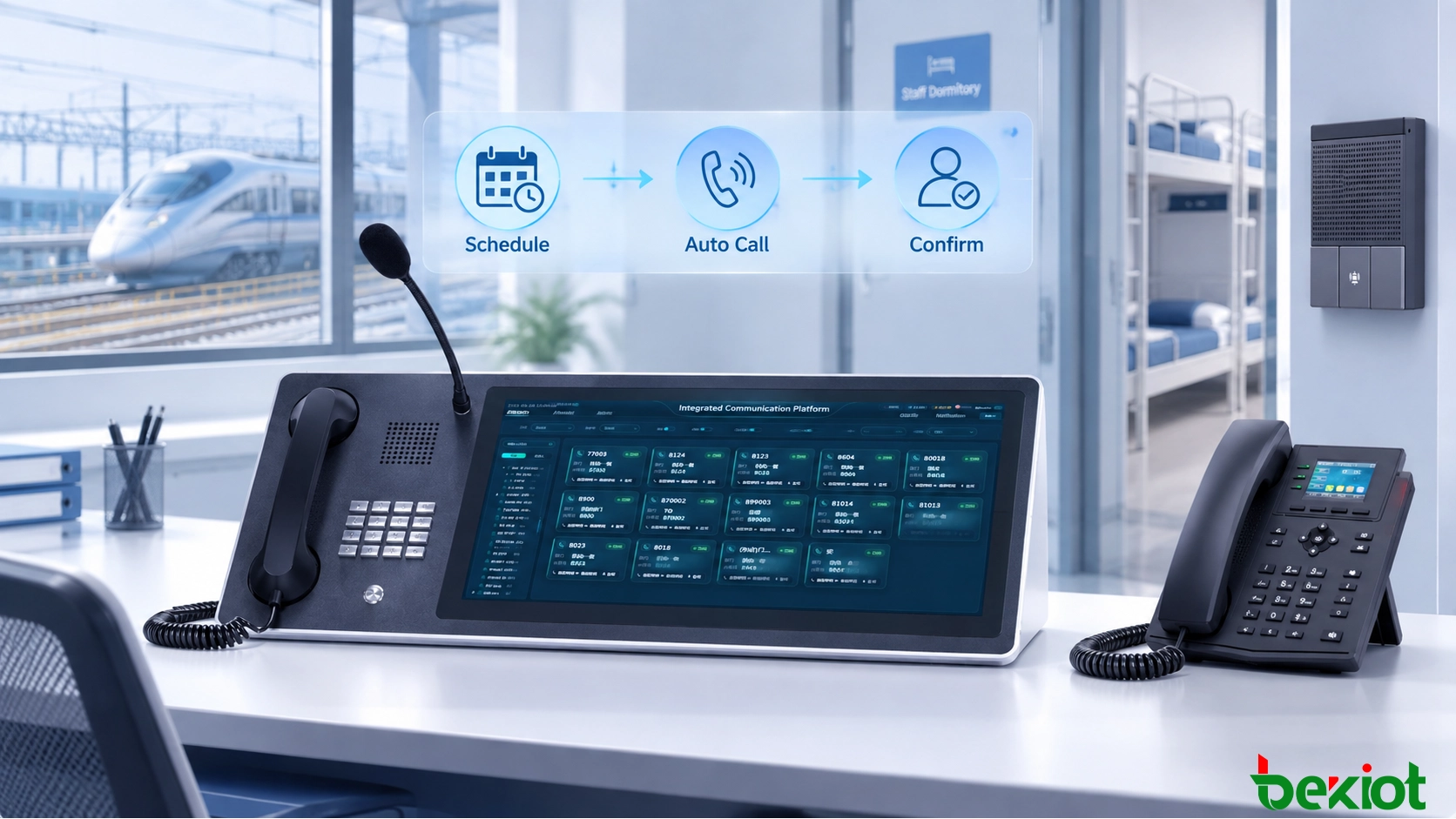
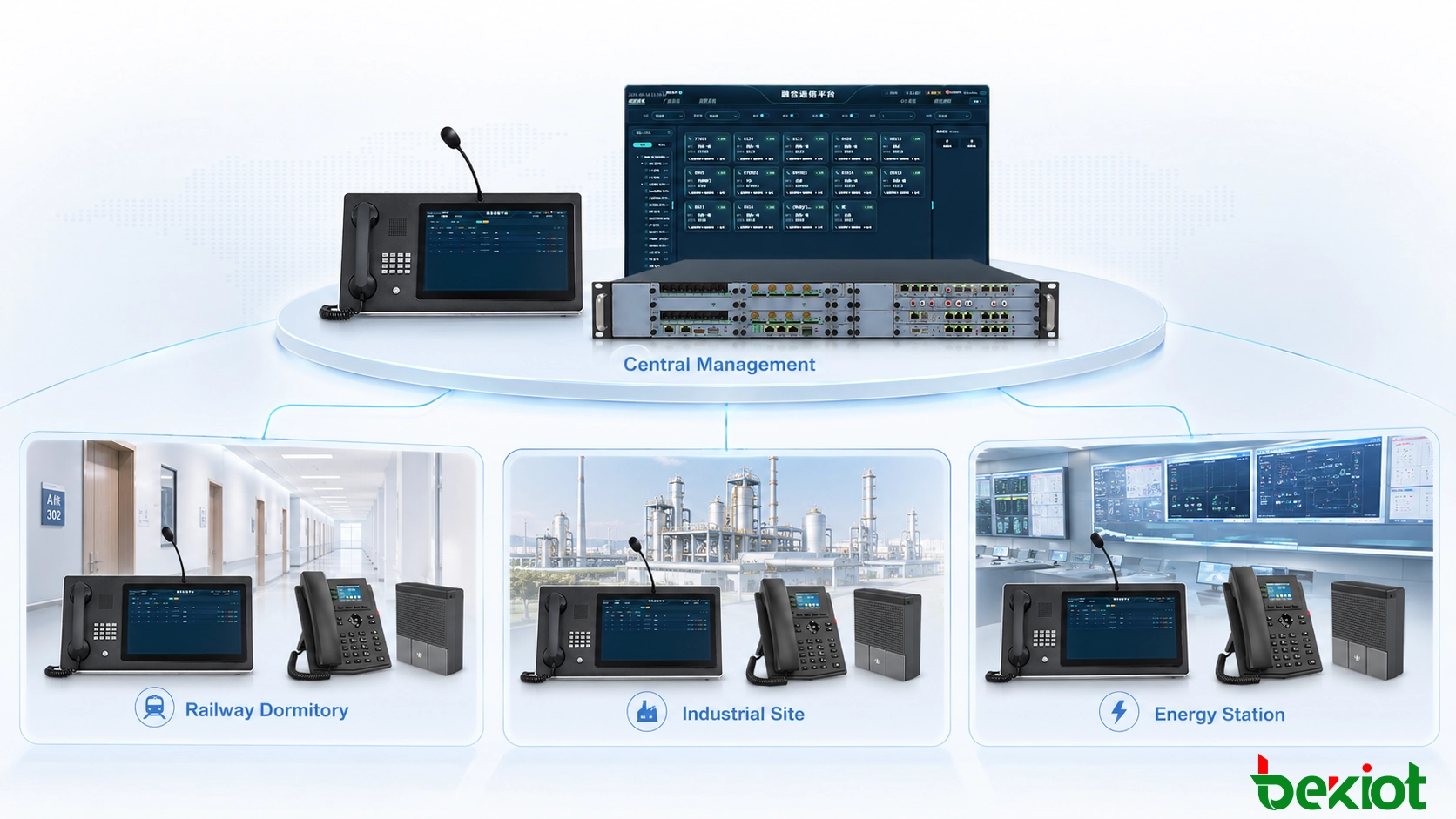
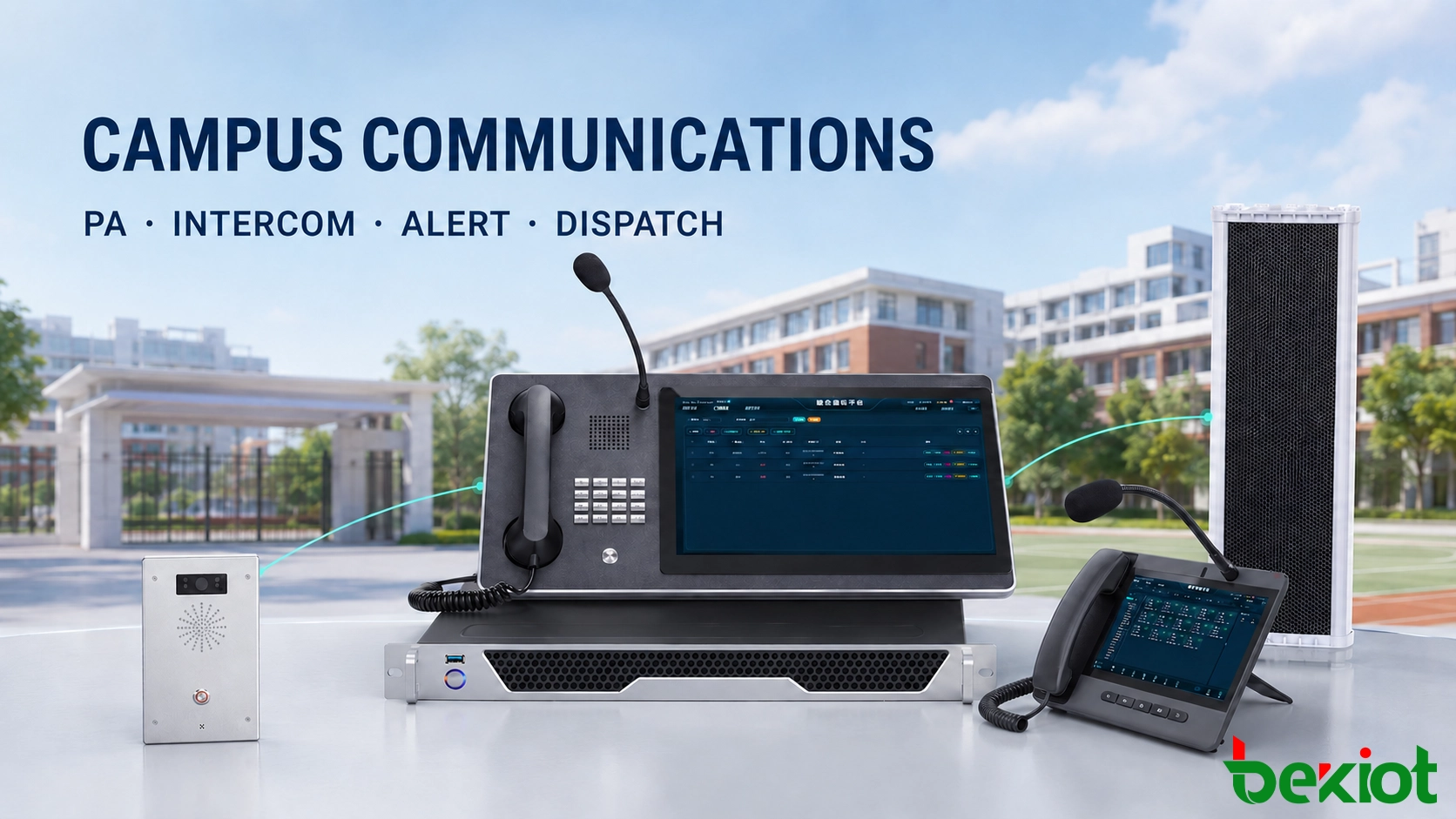
Once a task reaches its scheduled time, the communication system places the call automatically. Depending on site conditions, the notification may be delivered through fixed telephones, IP phones, SIP terminals, dormitory phones, SIP intercoms or other compatible voice endpoints.
Consider a maintenance worker who must report at 07:00. If the site requires a 30-minute advance notice, the system schedules the task for 06:30. The call is executed at that time and its result is written back to the task record.
Temporary changes can be handled without disrupting other scheduled work. When a person changes shifts, a reporting time is revised or a temporary employee is assigned, the duty operator can update the relevant task before execution.
High-volume periods are easier to manage in this model. Several tasks can be prepared in advance instead of forcing one operator to monitor the clock and dial every person manually. The duty desk can then focus on the results rather than the dialing process itself.
Notification content can also be adjusted to suit the site procedure. A short voice prompt may identify the duty time or reporting requirement, while other projects may use a fixed announcement format. Messages should remain concise so recipients can understand the purpose of the call quickly, especially during overnight or early-morning operation.
Where multiple endpoints are available for the same person, the system can follow a predefined contact strategy. The main phone may be used first, while a secondary number or another terminal remains available for later handling. This is useful for staff who move between rooms, operating areas or temporary duty locations.
Scheduled tasks connect personnel, reporting times and call results in one manageable workflow.
Confirmation Provides a Clear Completion Status
A connected call does not always provide enough information to close a duty task. The recipient may answer briefly, the line may disconnect, or the expected confirmation may not be completed.
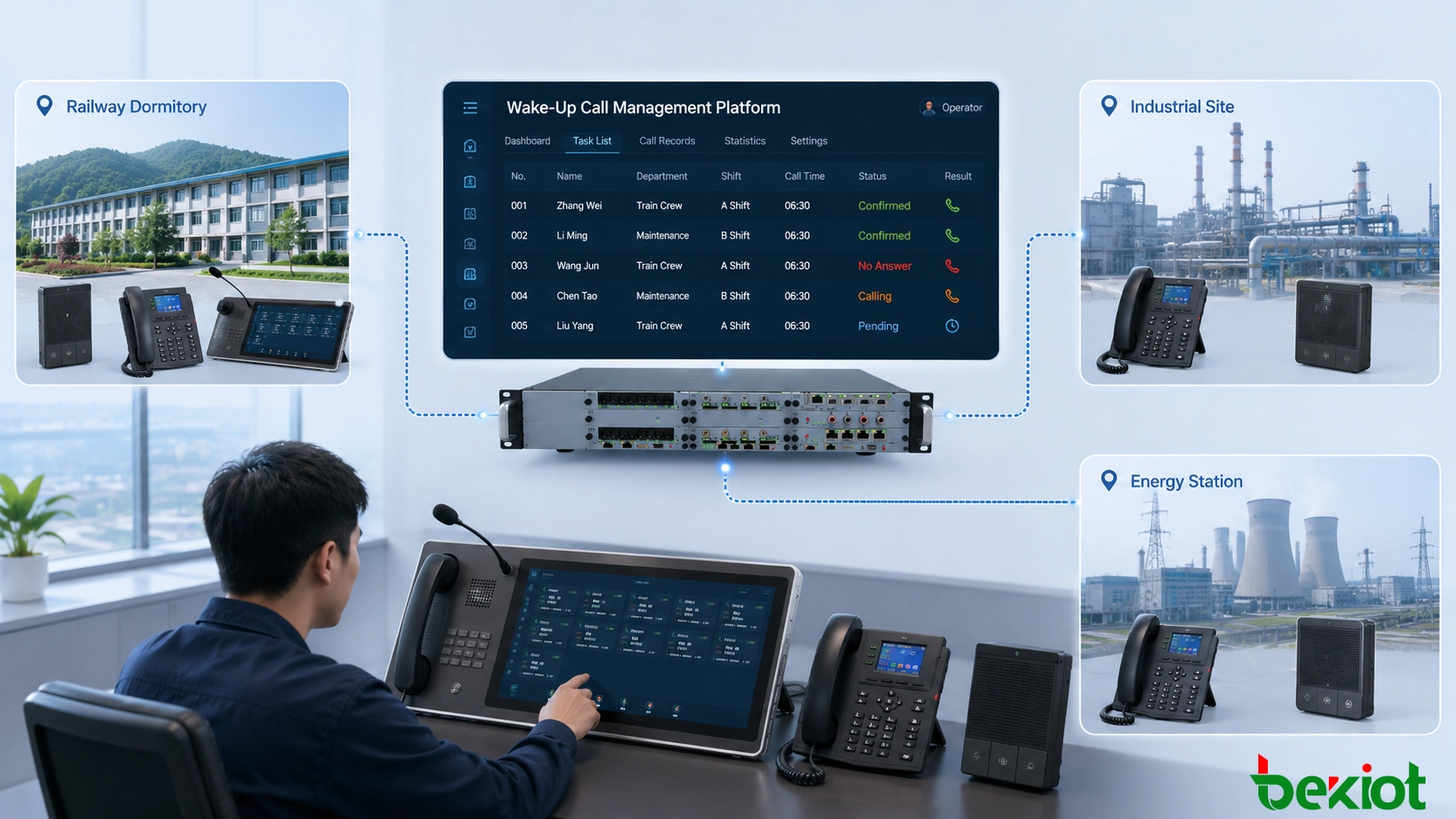
For this reason, the system can maintain separate states such as pending, calling, answered, confirmed, no answer, failed and unconfirmed. These states give duty personnel a more precise view of what happened during each notification.
Confirmation can be collected through telephone keypad input, a supported terminal operation or another method defined by the local operating procedure. The system can store both the answer time and the confirmation time, making it possible to distinguish a completed task from a call that only established a connection.
This distinction is particularly useful for critical positions. Where attendance timing has operational consequences, the task can remain open until the required confirmation is received.
Operators also gain a clearer handover view. A task that was answered but not confirmed can be treated differently from one that was never answered. The incoming shift does not need to call the same person again simply because the previous notes were incomplete.
Confirmation data can also support priority handling. If several tasks remain unresolved at the same time, the operator can first address positions approaching their reporting deadline or roles classified as operationally important. This provides a more useful working view than sorting tasks only by the order in which calls were placed.
Exceptions Are Escalated Instead of Hidden
Not every task will finish normally. A person may not hear the telephone, a line may be unavailable, a terminal may be offline or the contact information may have changed.
The system can retry an unanswered task according to rules defined by the site. When the permitted number of attempts has been reached without confirmation, the task is moved into an exception state so the duty operator can intervene.
At that point, the operator can review previous call attempts and choose an appropriate action. This may include calling again manually, trying a secondary number, updating the contact information or asking local personnel to verify the person's status.
Retry rules should reflect actual working procedures. Excessive automatic redialing can delay human intervention, while too few attempts may create unnecessary manual work. The interval, maximum number of calls and escalation threshold should therefore be defined before the system enters routine service.
Different positions may also require different handling priorities. A routine support task and a safety-critical duty assignment do not necessarily need the same escalation policy. Priority settings can help duty operators identify which unresolved tasks require immediate attention.
Manual actions should remain part of the same task history. If an operator changes the time, substitutes another employee or completes a manual call, the system can retain the associated operator and action record for later review.
Exception lists should also remain practical during busy shifts. Instead of displaying every minor communication event as an alarm, the interface can separate unresolved tasks from completed retries and informational records. This helps operators concentrate on cases that still require action.
Traceable Records Support Handover and Review
A useful wake-up call record contains more than a telephone number and call duration. It should preserve enough information to reconstruct how a task was handled.
Depending on project requirements, the record can include the scheduled notification time, actual call time, recipient, response status, retry attempts, confirmation time, manual intervention and final result. Communication logs and voice recordings can also be associated with the task where required.
This information improves shift handover. Incoming personnel can immediately identify unresolved tasks and see what has already been attempted. They do not need to rely entirely on verbal explanations from the previous shift.
Historical data is also useful when a late arrival or missed notification is reviewed later. Managers can examine the sequence of events instead of relying on memory. The record may show when the task was created, when the first call occurred, whether the recipient answered, when confirmation was received and whether a duty operator intervened.
Longer-term records can reveal operational patterns as well. Repeated failures involving the same endpoint may indicate a device or network problem, while a high number of manual interventions during a certain period may suggest that schedules or notification rules need adjustment.
Search functions become more valuable as the amount of historical data grows. Operators and supervisors may need to retrieve records by person, department, date range, task status or operator. A structured task history is easier to review than a long list of unrelated telephone records.
Where voice recording is enabled, the recording should be treated as supporting evidence rather than the only historical source. Task status, operator actions and timestamps provide the operational context that a standalone audio file cannot show by itself.
Task history helps operators understand current exceptions and gives managers a clear record for later review.
A single organization may operate several dormitories, depots, plants, control rooms or duty stations. Maintaining separate personnel lists and notification records at every location can lead to inconsistent data and fragmented administration.
A centralized architecture allows organizational data, users, calling rules and historical information to be maintained under one management platform while daily operations remain local.
Site-level permissions are important in this arrangement. A local operator may only need access to personnel and tasks belonging to that location, while supervisors require broader visibility across several sites.
Centralized management also makes organizational changes easier to handle. When personnel move between locations or a new operating point is added, administrators can update the structure without creating another isolated calling system.
The same architecture can serve different industries. Railway dormitories may use it for crew notification, industrial plants for shift personnel, energy facilities for duty teams, and transport operators for maintenance or operational staff. The specific jobs are different, but the management requirement remains similar: notify the correct person at the required time and keep a reliable record of the result.
Multi-site deployment also benefits from consistent rules. Central administrators can define common naming, user roles and basic task policies while still allowing each site to keep local timing and handling requirements. This avoids forcing every location into an identical operating procedure.
Supervisors can use centralized data to compare workload and exception patterns between sites. The purpose is not to rank operators, but to identify where task volume, network conditions or local procedures may require adjustment.
Centralized management provides shared personnel and task control while local duty teams continue to manage their own operating areas.
Deployment Should Follow Existing Site Conditions
Before deployment, personnel records and operating rules should be checked carefully. Names, contact numbers, duty groups and reporting times form the basis of every automated task. Incorrect source data will produce incorrect notifications even when the communication system itself is functioning normally.
The next step is to review the existing communication environment. Many sites already have telephone lines, IP networks, SIP systems and compatible endpoints in service. Equipment that continues to meet operational requirements can remain in use, while new servers, gateways or terminals are added only where additional functionality is required.
Backup handling also needs a clear procedure. If a primary communication server, network connection or endpoint becomes unavailable, duty personnel should know which manual or alternate communication method to use. Critical notification processes should not depend on a single action that operators cannot replace during a fault.
User permissions deserve the same attention. Personnel responsible for routine calling may need permission to add temporary tasks and update contact information, while more significant changes to organizational data or system rules can remain restricted to supervisors or administrators.
Record retention should be planned according to actual management needs. Task history, communication logs and voice recordings are different types of data and may not require the same retention period. Defining these requirements during project design makes storage planning more predictable.
Commissioning should cover more than a successful test call. A useful acceptance test includes normal confirmation, unanswered calls, retry handling, temporary schedule changes, secondary contact methods, user permissions and shift handover. Operators should also verify that the interface clearly distinguishes completed tasks from those that still need attention.
Network interruption and server restart scenarios are worth testing before formal handover. The objective is to understand what operators will see when communication is temporarily unavailable and how pending tasks are handled after service is restored.
Becke Telcom can configure smart wake-up call solutions around existing IP networks, SIP communication resources, telephones, dispatch terminals and recording systems used in railway, transportation, energy and industrial environments. Projects can begin with scheduled notification and confirmation functions, then expand to exception handling, centralized site management and historical analysis as operational requirements develop.
Conclusion
After a smart wake-up call system enters daily operation, the duty desk should be able to understand each task without reconstructing the communication history manually. Confirmed tasks are clear, unresolved tasks remain visible, and manual actions stay attached to the same record.
For organizations with dense shift schedules or several operating locations, this task-based approach reduces dependence on handwritten notes and individual operator memory. Existing communication resources can remain part of the system, while notification rules and management functions are added where they provide practical value.
A well-designed system should also remain understandable during abnormal conditions. Operators need to know what has already happened, which task is still open and what action is expected next. Clear status management is often more important in daily operation than adding a large number of rarely used functions.
FAQ
Can one person receive notifications through more than one terminal?
Yes, where the site design and system configuration support multiple contact methods. Primary and secondary endpoints can be assigned according to the notification rules used by the organization.
What should happen if the primary communication server is unavailable?
Critical sites should define an alternate communication or manual calling procedure before the system is placed into service. The appropriate backup design depends on the required availability level and the existing network architecture.
Can different jobs use different retry policies?
Yes. Retry intervals, maximum attempts and escalation conditions can be defined according to job priority and local duty-management rules.
Can temporary tasks be created without changing the regular schedule?
Yes. Temporary tasks can be added for replacement staff, special duties or unexpected schedule changes while the normal recurring plan remains unchanged.
Do task records and voice recordings have to be stored for the same period?
No. They serve different purposes and can follow separate retention policies based on operational requirements, storage capacity and internal management rules.