Video Access Gateway Applications Beyond API Development
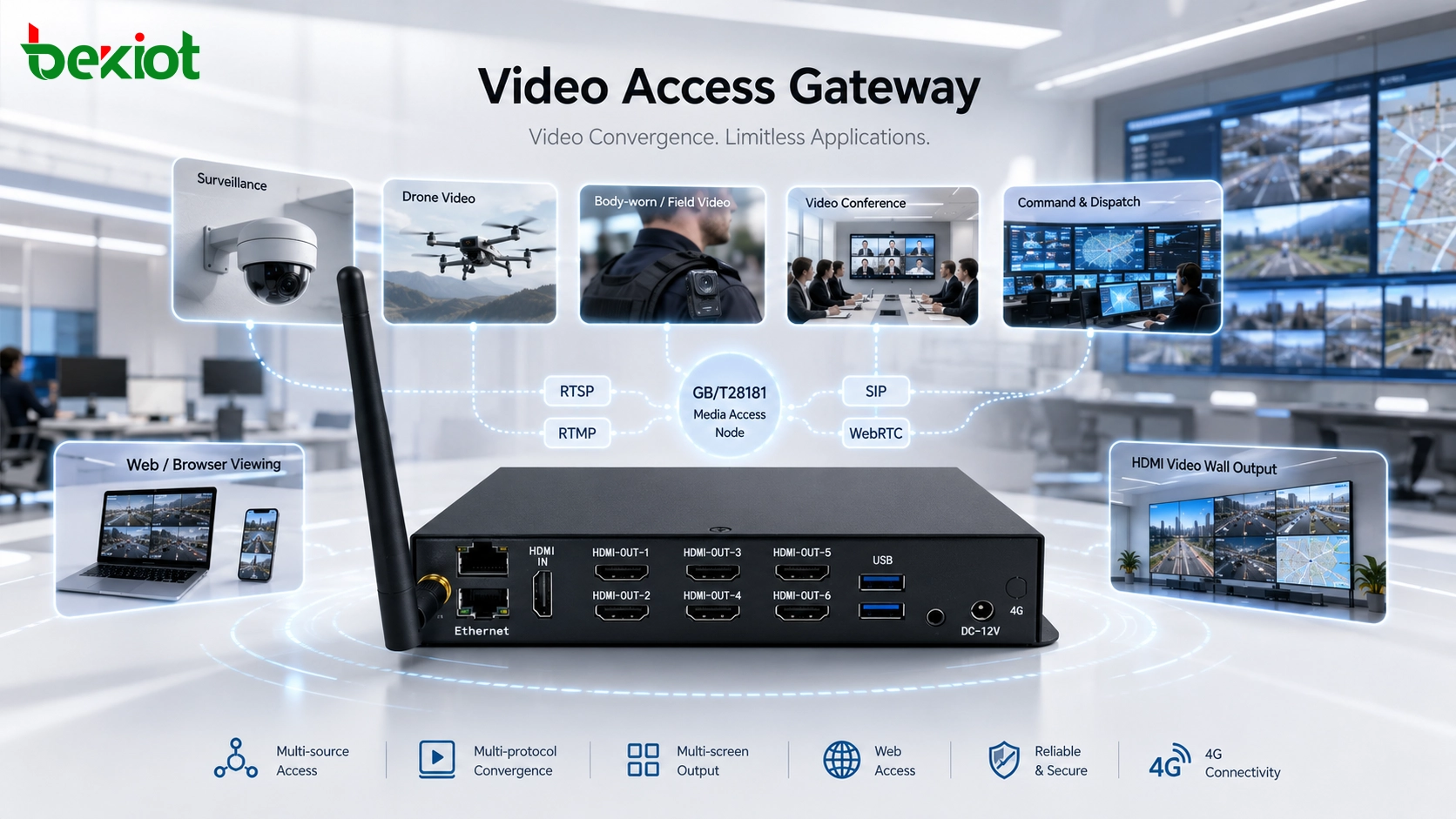
A video access gateway can work beyond API development by supporting command dispatch, video conferencing, drone streaming, GB/T28181 access, video wall output and multi-protocol media forwarding.
Becke Telcom
A video access gateway is often described as a tool for API-based video integration. That description is correct, but it is not complete. In many smart city, emergency response, industrial park, power, water conservancy, transportation and command center projects, the gateway can also work as a ready-to-use video convergence device.
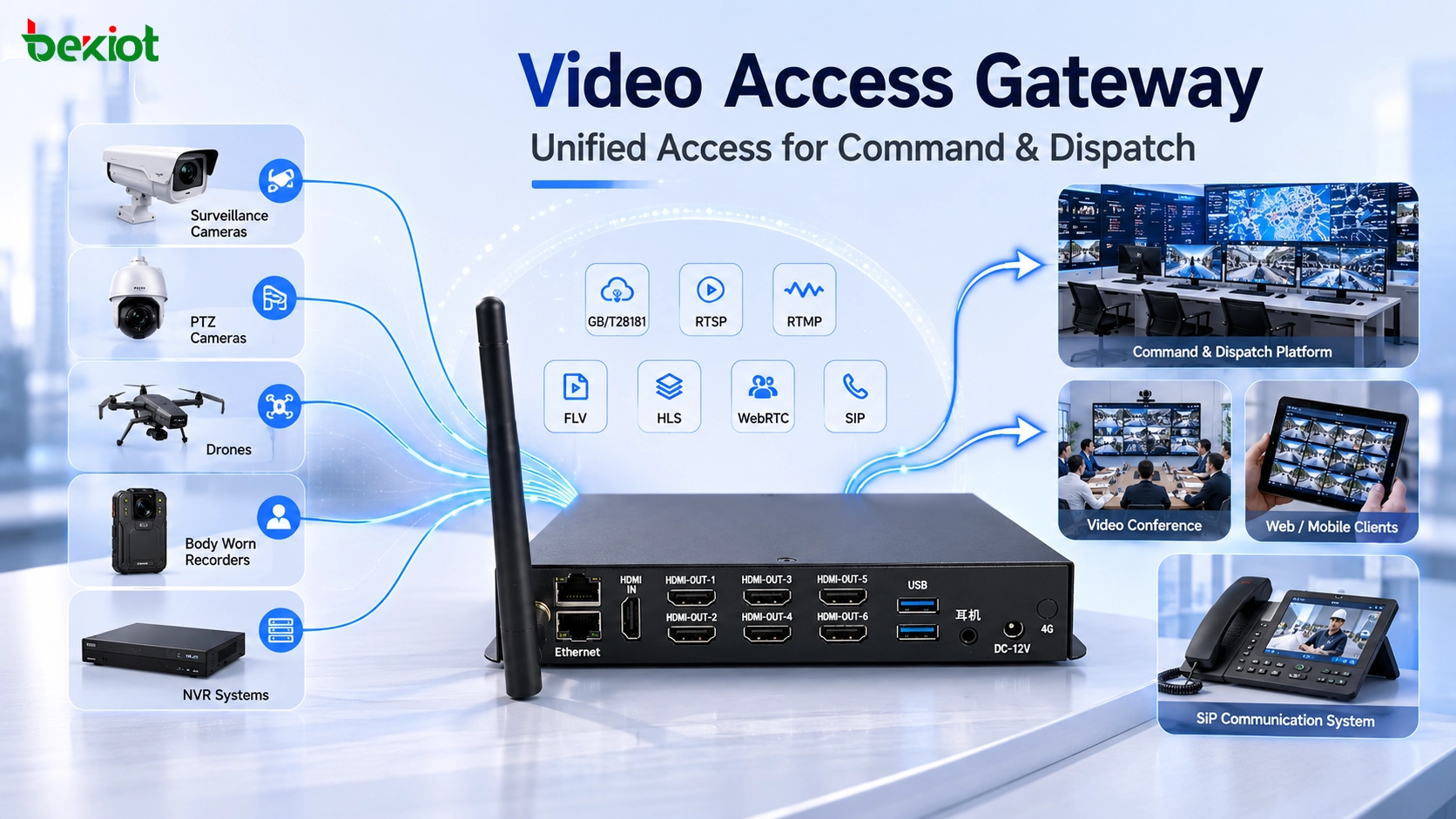
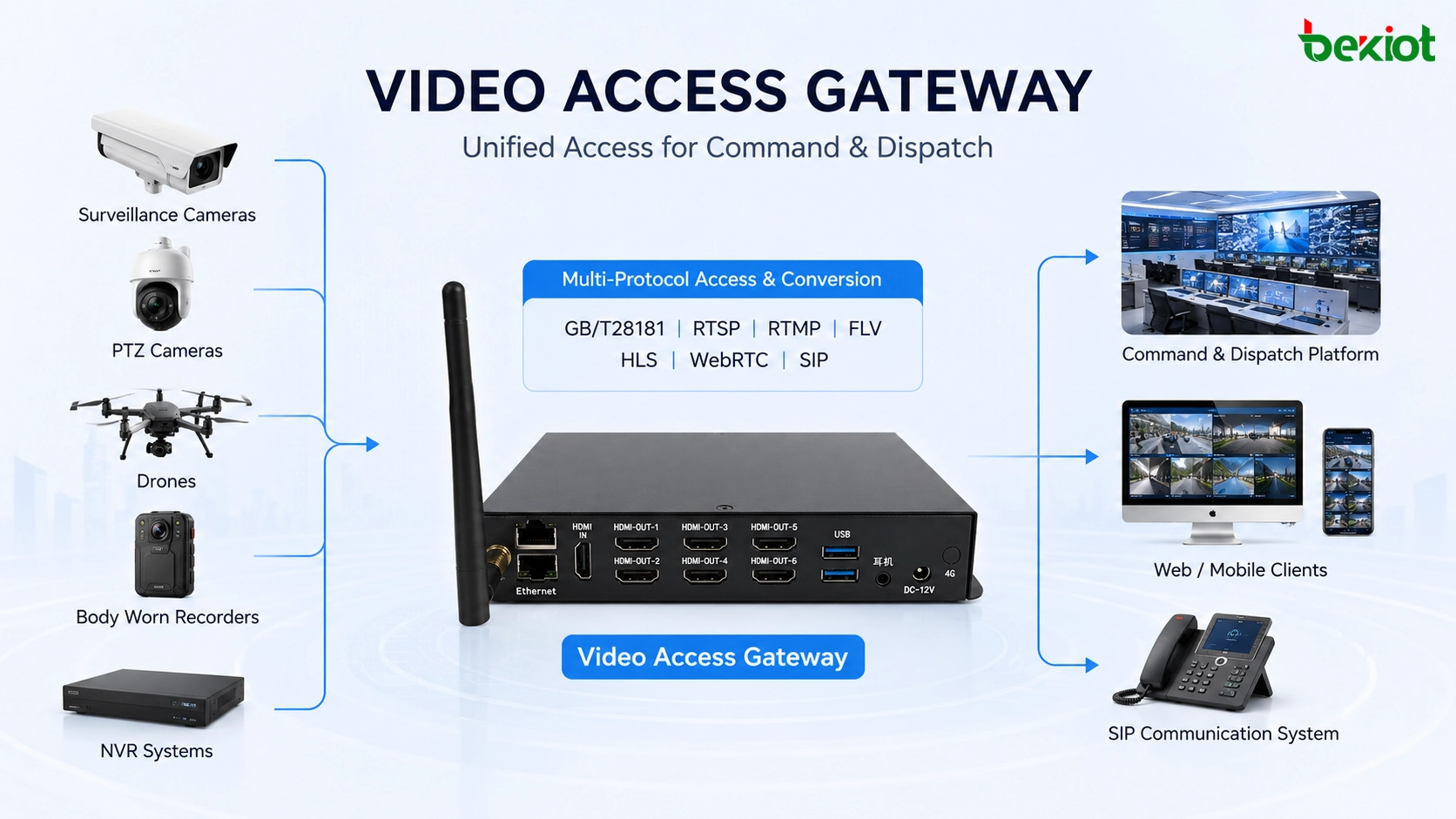
Instead of asking every project team to build a new software integration layer, the gateway handles complex video processing through configuration, networking, protocol conversion and media forwarding. It can connect cameras, drones, body-worn recorders, NVR systems, monitoring platforms, video conference rooms, command screens and SIP dispatch systems into one more practical media workflow.
This is why the value of a video access gateway is not limited to development. In real engineering projects, no-code or low-code deployment is often more important than writing custom API logic from the beginning. The goal is simple: make scattered video sources easier to access, convert, view, share and deliver.
A video access gateway can unify different field video sources for command dispatch without requiring every project to start from API development.
From Development Tool to Video Convergence Device
API integration is only one use case
In a software-driven project, a video access gateway may provide APIs for a business platform. The platform can call these APIs to view video, control resources, query stream status or build customized workflows. This is useful when the project has special business logic or needs deep integration with an upper-level platform.
However, many field projects do not need heavy development. They need stable video access, protocol adaptation, media forwarding, SIP connection, conference sharing, browser playback or large-screen display output. In these situations, the gateway can be deployed as an independent functional node and configured according to the project topology.
Why this matters in real projects
Delivery speed matters in emergency command, temporary event security, mobile command vehicles, industrial monitoring rooms, traffic operation centers and smart campus control rooms. Project teams may not have enough time to develop a new video platform, test every interface and maintain custom code after deployment.
A gateway-based model reduces that workload. It places a media processing layer between field video sources and upper-level systems. The gateway adapts different protocols, receives or pulls streams, converts output formats and sends video to the systems that need it.
Command and Dispatch Integration
Unifying different video resources
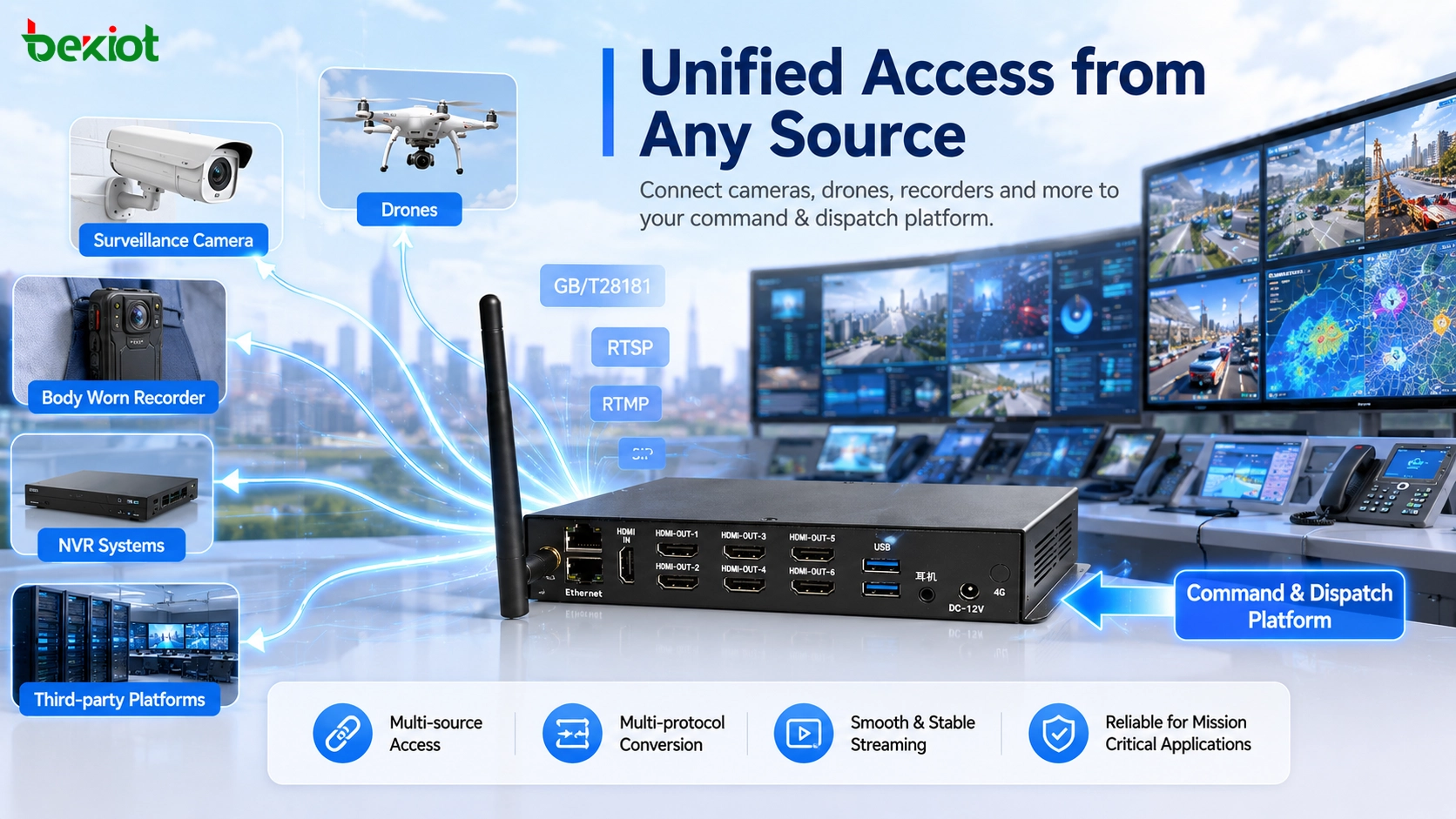
Command dispatch projects often need to view many types of video sources at the same time. These may include fixed surveillance cameras, portable monitoring balls, drones, vehicle cameras, body-worn recorders, NVR systems and third-party video platforms. Without a unified access layer, each source may need its own integration method.
A video access gateway brings these resources into a more consistent framework. It can receive video from camera systems, drone controllers, ground stations, recorder platforms, airport docks and other field devices, then forward or convert the streams for dispatch consoles, command centers or browser clients.
Connecting video with SIP-based coordination
In many communication projects, video should not be separated from voice dispatch. Operators may need to view a live camera, call a field terminal, open a conference, trigger emergency paging or coordinate a response team in the same workflow. SIP integration helps make that possible.
Through SIP registration, stream mapping and protocol adaptation, the gateway can make selected video sources usable by SIP-based communication systems. For Becke Telcom communication solutions, this type of gateway can act as a video-side extension when voice dispatch, SIP terminals, emergency coordination and field video need to work together.
Bringing Field Video into Meetings
Sharing live video in conference rooms
Operational meetings often need live field information. An emergency meeting may need drone footage from a rescue site. A traffic center may need camera streams from an accident area. An industrial plant may need to share monitoring video during remote troubleshooting.
A video access gateway can convert and forward these streams to a video conferencing environment. Once the video is available through the gateway, conference operators can pull selected resources and share them with decision makers. This allows teams to discuss a live situation instead of relying only on screenshots, verbal reports or delayed files.
Field video can be brought into a conference room so operators and decision makers can view live streams during coordination meetings.
Reducing the gap between monitoring and collaboration
Traditional monitoring systems and meeting systems are often separate. Monitoring platforms focus on camera access and recording. Conference systems focus on people-to-people communication. A gateway helps connect these two environments by turning field video into shareable media streams.
This is useful for emergency consultation, remote expert support, infrastructure maintenance, site inspection and multi-department command. The project can reuse existing cameras and conference systems instead of building a completely new video collaboration platform.
Drone Streaming and Multi-Source Media Access
Supporting different drone systems
Drones are now widely used in fire rescue, emergency response, traffic inspection, power line patrol, water conservancy monitoring, industrial supervision and event security. But drone video is not always easy to connect to a command system. Different drone brands and platforms may use RTMP, RTSP, GB/T28181, private media output or platform-based forwarding.
A video access gateway can act as a drone media access server. It receives streams from different drone systems and converts them into formats that can be viewed, forwarded, recorded or shared. This gives the command center a more consistent way to manage drone video.
From drone feed to command screen or browser
After receiving drone video, the gateway can distribute the stream to different application systems. RTMP, GB/T28181 and RTSP input streams can be converted or forwarded as FLV, HLS, WebRTC or other browser-friendly formats. The same drone feed may be shown on a command screen, video conference system, dispatch platform, monitoring platform or web client.
In this architecture, the drone is no longer an isolated video source. It becomes part of the overall command and monitoring network, where operators can view, share and reuse the video according to the actual task.
Video Wall and Decoder Output
HDMI output for command centers and vehicles
Some projects need to display IP video streams on a large screen, video wall, command center display, vehicle display or matrix system. In this situation, the gateway can work together with a decoder to convert network video into HDMI output.
For example, a drone may push an RTMP stream to the video access gateway. The gateway can output an RTSP stream to a decoder, and the decoder can provide HDMI output to the video wall. This creates a direct and easy-to-configure workflow for putting field video on a command screen.
Why display output matters
In command rooms and vehicle-mounted applications, operators often need stable video display more than a complex software interface. HDMI-based output is familiar, reliable and easy to connect to existing display systems. The gateway and decoder combination can bridge IP video networks and traditional display infrastructure.
The same video source can also be used in more than one way. A stream may be displayed on a large screen, shared in a meeting, forwarded to a dispatch platform and viewed through a browser depending on the project requirement.
GB/T28181 Platform Applications
Working as an access-side platform node
A video access gateway can also work as a GB/T28181 platform node. On the access side, it can connect GB/T28181 cameras, recorders, lower-level platforms and other standard video resources. On the upper side, it can register as a lower-level platform so that the superior platform can view resources connected through the gateway.
This is useful when a project needs to aggregate video resources from multiple sites or convert mixed video sources into a GB/T28181-compliant access structure. The upper-level platform sees the gateway as a manageable video resource node instead of dealing with many independent source types.
Converting non-GB streams into standard resources
Not every stream is originally GB/T28181 compliant. Some video may come from RTSP cameras, RTMP field devices, FLV platforms or other IP media sources. A gateway can receive these streams and deliver them upward through GB/T28181, making mixed resources easier to manage.
For viewing, the gateway may also support HTTP-FLV, WebSocket-FLV, M3U8, WebRTC and other playback methods. These options are useful for browser-based access, plugin-free viewing, mobile monitoring and flexible video distribution.
A gateway can act as a GB/T28181 access node, media server, stream converter and video wall support layer in one system architecture.
Typical No-Code and Low-Code Use Cases
Use Case
Gateway Role
Project Value
Command dispatch
Access cameras, drones, recorders and platforms for dispatch viewing
Improves situational awareness and field coordination
Video conferencing
Forward field video into meeting systems or conference rooms
Supports live visual decision-making
Drone streaming
Receive and convert drone video from different transmission methods
Makes aerial video reusable across platforms
Video wall output
Work with decoders to output streams through HDMI
Connects IP streams to display infrastructure
GB/T28181 aggregation
Act as an access node or lower-level platform
Simplifies multi-site video resource management
Practical Selection Notes
Check input and output protocol coverage
Before selecting a video access gateway, the project team should list all video sources and target systems. Important protocols may include GB/T28181, RTSP, RTMP, FLV, HLS, WebRTC, SIP and HDMI-related input or output. The selected gateway should match both current requirements and expected future expansion.
It is also important to confirm whether the gateway only forwards streams or can perform real conversion, transcoding and distribution. Projects involving drones, command dispatch, conference sharing and web playback usually need more than basic stream forwarding.
Evaluate deployment and operation requirements
A practical gateway should be easy to configure, stable under continuous operation and suitable for the actual network environment. For multi-site projects, the team should consider bandwidth, latency, device registration, remote maintenance, stream naming, user permission and compatibility with existing command or monitoring platforms.
For system integrators, the biggest value of a video access gateway is not only the number of supported protocols. It is the ability to turn scattered video resources into manageable, reusable and deliverable project functions.
Deployment Checklist
Checklist Item
What to Confirm
Why It Matters
Video source list
Cameras, drones, recorders, NVRs, platforms and mobile sources
Defines access scope and gateway capacity
Protocol type
GB/T28181, RTSP, RTMP, FLV, HLS, WebRTC, SIP and HDMI output
Ensures streams can be received and delivered correctly
Network topology
LAN access, public network access, VPN, firewall rules and bandwidth
Prevents access failure and unstable playback
Target systems
Dispatch platform, conference system, video wall, browser client or upper-level platform
Determines output format and delivery workflow
Operation rules
Stream naming, permission control, recording rules and maintenance access
Makes the system easier to manage after acceptance
Final Notes
A video access gateway is more than an API development tool. It can support command dispatch, video conferencing, drone streaming, GB/T28181 platform access, video wall output, browser viewing, media forwarding and protocol conversion. In many real projects, these no-code or low-code use cases are just as important as API integration.
When used properly, the gateway becomes a practical video convergence layer. It helps connect field cameras, drones, recorders, monitoring platforms, command centers, conference systems and display equipment into one more flexible video architecture. For smart infrastructure, emergency communication, industrial monitoring and multi-site command projects, this can simplify delivery and improve system adaptability.
FAQ
Can a video access gateway work without a central video platform?
Yes. In small or task-specific deployments, the gateway can directly receive streams, convert protocols, distribute video or work with a decoder for display output. A central platform may still be needed for advanced storage, permissions, analytics and large-scale device management.
Is a video access gateway suitable for temporary command projects?
Yes. Temporary security events, emergency rescue operations, mobile command vehicles and short-term construction monitoring projects can benefit from gateway-based access because many functions can be completed through configuration rather than long development cycles.
What is the difference between stream forwarding and transcoding?
Stream forwarding usually sends the original stream to another destination with limited changes. Transcoding may change codec, resolution, bitrate, frame rate or container format. Projects that need mobile viewing, browser playback or low-bandwidth transmission should confirm whether real transcoding is supported.
Can drone video and fixed camera video be managed together?
Yes. A gateway can receive different stream types from drones, cameras, recorders and platforms, then output them in formats required by the command system, conference system, browser client or upper-level video platform.
What should be prepared before deployment?
The project team should prepare the video source list, protocol types, stream addresses, network topology, bandwidth conditions, target platforms, display requirements and user workflow. This makes configuration easier and reduces integration problems during delivery.