Chongqing Metro One-Touch Help System for Passenger Aid & Smart Station Response
Chongqing Rail Transit one-touch passenger help system explained, covering help button placement, VoIP communication, CCTV linkage, station response workflow, passenger safety, data-driven operations and smart metro service value.
Becke Telcom
In a busy metro station, not every passenger problem is a major emergency, but many situations still need a fast and reliable response. A passenger may have trouble using a ticket machine, need help near an accessible elevator, feel unwell, witness a conflict, lose direction in a transfer station, or need staff support in an unfamiliar environment. If the only options are searching for staff, calling a hotline, or pressing a high-level emergency device, response can become slower than it should be.
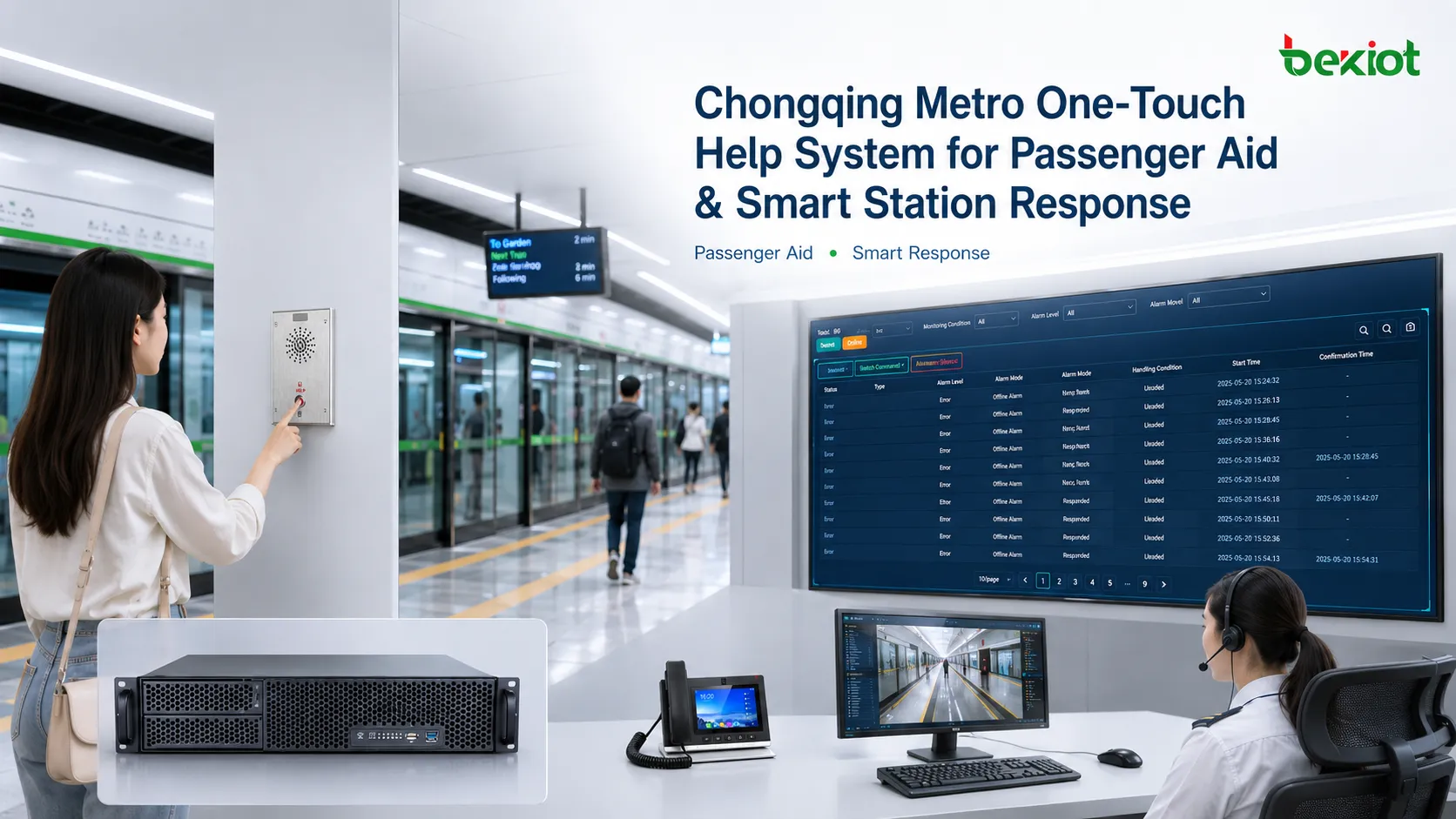
The one-touch passenger help system used in Chongqing Rail Transit is designed for this middle layer of station service. It creates a direct communication path between passengers and the station control room, giving passengers a simple way to request help while giving station staff accurate location information, voice communication, video support, and a traceable response record.
The value of the system is not only the button itself. It is a combination of passenger-facing hardware, IP voice communication, device location, CCTV linkage, station operation workflow, data recording, and service management. When these parts work together, a small help button becomes part of a smarter metro station response mechanism.
One-touch help buttons are commonly placed near customer service areas, accessible facilities, ticketing zones, and other points where passengers may need staff support.
A service gap between daily inquiry and emergency action
Metro stations already have several service channels. Passengers can ask station staff for directions, call customer service, use online service tools, or press emergency equipment in extreme situations. However, many real incidents fall between ordinary inquiry and urgent safety intervention.
A traveler who cannot find the correct exit does not need an emergency shutdown device. A passenger who sees someone feeling unwell may not know where the nearest staff member is. A person using an accessible elevator may need quick support if the elevator area is quiet or far from the main service counter. These are the exact situations where a visible, simple, and direct help button becomes useful.
The system creates a practical response channel. It helps passengers contact the station control room directly, while allowing staff to confirm the location and type of request before dispatching the right person. This reduces uncertainty for passengers and prevents minor problems from becoming larger operational or safety issues.
System positioning and response goal
The one-touch help system can be understood as a rapid assistance channel inside the station. It is not a replacement for emergency stop equipment, police response, medical emergency systems, or normal staff service. Its role is to connect passengers with station staff quickly when assistance is needed but the situation does not always justify the highest emergency level.
The system has three practical goals. The first is fast connection. A passenger should be able to press one button and speak with the station control room without searching for a phone number or finding staff manually.
The second goal is accurate location. Each help terminal is associated with a fixed point in the station. When the button is activated, the control room does not have to rely only on the passenger’s description. Staff can see where the request comes from and respond with better accuracy.
The third goal is efficient handling. Once the request is understood, station staff can classify the event, dispatch the nearest suitable staff member, and record the result. This turns a simple service request into a manageable response workflow.
Network deployment across metro stations
The source material describes the system as a network-level deployment rather than a small isolated trial. It notes that Chongqing Rail Transit had deployed 469 help buttons across major operating lines including the Loop Line, Line 1, Line 2, Line 3, Line 5, Line 6, International Expo Line, Line 9, and Line 10 by September 2023.
This scale matters because passenger service should feel consistent across the network. If a passenger transfers between lines, the help mechanism should not change from station to station. A standardized device layout, response process, and control-room workflow make the system easier for passengers to recognize and easier for staff to manage.
Large-scale deployment also creates operational value. When help requests are recorded across many stations, the operator can analyze where passengers request assistance most often, which types of issues appear repeatedly, and which areas may need better signage, staffing, maintenance, or passenger guidance.
Physical placement inside the station
The usefulness of a help button depends heavily on where it is installed. If the button is hidden, difficult to identify, or too far from common passenger activity, the system will not be used when it is needed.
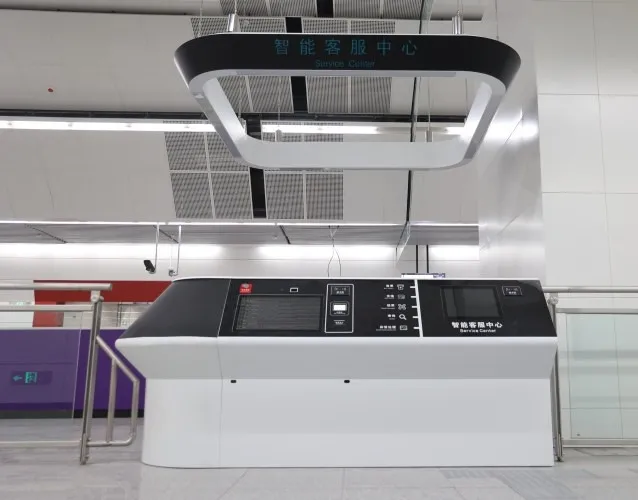
In station environments, the most suitable locations are usually the places where passengers are most likely to need help. These include ticketing areas, smart customer service centers, accessible elevator areas, selected ticket machines, station halls, transfer points, and other service-sensitive zones.
Accessibility is especially important. Elderly passengers, passengers with disabilities, parents with children, tourists, and passengers carrying large luggage may not be able to walk long distances to find staff. A clearly marked help point near accessible facilities gives them a more reliable way to reach station personnel.
Communication and system integration
Behind the visible button is an integrated communication system. The help terminal is not only a simple intercom. It can work as a station service endpoint connected to the metro communication network and station control system.
In many smart station designs, this type of system uses IP-based voice communication. When a passenger presses the button, the terminal sends a call through the station network to a predefined device in the station control room. This allows two-way voice communication between the passenger and the duty staff.
The call can also carry device identification information. The system can match the terminal ID with a fixed station location, allowing the control room to identify the help point automatically. This is much more efficient than asking a passenger to describe their position in a crowded or unfamiliar station.
Location, CCTV linkage and situational awareness
The strongest value of the system appears when voice communication is combined with visual confirmation. If the help button is linked with the station monitoring system, the control room can display nearby CCTV footage after the request is triggered.
This voice-plus-video workflow helps staff understand the situation more quickly. For example, if a passenger reports a ticketing problem, staff can confirm the terminal area. If a passenger reports a person feeling unwell, staff can check the nearby camera view and decide whether station staff, security, or medical support should be sent.
This also reduces misunderstanding. Passengers may describe a location vaguely, especially if they are nervous, unfamiliar with the station, or speaking in a hurry. Automatic location and video linkage give the control room a more complete picture before dispatching personnel.
Passenger operation process
For passengers, the process should be simple enough to use under stress. A practical help system should not require an app, a complicated menu, or knowledge of station layout. The passenger only needs to find the marked button, press it, speak clearly, and wait in a safe area.
A simple passenger guide can be described as four steps. First, find the help button near a service area, accessible elevator, ticketing point, or marked location. Second, press the button once to start communication. Third, tell the staff what happened and where you are. Fourth, follow the staff’s instructions and wait safely if on-site assistance is needed.
Passengers should also understand that the button is intended for real service needs. Casual or repeated misuse can occupy staff resources and delay help for people who genuinely need assistance.
Station staff response workflow
The staff workflow is just as important as the hardware. A button alone does not create better service unless the station has a clear procedure for answering, judging, dispatching, and closing each request.
A typical response begins when the station control room receives the call alert. The staff member answers the call, identifies the station control room, and asks the passenger to describe the issue. At the same time, the system can display the help point location and, where integrated, nearby CCTV footage.
The staff member then assesses the situation. The event may be a passenger inquiry, ticketing issue, equipment fault, accessibility request, lost item, passenger dispute, medical concern, or security issue. Different event types require different response resources.
After assessment, the control room dispatches the nearest suitable staff member, security officer, cleaner, technician, or other support personnel. Once the issue is handled, the event should be recorded and closed in the system. This process creates a complete service loop instead of leaving the request as an informal conversation.
Step
Control Room Action
Operational Purpose
Receive
Answer the help call and confirm the terminal location.
Creates immediate contact with the passenger.
Assess
Listen to the passenger and review linked location or video information.
Identifies the event type and urgency level.
Dispatch
Send the nearest suitable station staff, security, maintenance or service team.
Matches the response resource to the actual need.
Resolve
Confirm the on-site result and update the event record.
Closes the service loop and supports later review.
Passenger safety and service experience
For passengers, the most direct benefit is reassurance. In a large station, especially during peak hours, a passenger may feel uncertain when something goes wrong. A visible help button sends a clear message: official assistance is reachable from this point.
This reassurance matters for elderly passengers, people with disabilities, tourists, children, and passengers unfamiliar with the station. Not everyone is comfortable using mobile apps or searching for service hotlines. A fixed button is easy to understand and does not depend on personal smartphone ability.
The system also helps reduce the psychological pressure of asking for help. Instead of walking through a crowded station looking for staff, a passenger can contact the control room from the point where the problem occurs. This makes the station feel more supportive and more human-centered.
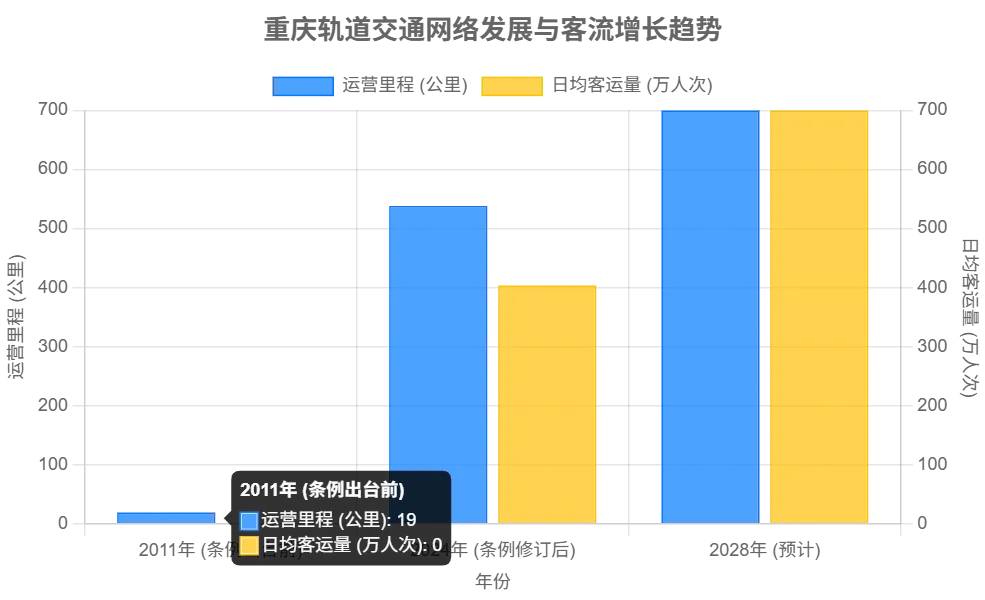
As metro networks expand and passenger flow grows, station operators need smarter tools for assistance, response tracking and service improvement.
Operational efficiency and data value
For the metro operator, the system improves more than passenger communication. It also changes how service events are located, assigned, tracked, and analyzed.
In the past, a passenger might give a vague description such as “near the elevator” or “beside the ticket machine.” Staff then had to interpret the location and send someone to search. With terminal identification and system mapping, the control room can know the help point more accurately and send the nearest available staff member.
Recorded data also supports long-term improvement. Each request can include time, location, event type, response duration, audio record, staff action, and closure result. Over time, the operator can identify high-frequency assistance points, recurring facility problems, confusing passenger routes, and stations that may need better staffing or signage.
Role in smart metro development
The one-touch help system fits naturally into the broader direction of smart metro development. A smart station is not only about automated ticketing or digital screens. It is also about sensing passenger needs, connecting response resources, and using data to improve service quality.
The help system supports smart passenger service by giving passengers a simple physical contact point. It supports intelligent operations by helping the control room assign resources more accurately. It supports safety management by recording requests, linking information, and allowing the operator to identify risk patterns.
In this sense, the system is a small but meaningful part of urban rail digital transformation. It connects physical passenger experience with networked station management.
Conflict intervention and public order
Passenger conflicts, disputes, and misunderstandings can escalate quickly in crowded metro environments. A timely third-party response can sometimes prevent a minor argument from becoming a public safety issue.
A one-touch help button can act as a buffer. When a passenger sees a dispute, feels threatened, or needs staff intervention, they can call the station control room without directly confronting the other party. Staff involvement can help calm the situation, clarify facts, and bring the matter back under station management.
This does not replace police or security procedures, but it gives passengers a safer and more structured way to request help before a situation worsens.
City service and public governance value
Public transport is one of the most visible parts of city governance. A metro system is judged not only by train speed and station design, but also by how it treats passengers during ordinary problems.
A responsive help system shows that urban infrastructure can be both efficient and caring. For local passengers, it improves daily confidence. For visitors, it becomes part of their impression of the city. When a traveler can ask for help quickly in a complex station, the city feels more organized and welcoming.
The system also supports public participation in safety. If passengers see someone in need, they can call for professional assistance through the button instead of ignoring the situation or placing themselves at risk. This creates a more practical form of shared public safety.
Implementation considerations
A one-touch help system should be planned as part of station operation, not only as hardware installation. The location of each terminal, visibility of signage, audio quality, control room workflow, CCTV linkage, recording policy, response training, and maintenance schedule all affect the final result.
The system should also be tested in real passenger environments. Stations are noisy, crowded, and visually complex. A device that works in a quiet test room may need different audio volume, microphone sensitivity, signage, lighting, or placement before it works well in daily service.
Maintenance should not be ignored. Terminals must remain visible, clean, connected, and responsive. Control room staff should know how to answer calls, classify events, dispatch resources, and close records correctly. Without ongoing operation management, the system can lose value over time.
Common mistakes and better fixes
Mistake
Typical Problem
Better Fix
Installing buttons without workflow design
Passengers can call, but staff may not have a clear response process.
Define answer, assessment, dispatch, response and closure procedures before rollout.
Placing terminals in low-visibility locations
Passengers may not notice the help point during stress or crowding.
Install devices near service-sensitive areas with clear signs and accessible height.
Ignoring audio conditions
Station noise can make communication unclear.
Test microphone pickup, speaker volume and echo control in real station conditions.
No location or video linkage
Staff may still need to ask many questions before dispatching help.
Connect terminal ID, station map and nearby CCTV where the system architecture allows.
Only treating data as records
Repeated problems may not be identified or improved.
Analyze request location, event type, response time and closure results regularly.
Final view
The Chongqing Rail Transit one-touch help system shows how a simple passenger-facing device can become part of a wider smart station response mechanism. Its value comes from direct communication, automatic location, possible CCTV linkage, structured staff response and data-based service improvement.
For passengers, the system creates a visible and reliable way to ask for help. For operators, it improves response accuracy, staff dispatch and service record management. For the city, it reflects a more human-centered approach to public transport governance, where technology is used not only for efficiency, but also for safety, accessibility and trust.
FAQ
What is a one-touch passenger help system in a metro station?
It is a fixed help terminal that allows passengers to contact the station control room directly when they need assistance with service, accessibility, safety or operational issues inside the station.
Where should help buttons be installed?
Suitable locations include customer service centers, ticketing areas, accessible elevators, selected ticket machines, transfer points and other places where passengers are likely to need staff support.
How does the system help station staff respond faster?
Each terminal can be associated with a fixed location. When the button is pressed, the control room can identify the help point, speak with the passenger and dispatch the nearest suitable staff member.
Can the system connect with CCTV?
In an integrated station system, the help request can be linked with nearby CCTV footage so that staff can confirm the situation visually while communicating with the passenger.
Why is the system important for smart metro operations?
It improves passenger assistance, creates traceable service records, supports data analysis and helps operators move from passive response to more accurate and intelligent station management.