Web-Based Business Phone Systems for Flexible Company Communication
A practical guide to web-based business phone systems, covering VoIP calling, browser administration, multi-device access, routing, remote work, scalability, security, and business phone migration.
Becke Telcom
Business communication has moved far beyond fixed desk phones, copper lines, and hardware-heavy PBX cabinets installed in a back office. Modern companies often need a phone system that can support office staff, remote employees, branch teams, mobile workers, customer service users, and administrators from one manageable platform.
A web-based business phone system combines VoIP calling, browser-based administration, multi-device access, and flexible call control. Instead of treating telephony as a separate hardware island, businesses can manage extensions, numbers, call routing, voicemail, users, and policies through a web interface.
For growing companies, this model is valuable because communication requirements change quickly. Teams expand, employees move, departments adjust workflows, and remote work becomes part of normal operations. A web-based phone system gives businesses a more adaptable way to keep communication organized without losing control over call quality, user access, or customer-facing call handling.
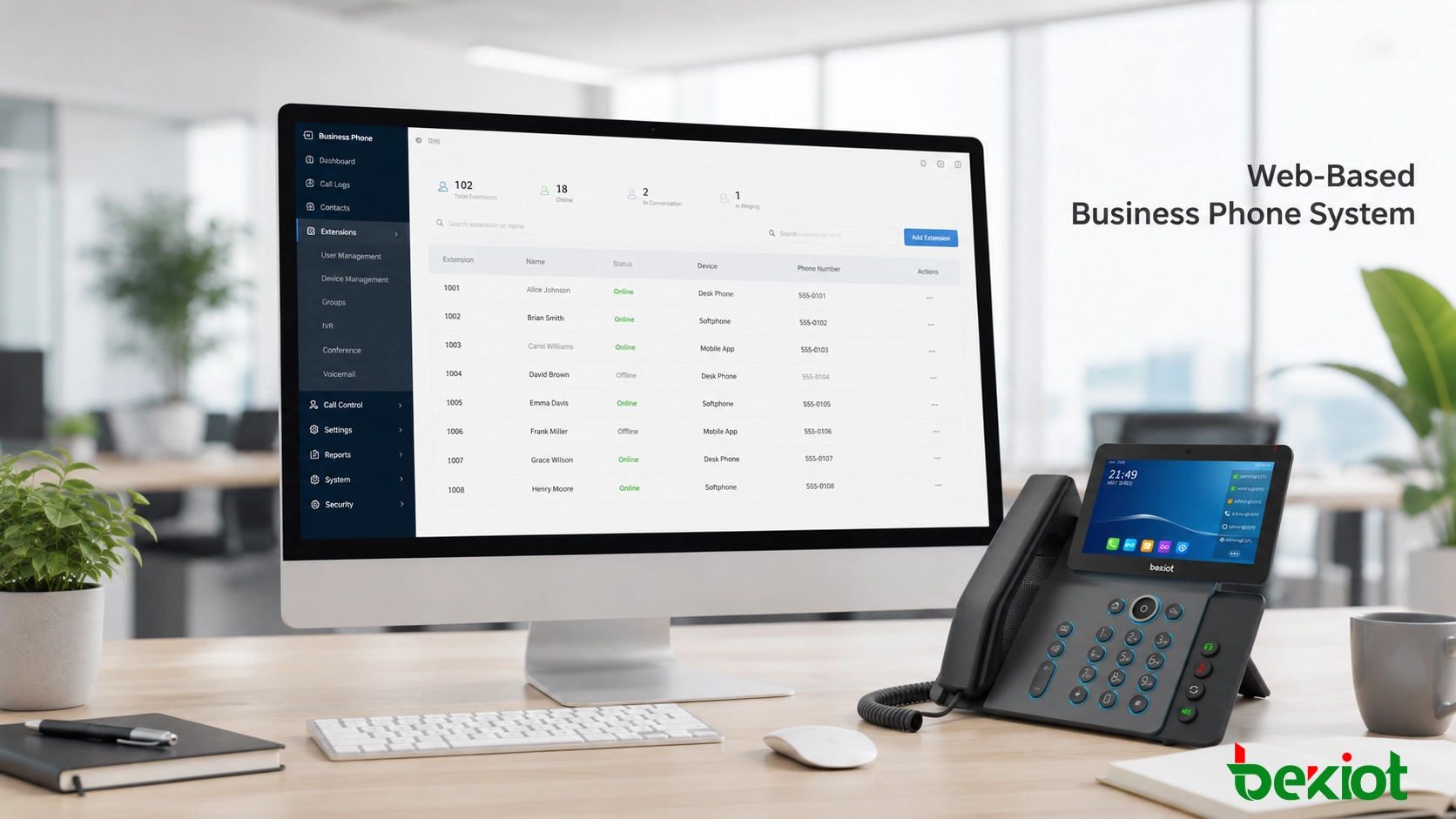
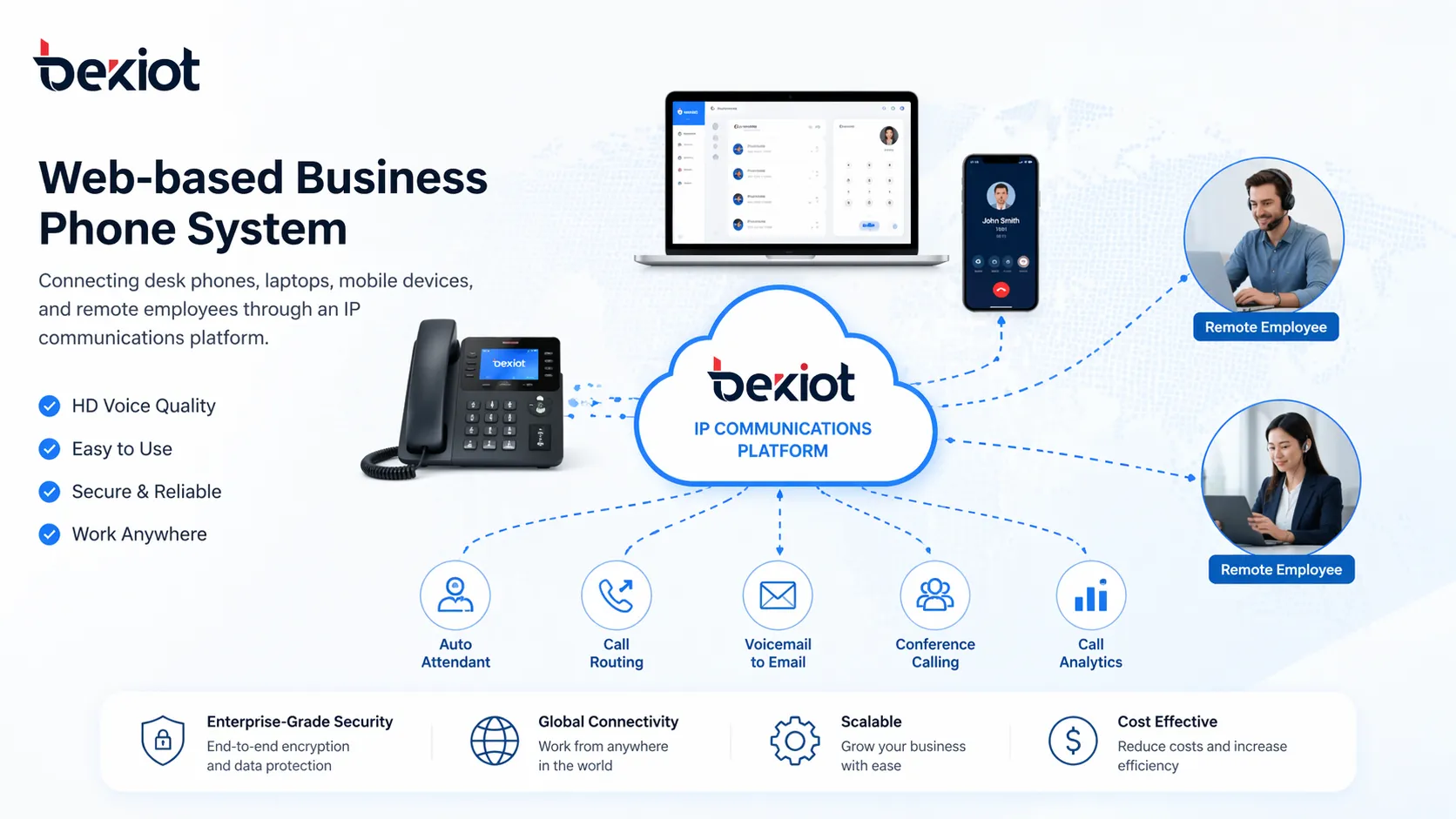
A web-based business phone system connects desk phones, softphones, mobile users, and call control under one managed communication environment.
What This Type of Phone System Means
A web-based business phone system is a business telephony solution that uses IP networks and browser-based tools to manage calling functions. It allows administrators to configure users, extensions, call flows, voicemail, routing rules, and business-hour settings without relying only on traditional analog lines or local PBX hardware.
Most systems are built on VoIP technology, which means voice calls travel over data networks instead of legacy telephone circuits. The “web-based” part refers to the way the system is managed. Administrators can log in through a browser to make changes, review call records, assign numbers, adjust routing, and monitor system activity.
Some deployments are fully cloud-hosted. Others use a hybrid structure that combines on-premises IP PBX resources with web-based management and remote access. This makes the model suitable for small businesses, branch offices, distributed teams, and larger organizations that need central control across multiple locations.
A web-based phone system is not only about making calls over the internet. It turns business telephony into a manageable, scalable, and accessible communication service.
How the System Works
At a basic level, the system routes voice communication through an IP network. Employees can use SIP desk phones, computer softphones, browser clients, or mobile apps to register with the communication platform. When a user makes or receives a call, the system applies the business rules already configured by the administrator.
These rules may include extension mapping, auto attendant menus, ring groups, call queues, forwarding conditions, voicemail handling, business-hour routing, and after-hours call treatment. The company can decide how calls should move through the organization instead of relying on fixed line behavior.
Administration is handled through a web portal. For example, a manager or IT administrator can add a new employee, change a department call path, assign a number to a remote worker, enable voicemail-to-email, update a holiday schedule, or review call history without being physically present near a PBX cabinet.
The system can also connect with SIP trunks, existing numbers, CRM platforms, help desk tools, collaboration software, recording systems, or video communication services. This allows business calls to become part of a wider workflow rather than remaining isolated phone events.
Core Capabilities Businesses Usually Need
Browser-based administration
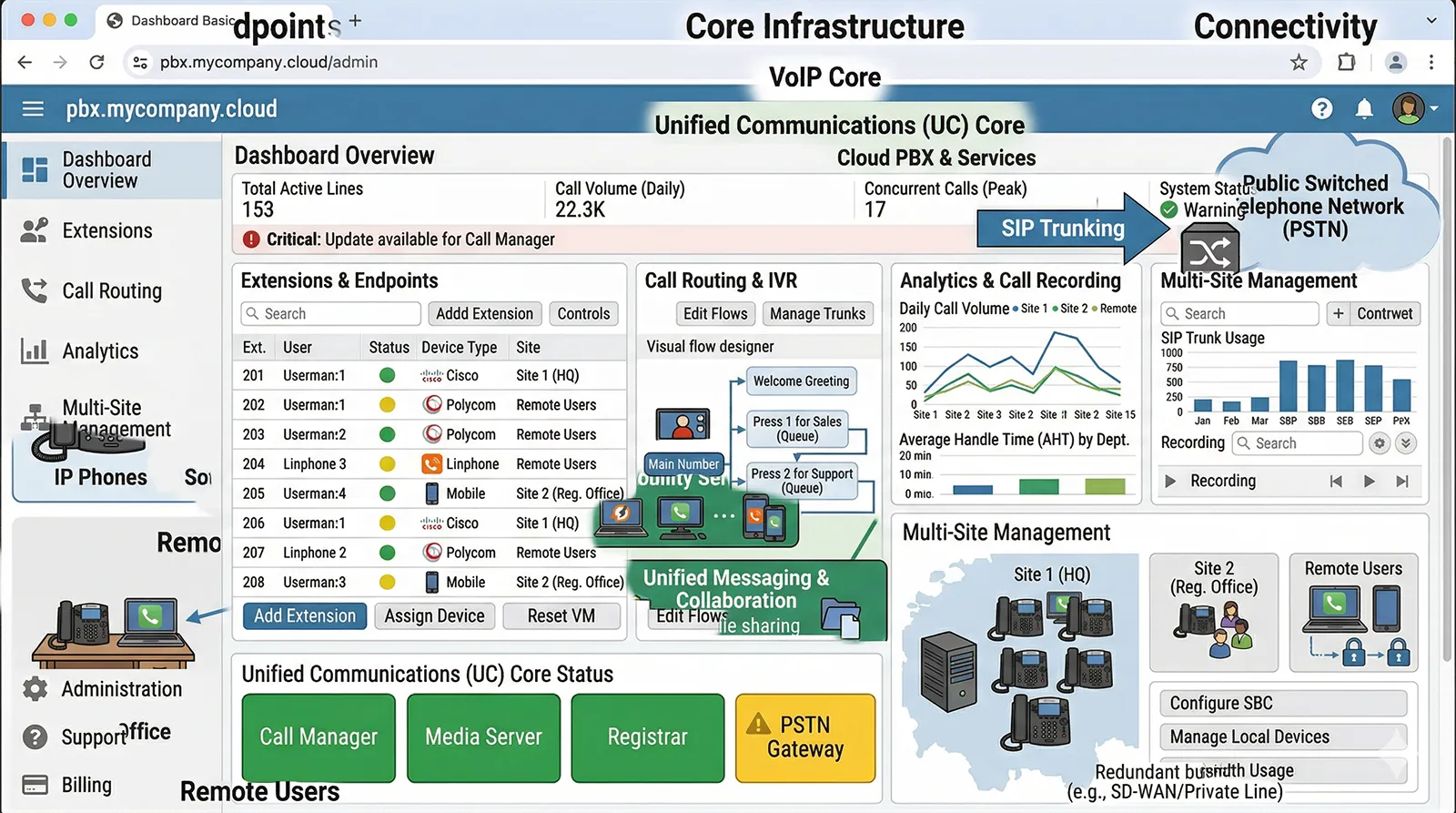
One of the main advantages is simple management through a browser. Administrators can view users, extensions, devices, trunks, call paths, voicemail settings, and routing policies from a central interface.
This is especially useful for growing businesses. New staff need extensions, departments need ring groups, business hours may change, and call routing often needs adjustment. A web interface makes these tasks faster and easier to control, even when the company does not have a large telecom team.
Desk phones, softphones, and mobile apps
Modern business calling is not limited to one phone on one desk. A web-based system can support SIP desk phones for office users, softphones for laptop users, and mobile apps for employees who work remotely or travel.
This flexibility allows communication to follow the user. A sales manager can answer from a mobile app, a receptionist can use a desk phone, and a support agent can work from a softphone while still using the company’s business identity.
Auto attendant and call routing
Professional call handling is essential for many businesses. A web-based phone system can support auto attendants, IVR menus, hunt groups, ring groups, extension dialing, time-based rules, and call forwarding logic.
For example, sales calls can be routed to one team, support calls to another, and after-hours calls to voicemail or an emergency contact path. This improves customer experience and reduces the burden on reception staff.
Voicemail, call history, and recording
Many companies need message handling and communication records. A web-based system usually supports voicemail, voicemail notification, call history, and optional call recording.
These functions help managers review missed calls, track service quality, support training, and understand how customer communication is being handled. For customer service, sales, and operations teams, call records can become an important management tool.
Scalable user and site management
A traditional phone system often becomes more difficult to manage as the company grows. A web-based system is usually easier to expand because users, extensions, devices, and routing policies can be added from one management environment.
Scalability is not only about adding users. It is also about keeping communication consistent across branches, departments, remote staff, and mobile teams as the company changes.
Browser-based administration helps businesses manage extensions, users, routing rules, and multi-site communication more efficiently.
Main Business Benefits
Faster deployment and easier expansion
A web-based system can often be deployed faster than older phone systems that depend heavily on local hardware planning and site-specific wiring. Users, numbers, and devices can be activated more efficiently, which is useful for startups, growing teams, and companies opening new branches.
When the organization expands, the same platform can usually support new staff and new locations without redesigning the entire communication structure.
Better support for remote and hybrid work
Remote and hybrid work have changed what businesses expect from phone systems. Employees need to answer business calls outside the office while still using a professional business number and company call flow.
A web-based phone system supports this by allowing staff to work from authorized devices and locations. Customers still call the company through normal business channels, while employees can remain reachable from home, branch offices, or mobile environments.
Lower management burden
Traditional telephony can place heavy pressure on internal IT or telecom staff, especially when multiple offices are involved. Web-based administration reduces that workload by giving administrators centralized visibility and control.
Many routine changes can be completed without field service, complex hardware intervention, or repeated manual configuration. This gives management better control over communication policies across the whole organization.
Improved business continuity
Business calls should not stop when one office closes early, a staff member travels, or a team temporarily works from home. A web-based phone system makes it easier to redirect calls, move answering responsibility, and keep important departments reachable from alternate devices.
This flexibility is valuable for customer-facing teams, service operations, branch offices, and companies that need to maintain responsiveness during schedule changes or unexpected disruptions.
More professional customer communication
Customers often judge a business by how calls are answered and routed. Features such as auto attendant, department routing, queues, voicemail, call history, and business-hour rules help the company present a more organized and reliable communication experience.
Instead of spreading customer calls across personal mobile numbers or unmanaged lines, the business can keep communication under a structured and professional system.
The value of a web-based business phone system is not only lower complexity. It is the ability to keep communication consistent across offices, devices, and teams.
Where It Works Best
Small and medium-sized businesses
Small and medium-sized businesses often choose web-based phone systems because they need professional calling features without the cost or complexity of legacy phone infrastructure.
Business numbers, IVR, voicemail, ring groups, call history, and browser management help smaller companies look more organized while staying flexible as they grow.
Multi-site offices and branch operations
Companies with more than one location often struggle to keep phone management consistent. A web-based system helps unify extensions, users, routing policies, and call records across headquarters, branches, and satellite teams.
This makes the organization easier to manage internally and easier for customers to contact externally.
Remote teams and mobile staff
Businesses with remote employees, traveling managers, field service workers, or mobile sales teams benefit from multi-device access. Employees can remain part of the business phone system without relying only on personal numbers.
This improves both internal coordination and the customer experience because calls remain connected to the company’s official communication structure.
Customer service and sales teams
Departments that handle high call volumes need routing logic, voicemail, call records, queues, and visibility into incoming communication. A web-based phone system supports these workflows more effectively than basic office calling.
Sales teams also benefit because incoming calls can be directed quickly, coverage can be maintained outside normal office locations, and managers can review call activity when needed.
Organizations replacing legacy PBX systems
Many companies adopt web-based systems when they are ready to move beyond analog or hardware-heavy PBX infrastructure. The web-managed model provides a practical path toward VoIP, SIP, IP PBX, and more unified business communication.
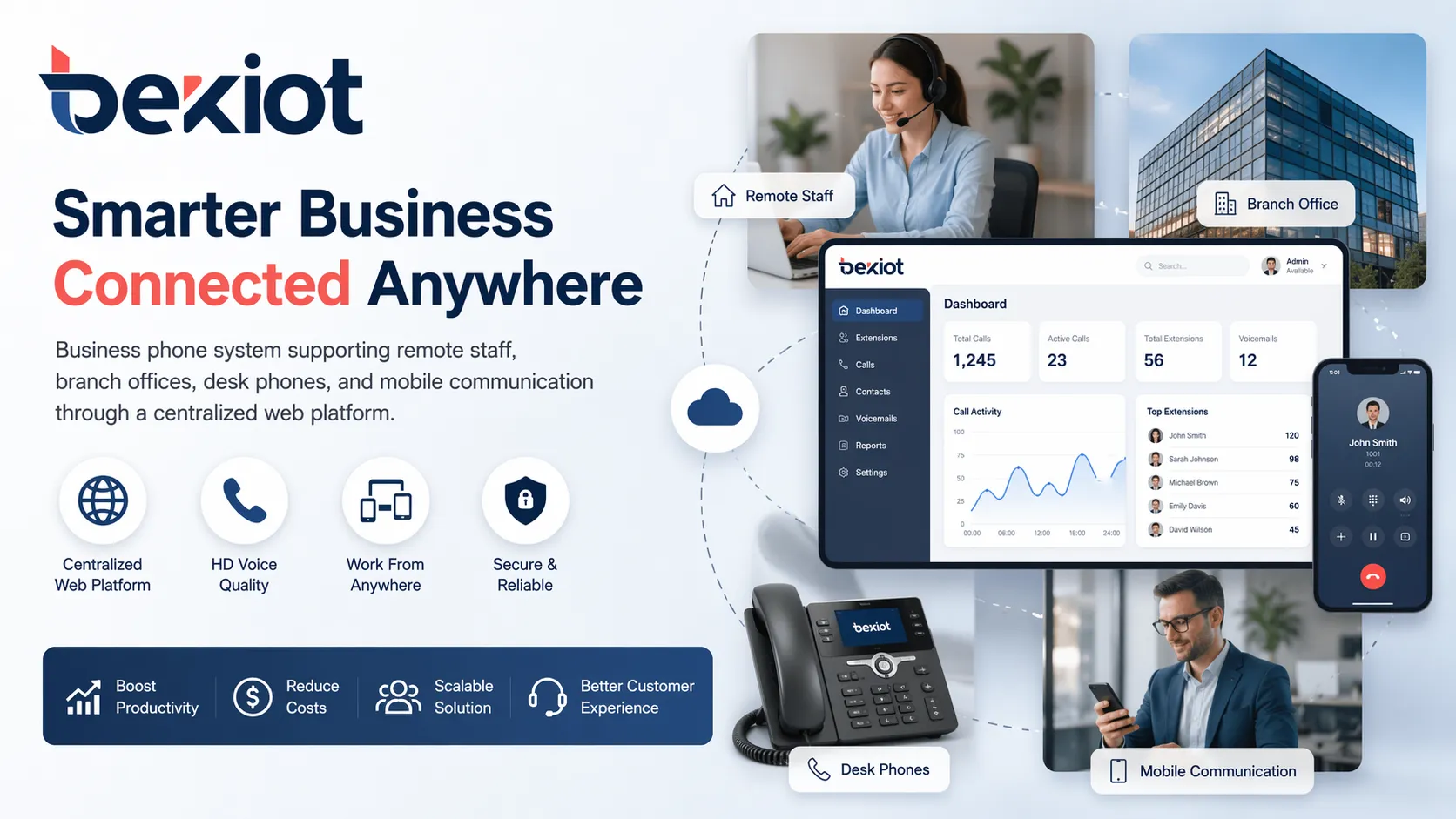
Web-based phone systems are useful for remote teams, multi-site offices, mobile staff, and organizations that need one communication framework across many users.
Comparison with Traditional PBX
A traditional PBX is usually tied to fixed-site hardware, local maintenance, and physical office infrastructure. It can still serve some organizations, but it becomes less practical when the business needs remote access, fast expansion, or simple administration across multiple locations.
An IP PBX improves on traditional PBX by using IP-based calling and supporting modern SIP devices. A web-based business phone system goes further by emphasizing browser-based control, flexible user access, and easier administration for distributed teams.
Comparison Point
Traditional PBX
Web-Based Business Phone System
Management
Often tied to local hardware and specialist configuration
Managed through a browser-based administration portal
User Access
Mainly fixed office phones
Desk phones, softphones, browser clients, and mobile apps
Remote Work
Limited or complex to support
Designed to support remote and hybrid employees more easily
Expansion
May require hardware changes and site work
Users, extensions, and routing rules can be expanded more flexibly
Best Fit
Stable single-site office telephony
Growing, distributed, mobile, and multi-site business communication
What to Check Before Choosing a System
User count and growth plans
Start by reviewing how many users the business has today and how many it may need in the future. The system should support current staff without becoming a barrier when new teams, branches, or remote employees are added.
Office structure and working style
A single office, a multi-branch company, a remote-first team, and a customer service center do not have the same communication needs. The phone system should match the way the organization actually works.
Device compatibility
Some roles still need physical desk phones. Others may prefer laptop softphones or mobile apps. The best system should support the right device mix for reception users, sales teams, managers, support agents, and remote staff.
Integration and reporting needs
Businesses should check whether the system can connect with SIP trunks, CRM tools, help desk platforms, recording requirements, call reports, and customer service workflows. Integration can become more important as the company grows.
Security and administration control
Because business communication may be accessed from multiple devices and locations, security should not be ignored. Account policies, access control, administrator permissions, remote login rules, and stable deployment practices should all be reviewed before selection.
Solution Planning with Becke Telcom
Becke Telcom supports IP-based business communication solutions for offices, branches, campuses, industrial facilities, hotels, healthcare sites, public service environments, and distributed organizations.
Depending on the project, the solution can include IP PBX platforms, SIP phones, softphone access, mobile extensions, SIP trunks, VoIP gateways, paging systems, intercom terminals, emergency phones, and dispatch-related communication tools.
For organizations moving from legacy PBX to a more flexible communication architecture, Becke Telcom can help evaluate user scale, endpoint selection, SIP access, routing requirements, branch connectivity, remote-worker needs, and long-term expansion.
Conclusion
A web-based business phone system gives companies a more flexible way to manage business calls, users, devices, and communication workflows. By combining VoIP services with browser-based administration, it helps organizations move beyond the limitations of traditional office telephony.
For businesses that need simpler management, better remote-work support, smoother multi-site coordination, and a more professional customer calling experience, this approach is increasingly practical. It also creates a stronger foundation for future VoIP, SIP, IP PBX, and unified communication integration.
If your organization is evaluating a more flexible phone system for offices, branches, or distributed teams, Becke Telcom can help plan an IP communication architecture that fits your current operations and future growth.
FAQ
What is a web-based business phone system?
A web-based business phone system is a phone solution that uses IP communication and browser-based administration to manage business calling, users, extensions, routing, voicemail, and related features.
Is a web-based business phone system the same as VoIP?
Not exactly. VoIP refers to voice over IP calling technology. A web-based business phone system usually combines VoIP calling with browser-based management, multi-device access, and business phone features.
Can employees use the system outside the office?
Yes. Many web-based systems support desk phones, softphones, mobile apps, and remote access so employees can make and receive business calls from different locations.
Is this type of system suitable for small businesses?
Yes. It can be a strong choice for small businesses because it provides professional call handling, flexible administration, and room to grow without depending on complex legacy phone infrastructure.
How is it different from a traditional PBX?
A traditional PBX is more tied to on-site hardware and fixed office infrastructure. A web-based business phone system emphasizes IP communication, browser-based control, and flexible access across devices and locations.
What should a company consider before choosing one?
A company should review user count, growth plans, device compatibility, remote-work needs, SIP trunk options, call routing requirements, integration goals, security controls, and administrator management features.