How Can a Grandstream IP PBX Improve Business Communication?
A practical guide to Grandstream IP PBX systems, covering SIP telephony, extension management, call routing, IVR, voicemail, remote users, multi-site communication, and broader business voice integration.
Becke Telcom
A Grandstream IP PBX is a SIP-based business phone system that helps organizations manage extensions, incoming calls, outgoing routes, voicemail, IVR menus, conferencing, remote users, and branch communication through an IP network. For companies moving away from scattered analog lines or aging PBX equipment, it provides a more flexible way to organize daily voice communication.
Business communication is no longer limited to one reception desk or one office floor. Employees may work in departments, branches, warehouses, service counters, production areas, or remote locations. A well-planned IP PBX gives those users a shared calling structure, so internal communication, customer calls, and operational workflows can be handled from one platform.
This article explains what a Grandstream IP PBX does, which features matter most, where it is commonly used, and what businesses should consider before deployment. It also looks at how an IP PBX can become part of a wider SIP communication system that includes phones, gateways, intercom, paging, and other voice endpoints.
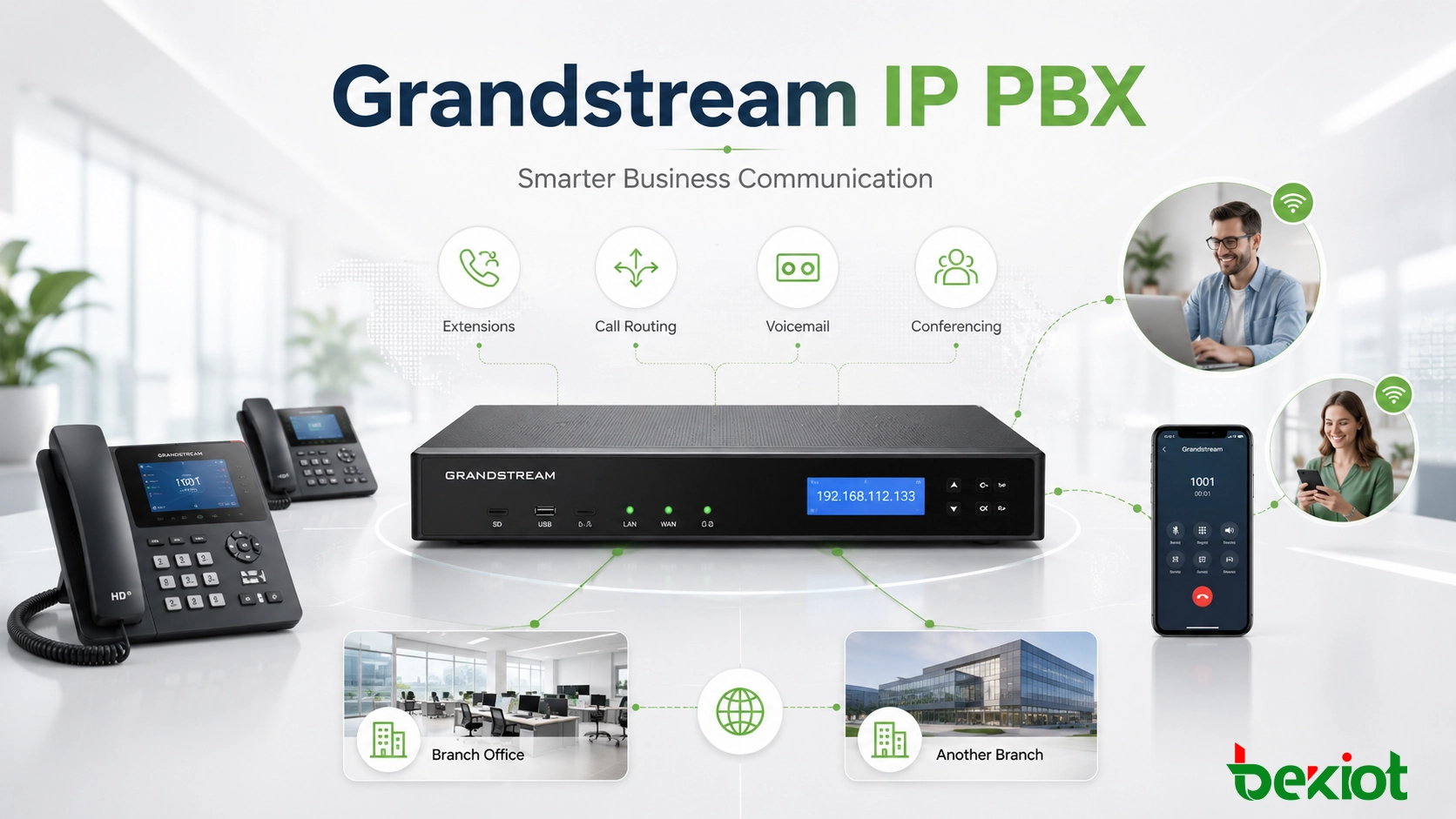
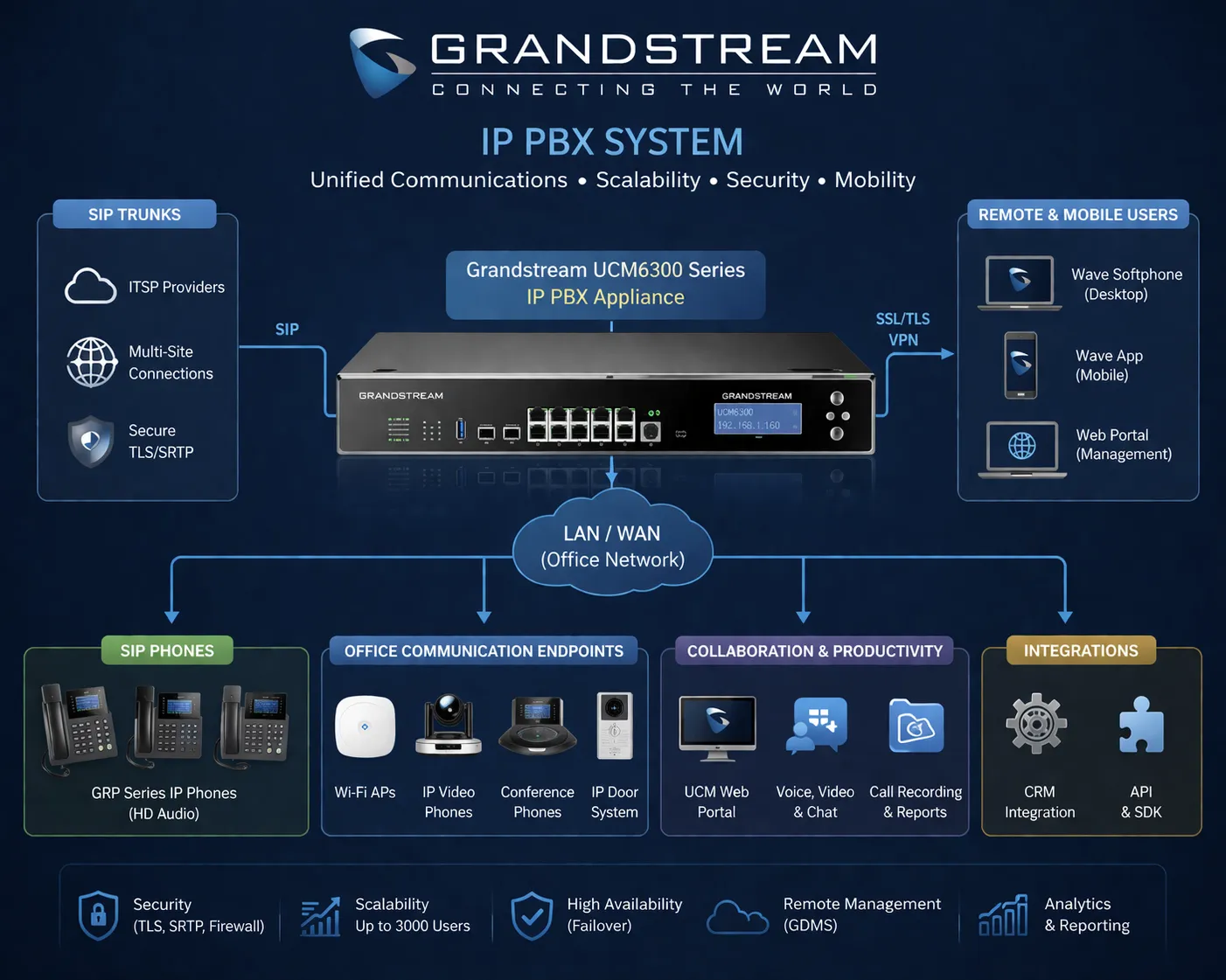
A Grandstream IP PBX connects extensions, SIP trunks, users, and endpoints into one manageable business communication platform.
What an IP PBX Does in a Business Phone System
An IP PBX is the call control center of a business voice network. Instead of depending mainly on traditional phone wiring and fixed switching hardware, it uses IP networking and SIP communication to connect desk phones, softphones, SIP trunks, gateways, and compatible endpoints.
In daily operation, the system handles extension registration, call setup, call routing, voicemail, ring groups, IVR menus, conference rooms, and user permissions. It gives administrators a structured way to manage how calls enter, move through, and leave the organization.
The value is not only technical. A clear PBX structure makes communication easier for staff and more predictable for callers. Internal users can dial extensions directly. Customers can be routed to the right department. Remote workers can remain part of the same phone system. Branch teams can communicate without building separate voice islands.
A modern IP PBX is not just a box for phone calls. It is the control layer that keeps people, departments, devices, and call flows connected.
Why Businesses Move to SIP-Based Telephony
Many organizations choose an IP PBX because older phone systems become difficult to expand and expensive to maintain. A company may start with simple office calling, but later need branch extensions, remote users, department routing, call recording, reception workflows, SIP trunks, or integration with other communication devices.
SIP-based telephony makes that growth easier to manage. New phones can be added more flexibly. Call rules can be changed from the platform instead of through scattered manual wiring changes. SIP trunks can support external calling more efficiently than traditional line-by-line models in many deployments.
For growing businesses, this matters because the phone system should not limit the way the organization operates. A Grandstream IP PBX gives businesses a practical foundation for daily calling while leaving room for future communication expansion.
Core Features That Matter Most
Extension Management
Extension management is one of the most important functions of any IP PBX. Administrators can create users, assign extension numbers, define permissions, connect SIP phones or soft clients, and organize users by department or role.
This helps businesses keep internal calling simple. A staff member can move desks or change location while keeping the same extension identity. New employees can be added without redesigning the whole phone system. Departments can be structured clearly, which reduces confusion for both users and administrators.
Call Routing and Ring Groups
Call routing decides where a call should go. A Grandstream IP PBX can route calls to individuals, reception desks, sales teams, support groups, service counters, voicemail, or backup destinations based on business rules.
Ring groups are useful when several people share responsibility for a call. For example, a service team may need all available agents to ring at the same time, or a reception group may need calls to move from one person to another in sequence. Good routing reduces missed calls and creates a more professional experience for customers.
IVR and Auto Attendant
IVR allows callers to hear a greeting and select options such as sales, support, accounts, service, or operator assistance. This gives the business a cleaner first point of contact and reduces the need for every call to be manually transferred.
For small businesses, the IVR may be simple. For larger organizations, it can include time schedules, holiday rules, department menus, overflow paths, and different routing behavior for business hours and after-hours service.
Voicemail and Message Handling
Voicemail remains useful when staff are unavailable, working in the field, attending meetings, or supporting customers in different time zones. A PBX voicemail function keeps missed calls inside an organized communication process instead of allowing them to disappear.
Individual voicemail boxes, shared department voicemail, and voicemail notifications can help teams respond later with the right context. For businesses that cannot answer every call immediately, this is still an important part of service continuity.
Conference Calling
Built-in conference calling allows multiple users to join the same voice discussion without relying on separate tools for every internal meeting. This is useful for department coordination, branch communication, management discussions, and fast operational decisions.
While many companies also use video meeting platforms, voice conferencing remains practical when the goal is quick discussion, low bandwidth, or simple participation from desk phones and SIP endpoints.
Remote Extensions
Remote extension support helps employees stay connected to the company phone system even when they are outside the main office. Depending on the deployment, users may connect through SIP desk phones, softphones, mobile clients, or secured remote access methods.
This is useful for hybrid work, branch offices, field service teams, home-based staff, and mobile employees. The business can keep one extension plan and one communication identity instead of creating separate phone processes for every location.
Business Benefits in Real Operation
Clearer Internal Communication
A structured PBX makes internal communication easier. Staff can call each other by extension, departments can be grouped logically, and reception users can transfer calls more accurately. This reduces informal workarounds and makes daily coordination smoother.
In companies with many departments or frequent staff movement, this structure is especially helpful. The phone system becomes easier to understand because people know how to reach the right person or team without depending on personal mobile numbers.
More Professional Call Handling
Customer experience often begins with a phone call. If calls are missed, transferred incorrectly, or answered inconsistently, the business can appear disorganized. An IP PBX helps create a more predictable call flow.
Features such as IVR, ring groups, time-based routing, voicemail, and department queues can guide callers more effectively. The result is not only better call control, but also a more professional image for customers, suppliers, partners, and service users.
Easier Growth Across Teams and Locations
As a business grows, communication needs usually become more complex. New departments, new sites, remote users, and customer-facing teams all add pressure to the phone system. An IP PBX can usually scale more naturally than a rigid legacy system.
New users can be added, routing can be updated, and branch extensions can be connected within the same overall structure. This helps the business expand without rebuilding communication from the ground up each time.
Centralized Administration
A centralized PBX platform gives administrators one place to manage users, extensions, trunks, call rules, voicemail, and system settings. This improves consistency and reduces the risk of each office or department using its own disconnected method.
Central management also helps when employees change roles or move between locations. Instead of treating every change as a physical rewiring task, many adjustments can be handled at the system level.
Support for Hybrid Work
Hybrid and distributed work have become normal for many businesses. A Grandstream IP PBX can help remote staff remain reachable under the same company extension plan, which supports continuity and keeps business communication more organized.
This is important for both internal collaboration and external caller experience. Customers do not need to know where an employee is working. They only need the business phone system to route the call correctly.
The best business phone system is not the one with the longest feature list. It is the one that makes everyday communication easier to manage and easier to trust.
Common Application Scenarios
Office Telephony
The most common use case is office communication. A Grandstream IP PBX can support desk phones, reception users, internal extension dialing, voicemail, conference calls, and incoming call distribution across departments.
For offices that need a practical business phone system, an IP PBX offers a good balance between professional call handling and manageable deployment.
Multi-Branch Businesses
Companies with more than one office often need a shared numbering plan and simpler communication between locations. An IP PBX can help unify branches so users can call each other through extensions instead of treating every site as a separate phone environment.
This is useful for regional offices, service branches, training centers, retail networks, and distributed sales teams that need to operate as one organization from the caller’s point of view.
Retail, Hospitality, and Service Sites
Retail stores, hotels, clinics, customer service centers, and other service-oriented businesses need dependable internal calling and smooth external call handling. A PBX can organize front-desk calls, department groups, operator functions, and escalation paths.
In these environments, communication directly affects customer response speed. A clear routing structure helps staff handle calls without unnecessary delay or confusion.
Remote and Mobile Teams
Remote workers and mobile service teams can use SIP-based access to stay connected to the business phone system. This keeps their communication identity consistent, even when they are not located at headquarters.
For businesses with flexible work models, this can reduce dependence on personal phones and help maintain a more professional communication process.
Education, Healthcare, and Administrative Buildings
Schools, clinics, administrative facilities, and healthcare support buildings often need internal dialing, reception handling, department routing, and room-to-room communication. An IP PBX can centralize those needs while still allowing future expansion.
In these sites, the system may later connect with paging, intercom, or emergency communication devices. Planning the PBX as part of a wider SIP environment can make that future integration easier.
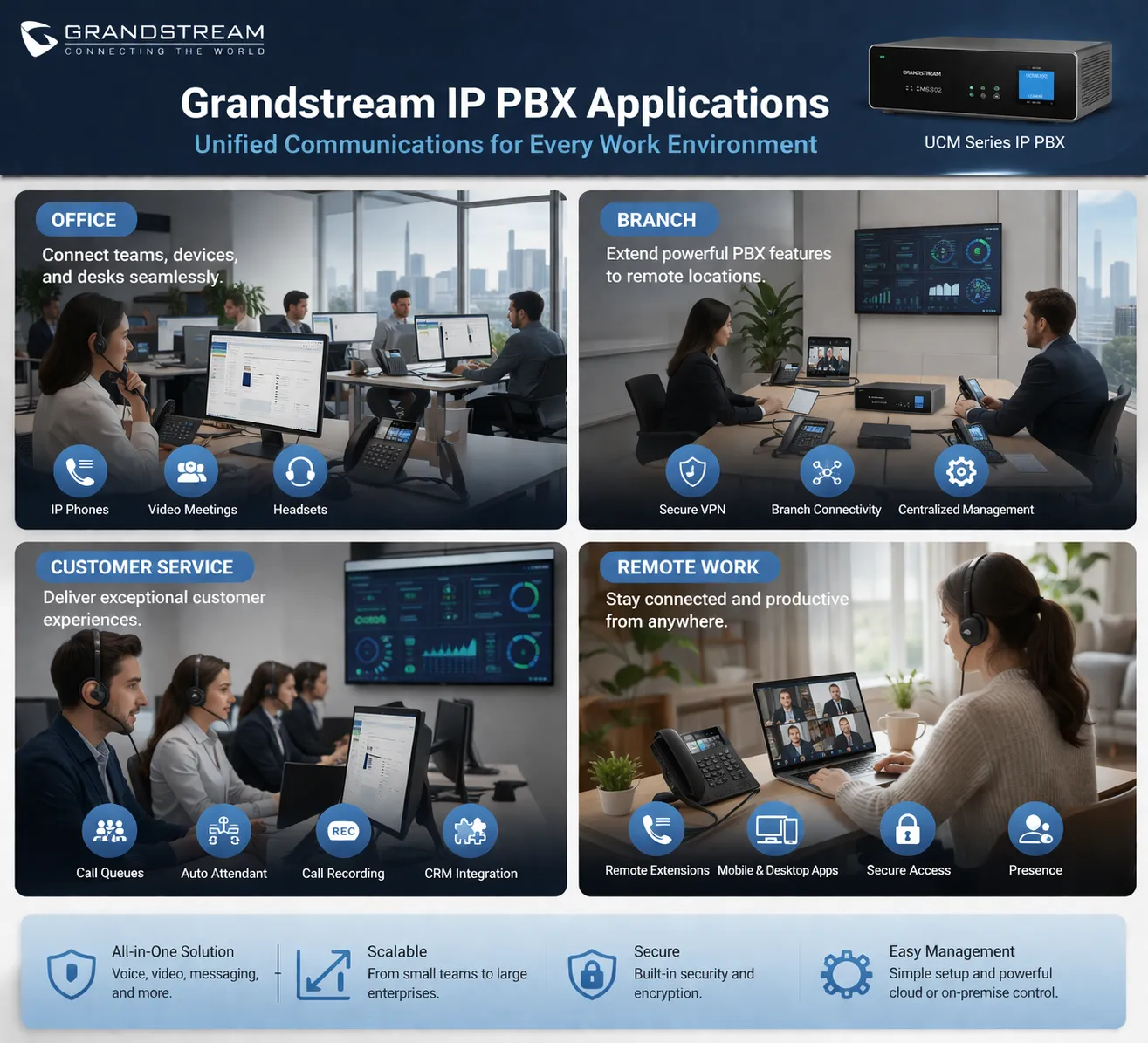
IP PBX systems can support office users, branch teams, customer-facing sites, remote workers, and administrative facilities.
How It Fits into a Wider SIP Communication System
Many businesses first deploy an IP PBX for desk phones, but the same SIP foundation can support more than standard office calling. Depending on the project, the PBX may connect with gateways, analog adapters, SIP intercoms, paging equipment, door phones, soft clients, and other communication endpoints.
This wider role is important for facilities where communication does not only happen at desks. A warehouse may need paging. A school may need classroom phones and announcements. A clinic may need reception routing and department calling. An industrial site may need intercom points, emergency phones, or voice gateways.
In these projects, the PBX is one layer of the full communication architecture. The best result depends on how well phones, gateways, field endpoints, SIP devices, network design, and call workflows work together.
An IP PBX can be the center of business telephony, but its full value appears when it fits smoothly into the wider communication environment of the site.
What to Check Before Deployment
User Count and Future Growth
Businesses should not plan only for the current number of users. It is better to consider expected growth, new departments, possible branches, remote users, and future communication features. A system that is just large enough today may become limiting sooner than expected.
Good planning helps avoid unnecessary replacement later. It also makes it easier to add phones, extensions, trunks, and routing rules as the organization changes.
Network Readiness
Voice quality depends heavily on network performance. A capable IP PBX cannot deliver good results if the LAN is unstable, congested, or poorly planned for voice traffic. Switch quality, cabling, VLAN planning, QoS, firewall rules, and internet connectivity should all be reviewed.
Voice planning and network planning should be handled together. Treating them as separate projects often leads to call quality problems, registration issues, or unreliable remote access.
SIP Trunks and External Calling
Businesses should also confirm how external calls will be handled. SIP trunks, analog gateways, PSTN lines, or mixed connection methods may be used depending on the site and service provider.
The trunk plan affects call capacity, caller ID behavior, failover options, emergency calling, and monthly operating cost. It should be matched to real call volume and business continuity needs.
Endpoint Compatibility
Before deployment, the project team should list all devices that need to connect. This may include SIP phones, softphones, analog adapters, gateways, intercom terminals, paging systems, door phones, or other SIP endpoints.
Compatibility is not only about whether a device can register. It also includes feature behavior, codecs, DTMF methods, security settings, provisioning, firmware management, and how the endpoint fits into the actual workflow.
Security and Remote Access
Remote extensions and SIP connectivity need careful security planning. Weak passwords, open SIP ports, poor firewall rules, or unmanaged remote devices can create real risks. Businesses should use strong authentication, controlled access, secure network design, and proper monitoring.
Where possible, remote connectivity should be designed with security and maintenance in mind from the beginning rather than added as a quick workaround after deployment.
Solution Planning with Becke Telcom
A Grandstream IP PBX can be a strong choice for standard business telephony, but some projects require a broader communication design. Offices, campuses, factories, warehouses, healthcare buildings, and public service facilities may need phones, SIP trunks, intercom, paging, gateways, emergency communication, or dispatch endpoints to work together.
Becke Telcom can support broader SIP communication solution planning by helping evaluate the PBX role, endpoint requirements, network conditions, paging or intercom needs, and integration path. This is especially useful when the project goes beyond simple office calling and becomes part of a wider voice communication environment.
The goal is to build a system that is practical to deploy, easy to manage, and suitable for how the organization actually communicates every day.
Conclusion
A Grandstream IP PBX gives businesses a practical way to manage SIP-based telephony. It can support extensions, call routing, IVR, voicemail, conferencing, remote users, branch communication, and professional call handling from one central platform.
Its value is strongest when the system is planned around real business workflows. A small office may need simple extension calling and voicemail. A growing company may need branch connectivity and SIP trunks. A larger facility may need paging, intercom, gateways, and other SIP endpoints connected to the same communication framework.
Before deployment, businesses should review user count, network readiness, call routing needs, endpoint compatibility, external calling, security, and future expansion. With the right design, an IP PBX can become more than a phone system. It can become the foundation of a more organized and scalable communication environment.
FAQ
What is a Grandstream IP PBX used for?
A Grandstream IP PBX is used to manage business phone communication over an IP network. It supports extensions, call routing, voicemail, IVR, conferencing, SIP trunks, remote users, and compatible SIP endpoints.
Is an IP PBX suitable for small businesses?
Yes. An IP PBX can be suitable for small businesses that need professional call handling, internal extensions, voicemail, and room for future growth without relying only on basic analog lines.
Can a Grandstream IP PBX support remote workers?
Yes. Depending on the deployment, remote workers can connect through SIP phones, softphones, or other remote extension methods so they remain part of the same business phone system.
What is the difference between an IP PBX and a traditional PBX?
A traditional PBX usually depends more on legacy telephone wiring and fixed switching infrastructure. An IP PBX uses IP networking and SIP communication, which usually provides better flexibility for extensions, remote users, SIP trunks, and multi-site deployment.
Can an IP PBX work with paging or intercom systems?
Yes. In many SIP-based projects, an IP PBX can work with paging gateways, SIP speakers, intercom terminals, door phones, analog adapters, and other compatible communication endpoints.
What should a business check before choosing an IP PBX?
A business should review the number of users, expected growth, network quality, SIP trunk needs, call routing rules, endpoint compatibility, remote access requirements, security settings, and future integration plans.