How to Choose a Dispatch Telephone for Control Rooms and Command Centers
A practical guide to choosing SIP dispatch telephones for control rooms, duty stations, emergency desks, industrial dispatch centers, and visual command applications, covering microphones, DSS keys, SIP integration, audio output, video display, and deployment checks.
Becke Telcom
A dispatch telephone is not the same as a standard office IP phone. It is designed for duty rooms, control centers, emergency desks, monitoring stations, industrial dispatch rooms, transportation operation centers, and other workspaces where communication must be fast, clear, and reliable. In these environments, the operator may need to answer calls, issue paging messages, monitor alarms, coordinate teams, view video, and operate dispatch software at the same time.
As enterprise and industrial communication systems move toward IP-based architecture, most modern dispatch phones now use VoIP and SIP technology. When connected to an IP PBX, SIP server, softswitch, paging system, or converged communication platform, a dispatch phone can support internal extensions, intercom calls, paging zones, group calling, video communication, and command-room collaboration.
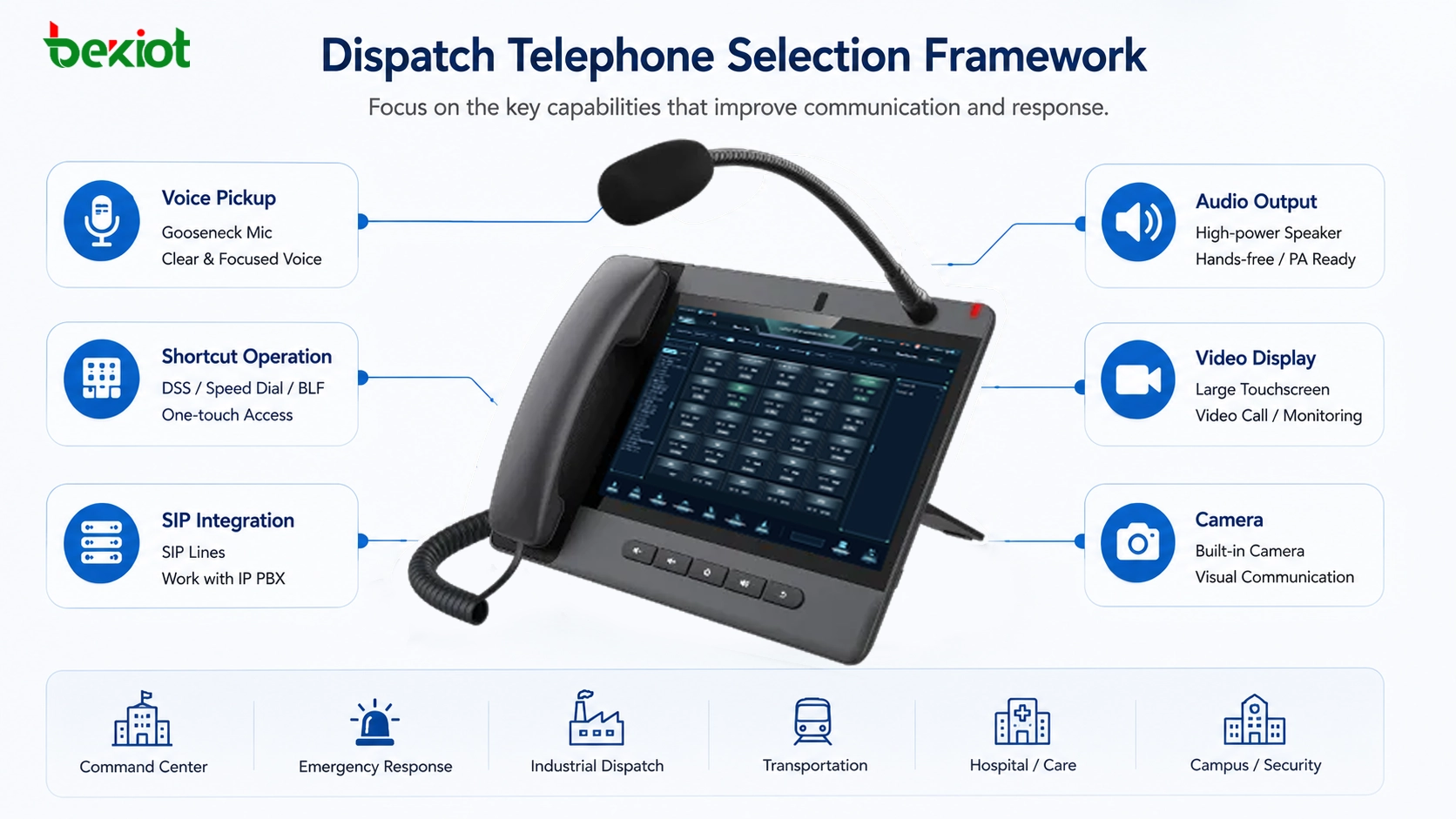
However, SIP compatibility alone does not make a phone suitable for dispatch work. The device must fit the operator’s real workflow. A good dispatch telephone should provide clear hands-free pickup, quick one-touch operation, strong speaker output, reliable SIP integration, comfortable screen interaction, and video capability when visual confirmation is required.
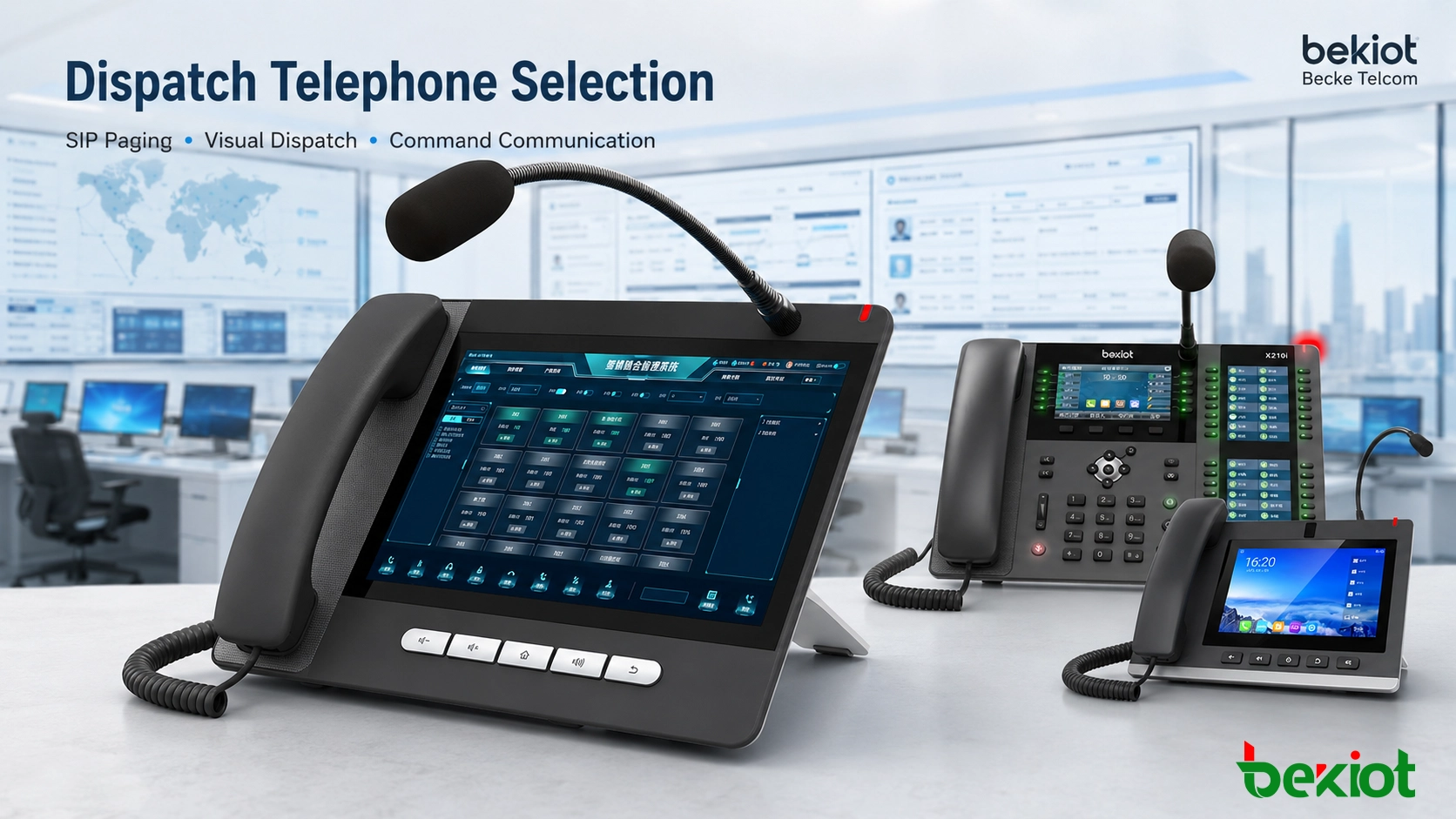
Dispatch telephone selection should focus on operator workflow, voice clarity, shortcut operation, SIP compatibility, audio output, and visual communication needs.
Start with the Operator’s Daily Work
The first step is to understand how the operator actually uses the phone. In a control room, the user may need to talk while checking a computer screen, operating a mouse, writing logs, handling alarms, or switching between dispatch groups. If the operator must hold a handset for every call, daily work becomes slower and emergency coordination becomes less efficient.
This is why hands-free communication is a basic requirement for many dispatch positions. A gooseneck microphone is especially useful because it allows the operator to speak naturally while keeping both hands free. Compared with a normal built-in speakerphone microphone, a directional gooseneck microphone can focus more on the operator’s voice and reduce unnecessary background pickup.
In industrial duty rooms, highway control rooms, railway operation centers, security rooms, campus monitoring centers, and emergency desks, this difference has real value. Clearer voice pickup reduces repeated confirmation, improves command accuracy, and makes long-duration duty work more comfortable.
Clear Pickup Is More Important Than Loud Sound
Dispatch environments are often busy. There may be multiple operators, computer fans, monitoring screens, keyboard noise, alarms, radio audio, air-conditioning systems, and background conversations. If the microphone collects everything in the room, the receiving side may hear noise instead of instructions.
A professional dispatch telephone should therefore be evaluated by pickup quality, not only by whether it has a speakerphone function. Directional pickup, noise control, echo suppression, and stable full-duplex performance are important for real dispatch work. The goal is not simply to make the voice louder, but to make it easier to understand.
For Becke Telcom dispatch console products, the gooseneck microphone design supports command-room communication, SIP paging, and emergency coordination. It helps the operator speak clearly during daily operation, group notification, and urgent response.
One-Touch Operation Reduces Response Time
Dispatch work often involves repeated communication with the same people and devices. Operators may need to call security posts, maintenance teams, fire response groups, production lines, gates, emergency phones, radio channels, paging zones, or management terminals many times a day.
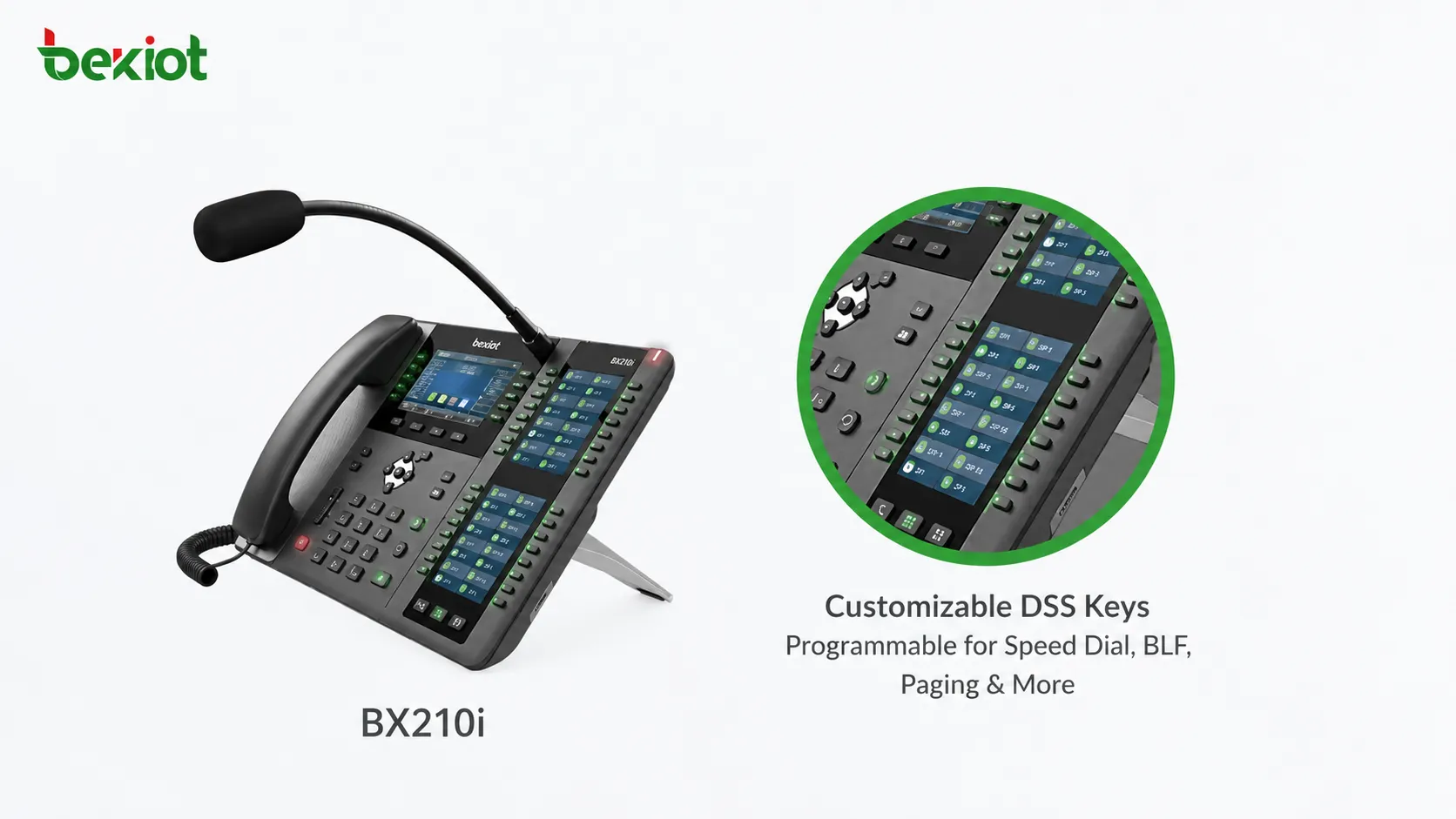
A dispatch telephone should support programmable function keys, also known as DSS keys. These keys can be configured for speed dial, BLF status, multicast paging, emergency groups, frequently used extensions, or system functions. When an event occurs, the operator can press one key instead of searching contacts or entering long numbers manually.
A good dispatch phone shortens the path between an event and a response. Programmable keys are one of the most practical ways to make that happen.
In multi-department coordination, this can make a noticeable difference. A control room may need to call a gate, broadcast to a workshop, contact a supervisor, or notify a security team within seconds. Properly configured shortcut keys make the workflow more predictable and reduce operational mistakes.
Speaker Output Must Match the Room
Speaker performance is another important factor. A weak phone speaker may be acceptable in a quiet office, but it may not be enough in a control room where several audio sources are active at the same time. Operators must be able to hear incoming calls, paging audio, intercom messages, and emergency instructions clearly.
When selecting a dispatch telephone, engineers should check speaker loudness, clarity, echo control, full-duplex performance, and long-term stability. In some command rooms, phone audio may also need to connect with an external speaker, mixer, or public address system so that important communication can be shared with a wider team.
The best audio design depends on the room size, noise level, number of operators, and response workflow. A loud but unclear speaker does not solve the problem. The priority should be intelligible voice, stable hands-free performance, and comfortable listening during long shifts.
Visual Communication Changes the Device Requirement
Many dispatch projects are no longer voice-only. Video intercom, emergency call box video, monitoring linkage, SIP video calling, remote consultation, and visual confirmation are increasingly common in command environments. If the project includes video, the dispatch phone must be selected with screen size, camera, codec support, and processing performance in mind.
A larger screen gives operators a better viewing experience than a small ordinary IP phone display. It can show video calls, contacts, shortcut panels, paging controls, app interfaces, and platform functions. For Android-based visual dispatch phones, third-party applications and customized workflows may also be supported.
Video performance should be tested before deployment. A large screen is useful only when the phone can decode the required video format smoothly, maintain stable operation during long shifts, and work properly with the SIP platform or dispatch system.
Camera and External Display Output Expand Use Cases
A dispatch phone with a built-in camera can support two-way video calling, remote visual confirmation, management communication, consultation, and emergency response. This is useful in hospitals, public service desks, transportation sites, property management centers, industrial parks, and command rooms where visual communication improves decision-making.
In some projects, the phone’s own screen may not be enough. If the device or platform supports video output to an external display, the same interface or video call can be shown on a larger monitor, command screen, or display wall. This helps multiple people view the same information during coordination.
Before choosing a visual dispatch phone, the project team should decide whether the device is only a voice terminal or also a small visual command endpoint. This decision affects screen size, camera requirement, codec support, network bandwidth, installation position, and platform integration method.
Becke Telcom Console Options for Different Workflows
Different dispatch positions need different device priorities. Some projects mainly require SIP paging and shortcut calling. Some require video communication and monitoring linkage. Others need a larger touchscreen interface for intelligent command and management desks. Becke Telcom provides several dispatch console options that can be matched to these different workflows.
Console Type
Suitable Scenario
Typical Product Option
Key-rich SIP paging console
Frequent paging, shortcut calling, BLF status, and command-room voice dispatch
BX210i
Visual paging console
Video calling, monitoring linkage, Android-based applications, and hands-free communication
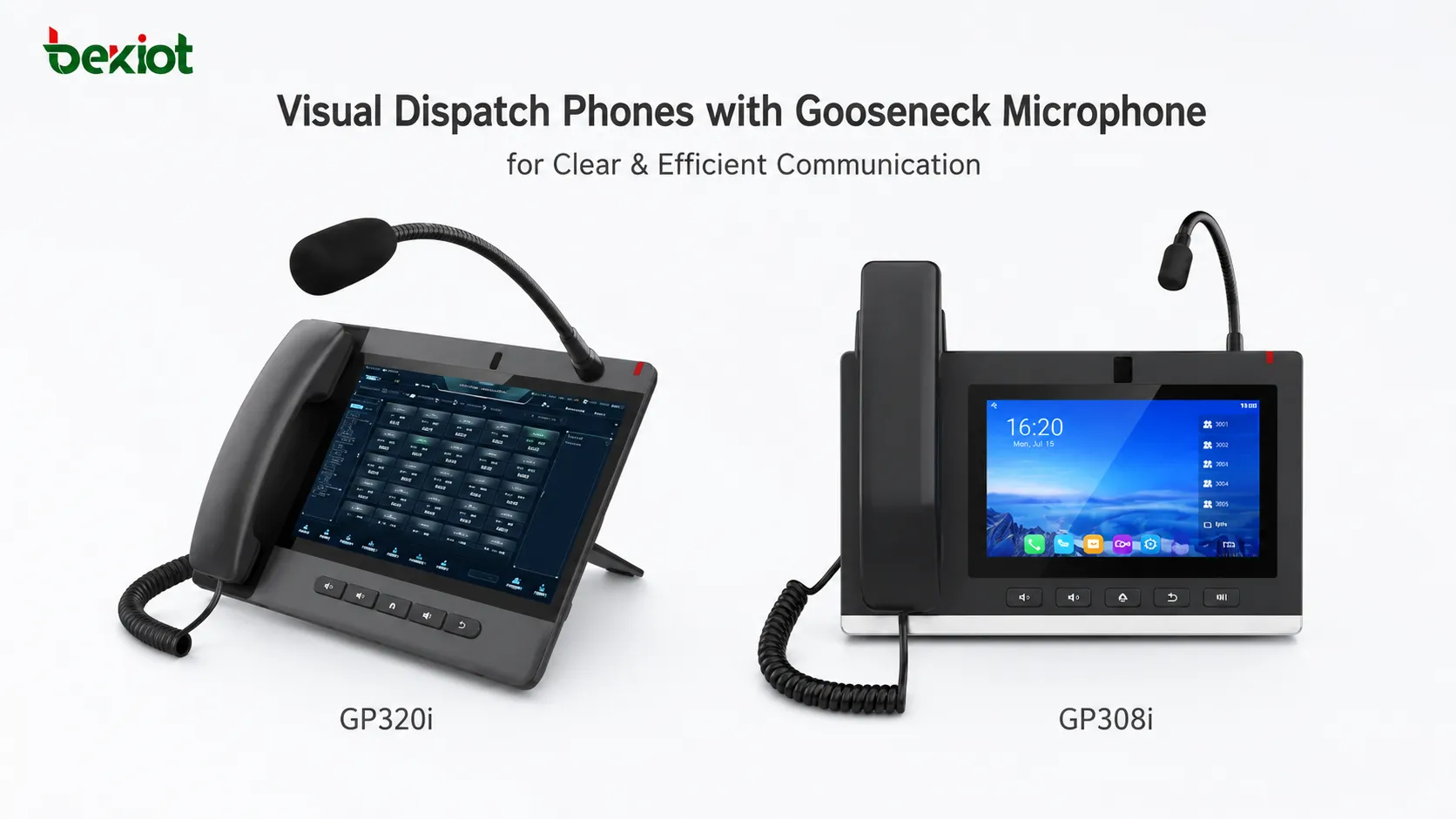
GP308i
Large-screen visual console
Touchscreen operation, video dispatch, management desks, and intelligent command scenarios
GP320i
This product mapping is only a selection guide. The final choice should still be based on the SIP platform, paging workflow, video requirements, installation environment, operator habits, and system integration method.
SIP paging consoles are suitable for duty rooms that require fast shortcut calling, paging control, and hands-free command communication.
Match the Phone to the Site Scenario
A duty office that mainly handles voice calls and paging may value DSS keys, gooseneck microphone pickup, SIP line support, and speaker output more than video. In this situation, a key-rich SIP paging console is usually practical and cost-effective.
A monitoring center or industrial control room may need video calling, loud hands-free audio, application support, and clearer visual interaction. A visual dispatch console with a medium-size screen can provide a balanced endpoint for daily monitoring and emergency coordination.
A management center, nurse station, emergency desk, or intelligent command position may require a larger touchscreen, built-in camera, wireless connectivity, headset support, and more comfortable visual operation. A large-screen visual console is more suitable when the operator needs to interact with more information on the device itself.
Visual dispatch consoles support video calling, broadcast control, and more intuitive operation for command-room communication.
Technical Checks Before Deployment
Before deploying a dispatch telephone, engineers should verify SIP registration, IP PBX compatibility, codec support, network addressing, power supply method, account permissions, and security policy. These checks help avoid problems during acceptance testing.
If the phone will be used for paging or monitoring, multicast behavior, BLF status, DSS key configuration, group calling, and priority settings should be tested. If it will be used for video, the team should also check camera behavior, video codec support, screen performance, video conference compatibility, and app stability.
Audio testing should be done under real site conditions. A device that sounds clear in a quiet office may perform differently in a busy dispatch room. Gooseneck microphone pickup, speaker loudness, echo control, and background noise suppression should all be tested with the actual operator position and room layout.
Helps operators hear clearly in busy or noisy rooms
Visual communication
Screen size, camera, video codec, video conference capability
Supports video dispatch, visual confirmation, and remote collaboration
Deployment design
PoE, Ethernet ports, Wi-Fi, Bluetooth, wall or desktop installation
Improves installation flexibility and long-term maintainability
Typical Applications
SIP dispatch telephones are useful in many places where operators must coordinate people, devices, alarms, and communication resources. Common applications include emergency command centers, industrial control rooms, security duty rooms, railway and metro stations, highway operation centers, smart parks, hospitals, elderly care facilities, campuses, factories, ports, tunnels, and energy sites.
In these scenarios, the dispatch phone is more than a calling device. It may work as a local command terminal, paging microphone, intercom host, monitoring station, visual communication endpoint, or emergency response interface. When connected with IP PBX, SIP servers, public address systems, intercom endpoints, emergency call boxes, and dispatch platforms, it becomes part of a broader communication architecture.
For Becke Telcom projects, dispatch phones can be planned together with SIP intercoms, industrial telephones, paging speakers, gateways, and converged communication platforms. This helps system integrators build a more complete solution for voice, video, intercom, paging, alarm linkage, and command-room dispatch.
Final Notes
Choosing a dispatch telephone is a workflow decision, not only a device decision. A real dispatch environment needs clear voice pickup, fast shortcut operation, reliable SIP platform compatibility, strong audio output, and visual communication when video is part of the job.
A gooseneck microphone helps operators speak clearly while keeping both hands free. DSS keys reduce the time needed to contact common users and devices. Strong speakers improve audibility in busy rooms. Large screens, cameras, and codec support make visual dispatch possible. SIP compatibility allows the phone to work with IP PBX, softswitch, paging, intercom, and command platforms.
The best dispatch telephone is the one that matches the site’s communication process. Before final selection, engineers should test SIP registration, paging workflow, audio quality, video performance, key configuration, installation method, and operator comfort under real project conditions.
FAQ
Is a dispatch telephone different from an office IP phone?
Yes. A dispatch telephone is designed for faster operation, clearer hands-free communication, paging, shortcut keys, intercom, monitoring, and sometimes video dispatch. It is better suited to control rooms and duty desks than a standard office phone.
When should a project choose a gooseneck microphone console?
It is suitable when operators need to speak frequently while using a keyboard, mouse, dispatch screen, alarm platform, or event log system. The gooseneck microphone keeps both hands free and improves pickup direction.
What are DSS keys used for?
DSS keys can be configured for speed dial, BLF status, paging zones, group calls, emergency contacts, intercom points, or frequently used platform functions. They help reduce operation steps during urgent communication.
What should be checked for video dispatch phones?
Engineers should check screen size, camera performance, video codec support, SIP video compatibility, network bandwidth, app stability, and whether the device can display video smoothly during long working hours.
Which dispatch console is suitable for a command room?
If the command room mainly needs voice paging and shortcut calling, a key-rich SIP paging console is suitable. If the project needs video calls, visual confirmation, and touchscreen operation, a visual or large-screen dispatch console is more appropriate.