School PA System for Paging, Bell Scheduling, and Emergency Notification
A practical school PA system guide for paging, bell scheduling, and emergency notification, covering IP architecture, zone broadcasting, classroom endpoints, campus safety, retrofit planning, and unified management.
Becke Telcom
A modern school PA system is no longer used only for morning announcements or simple bell playback. In today’s campus environment, the same system may need to support class bells, daily notices, classroom messages, background music, exam audio, zone paging, public-area broadcasting, and emergency voice notification.
Many schools still manage these functions through separate devices: one controller for bells, another amplifier for broadcasting, independent speakers in classrooms, and a different system for emergency alerts. This fragmented structure may still work for basic sound output, but it often creates more manual work, uneven audio coverage, and slower response during urgent events.
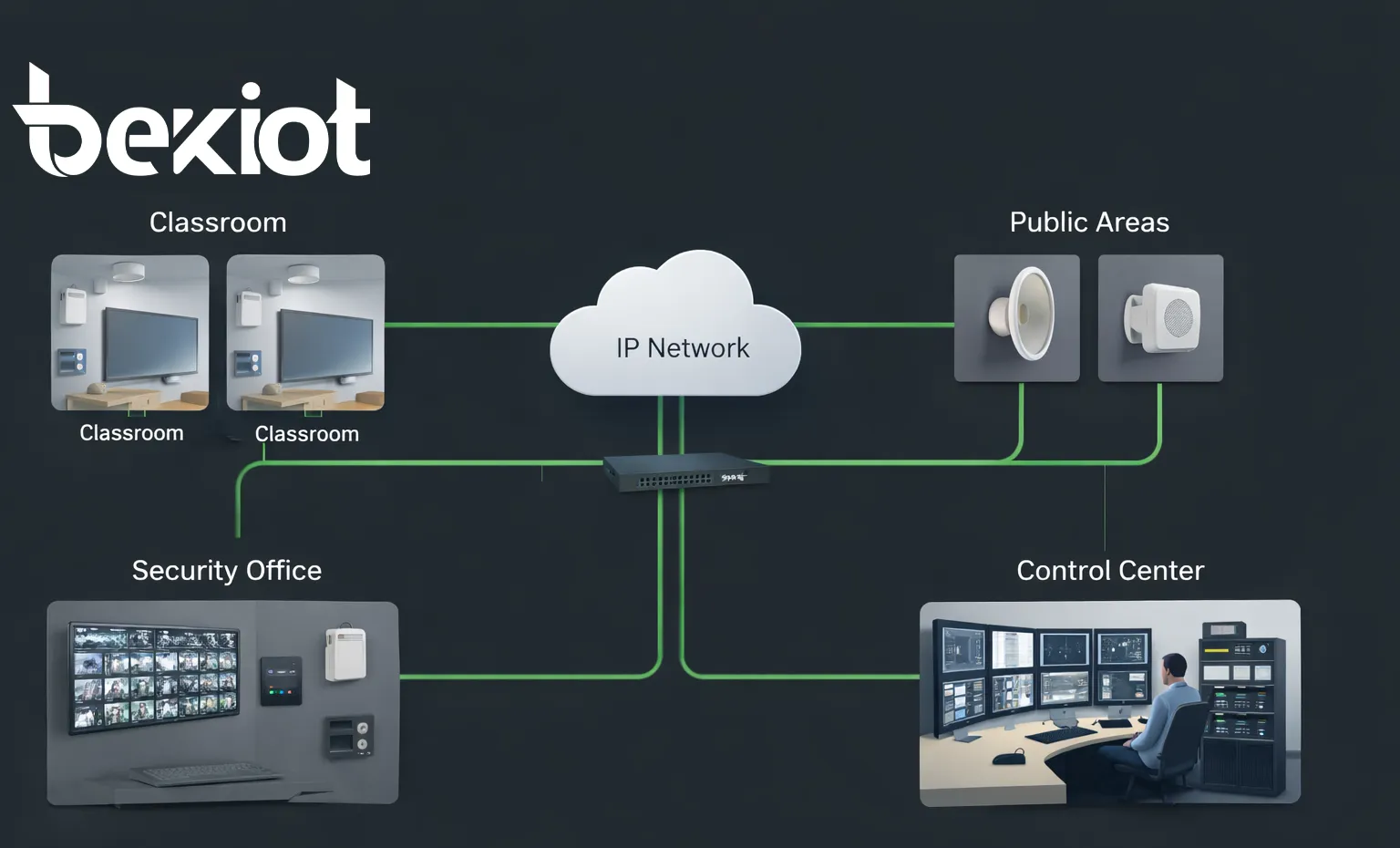
A well-designed IP-based school PA system brings these functions into one platform. It connects classrooms, teaching buildings, corridors, playgrounds, cafeterias, libraries, dormitories, school gates, security rooms, and control centers through a unified communication architecture. The goal is not only to make sound louder, but to make campus communication easier to manage, easier to scale, and more reliable when safety matters.
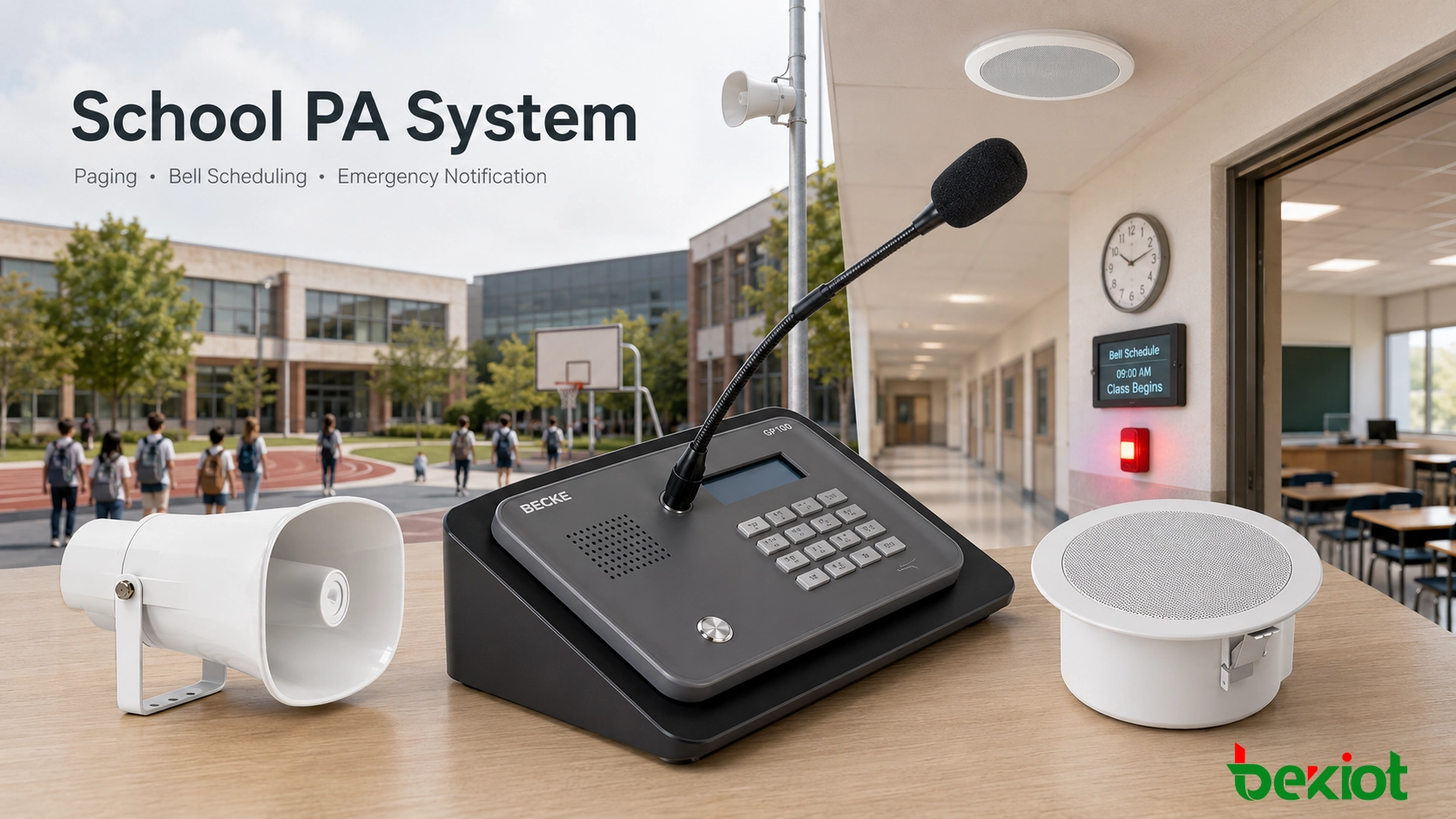
A unified school PA system can connect classroom paging, bell scheduling, public-area broadcasting, and emergency notification through one IP-based platform.
Why Schools Need a Unified Audio Communication Platform
Campus communication is part of daily order. Teachers need clear class schedules. Administrative offices need to send notices without walking between buildings. Security staff need a fast way to issue instructions during incidents. Students and visitors need voice guidance in public areas. A traditional bell-only system cannot fully support these requirements.
A unified school PA system helps combine routine operation and safety communication. The same platform can handle automatic timetable playback, live announcements, multi-zone paging, emergency override, and device monitoring. This reduces the need for different staff members to operate several disconnected systems.
For schools with multiple buildings, different grade levels, dormitory areas, playgrounds, and public spaces, unified management becomes even more valuable. Operators can decide which message goes to which area, instead of broadcasting every notice across the whole campus.
A school PA system should work quietly and reliably on ordinary days, but it must respond immediately when the campus needs urgent voice notification.
Common Problems in Traditional Campus Broadcasting
Separated devices make operation harder
Many older campuses use separate bell controllers, analog amplifiers, local speakers, and independent emergency audio devices. Each part may work on its own, but daily management becomes complicated when schedules change, zones expand, or emergency instructions need to be delivered quickly.
In a fragmented system, staff may need to adjust bell times manually, operate a local microphone, contact security separately, or manage emergency messages through another device. This increases the chance of delay or inconsistent operation.
Analog systems are difficult to expand
Traditional analog broadcasting usually depends on fixed wiring and hardware-defined zones. When a school adds a new building, expands a dormitory, upgrades a playground, or changes classroom usage, the audio system may require new cabling, amplifier changes, or manual rewiring.
An IP-based design is more flexible. New endpoints can be added through the campus network, and zones can be adjusted through software. This makes phased upgrades easier for schools that want to modernize gradually instead of replacing everything at once.
Emergency communication needs priority control
A basic bell system may handle routine schedules, but emergency communication has different requirements. During a fire alarm, severe weather event, security incident, evacuation, or campus lockdown, the system must deliver clear instructions immediately.
Emergency announcements should be able to interrupt bells, background music, routine playback, and lower-priority messages. Without priority override, urgent instructions may not reach the right areas at the right time.
Solution Objectives
Support daily teaching and campus management
The first goal is to make routine communication easier. A school PA system should support class bells, teacher notices, office announcements, student guidance, public-area broadcasts, background music, and temporary messages for special events.
By managing these tasks from one platform, the school can reduce manual work and keep audio communication consistent across different buildings and departments.
Automate bell scheduling
Bell scheduling is one of the most practical functions in a campus PA system. The platform should support automatic playback for class start, class end, breaks, morning exercises, lunch periods, exam times, dismissal, and other school routines.
A flexible system can create different schedules for weekdays, exam weeks, holidays, temporary activities, summer sessions, winter sessions, or different grade levels. This helps schools avoid manual errors and makes timetable changes easier to handle.
Enable fast emergency notification
During urgent events, authorized staff should be able to send live or pre-recorded voice instructions to the whole campus or selected zones. The message may need to reach one teaching building, a playground, a dormitory area, a cafeteria, or every public space at once.
Emergency notification should be simple for operators to activate and clear for people to understand. A good system supports priority override, defined emergency zones, and fast control from the security room or campus command point.
System Architecture
Central management layer
The central management layer is the control core of the school PA system. It may include a broadcast management server, paging software, audio resource library, schedule engine, device monitoring module, and operator terminals such as a paging console or visual control phone.
From this layer, authorized users can create bell schedules, assign audio files, launch live announcements, manage zones, trigger emergency messages, and monitor terminal status. This creates a single operating interface instead of several disconnected control points.
IP network transmission layer
The transmission layer uses the campus IP network to deliver audio streams, control commands, and device status data. Depending on the school’s network design, the system can run over a local campus network, segmented VLANs, private networks, or multi-building network infrastructure.
IP transmission makes the system easier to expand. A school can deploy the system building by building, reuse part of the existing infrastructure where suitable, and gradually move from analog broadcasting to centralized digital control.
Terminal and coverage layer
The terminal layer includes the devices that deliver sound or support communication at the front end. These may include classroom broadcast terminals, SIP speakers, ceiling speakers, wall-mounted speakers, horn speakers, IP power amplifiers, emergency intercom points, alarm posts, and security room terminals.
Different areas need different endpoint types. A classroom needs clear indoor playback. A corridor needs even coverage. A playground may need stronger outdoor speakers. A gate or security post may need two-way communication. The system should allow each area to use the right device while remaining under unified management.
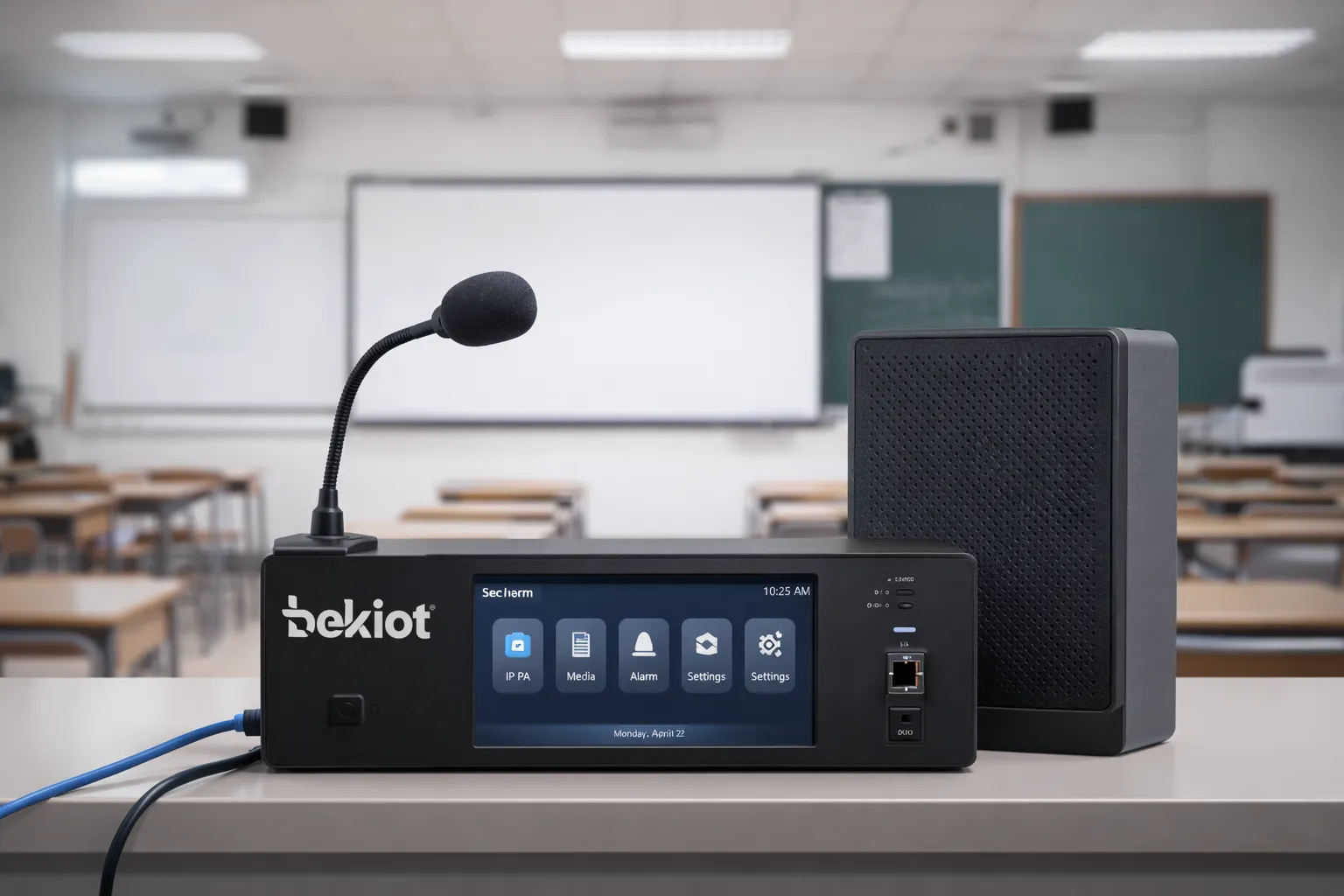
Classroom endpoints support daily bells, teaching notices, exam audio, and controlled audio playback.
Core Functions
Live paging and daily announcements
Live paging allows the principal’s office, administration office, security room, or campus control center to send voice announcements to selected areas. Operators can page one classroom, one floor, one building, one group of zones, or the entire campus.
This is useful for teacher notifications, visitor guidance, student instructions, activity reminders, and temporary operational notices. Permission control also helps ensure that different users only access the zones they are responsible for.
Bell scheduling and timed playback
The schedule engine can automatically play bells, tones, voice prompts, music, and audio files based on the school timetable. Administrators can configure separate schedules for different teaching buildings, grades, departments, or campuses.
Beyond standard bells, the system can schedule morning exercises, exam listening materials, lunch reminders, after-school prompts, ceremony music, and temporary event audio. This makes the PA platform a daily management tool rather than a single-purpose broadcast device.
Emergency notification and priority override
Emergency notification is designed for high-priority voice communication. Once activated, the system can interrupt current playback and send emergency instructions to selected zones or the full campus.
This is important because not every emergency requires the same coverage. A localized incident may only affect one building, while a severe weather warning or evacuation may require campus-wide broadcasting. The system should support both targeted and all-call emergency communication.
Zone-based broadcasting
Zone management allows the campus to be divided into practical broadcast areas, such as classrooms, teaching buildings, corridors, sports grounds, cafeterias, libraries, dormitories, gates, offices, and outdoor gathering spaces.
Each zone can have its own schedule, content, volume plan, and priority rules. This prevents unnecessary disturbance. For example, the library can remain quiet while the playground receives exercise music, or staff offices can receive internal notices without interrupting classrooms.
Integration with intercom, telephony, and security
A modern school PA system should not operate as an isolated audio system. It can connect with SIP intercom terminals, IP phones, classroom assistance points, security room devices, gate communication terminals, and emergency help points.
This creates a more complete campus communication framework. Paging, intercom calls, security coordination, and emergency voice notification can work together from one management platform.
When paging, bell scheduling, and emergency notification run on one platform, the school gains simpler daily management and faster crisis response.
Campus Application Scenarios
Classrooms and teaching buildings
In classrooms, the system supports class bells, exam audio playback, teaching notices, and emergency instructions. The key requirement is stable and clear sound without complicated local operation.
In teaching buildings, zone control allows the school to broadcast to one block, one floor, or a selected classroom group. This is useful for testing arrangements, grade-level activities, temporary schedule changes, and building-specific notices.
Corridors, playgrounds, cafeterias, and libraries
Public areas need different coverage strategies. Corridors and gathering spaces need clear notices and emergency guidance. Playgrounds may require higher-output outdoor audio for assemblies and evacuation instructions. Cafeterias may need service announcements, while libraries may only need low-volume or event-based audio.
Treating each space as a managed zone gives the school better control over how sound is distributed across the campus.
School gates, security rooms, and control centers
School entrances and security posts are important communication points. The PA platform can help coordinate visitor handling, security instructions, and emergency response. The control center or security room acts as the operational hub for live paging, emergency activation, and status monitoring.
In a more advanced deployment, the control center can combine paging, intercom, device status, and emergency communication so that operators can manage routine and urgent events from the same interface.
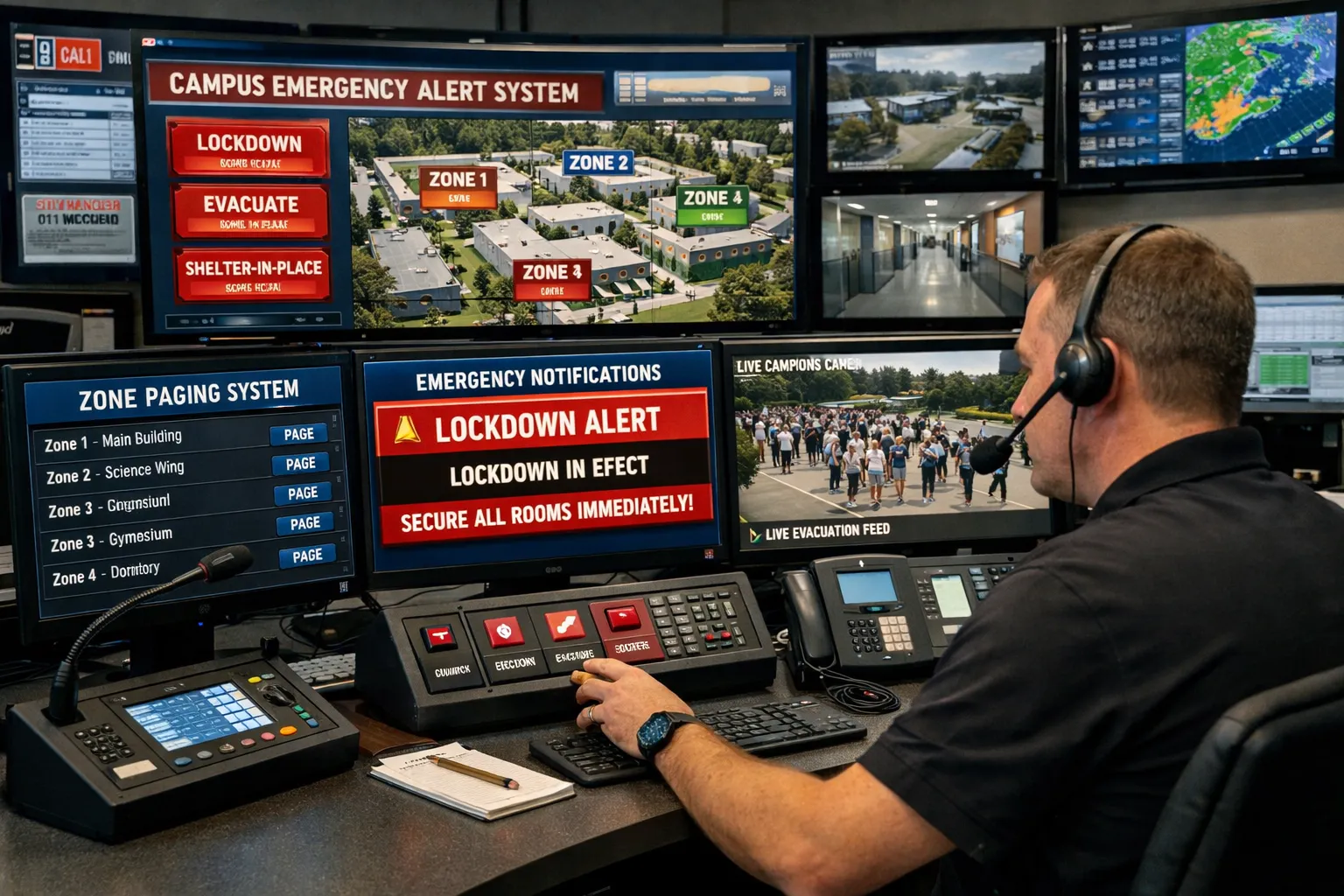
Centralized control helps schools manage routine paging, scheduled bells, and emergency voice notification.
Deployment Strategy
New campus deployment
For new school construction, the PA system should be planned together with the wider campus communication and safety design. This allows network infrastructure, classroom endpoints, public-area speakers, control terminals, emergency workflows, and future expansion to be considered from the beginning.
A new deployment can also standardize zones, permission levels, device types, and management rules across all buildings. This creates a cleaner long-term structure and a more consistent user experience.
Upgrade and retrofit for existing schools
For existing campuses, phased migration is often more practical. The school can begin with the control center, key teaching buildings, and public areas, then extend the system to additional zones over time.
Where the existing analog speakers or audio lines are still usable, they can sometimes be connected through IP amplifiers, network audio interfaces, or gateway devices. This helps control cost and reduces disruption to teaching activities during the upgrade.
System Value and Key Advantages
Unified management reduces complexity
Centralized control is one of the biggest advantages. Instead of operating separate devices for bells, paging, and emergency alerts, the school can use one platform for scheduling, audio playback, zone control, device monitoring, and permission management.
This reduces training requirements, simplifies maintenance, and creates a more organized daily workflow for administrative and security staff.
Better daily efficiency and emergency readiness
Automated scheduling makes teaching routines more consistent. Live paging makes temporary communication easier. Zone control reduces unnecessary interruption. Emergency override gives the school a faster way to deliver urgent instructions.
Together, these functions improve both daily efficiency and safety preparedness.
Open architecture supports future expansion
Because the system is based on IP networking and modern integration concepts, it can expand over time. A school can add more buildings, more zones, more operator terminals, more intercom points, or more security-related endpoints without redesigning the entire system.
This makes the solution suitable for small schools, large campuses, education groups, and institutions planning long-term digital upgrades.
Recommended System Components
System Layer
Typical Components
Main Purpose
Management Layer
Broadcast management server, paging software, visual control terminal, operator console
Schedule editing, zone management, live paging, emergency activation, and device monitoring
Transmission Layer
Campus IP network, switches, VLAN planning, network audio interfaces
Audio stream delivery, control command transmission, and endpoint status feedback
Visitor handling, two-way communication, security coordination, and emergency response
Software and Management Tools
Management software is just as important as speakers and amplifiers. A practical platform should support timetable editing, audio file management, zone grouping, priority settings, permission control, device monitoring, event records, and remote maintenance.
In larger campus projects, batch configuration and centralized status monitoring are especially useful. They help the school maintain many endpoints across multiple buildings without relying on manual checks at every device.
Solution Support from Becke Telcom
Becke Telcom provides school PA and PAGA system solutions for campus paging, bell scheduling, public-area broadcasting, and emergency notification. Depending on the project, the solution can include IP broadcast servers, paging consoles, classroom terminals, SIP speakers, horn speakers, IP amplifiers, intercom points, and control center devices.
The system can be planned for new campuses, existing school upgrades, multi-building campuses, and education groups that need centralized communication management. The design focuses on clear audio coverage, flexible zoning, stable daily operation, and fast emergency voice notification.
Conclusion
A school PA system for paging, bell scheduling, and emergency notification is more than a conventional broadcast project. It is a campus-wide communication platform that supports teaching order, public-area management, administrative notices, and urgent voice alerts from one system.
By combining automated bells, live paging, zone-based audio distribution, intercom linkage, and emergency priority control, schools can reduce management complexity, improve daily efficiency, and build a safer campus communication environment.
For schools planning new construction or upgrading an existing broadcast network, the best approach is to evaluate the system as a long-term communication platform rather than a single-purpose audio device.
FAQ
What is the difference between a school PA system and a traditional school bell system?
A traditional bell system mainly handles scheduled tone playback. A modern school PA system supports bell scheduling, live paging, multi-zone announcements, audio file playback, emergency override, device monitoring, and integration with communication or security workflows.
Can different buildings use different bell schedules?
Yes. A properly designed system can assign different schedules to buildings, floors, grades, teaching blocks, or campus zones. This is useful for schools with different timetables, exam periods, or staggered dismissal times.
Can emergency announcements interrupt normal bells or music?
Yes. Emergency notification should have higher priority than routine playback. When an emergency event is triggered, the system can pause or override bells, background music, and standard announcements so urgent voice instructions are heard clearly.
Can an existing analog school broadcast system be upgraded?
In many cases, yes. Schools can often retain usable legacy speakers or audio lines and upgrade the control method through IP amplifiers, network audio interfaces, or phased migration. The final approach depends on the condition of the existing system.
Which campus areas should be included?
Most schools should consider classrooms, teaching buildings, corridors, playgrounds, cafeterias, libraries, dormitory areas, entrances, security posts, and the main control center. The zoning plan should follow the school’s daily operation and emergency management needs.
Why is IP architecture useful for school PA systems?
IP architecture makes the system easier to expand, manage, and integrate. It allows schools to add more buildings, zones, endpoints, intercom devices, and control terminals without rebuilding the entire broadcast system.