How Do You Choose the Right SOS Intercom System for Emergency Communication?
A practical SOS intercom system buying guide covering real use scenarios, audio and video options, response speed, speech clarity, SIP integration, dispatch linkage, remote management, and scalable emergency communication design.
Becke Telcom
Choosing an SOS intercom system is not simply a matter of installing a help button on a wall, gate, roadside point, parking area, or public space. In real projects, the right choice depends on the location, the people who will use it, the response workflow behind it, and the systems it must connect with after a call is triggered.
A good SOS intercom should do more than open a voice channel. It should help operators understand what is happening, verify the scene, contact the right team, escalate the event when needed, and coordinate response through video, paging, dispatch, or other communication tools.
This guide explains how to choose an SOS intercom system from a practical project perspective. It covers application scenarios, audio-only and video options, speech clarity, system integration, SIP compatibility, remote management, scalability, and common mistakes to avoid before purchase.
An SOS intercom system should be selected around the real emergency workflow, not only the device appearance.
Why the Right SOS Intercom Choice Matters
Different sites use SOS intercoms for different reasons. A campus may need visible help points for students and visitors. A parking facility may need emergency calling with camera verification. A tunnel or roadside project may require rugged equipment, loud and clear voice, and direct dispatch linkage. An industrial site may need the intercom to work with alarms, paging, and control room workflows.
If the system is too basic, operators may receive a call but lack the information needed to judge the situation. If the system is too closed, it may be difficult to connect with the existing IP PBX, CCTV, access control, paging system, or dispatch platform. These problems often appear after installation, when changes become more expensive.
The best SOS intercom system is not always the one with the longest feature list. It is the one that fits the site, supports the response process, and remains easy to manage after deployment.
Start with the Real Use Scenario
Public areas, campuses, and visitor spaces
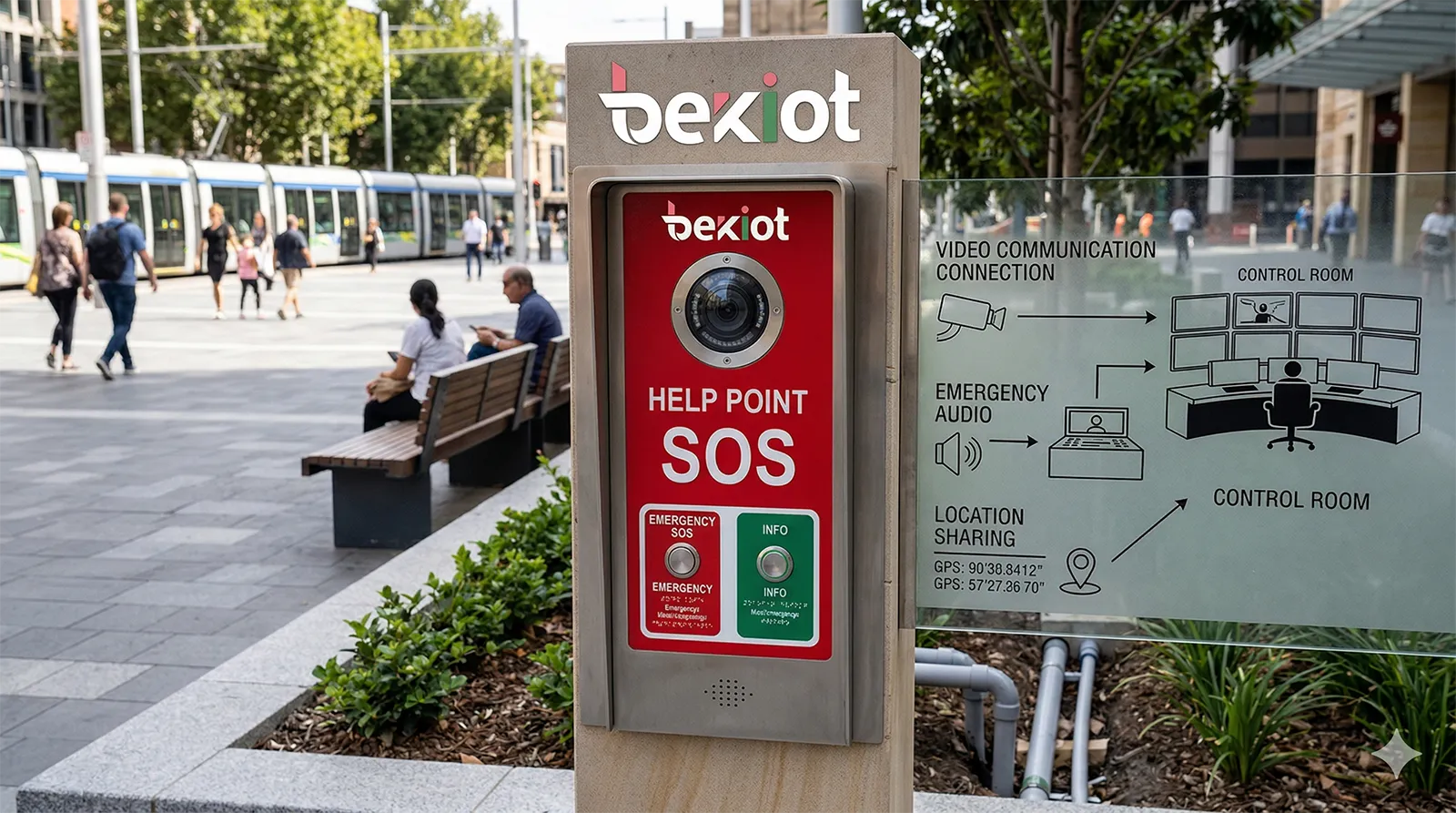
In campuses, scenic areas, parks, commercial spaces, and public walkways, SOS intercoms are often used by people who need quick help but may not know the site or emergency procedure. In this situation, the device must be simple, visible, and easy to activate.
One-touch calling, hands-free communication, clear signage, status indication, and a direct link to security or support staff are more important than complicated functions. The user should not need to search for instructions during an emergency.
These locations also benefit from visible deterrence. A clearly marked SOS help point with camera support and control room connection can improve user confidence and encourage correct use when help is needed.
Parking areas, entrances, and unattended checkpoints
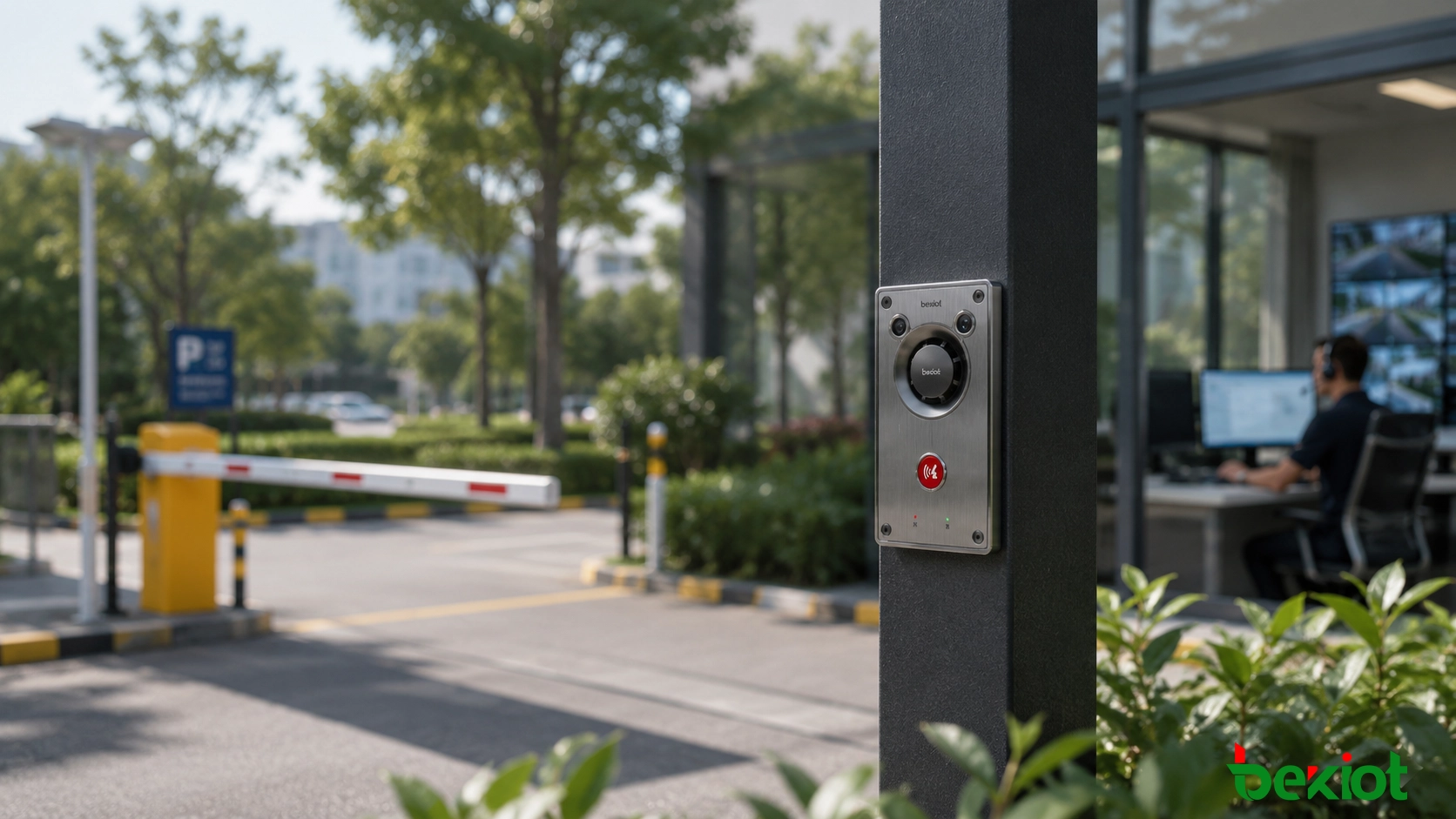
Parking facilities, gated entrances, building lobbies, payment areas, and unattended checkpoints often require more than a voice call. Operators may need to identify the caller, check the surrounding scene, review related video, or trigger a remote action such as gate opening or barrier support.
For these locations, an audio-video SOS intercom is usually more useful than an audio-only endpoint. Camera linkage, event recording, remote confirmation, and integration with access control or dispatch software can make the response process faster and more accurate.
Roadside, transport, tunnel, and outdoor environments
Roadside help points, tunnel portals, transport corridors, stations, and outdoor public areas place higher demands on the system. Background noise, weather exposure, distance from the control room, and the need for fast dispatch can all affect communication quality.
In these projects, buyers should focus on rugged enclosure design, speech intelligibility, reliable call routing, broadcast linkage, and centralized monitoring. If the site covers several zones, such as tunnel sections, roadside points, patrol teams, and control rooms, the intercom system should support coordinated dispatch rather than isolated call answering.
Industrial and utility environments
Factories, utility sites, energy facilities, production zones, and maintenance areas usually need a tougher and more integration-oriented design. Emergency communication may need to work with industrial telephony, warning broadcast, monitoring systems, alarms, and maintenance team coordination.
In these environments, long-term stability and interoperability are often more important than consumer-style features. The system should support continuous operation, practical alarm workflows, remote maintenance, and reliable communication between field points and the control center.
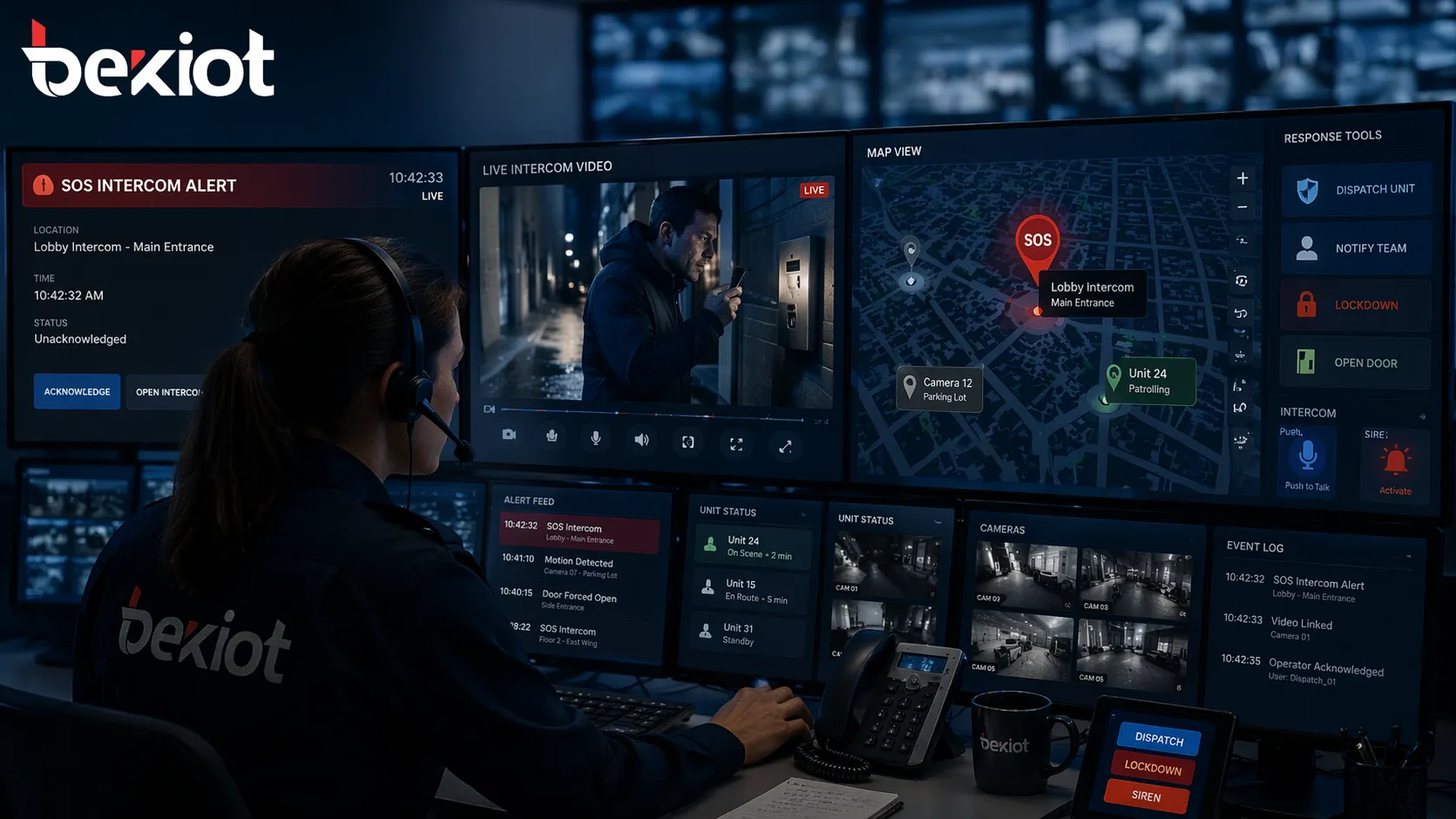
The value of an SOS intercom system often depends on how well it connects with video, dispatch, and operator workflows.
Audio-Only or Audio-Video: Which Is Better?
When an audio-only SOS intercom is enough
Audio-only SOS intercoms are still suitable for many projects. If the main requirement is simple help calling, clear two-way voice, and fast contact with an operator, an audio unit can be practical and cost-effective.
This option also makes sense where the location already has separate CCTV coverage, where bandwidth is limited, or where privacy considerations reduce the need for a camera. The key is to confirm that the audio quality, call handling, event logging, and operator workflow are still reliable.
When video brings real operational value
Video becomes important when operators need visual confirmation before making a decision. This is common in parking facilities, gates, campuses, transport areas, public service points, and sites where false alarms or unclear incidents are likely.
A live image helps the operator understand whether the event requires security intervention, maintenance support, access assistance, medical help, or emergency escalation. It also creates a stronger record for incident review, training, accountability, and service improvement.
Response Speed and Audio Clarity Come First
One-touch calling should be the baseline
During an emergency, users should not need to dial numbers, browse menus, or remember procedures. A professional SOS intercom system should allow the user to press one button and reach the control point, security desk, command center, or service team immediately.
The calling process should also provide clear feedback. Status lights, call progress tones, voice prompts, or screen information can help users know that the call has been placed, answered, or transferred.
Hands-free full-duplex communication matters
Many emergency callers may be under stress, injured, carrying items, managing a vehicle, or helping someone else. Hands-free communication makes the interaction easier. Full-duplex audio is especially helpful because both sides can speak more naturally without awkward delays.
This is one of the details that separates a professional emergency intercom from a basic call device. In a real incident, the user experience should be simple and calm.
Speech intelligibility is a safety requirement
Outdoor traffic, wind, industrial machinery, echoing corridors, parking garages, and tunnel noise can make voice communication difficult. A system that sounds clear in a quiet demo room may not perform well after installation.
When comparing systems, check whether the device and platform support echo cancellation, noise reduction, suitable microphone pickup, loudspeaker output, and stable voice transmission. Clear audio is not a cosmetic feature; it directly affects response quality.
An emergency call that cannot be clearly heard is only half a solution. Audio quality should be treated as part of the safety design.
Check System Linkage Before Buying
Video linkage and event verification
A strong SOS intercom system should not leave operators blind after a call is triggered. Ideally, the call event should bring the related camera view, device location, and incident information to the operator screen.
This helps staff verify the situation faster and respond with the right level of urgency. It is especially useful in campuses, transport sites, parking areas, parks, industrial zones, and other places where the nearest responder may not be close to the help point.
Paging and broadcast support
Some emergency events require more than a private call between one user and one operator. Staff may need to warn nearby people, play a pre-recorded message, or make a live announcement to a specific zone.
For outdoor areas, corridors, transport spaces, scenic areas, industrial facilities, and distributed sites, SOS intercoms should be evaluated together with paging and broadcast functions. A help point that can connect with zone paging becomes much more useful during active response.
Call transfer and escalation
Not every call should stay with the first operator who answers. Some incidents need to be transferred to a supervisor, security team, maintenance department, mobile user, or external response contact.
A practical SOS intercom platform should support call transfer, forwarding, timeout rules, backup routing, and escalation. This prevents calls from being lost when one operator position is busy, offline, or unavailable.
Dispatch and team coordination
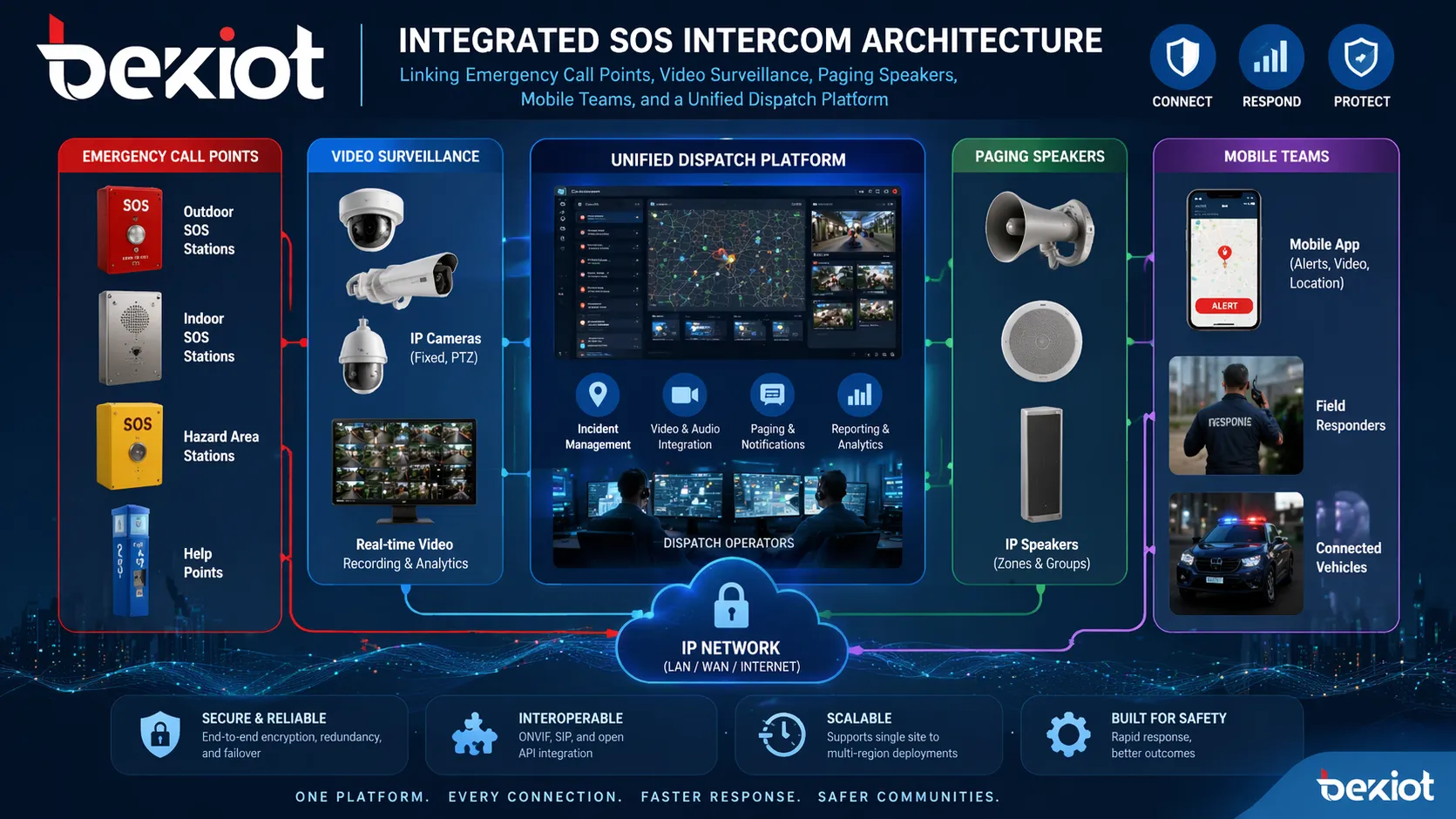
In larger deployments, SOS intercoms work best when connected to a dispatch environment. Operators may need to handle multiple calls, view maps or device locations, check video, broadcast instructions, and coordinate patrol or maintenance teams.
If the site includes security staff, mobile responders, maintenance crews, or multi-building operations, the intercom should be treated as an entry point into the whole response workflow, not as a stand-alone voice device.
A scalable SOS intercom system should support video, paging, dispatch, and coordinated team response.
Choose an Open and Scalable Architecture
SIP support helps avoid closed systems
One of the most important buying decisions is whether the SOS intercom platform uses open communication standards. SIP support is valuable because it allows the system to connect more naturally with IP PBX platforms, operator phones, dispatch software, paging systems, and other SIP endpoints.
A closed system may work for a small first phase, but it can become difficult to expand later. Open architecture gives integrators and end users more freedom when adding devices, zones, operators, or third-party systems.
Plan for future device growth
Many projects start small and expand later. A site may begin with a few emergency help points, then add gate intercoms, operator consoles, paging zones, mobile users, remote buildings, or sub-control rooms.
Before purchasing, confirm whether the platform can support more endpoints, more sites, more users, more integrations, and centralized management without redesigning the whole system.
Management and Maintenance Should Not Be Ignored
Remote management reduces long-term workload
For a small installation, local setup may seem acceptable. But once devices are spread across buildings, campuses, roads, parking structures, or industrial areas, remote management becomes essential.
A good platform should allow administrators to check device status, update settings, manage call destinations, review logs, and identify faults from a central interface. This lowers maintenance cost and improves reliability over the life of the system.
Deployment flexibility matters
Different projects need different deployment models. Some sites require a local server for internal control. Some may need cross-network deployment. Others may require distributed management across multiple sites.
A practical SOS intercom system should adapt to the project rather than forcing every customer into one fixed structure. This flexibility is often more important than saving a small amount on the first device purchase.
Questions to Ask Before Purchase
Before selecting an SOS intercom system, project teams should ask practical questions about the whole workflow. Can users reach an operator with one touch? Is the audio clear in the actual environment? Can the operator see related video? Can the call be transferred, escalated, or recorded?
It is also important to ask whether the platform supports SIP integration, paging linkage, centralized dispatch, remote device management, and future expansion. A qualified supplier should be able to explain the complete response process, not only the device specifications.
Selection Point
What to Check
Use Scenario
Public help point, parking area, roadside, tunnel, campus, industrial site, or utility facility
Call Method
One-touch call, hands-free full-duplex audio, call status indication, and clear routing
Audio Quality
Noise reduction, echo cancellation, speech intelligibility, and reliable voice transmission
Video Requirement
Camera support, CCTV linkage, visual verification, and event recording
Integration
SIP, IP PBX, paging, dispatch, access control, alarms, and monitoring platforms
Management
Remote configuration, status monitoring, logs, batch maintenance, and scalable operation
Common Buying Mistakes
The first mistake is choosing only by unit price. A low-cost SOS intercom may look attractive at the beginning, but if it cannot link with video, dispatch, paging, or remote management, the total project value may be poor.
The second mistake is treating the intercom as a stand-alone product. In most real sites, emergency communication works better when it connects with the wider response chain, including operators, cameras, alarms, public broadcast, and field teams.
The third mistake is ignoring expansion. A platform that cannot grow with the site may force expensive replacement when the project adds more devices, more zones, or more integration requirements.
Solution Planning with Becke Telcom
Becke Telcom can support SOS intercom projects that require more than a basic help point. Depending on the site, the solution can include SIP emergency intercoms, audio or video help points, paging speakers, broadcast gateways, dispatch consoles, IP PBX integration, and centralized management platforms.
This approach is suitable for campuses, parking facilities, roadsides, tunnels, transport sites, industrial facilities, utilities, parks, scenic areas, and other environments where emergency communication must connect with real response workflows.
The goal is to build a system that is easy for users to activate, clear for operators to handle, and flexible enough for future expansion.
Conclusion
The right SOS intercom system should match the environment, support fast one-touch communication, provide clear audio, and fit naturally into the site’s broader safety or operations workflow.
For some projects, an audio-only help point may be enough. For others, audio-video intercom, video linkage, paging broadcast, dispatch integration, call escalation, and remote management are necessary. The decision should be based on the response process, not only the device appearance.
When selected correctly, an SOS intercom becomes more than an emergency call point. It becomes a dependable part of a complete safety communication solution.
FAQ
What is the most important feature in an SOS intercom system?
The most important feature is dependable emergency communication in the real environment where the device will be used. This usually means one-touch calling, clear two-way audio, reliable routing, and fast operator response.
Should I choose an audio-only or video SOS intercom?
Choose audio-only when the main goal is simple help calling and the site already has separate camera coverage. Choose video when operators need visual verification, remote assistance, access support, event review, or stronger incident records.
Why is SIP support important for SOS intercoms?
SIP support helps the intercom system work with IP PBX platforms, dispatch systems, operator phones, paging systems, and other communication endpoints. It also makes the system easier to expand and less dependent on a closed vendor environment.
Can an SOS intercom system work with paging and broadcast?
Yes. Many professional SOS intercom systems can work with paging speakers, zoned announcements, and emergency broadcast workflows. This is useful in campuses, transport sites, parking areas, scenic areas, industrial facilities, and public spaces.
How do I know if an SOS intercom system is scalable?
Check whether the platform can add more devices, operators, zones, sites, and integrations without major redesign. A scalable system should also support centralized management so expansion does not create excessive maintenance work.
What mistakes should I avoid when buying an SOS intercom system?
Avoid choosing only by unit price, treating the intercom as a stand-alone device, ignoring audio quality, skipping integration planning, and failing to consider future expansion. The best system should match the whole emergency response workflow.