What Makes an SOS Intercom More Than Just a Help Button?
An SOS intercom connects people in distress to operators through one-touch, hands-free calling. It details emergency call flow, video verification, paging, deployment sites, and why integrated platforms outperform standalone devices.
Becke Telcom
Picture a parking garage at 11 p.m. A driver steps out, slips on a wet patch, and realizes they cannot stand up. Their phone is in the car, the attendants have gone home, and the nearest exit is two floors up. But mounted on the wall ten feet away is a box with a single, backlit button. They press it. Within seconds, a voice comes through the speaker: "This is security, what's your location?" That box is an SOS intercom, and in that moment, it is the only thing standing between an injury and a much worse outcome.
Most people have walked past dozens of these devices without giving them a second thought. They are bolted to highway tunnel walls, mounted outside school entrances, tucked into elevator lobbies, and stationed at remote trailheads. They look simple, almost crude—a button, a speaker, maybe a camera. But the simplicity of the exterior hides a surprisingly layered communication system. The real question is not what an SOS intercom is, but what has to happen behind that single button press for help to actually arrive.
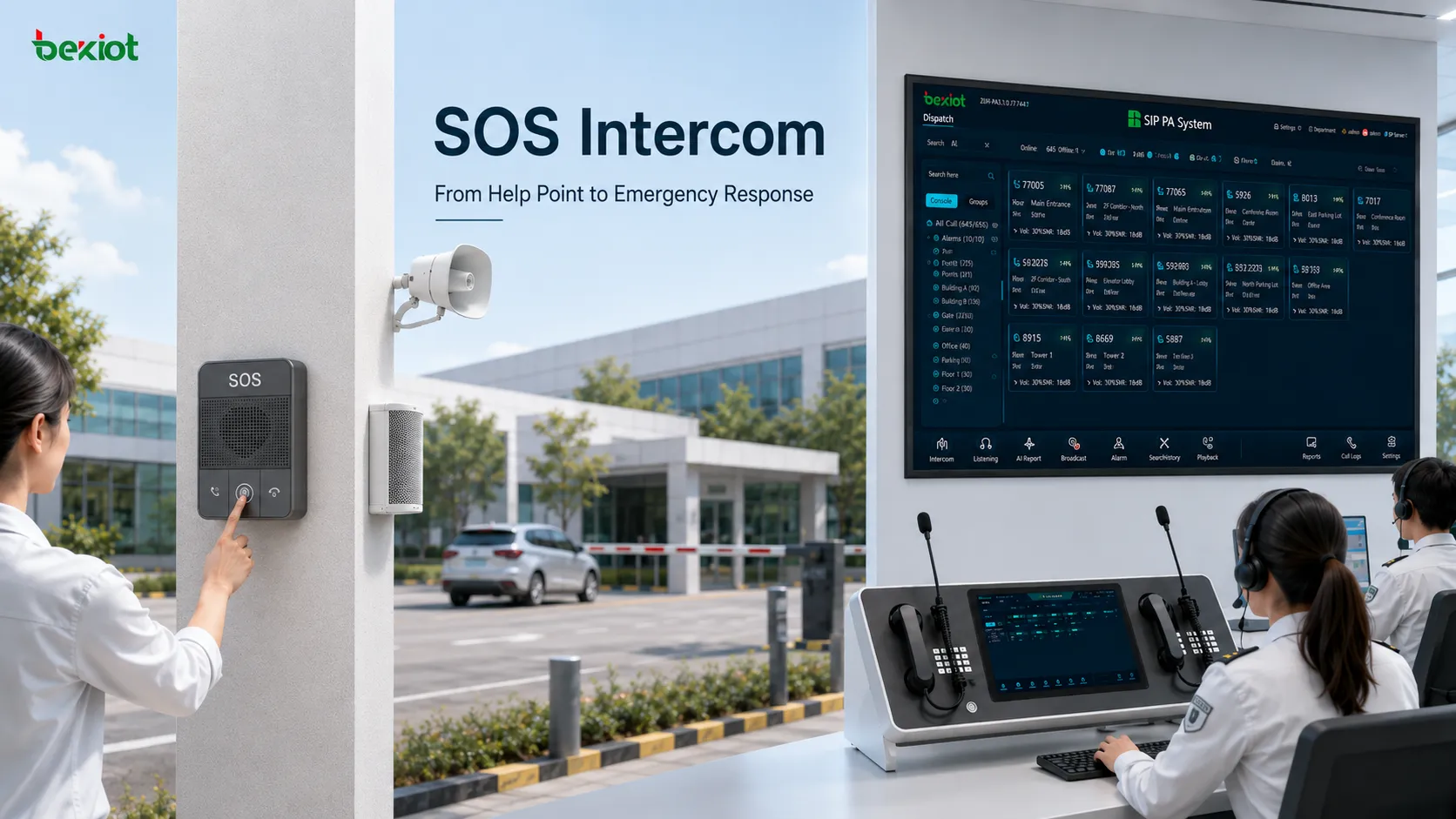
An SOS intercom creates a direct communication link between people in need and a central response team.
What Sets an SOS Intercom Apart from a Regular Intercom
On the surface, an SOS intercom and a standard building intercom share a lot of DNA. Both have a speaker, a microphone, a call button, and a way to route audio to someone on the other end. Put them side by side on a spec sheet and the hardware differences can look minor. The gap opens up when you look at what each device is expected to do under pressure.
A regular intercom is built for routine moments—a visitor buzzing a front desk, a delivery driver requesting access, an employee calling down to the lobby. The caller has time. They can dial an extension, wait for someone to pick up, and explain what they need. If the line is busy, they can try again. None of those luxuries exist in an emergency.
An SOS intercom is engineered around the assumption that the person pressing the button may be injured, disoriented, unfamiliar with the building, or in a state of panic. The interface has to work on the first try, with zero training. The call logic has to reach a live person—not a voicemail box, not an automated menu. And the audio has to remain intelligible even when the caller is crying, shouting, or standing next to a busy highway.
This is why the button itself is usually oversized, brightly colored, and often backlit. Why the device is mounted at a height accessible to someone in a wheelchair or someone on the ground. Why the call path is preconfigured to ring a security desk, a control room, or a dispatch platform rather than requiring the caller to navigate a directory. Every design choice flows backward from one question: what does someone in crisis need right now?
A regular intercom asks the caller to adapt to the system. An SOS intercom adapts the system to the caller.
From Button Press to Response: How an Emergency Call Actually Flows
The moment someone presses that button, a sequence of events unfolds that most users never see. Understanding that sequence is useful because it reveals where things can break down—and where good system design earns its keep.
The first thing that happens is deceptively simple: the device initiates a call. In older analog systems this meant a direct copper pair running to a central console. In modern IP-based deployments, the intercom functions as a SIP endpoint, registering to a communication server or PBX and placing a call to a preconfigured extension or hunt group. The destination is not arbitrary—it is programmed during installation to ring the desk, console, or software platform staffed by people authorized to respond.
What happens next depends on how the system is configured. A well-designed setup does not rely on a single operator sitting at a single desk. The call may ring a primary position first, then roll over to a backup extension if no one answers within a set number of seconds. In larger operations, it may ring a group of operators simultaneously, with the first to pick up taking the call. Some systems can even forward to a mobile number or an after-hours monitoring center when the on-site team is offline.
Once the call connects, the intercom switches into hands-free, full-duplex mode. Both sides can speak and listen at the same time, which matters more than it sounds. Half-duplex systems—where only one person can talk at a time—create awkward pauses and interruptions that are annoying in routine use and dangerous in an emergency. Full-duplex lets the operator ask questions while the caller is describing what they see, and lets the caller hear instructions without releasing a button.
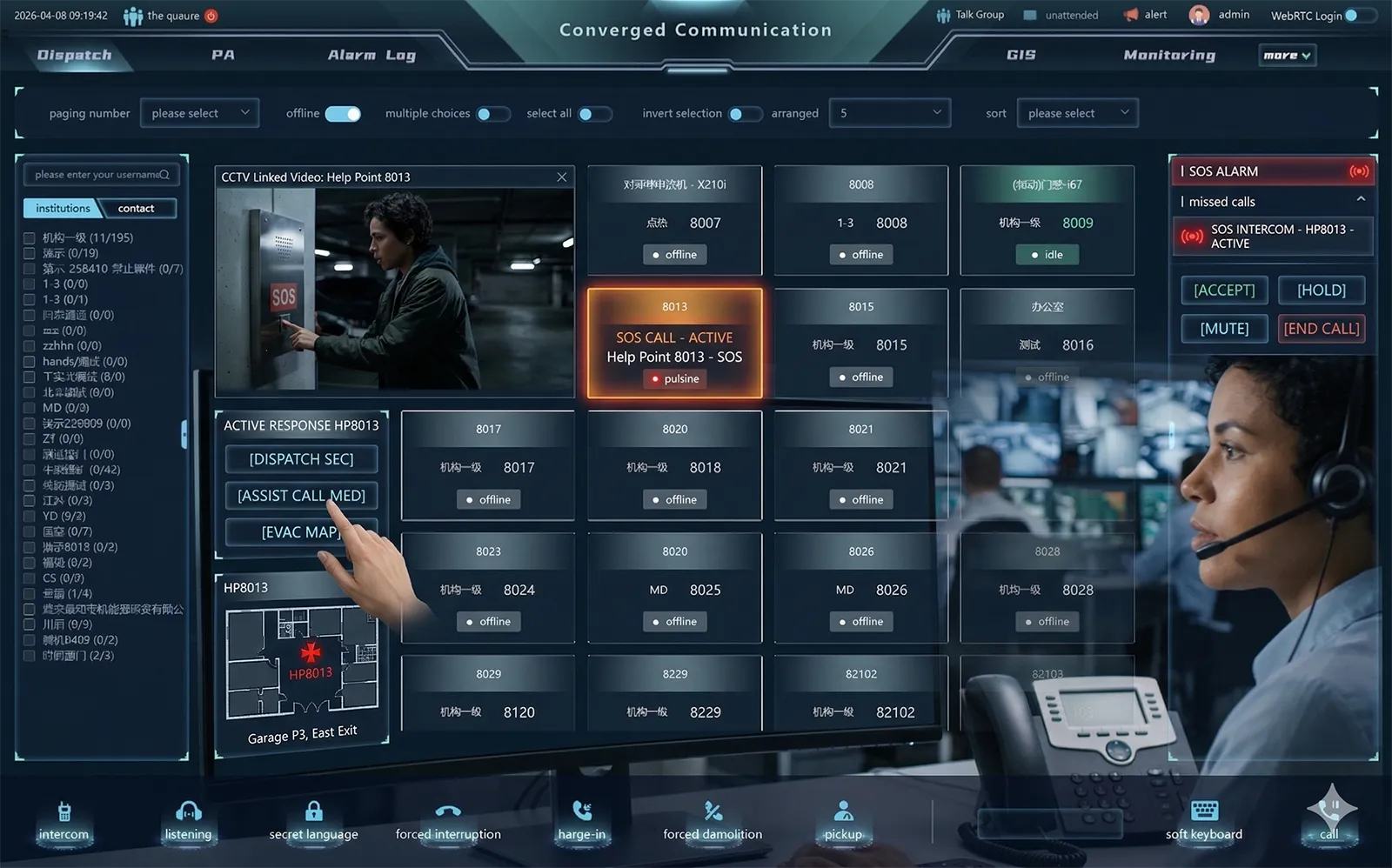
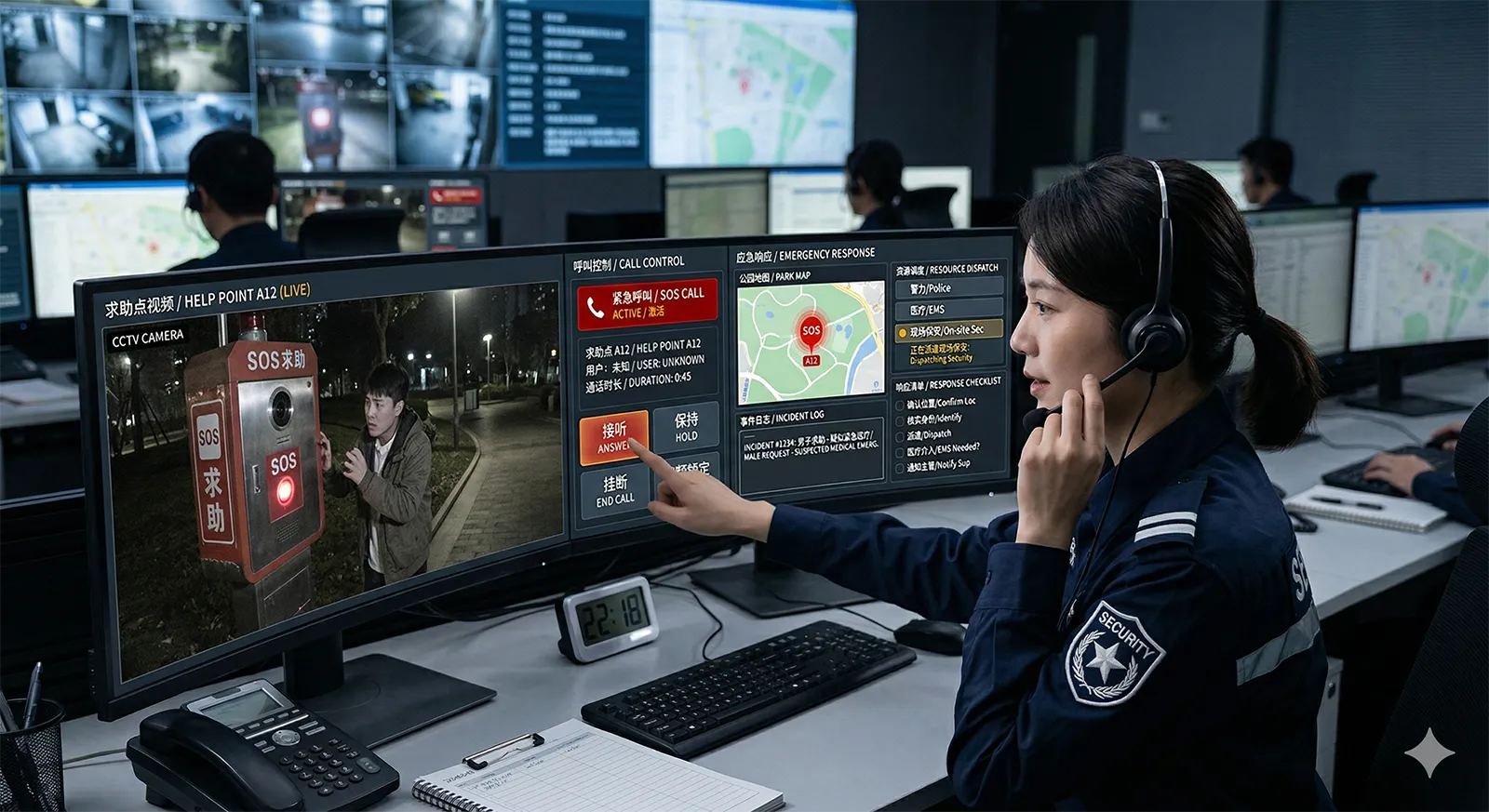
But the voice call is only the beginning. In integrated systems, the act of pressing the SOS button triggers more than just audio. A linked camera may automatically pop up on the operator's screen, showing the area around the intercom. A map may center on the device's location, telling the operator exactly which floor, which parking level, or which highway kilometer marker the call is coming from. An alarm event may be logged in the dispatch software, opening an incident record that can be assigned, tracked, and closed. The operator is no longer just hearing a voice—they are seeing context, and that context changes what they do next.
Modern SOS intercom systems can combine voice communication, video verification, and operator response workflows.
From there, the operator's actions define the rest of the response. They may transfer the call to a supervisor, patch in a mobile security officer, trigger a zoned page to nearby staff, or open an access door to let responders in. The intercom that started as a single button press has become the entry point into a coordinated response workflow—and that transition is where the difference between a basic device and a real system becomes visible.
The Capabilities That Separate Basic Help Points from Reliable Systems
Not every SOS intercom is built to the same standard. A cheap help point mounted on a wall may technically place a call, but if the audio is garbled by wind noise, if the call goes to an unattended extension, or if the operator has no way to know where the caller is, the device creates a false sense of security rather than actual safety. Several capabilities determine whether a system holds up when it matters.
One-touch calling is the baseline, and it is harder to get right than it looks. The button has to be large enough to find by feel, responsive enough to register a gloved or trembling hand, and protected enough to resist accidental presses and vandalism. The call logic behind it has to be equally simple: press once, and the system starts dialing. No menus, no confirmations, no second steps.
Hands-free audio quality is where many budget systems fall apart. An intercom installed in a quiet lobby can get away with a basic speaker and microphone. Put that same device in a tunnel with traffic echoing off concrete walls, or on a coastal walkway with constant wind, and the audio becomes unintelligible unless the device has real acoustic processing behind it. Echo cancellation, noise reduction, and wideband audio are not premium frills in these environments—they are the difference between an operator understanding "I'm by the third pillar" and hearing static.
Video verification has become increasingly standard, and for good reason. A voice call tells the operator that someone needs help. A camera feed tells them what kind of help. Is the caller alone? Are there other people nearby? Is this a medical emergency, a security threat, or a false alarm? The ability to see the scene changes the response calculus immediately. Some intercoms have a camera built into the housing; others link to an external camera that is triggered when the call button is pressed. Either approach works, as long as the video appears on the operator's screen at the same moment the call rings—not thirty seconds later after they have logged into a separate system.
Paging and broadcast capability extends the intercom's reach beyond a one-to-one conversation. If an operator determines that an incident requires notifying people nearby—a chemical spill in an industrial area, a security alert in a parking garage, a weather emergency in a public park—they can use the same system to issue a live announcement or play a pre-recorded message to a defined zone. The intercom that received the call may even serve as one of the speakers carrying the broadcast, turning the help point into part of the notification network.
Call routing and redundancy determine whether the call reaches someone who can act. A system that rings a single desk phone is only as reliable as the person sitting at that desk. Robust systems support hunt groups, call forwarding, escalation paths, and fallback destinations. If the primary operator does not answer within ten seconds, the call rolls to a second position. If that position is offline, it forwards to a mobile device or a 24/7 monitoring center. The goal is simple: an SOS call should never go unanswered.
Recording and event logging are often overlooked until they are needed. A recorded call can clarify what was said during an incident, support training reviews, and provide documentation if there is a dispute about how a situation was handled. Event logs—timestamps of when the button was pressed, when the call was answered, who took it, what actions were taken—create an audit trail that turns a reactive communication tool into a manageable operational process.
Where SOS Intercoms Earn Their Keep
The value of an SOS intercom is directly tied to the gap between where people are and where help is. In a well-staffed office building with security at every entrance, an intercom is convenient. In a location where help is minutes or hours away, it becomes essential. That principle explains where these systems tend to cluster.
Campuses and schools were early adopters, and the logic is straightforward. Students, staff, and visitors spread across large areas—classrooms, dormitories, sports fields, parking lots—need a way to reach security or administration without walking to a main office. Intercoms in corridors, at building entrances, and in outdoor common areas create fixed help points that are easier to find and faster to use than searching for a phone number.
Parking facilities and building entrances represent another high-density use case. These are often transitional spaces—people arriving, leaving, loading vehicles, accessing buildings after hours—where the presence of staff is inconsistent. An intercom at a gated entrance lets a visitor remotely verify identity and request access. One in a parking garage lets someone whose car will not start, or who feels unsafe walking to their vehicle, connect with security immediately. Video integration is particularly valuable here, because the operator can see the vehicle, the person, and any surrounding activity.
Highway tunnels, roadside emergency stations, and transport infrastructure are perhaps the most demanding environments. A driver stranded in a tunnel with a disabled vehicle is in a genuinely dangerous position—traffic flowing past, limited visibility, no safe place to wait. Mobile phone coverage in tunnels is often unreliable or nonexistent. A fixed SOS intercom every few hundred meters provides a guaranteed communication path, and the operator on the other end can dispatch highway patrol, trigger lane closures, and coordinate with emergency services. These systems frequently integrate with emergency broadcast and camera networks, turning a single call into a structured traffic incident response.
Scenic areas, parks, and large public spaces present a different challenge: visitors who do not know the layout. A tourist who twists an ankle on a trail, a child separated from their family near a lake entrance, or a visitor experiencing a medical issue in a vast park may not be able to describe their location accurately. A clearly marked SOS intercom solves that problem because the device itself is the location marker—the operator knows exactly which intercom is calling and can direct responders to that specific point.
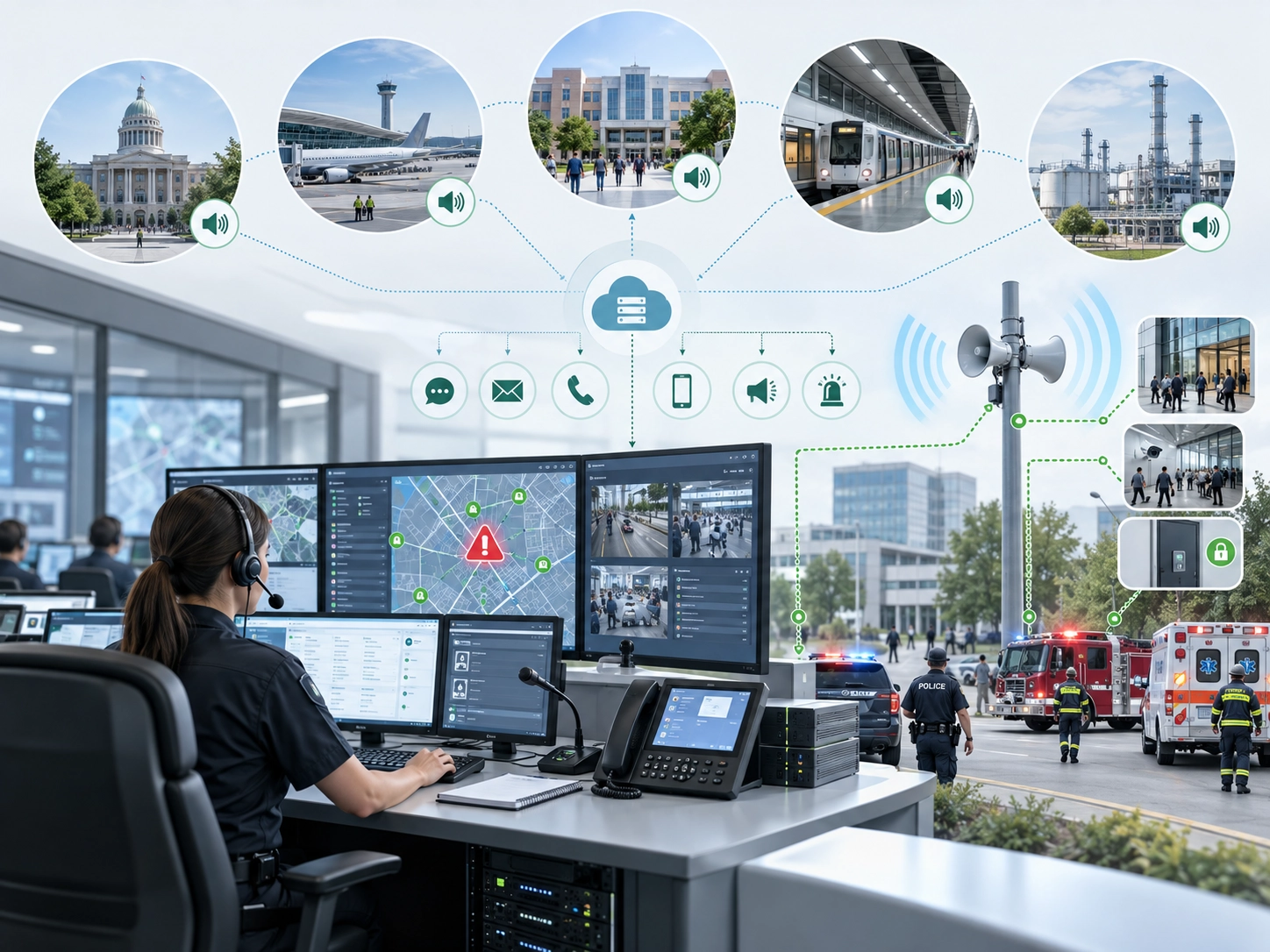
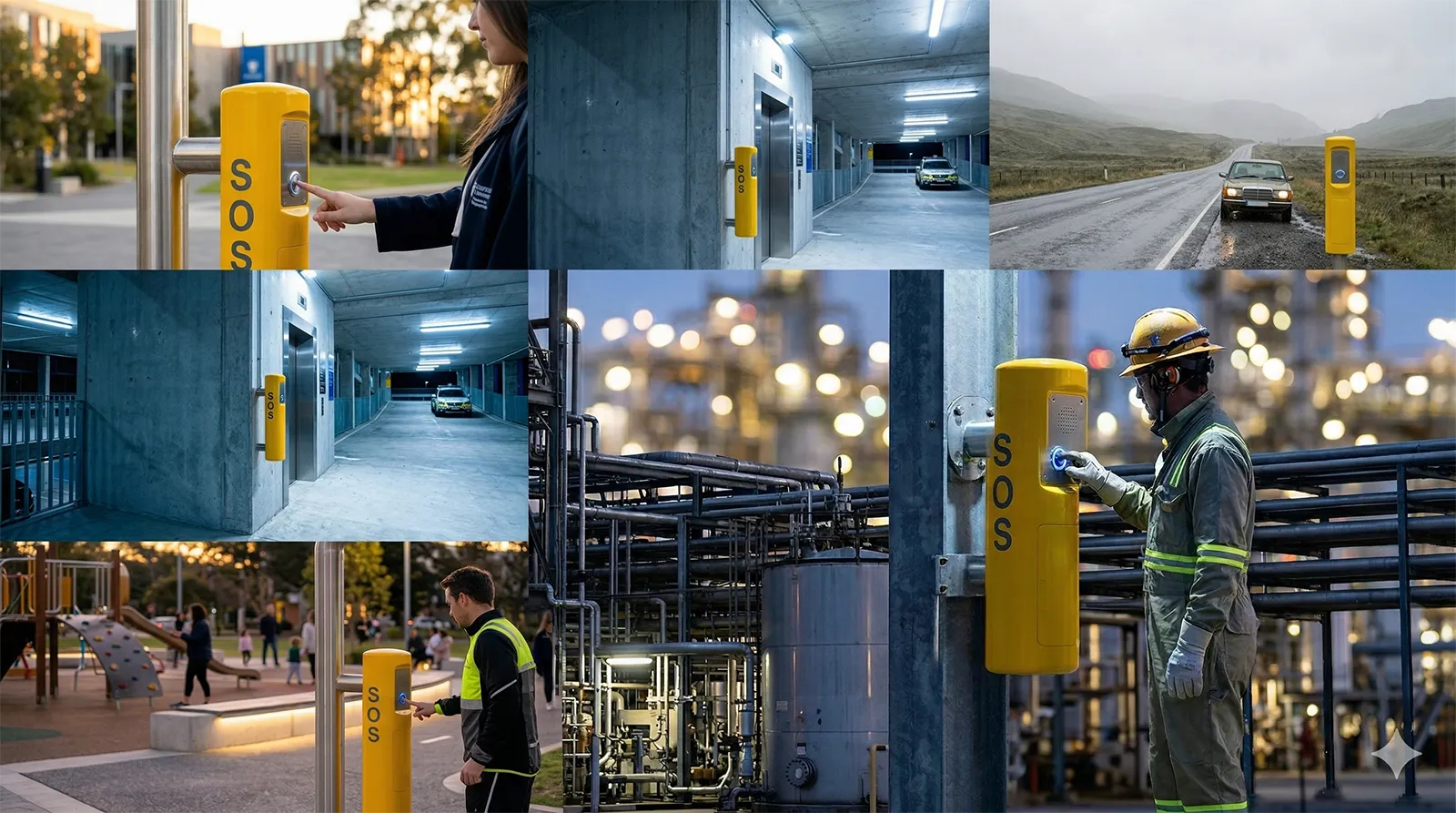
SOS intercom systems are widely used in public, commercial, transportation, and industrial settings.
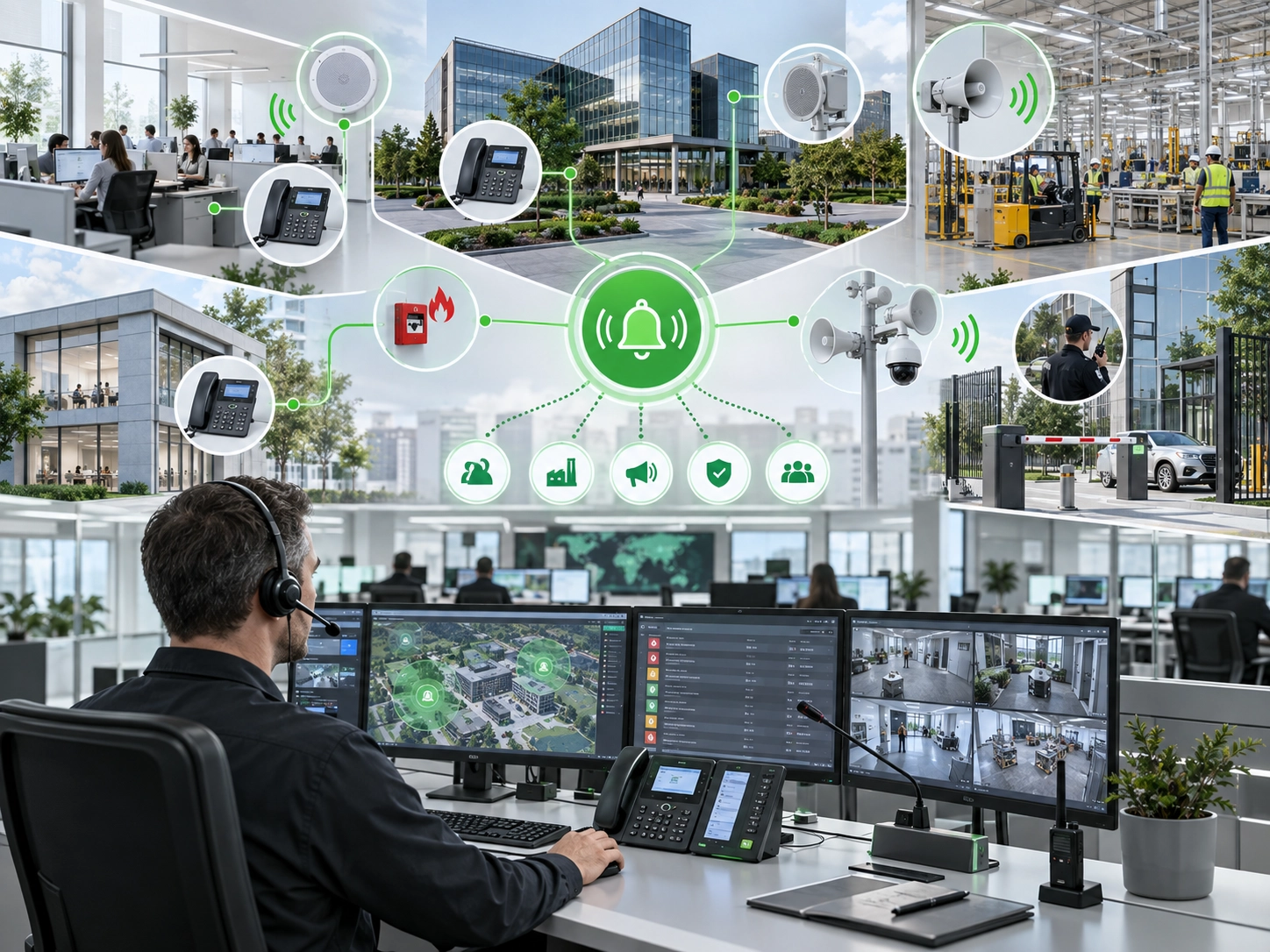
Industrial facilities, utility sites, and energy installations add another layer of complexity. Here the intercom may need to work alongside industrial telephony, alarm systems, maintenance dispatch, and plant-wide broadcast networks. Reliability and long-term manageability matter as much as the call function itself—a device that fails in a corrosive chemical plant environment or that cannot be remotely diagnosed creates a liability rather than a safety asset.
Why a Standalone Intercom Rarely Solves the Whole Problem
There was a time when an SOS intercom was a self-contained device: a box on a wall, a wire running to a console, a person picking up a handset. That model worked for small sites with simple needs, but it has not scaled well. The problem is not that standalone intercoms fail to place calls—it is that they stop being useful the moment the situation requires anything beyond a conversation.
Consider what an operator actually needs to do during an emergency. They need to know where the call is coming from. They need to see what is happening. They need to reach other people—security officers, maintenance staff, emergency responders—and bring them into the loop. They need to record what happens for later review. A standalone intercom can do the first part (the voice call) but leaves the operator to handle everything else manually, switching between phones, radio systems, camera monitors, and paper logs.
Integrated systems collapse all of that into a single workflow. The call rings on the operator's screen alongside the camera feed, the location map, and the incident record. The operator can transfer, conference, page, and dispatch without leaving the interface. Every action is timestamped and logged. The intercom is no longer an isolated piece of hardware—it is one node in a connected safety platform that includes voice, video, access control, alarm management, and communication tools.
The value of an SOS intercom is not measured by the call it places. It is measured by what the operator can do after the call connects.
This shift has implications for how organizations buy and deploy these systems. Specifying an SOS intercom purely on hardware specs—speaker wattage, button type, enclosure rating—misses the bigger picture. The more important questions are about the platform it connects to: Does it support SIP? Can it integrate with the existing camera system? Does the dispatch software handle escalation and logging? Can it scale from ten intercoms to a hundred without a forklift upgrade? The device on the wall is the visible part, but the platform behind it is what determines whether help actually arrives.
Becke Telcom is a professional provider of emergency communication systems and industrial intercom solutions. With years of experience in SIP-based voice communication, video intercom, public address, and dispatch platforms, we design and manufacture SOS intercom endpoints, help points, and integrated safety communication systems for campuses, parking facilities, transport infrastructure, public spaces, and industrial sites.
FAQ
How much does an SOS intercom system typically cost?
Pricing varies widely based on whether you need a single standalone unit or a networked system with dispatch software, camera integration, and ongoing platform licensing. A basic IP SOS intercom endpoint may start in the low hundreds of dollars, while a fully integrated deployment across a campus or transport corridor—including servers, operator consoles, installation, and maintenance contracts—can run into the tens of thousands. The largest cost is rarely the hardware itself; it is the infrastructure, integration, and long-term support.
Do SOS intercoms work during a power outage?
It depends on the deployment. PoE-powered IP intercoms will continue to function as long as the network switch has backup power (typically via UPS). Many installations include local battery backup at the intercom itself or at the PoE source. Analog systems connected to traditional telephone lines often draw power from the line itself, which can remain active even when local power fails. For critical sites, specifying backup power as part of the design is essential—an intercom that goes dark during an emergency is worse than no intercom at all, because it creates a false expectation of safety.
Can SOS intercoms integrate with existing access control systems?
Yes, and this is increasingly common. An operator receiving an SOS call may need to remotely unlock a door to let responders in, lock down an area to contain a threat, or trigger an alarm output on the access control panel. Most modern IP-based SOS platforms support integration through APIs, SIP messaging, or dry-contact relays. The level of integration depends on both the intercom manufacturer and the access control system—some offer native partnerships, while others require custom development. It is worth confirming compatibility during the planning phase rather than discovering limitations after installation.
What kind of maintenance do SOS intercom systems require?
Routine maintenance typically includes checking that each intercom registers to the server, testing call routing to ensure calls reach the correct destination, verifying audio quality and speaker/microphone function, inspecting the enclosure for damage or vandalism, and confirming that linked cameras and alarm outputs trigger correctly. For outdoor or industrial installations, environmental factors—water ingress, corrosion, temperature extremes—warrant more frequent inspection. Many modern platforms support remote diagnostics, allowing administrators to check device status and even run audio tests without visiting each location physically. A documented maintenance schedule is not just good practice; in some regulatory environments, it is a compliance requirement.
How many SOS intercom points can a single dispatch platform handle?
Capacity depends on the platform architecture and the number of concurrent operators. A small system might support a few dozen endpoints with one or two operator positions. Enterprise-grade platforms—those designed for city-wide transport networks, large campus systems, or multi-site industrial operations—can manage hundreds or even thousands of intercom endpoints, with calls distributed across multiple operator seats, hunt groups, and escalation layers. The real bottleneck is usually not the number of registered devices but the number of simultaneous active calls and the operator workload. A system with a thousand endpoints but only two operators on duty will struggle if multiple emergencies occur at once, which is why staffing models and call-routing logic matter as much as server capacity.