How can IP intercom terminals be applied in network voice, video and access control?
IP intercom terminals explained for networked voice, video, access control and emergency communication, covering SIP calling, relay control, device components, field applications, deployment checks and integration value.
Becke Telcom
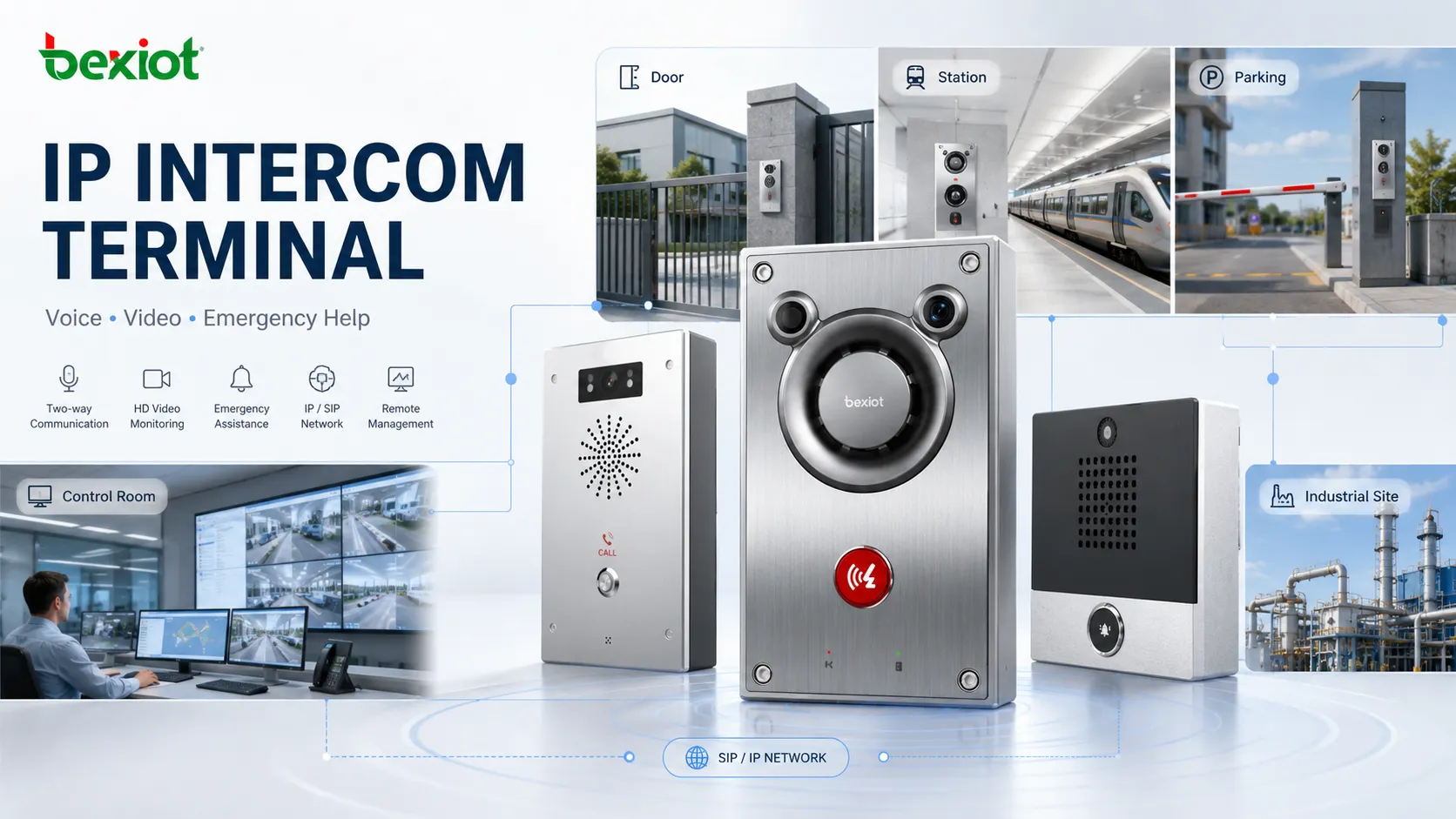
An IP intercom terminal is a network-connected communication endpoint used for two-way voice, and in many cases video, between a field location and another user, room, control point, security desk, dispatch console, or software client on the same IP network. It is commonly installed at a door, gate, corridor, station platform, parking area, control room wall, emergency help point, or industrial site.
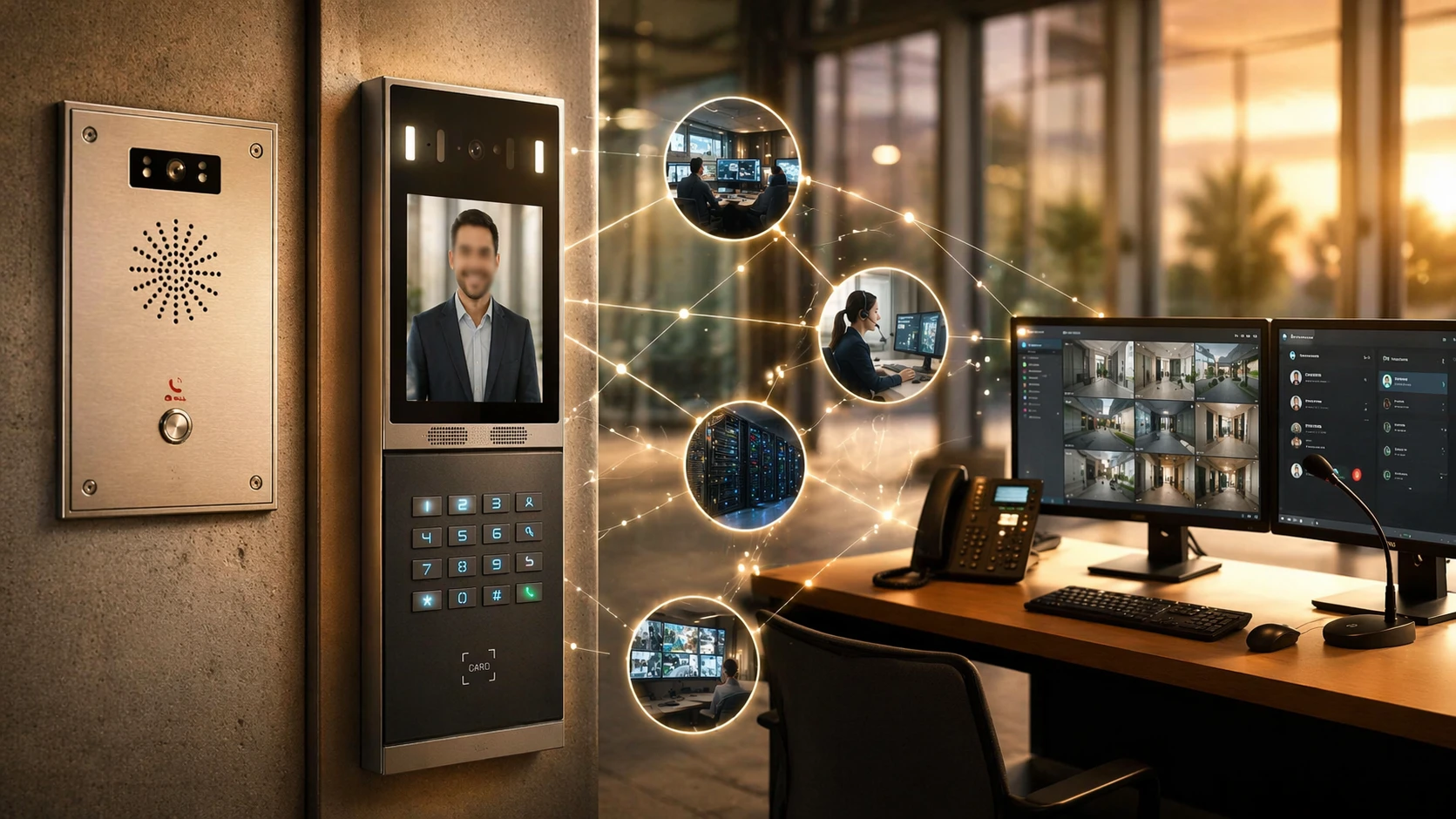
Unlike a traditional analog intercom line, an IP intercom terminal communicates through Ethernet, SIP, web management, and other IP-based technologies. It can connect visitors, staff, operators, and responders through a wider communication system instead of remaining as an isolated wall device.
The term is broader than a simple door station. It can refer to a video door intercom, an emergency call terminal, a wall-mounted industrial intercom, a clean-room communication point, a campus assistance terminal, or a dispatch-linked field node. What these devices share is their ability to combine location-based calling with network integration, access control, event reporting, and remote management.
An IP intercom terminal acts as a field communication endpoint on the network, linking visitors or field personnel to indoor stations, security desks, SIP platforms, or dispatch systems.
What the terminal is
An IP intercom terminal is an intercom endpoint that sends and receives communication over an Internet Protocol network. Depending on the product design, it may support audio-only calling, video calling, door release, event linkage, alarm inputs, relay outputs, and platform integration.
In engineering documents, similar terms are often used together, such as IP intercom, network intercom, SIP intercom terminal, video intercom station, emergency intercom terminal, and IP help point. They overlap, but they are not always identical. A SIP intercom emphasizes SIP calling. A video intercom adds visual verification. An emergency terminal focuses on fast assistance and reliability. An industrial version may add weather protection, vandal resistance, high speaker output, or glove-friendly operation.
A clearer way to understand the product is to see it as a networked field endpoint for interactive communication and control. It connects a physical place to a wider communication system. That place may be a front entrance, loading bay, underground tunnel, roadside pillar, unmanned equipment room, public help point, or restricted industrial zone.
How the call process works
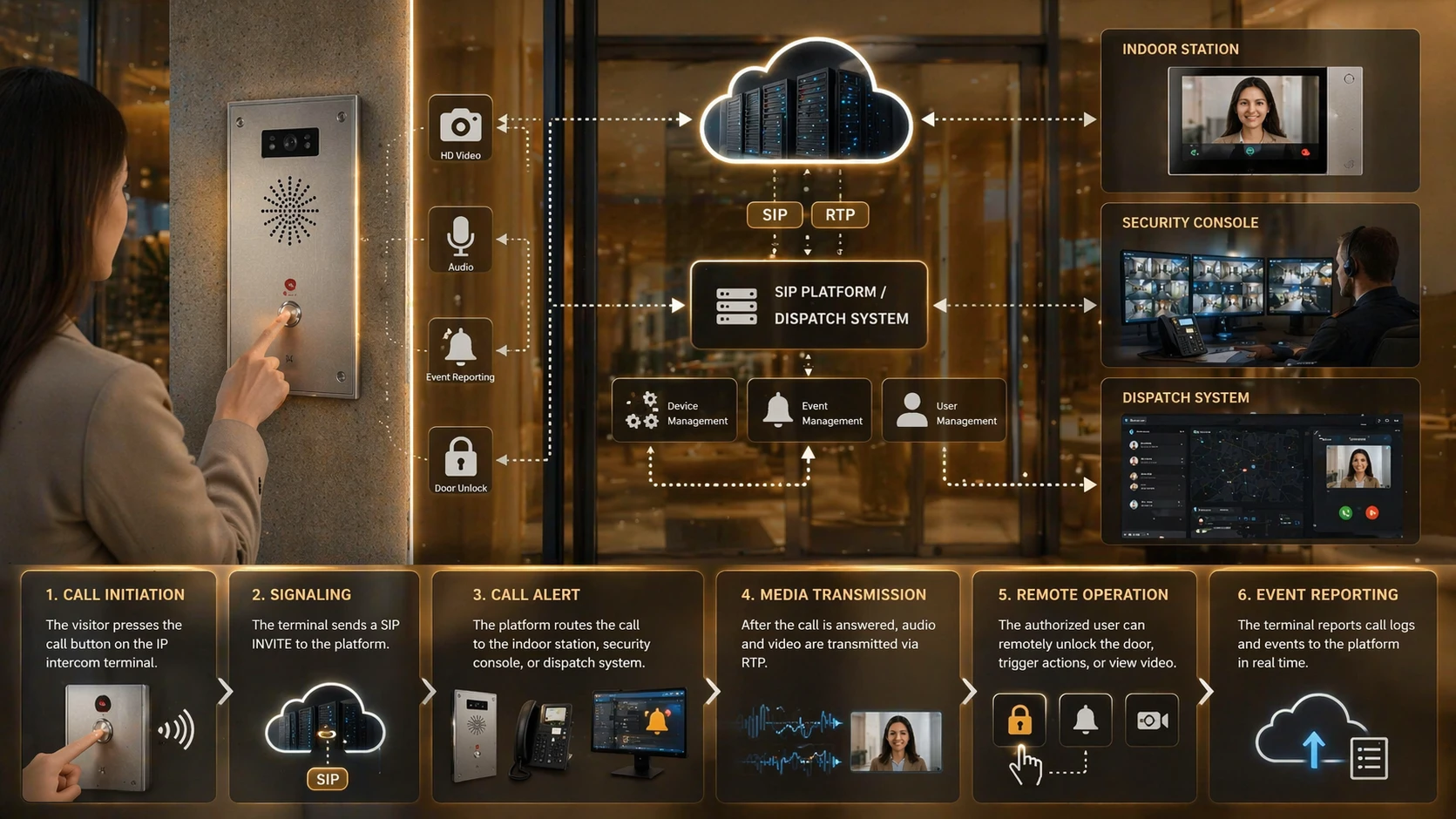
The working process is simple from the user side. A person presses a call button, taps a screen, scans an identifier, or triggers an emergency call. The terminal then sends a call request through the IP network to a configured destination, such as an indoor monitor, IP phone, SIP extension, security client, mobile app, dispatch console, or ring group.
Behind this simple action, several technical steps happen. The terminal needs power and network access, often through PoE. It obtains an IP address through DHCP or static configuration. It may register to a SIP server, IP PBX, cloud platform, or dedicated intercom system. Once the call is answered, audio and video streams are exchanged across the network.
The same event can also trigger related actions. A door can be unlocked, a gate can be opened, a beacon can be activated, a snapshot can be saved, a video stream can be displayed, or an event record can be sent to a management platform.
Audio and video capture
The terminal captures voice through a built-in microphone and plays received audio through a speaker. Video models add an integrated camera for visual verification. Better devices include echo cancellation, noise reduction, automatic gain control, and full-duplex audio so both sides can communicate more naturally.
Signaling and routing
Many terminals use SIP for registration, dialing, answering, and session control. In small systems, a device may call another endpoint directly. In larger systems, an IP PBX, SIP server, or management platform usually controls ring groups, schedules, failover, hunt logic, and emergency routing.
Linked control actions
An IP intercom terminal often includes relay outputs, alarm inputs, door contacts, tamper detection, or programmable logic. For example, if the primary operator does not answer, the call can forward to a secondary desk. If a door remains forced open, the terminal can generate an event or call the control room.
The basic workflow includes call initiation, SIP or platform-based signaling, media transmission, and linked actions such as remote unlock, event reporting, or video display.
What the terminal includes
Product designs vary, but most IP intercom terminals are built from several common hardware and software elements. The exact configuration depends on whether the device is used at an entrance, in an industrial site, in a hospital, in a station, or as an emergency help point.
Microphone and speaker: used for two-way voice communication.
Call button, keypad, or touchscreen: used for call initiation and user input.
Camera: used on video models for identity checking, monitoring, and recording.
Ethernet interface: usually supports IP networking and often PoE power supply.
SIP or call-control stack: supports registration, session setup, and endpoint interoperability.
Relay outputs: used for door locks, gates, warning lights, or auxiliary devices.
Digital inputs: used for door contacts, alarm sensors, tamper switches, or external triggers.
Web management: used for configuration, firmware updates, diagnostics, and maintenance.
Housing and panel: selected according to indoor, outdoor, industrial, vandal-resistant, or emergency use.
Advanced models may also support RFID, QR code access, NFC, Bluetooth, hearing loop functions, local storage, HTTPS APIs, ONVIF compatibility, status indicators, signed firmware, and cybersecurity controls.
Which features matter most
The best way to evaluate an IP intercom terminal is not only to ask whether it can make a call. Most devices can do that. A better question is whether it can work reliably as part of the whole operational system.
SIP and IP integration
SIP support allows the terminal to work with IP phones, PBX extensions, soft clients, indoor monitors, dispatch consoles, and communication platforms. This makes expansion and routing easier in multi-building or multi-site systems.
Clear two-way audio
Audio quality is critical in public and industrial environments. Noise reduction, echo control, gain adjustment, codec support, and strong speaker output can determine whether the system remains usable in stressful or noisy conditions.
Video verification
Video helps operators see who is calling and what is happening at the site. It is useful at entrances, gates, reception points, parking areas, emergency locations, and restricted zones where visual confirmation improves decision-making.
Remote unlock control
Relay outputs or access control integration allow authorized users to unlock doors, open gates, activate lights, or trigger external devices. In security-sensitive environments, these actions may also be tied to schedules, permissions, or event rules.
Remote device management
Web configuration and platform management make it easier to change settings, check device status, update firmware, review logs, and troubleshoot problems without visiting every location. This is a major advantage in distributed systems.
Site-ready durability
Outdoor, industrial, transport, or emergency deployments may require weather protection, vandal resistance, corrosion resistance, strong front panels, visible call status, stable operation in temperature extremes, and reliable performance under vibration or dust exposure.
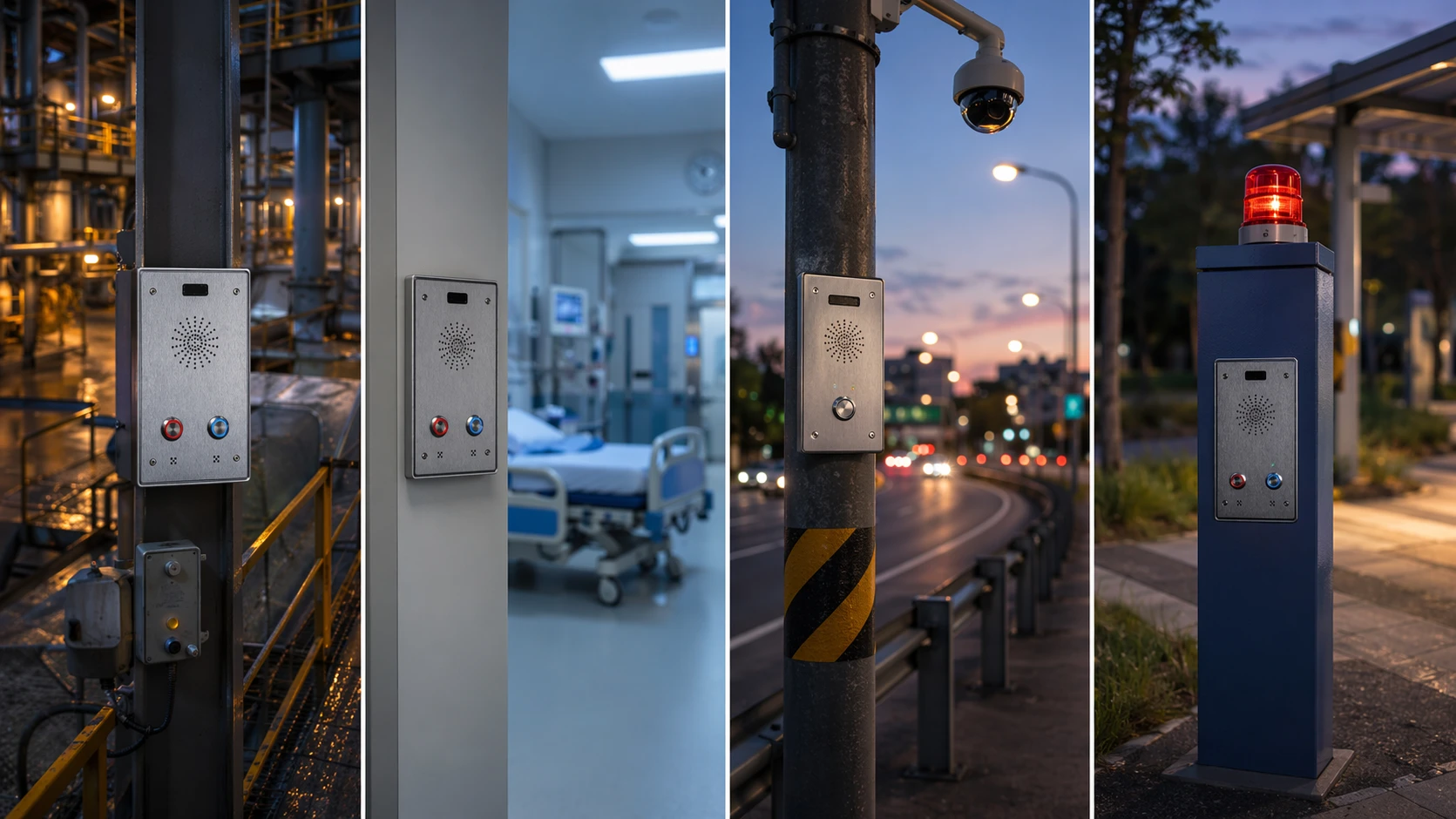
IP intercom terminals are used beyond building entrances, including industrial communications, healthcare assistance points, transport help points, and public emergency call locations.
Where the terminal is used
IP intercom terminals are used across many environments because they can combine voice communication, access control, video verification, and event linkage. The same basic technology can support a small entrance system or a large multi-site operation.
Building entrances
At residential, office, commercial, or facility entrances, a visitor presses the terminal, the call reaches an indoor station or security desk, and the responder verifies identity before releasing the door or gate.
Industrial sites
Factories, warehouses, energy facilities, ports, and utility sites use rugged terminals at loading zones, entrances, production areas, unmanned rooms, and machine-side communication points. In these cases, the terminal may support visitor handling, fault reporting, remote assistance, or alarm-linked communication.
Emergency help points
Road tunnels, campuses, stations, parking areas, municipal spaces, and public roadsides use IP intercom terminals as visible assistance points. These devices usually need fast call setup, clear audio, status indication, location awareness, and reliable escalation paths.
Healthcare environments
Hospitals, clinics, care facilities, and assisted living sites may use intercom terminals at doors, nurse stations, restricted areas, patient assistance points, and service entrances. The value is not only voice communication, but also controlled access and coordination with wider communication workflows.
Schools and campuses
Campuses use network intercoms for entrance calls, visitor management, after-hours access, emergency assistance, and centralized control across multiple buildings. IP networking avoids the limitations of isolated local wiring.
Transport facilities
Rail stations, bus depots, airports, parking facilities, and public service counters deploy IP intercom terminals for passenger assistance, restricted-area access, operations coordination, and emergency contact. Video and dispatch integration are especially valuable in these sites.
How it compares with alternatives
An IP intercom terminal and an IP phone may both use SIP, but they are designed for different roles. An IP phone is usually a person-oriented endpoint for desk or handset communication. An IP intercom terminal is a location-oriented endpoint for public, shared, controlled, or field interaction.
Compared with a traditional analog intercom, an IP intercom terminal is easier to scale across sites, easier to connect with PBX and software platforms, and easier to manage remotely. Analog systems may still fit small or legacy projects, but they are more limited when video, centralized routing, event logging, analytics, or multi-site networking becomes important.
Type
Main Role
Typical Strength
Typical Limitation
IP Intercom Terminal
Field communication and control
Integration with access, video, and event workflows
Needs proper network and system planning
IP Phone
User extension communication
Enterprise telephony features
Less suitable for public or exposed locations
Analog Intercom
Basic local intercom
Simple for small legacy setups
Limited scalability and platform integration
What deployment should confirm
Choosing an IP intercom terminal is not only about appearance, camera resolution, or button count. Real deployment success depends on matching the device to the site, the network, the call workflow, and the people who will use it.
Define the communication path: decide whether the terminal calls an indoor station, PBX extension, dispatch console, mobile app, or ring group.
Check network and power: confirm PoE budget, VLAN policy, QoS needs, IP addressing, cable distance, and switch capacity.
Match the environment: consider indoor, outdoor, washdown, vandal-prone, industrial, low-light, high-noise, or emergency-specific conditions.
Review user interaction: check button size, display visibility, call status, accessibility, audio clarity, and emergency usability.
Plan secure maintenance: include HTTPS access, credential policy, firmware updates, certificate handling, logs, and remote diagnostics.
Common buyer questions
Can one terminal call several destinations?
Yes. Many systems can call a ring group, follow a time schedule, forward unanswered calls, or escalate from a local desk to a central control room.
What causes poor intercom audio?
Poor audio may come from weak speaker output, bad microphone placement, echo, background noise, network jitter, wrong codec settings, or unsuitable mounting location.
Can video connect to security software?
In many projects, video can be linked to VMS, access control software, or monitoring clients, depending on the terminal’s protocol support and integration method.
Should public terminals be vandal-resistant?
Public or unsupervised locations often need stronger housings, protected buttons, impact-resistant panels, and secure mounting to reduce damage and service interruption.
What should be checked before handover?
Test call routing, audio clarity, video display, relay output, event logs, network failover, remote management access, firmware version, and user instructions before final acceptance.
Final selection notes
An IP intercom terminal is best understood as a networked field communication endpoint that connects a physical location to a wider voice, video, access control, and management system. It can serve a door, gate, public help point, industrial area, hospital entrance, campus building, transport platform, or emergency location.
Its value comes from practical integration. A well-selected terminal can support two-way communication, SIP calling, visual verification, remote unlock, event linkage, centralized management, and safer response workflows. The strongest results come when the terminal is selected according to the site environment, user behavior, network design, integration requirements, and long-term maintenance plan.