Busy Lamp Indicator explained for IP phones, PBX systems, reception desks, dispatch centers and service teams, covering BLF status monitoring, call pickup, transfer, permissions and deployment practices.
Becke Telcom
In a multi-extension telephone system, communication is often delayed because users do not know whether another person is available. A receptionist may transfer a call to an extension that is already busy. A supervisor may try to reach an agent who is still on another call. A dispatcher may need to know which duty phone is ringing before deciding where to send the next call.
A Busy Lamp Indicator, commonly associated with BLF or Busy Lamp Field, makes this call status visible. It uses LEDs, screen icons, softphone markers, attendant panels, operator consoles, or dispatch interfaces to show whether monitored extensions, lines, users, or endpoints are idle, ringing, busy, held, offline, unavailable, or in another defined state.
The value is practical. Instead of dialing blindly, users can check the status first and then decide whether to call, transfer, pick up, wait, route to another destination, or escalate. This small visual signal can make daily call handling faster, cleaner, and less dependent on guesswork.
Why visible call status matters
Voice communication is efficient only when the caller can reach the right person at the right time. In a small room, staff may see who is on the phone. In a hotel, hospital, campus, factory, service center, branch office, or dispatch room, extensions may be spread across several buildings, departments, floors, or remote sites. A system-level status view becomes necessary.
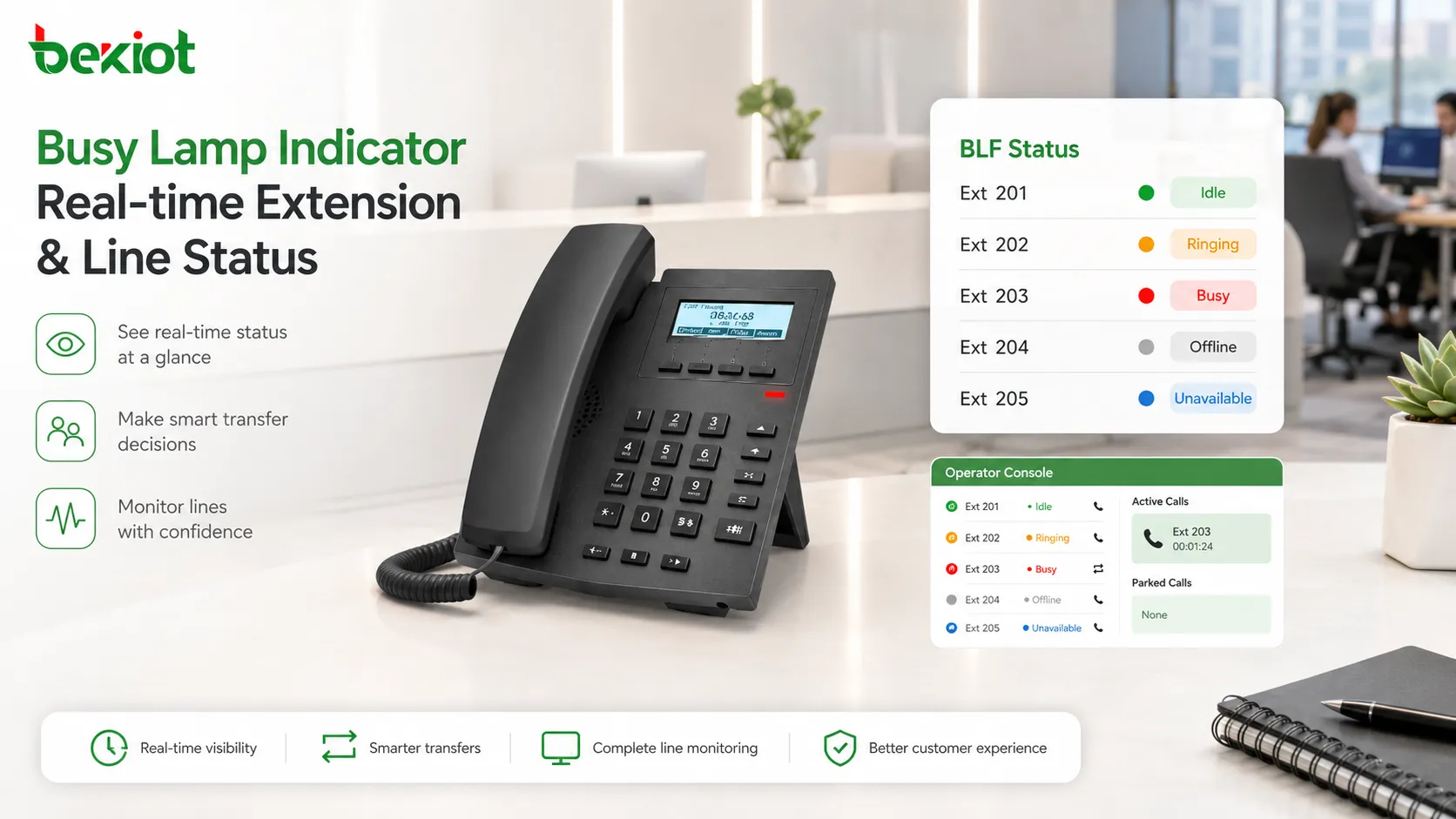
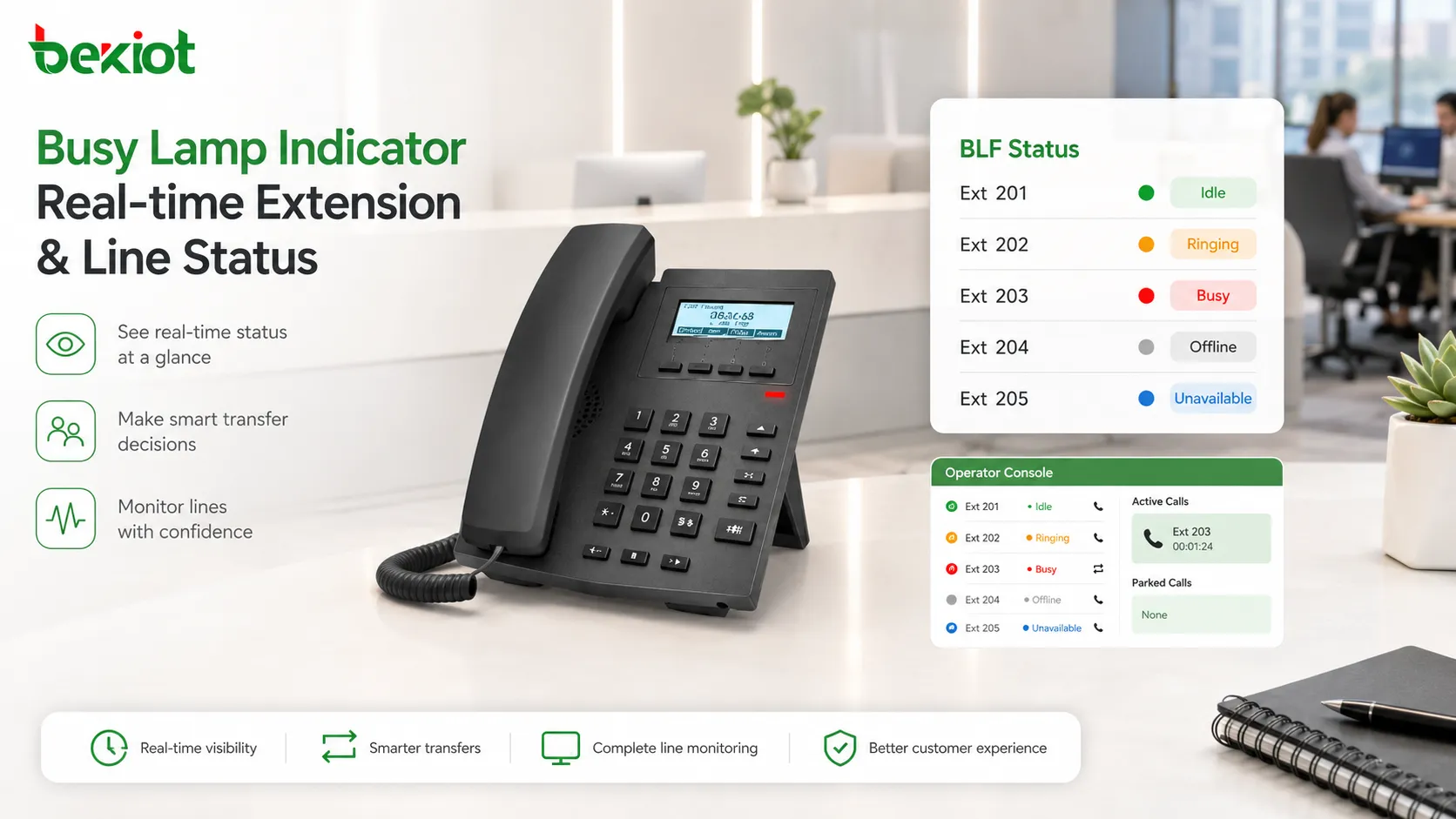
A Busy Lamp Indicator turns invisible call state into a visible signal. When an extension is idle, the indicator may show one color or icon. When it rings, it may flash. When it is busy, it may change to another color. When the endpoint is offline, it may become gray or inactive. The exact display style depends on the phone, PBX, softphone, or console.
This awareness helps users act before they interrupt or misroute a call. Staff are less likely to call someone who is already busy. Receptionists are less likely to transfer callers to unavailable extensions. Team members can see ringing calls and answer them before callers wait too long.
How the indicator gets call status
A Busy Lamp Indicator does not guess whether a phone is being used. It relies on call-state information from the communication platform. In many IP phone and PBX environments, the monitoring phone or console subscribes to the status of another extension or line. The server then sends updates when the monitored state changes.
In SIP-based systems, BLF is commonly implemented through presence or dialog-state mechanisms. The monitoring device subscribes to the monitored extension, and the communication server reports changes such as idle, ringing, in call, held, unavailable, or offline. The indicator changes according to the state information it receives.
The indicator itself may be a physical LED key, a screen icon, a color block, a contact list marker, a softphone badge, or a dispatch panel field. On desk phones, BLF keys are often programmable buttons beside the screen. On attendant consoles, monitored extensions may appear as a grid or list.
Accuracy depends on correct signaling, endpoint registration, server status tracking, permissions, and network stability. If the PBX does not know the real endpoint state, or if status updates are delayed, the indicator may become inaccurate.
Busy Lamp indicators show real-time extension or line status so users can decide whether to call, transfer, wait, or pick up.
Main functions of Busy Lamp Indicators
Extension status monitoring
The most basic function is extension status monitoring. A user can monitor one or more extensions and see whether each extension is free, ringing, busy, held, offline, or unavailable. This is widely used on IP phones, receptionist panels, attendant consoles, and dispatch terminals.
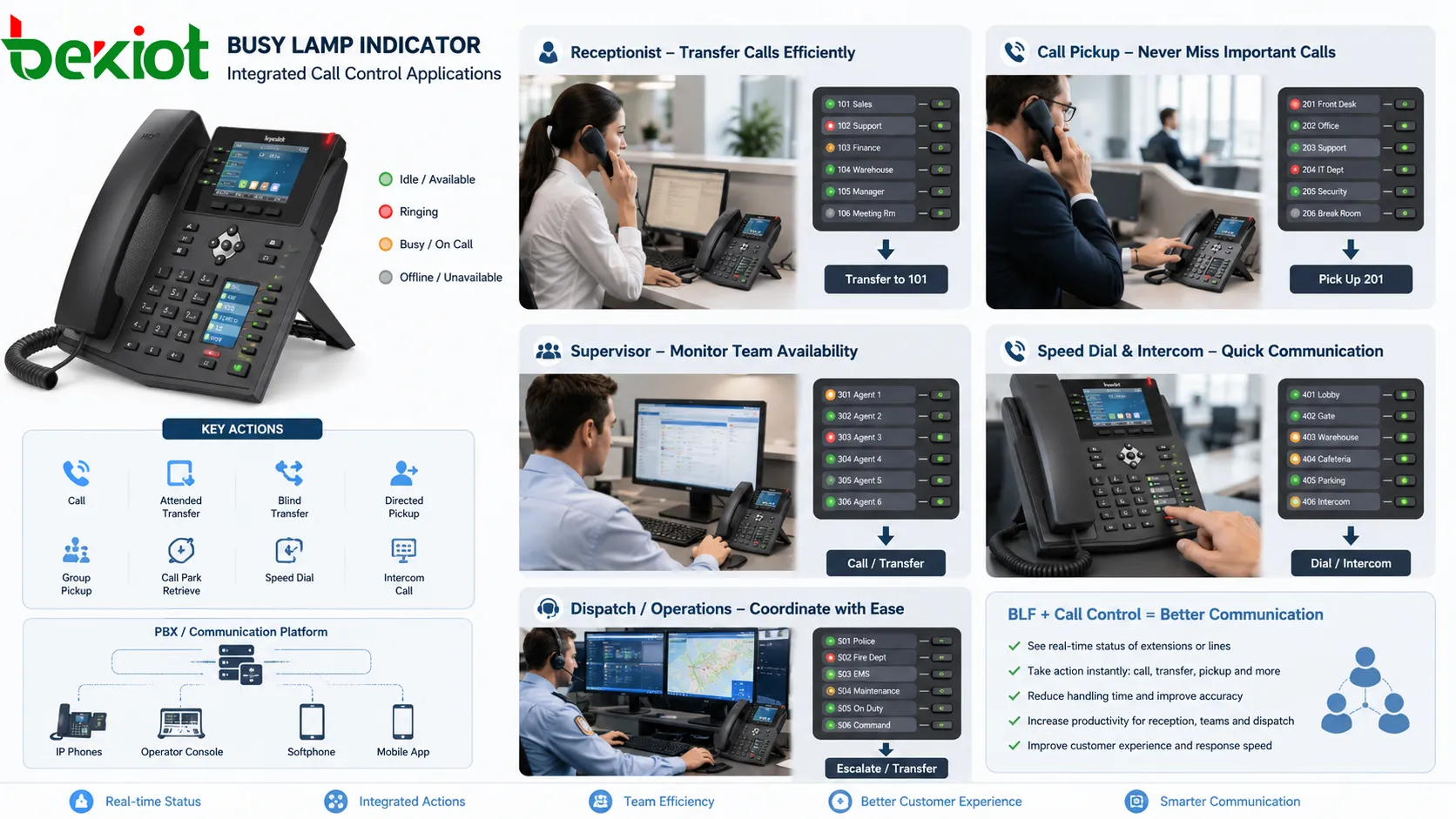
For example, a receptionist may monitor sales, technical support, finance, warehouse, and management extensions before transferring external calls. A duty supervisor may watch emergency phones, service desks, or team extensions. The monitored status helps users choose a better call path instead of repeating failed attempts.
Ringing awareness and call pickup
BLF is not limited to busy-state display. It can also show when a monitored extension is ringing. If a colleague is away from the desk and their phone rings, another authorized user can see the flashing indicator and pick up the call.
This is useful in reception desks, small teams, clinics, warehouses, service counters, and shared offices. In many systems, the same BLF key can show ringing status and support directed pickup. The user does not need to remember a feature code or dial the ringing extension manually.
Cleaner call transfer
Call transfer is one of the most common BLF applications. Before transferring a caller, the user can check whether the target extension is idle or already busy. If the target is free, a direct or attended transfer may be suitable. If the target is busy, the caller can be offered another colleague, voicemail, a queue, a callback, or a message-taking option.
This reduces failed transfers and improves caller experience. It also prevents staff from being interrupted during active calls. For receptionist and attendant roles, BLF keys can become a visual directory that combines status display and transfer action.
Speed dial with status context
Many BLF keys also work as speed dial keys. When the monitored extension is idle, pressing the key can call it directly. When it is ringing, pressing the key may pick up the call if permitted. When it is busy, the user may choose not to call.
This makes BLF more useful than ordinary speed dial. A normal speed dial stores a number. A BLF speed dial shows whether that number is a good target at the moment. It becomes both a shortcut and a decision tool.
Supervisor visibility
Supervisors can use Busy Lamp Indicators to see team call activity at a glance. They may see which team members are on calls, which are idle, which phones are ringing, and which endpoints are unavailable. This gives a quick operational view without opening a full report.
BLF should not be treated as a complete workforce management system. It shows current call state, not call quality, customer mood, issue complexity, after-call work, or real human presence. It is best used as a real-time signal alongside queues, reports, recordings, and wallboard data where needed.
Visual language and call control
Busy Lamp Indicators work best when the visual language is simple. Users should not need to study complex menus to understand whether an extension is available. Color, flashing behavior, icon shape, or text label should make the status easy to read at a glance.
Common designs may use green for available, red for busy, flashing status for ringing, gray for offline, and another color for held or unavailable states. The exact pattern may vary, but consistency matters. If different phones or consoles use different meanings, users may make wrong decisions.
BLF is most useful when status display connects with action. Seeing a ringing phone is helpful; being able to pick it up quickly is better. Seeing an idle extension is helpful; pressing the key to call or transfer is faster. Integrated actions may include direct call, attended transfer, blind transfer, directed pickup, group pickup, call park retrieval, speed dial, intercom call, and sometimes presence-based routing.
Busy Lamp indicators are often combined with transfer, call pickup, speed dial, supervisor monitoring, and dispatch coordination.
Permission-based monitoring
BLF gives users visibility into other extensions, so permission control is important. Not every employee should monitor every line. Some departments may handle sensitive calls. Executives, medical departments, legal offices, HR teams, security lines, or private offices may require restricted visibility.
Permission-based monitoring defines who can subscribe to whose status. A receptionist may monitor public department phones. A supervisor may monitor team members. A department user may monitor colleagues in the same group. A central attendant may monitor many service extensions.
Visibility and control should also be separated. A user may be allowed to see that an extension is ringing but not allowed to pick it up. Another user may be allowed to pick up calls only within a group. A supervisor may monitor status without having authority to barge into calls. This separation helps BLF support efficiency without becoming unnecessary surveillance.
Where Busy Lamp Indicators are used
Reception and attendant service
Reception desks and attendant positions are classic BLF scenarios. These users handle incoming calls and need to route them quickly. With BLF, the receptionist can see whether the target extension is idle, busy, ringing, or unavailable before transferring.
Hotels may monitor housekeeping, engineering, security, restaurant, reservation, guest service, and management phones. Office attendants may monitor departments, executives, meeting rooms, and service desks. Property management desks may monitor maintenance, customer service, security, and duty phones.
Call centers and service teams
Call centers and service teams use BLF to improve internal coordination. Supervisors may monitor agent extension status, team leaders may check available specialists, and agents may see whether a supervisor is free before escalating a customer call.
In larger contact centers, BLF is often combined with queue status, agent state, wallboards, CRM pop-ups, recording, and supervisor tools. In smaller service teams, BLF can provide practical real-time visibility without requiring a complex dashboard.
Dispatch and emergency communication
Dispatch and emergency communication systems use BLF to show the availability of duty phones, operator positions, field terminals, intercom points, and response groups. Knowing which position is free, busy, or ringing can affect response speed and command coordination.
BLF should not be the only emergency indicator. Critical systems may also require alarms, pop-ups, audio prompts, priority routing, recording, and incident logs. However, BLF adds a useful layer of live call awareness when multiple communication positions are involved.
Healthcare and nurse stations
Healthcare environments use telephone and intercom systems across nurse stations, wards, reception points, emergency departments, laboratories, pharmacies, administration offices, and facility teams. BLF can help staff see whether key extensions are available before calling or transferring.
Privacy rules should guide healthcare deployment. BLF may be limited to operational status rather than detailed call information. Call pickup permissions should be controlled, and sensitive departments may require restricted visibility.
Hotels, campuses, and public facilities
Hotels, campuses, government buildings, museums, stadiums, transport terminals, shopping centers, and other public facilities use BLF in service desks and control rooms. Operators can monitor key extensions, help points, security lines, facility management phones, and duty positions.
In public-facing environments, clear naming and layout are important. BLF keys should be labeled by department, role, or location. A confusing panel can slow down the operator instead of helping.
Enterprise branches and small teams
Enterprises with many departments or branches use BLF to improve internal call coordination. A headquarters receptionist may check branch extension status before transfer. A branch supervisor may monitor several service lines. A manager may see whether a colleague in another location is already on a call.
Small teams also benefit. In a sales office, clinic, workshop office, logistics office, or support team, users often answer calls for each other. A few carefully chosen BLF keys can be more useful than a large panel of rarely used extensions.
Configuration points that affect performance
BLF requires correct configuration. The monitored extension must exist, the monitoring user must have permission, the phone or console must subscribe to the correct status, and the communication server must send updates. If any part is wrong, the indicator may fail or show inaccurate status.
Administrators should check extension numbers, SIP accounts, feature codes, pickup groups, BLF key settings, phone templates, permissions, and server support. In larger deployments, provisioning templates or centralized management tools can push settings automatically.
Scale matters. Each monitored extension can create signaling traffic. If many phones monitor many extensions, the PBX or communication server must handle a large number of subscriptions and notifications. Excessive BLF configuration may increase load, so monitoring should focus on extensions that are genuinely useful for daily call handling.
Network design also matters. Remote phones, VPN connections, branch systems, firewalls, NAT behavior, SIP signaling paths, and failover scenarios can all affect BLF reliability. Testing should include idle, ringing, busy, hold, transfer, hang-up, offline, reboot, pickup, and failover states.
Limitations and risks
A Busy Lamp Indicator shows call state, not complete human availability. A person may appear idle while away from the desk. A person may appear busy but still be reachable through another channel. A phone may be offline due to network problems rather than user absence. Users should treat BLF as call-state visibility, not full presence awareness.
Privacy concerns may also appear. Some users may not want their call status visible to unrelated departments. In sensitive environments, BLF can reveal whether a person or department is on a call. Permission design should reflect operational need and privacy expectations.
Over-monitoring creates clutter. If a phone has too many BLF keys or a console displays too many extensions without grouping, users may struggle to find the right contact. Good BLF design focuses on relevant extensions, readable labels, and clear actions.
Status errors can happen. A device may remain showing busy after abnormal call termination. Network delay may cause stale state. Server configuration may fail to clear a status. Users should have a way to refresh, report, or troubleshoot inaccurate indicators.
Common mistakes and better fixes
Mistake
Typical Result
Better Fix
Monitoring too many extensions
Cluttered interface and unnecessary signaling load
Monitor only the extensions needed for daily call handling
Ignoring permissions
Users may see or pick up calls they should not manage
Separate monitoring rights, pickup rights, and supervisory permissions
Poor key labels
Users cannot identify the right target quickly
Use names, roles, departments, or locations instead of only extension numbers
Status works but actions fail
Users press a key expecting pickup or transfer but trigger the wrong behavior
Test each BLF key action: call, transfer, pickup, hold, and failover behavior
No update after staff changes
BLF keys point to old users, wrong departments, or unused extensions
Include BLF review in extension management and onboarding/offboarding procedures
How to evaluate a good BLF design
A good Busy Lamp Indicator design begins with workflow. The question is not how many extensions can be monitored, but which statuses help users make better decisions. A receptionist needs transfer targets. A supervisor needs team visibility. A nurse station needs nearby service points. A dispatcher needs duty positions and critical lines.
The second point is accuracy. Indicators should update quickly and correctly during ringing, answer, busy state, hold, hang-up, offline status, pickup, and transfer. If users cannot trust the display, they will stop using it.
The third point is action integration. The indicator should support the next logical action, such as call, transfer, pickup, or wait. A status light that does not connect to call handling is less useful than a BLF key with integrated control.
The fourth point is permission control. Users should see and control only what they are responsible for managing. Monitoring and pickup should not expose sensitive lines unnecessarily.
The final point is maintainability. BLF configuration should be easy to update when users, departments, extensions, or roles change. Large deployments should use templates or centralized provisioning where possible.
Final view
A Busy Lamp Indicator is a practical call-status visibility function used in telephone, PBX, IP phone, dispatch, attendant, and service communication systems. It shows whether monitored extensions, lines, users, or endpoints are idle, ringing, busy, held, offline, or unavailable.
Its main functions include extension monitoring, ringing awareness, call pickup, cleaner transfer, presence-aware speed dial, supervisor visibility, real-time status update, simple visual language, permission-based monitoring, and integration with call control.
Its value appears in reception desks, call centers, dispatch rooms, healthcare stations, hotels, campuses, public facilities, enterprises, branch offices, and small shared teams. When configured with accurate updates, proper permissions, clear labels, and practical call actions, BLF becomes a small but important part of a reliable communication system.
FAQ
Is Busy Lamp Indicator the same as BLF?
In most telephone and PBX contexts, Busy Lamp Indicator is closely related to BLF, or Busy Lamp Field. BLF usually refers to programmable keys or screen indicators that show the status of monitored extensions or lines.
Can a Busy Lamp Indicator be used to pick up calls?
Yes, if the phone system supports call pickup and the user has permission. When a monitored extension is ringing, the BLF key may flash, and an authorized user can press the key or use a pickup function to answer.
Does BLF show whether a person is truly available?
Not always. BLF mainly shows phone or extension status. A user may appear idle while away from the desk, or busy while still reachable through another channel. It should be treated as call-state visibility, not complete human presence.
Why do some BLF indicators update slowly?
Slow updates may be caused by server load, too many monitored extensions, network delay, SIP signaling issues, remote branch connectivity, phone processing limits, or incorrect subscription configuration.
Who should be allowed to monitor BLF status?
Monitoring should follow role and business need. Receptionists, supervisors, attendants, dispatchers, and team members may need BLF visibility for specific extensions, while sensitive departments or private lines may require restricted monitoring.