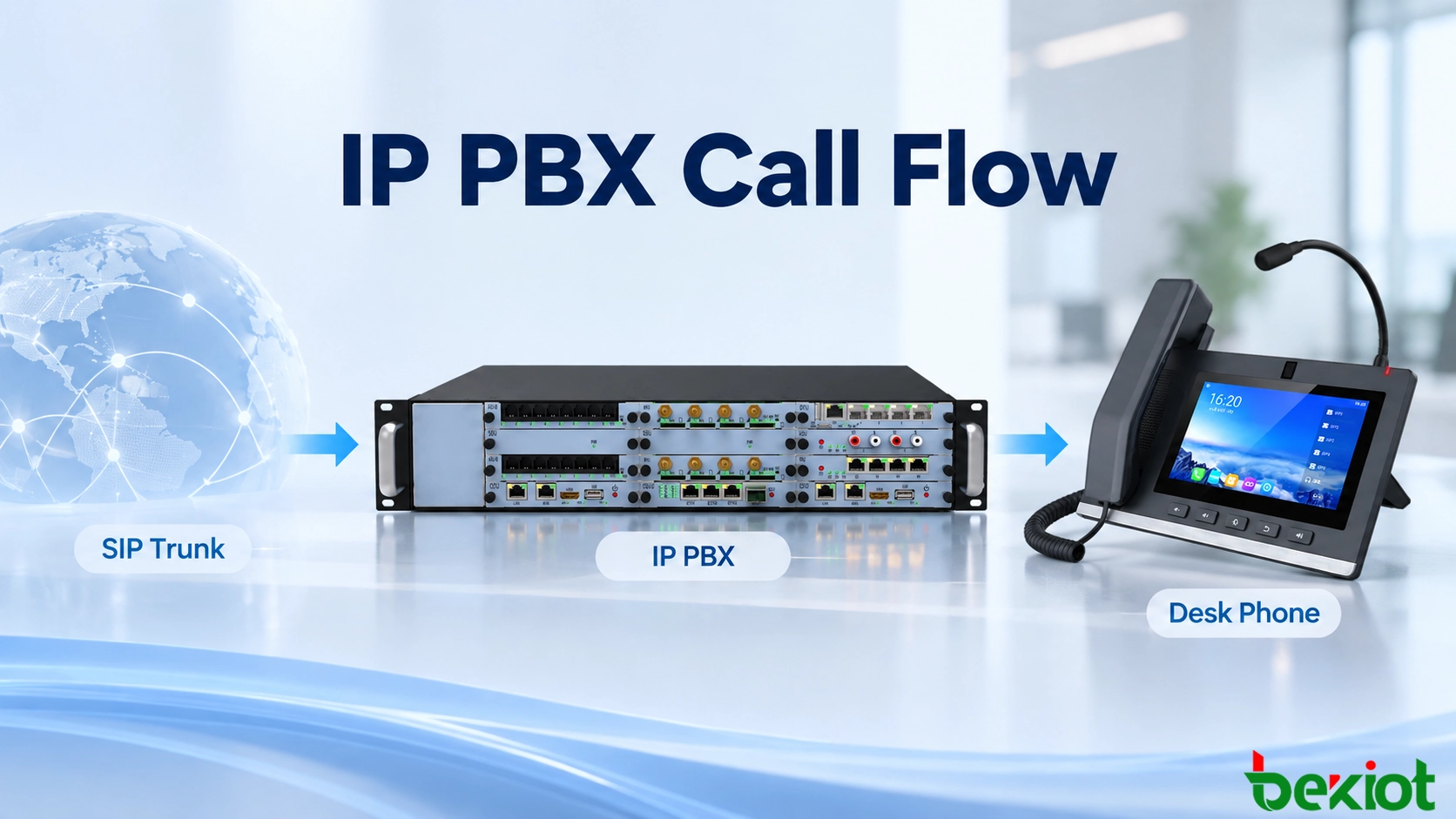
A customer dials a company's published telephone number. Seconds later, a desk phone rings and an employee answers. Between those two events, the incoming call has crossed a provider connection, entered an IP PBX, matched a routing rule, reached a registered extension, and negotiated a voice path. A fault at any of these stages can produce a different symptom, even when the caller simply reports that the phone system is not working.
This article follows a specific inbound call: a customer calls +1 20X XXX 0142, the company's SIP trunk delivers the request, and the IP PBX routes it to desk phone extension 203. The example uses a typical enterprise SIP deployment. Individual carriers, PBX platforms, and endpoint configurations may handle certain signaling and media details differently.
SIP Trunk and Endpoint Connections
The SIP trunk connects the company to its telephone service provider. It is a logical voice service over an IP connection rather than a separate physical line for every telephone call. Incoming requests may reach the IP PBX directly or pass through a session border controller (SBC), which can enforce access rules and assist with network and media interoperability. The provider and customer must agree on addressing, transport, authentication, and the numbers delivered over the trunk.
On the internal side, extension 203 belongs to a SIP desk phone. The phone normally registers its account with the IP PBX before any call arrives. Registration maintains a reachable contact address for the extension; it does not establish a conversation in advance. A phone that has lost network access or registration may be unable to receive the incoming call even if the external SIP trunk is operating normally. Some installations use statically configured SIP contacts, but the destination still has to be reachable.
Many IP PBX systems act as a Back-to-Back User Agent (B2BUA). The PBX manages the carrier-facing and phone-facing SIP sessions separately, receiving the provider's call request and creating another request toward the selected extension. This allows it to apply routing and call-handling rules without requiring the provider to communicate directly with the desk phone. The two call legs can have different SIP identifiers, so troubleshooting must correlate events rather than assume that every message is forwarded unchanged.
The basic route is external caller → telephone provider → SIP trunk / SBC → IP PBX → extension 203 → desk phone. That describes the call-control path; the voice media path may differ after the call is answered.
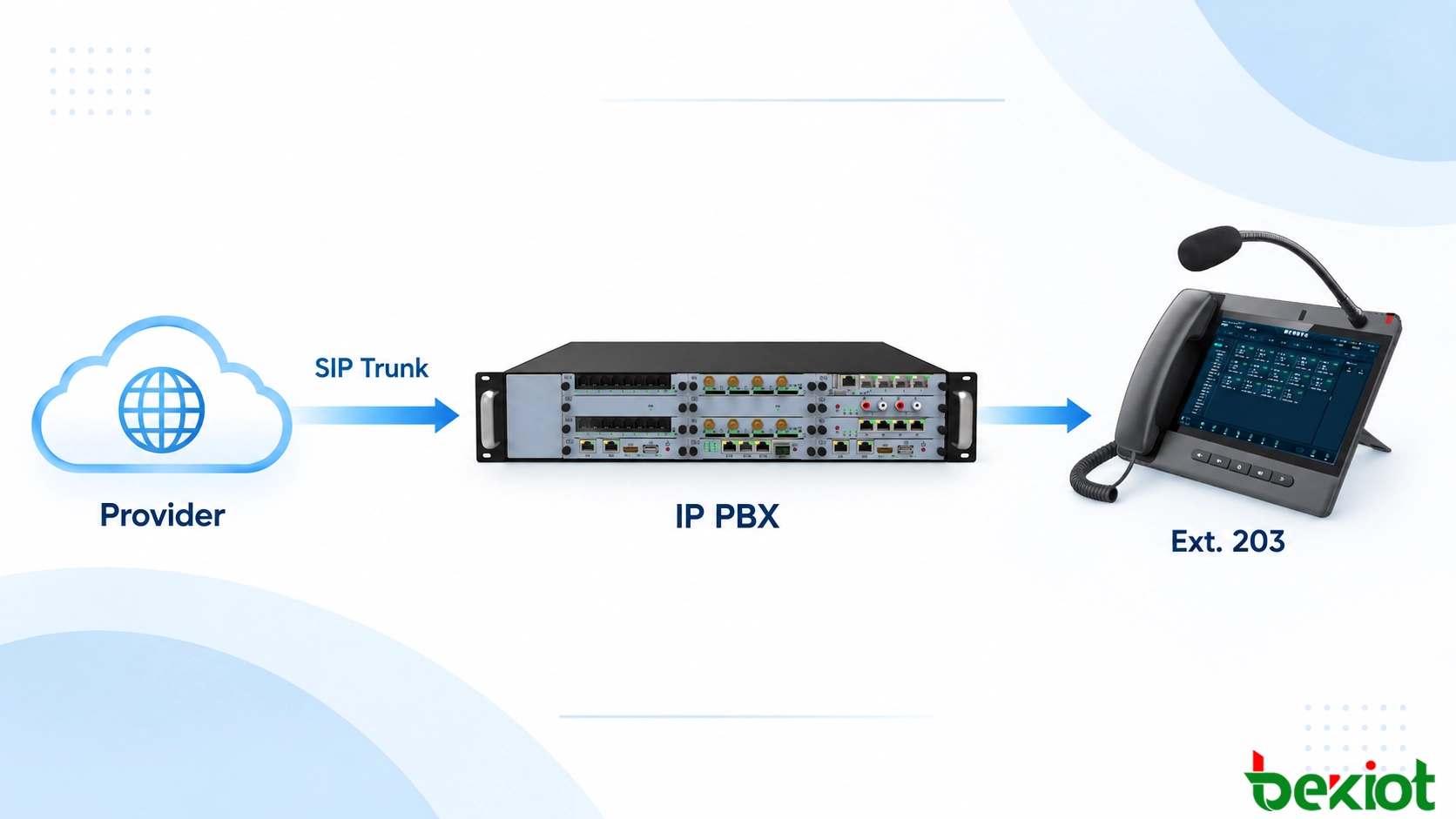
An inbound call enters through the SIP trunk and is routed by the IP PBX to a registered desk phone.
Inbound INVITE and DID Identification
When the caller dials +1 202 555 0142, the provider determines which customer trunk serves that number and sends a SIP INVITE to the configured destination. The request contains calling-party information and enough called-party information for the PBX to identify the intended destination. It may also include an SDP offer describing proposed codecs and media addresses; in other call setups, the offer appears later.
The called number is generally referred to as the Direct Inward Dialing (DID) number. Its presentation depends on the provider. One trunk may deliver +12025550142, while another sends 2025550142 or a shorter number format. The relevant value may be taken from the Request-URI, the To header, or a designated called-party header according to the trunk configuration. A routing rule built for one number format may fail when the provider supplies another.
Before treating the request as a business call, the PBX or SBC must recognize it as coming from an authorized trunk. Some services identify the provider by trusted source IP addresses; others use registration-based arrangements and associated credentials. These checks establish whether the request belongs on the trunk. They do not yet decide which employee should answer.
The PBX may respond with 100 Trying while it processes the request. This indicates that the INVITE is being handled, not that extension 203 is ringing. If an inbound call does not appear in the PBX at all, the first evidence to examine is the provider-side delivery and the SIP traffic arriving at the customer edge, not the desk phone's local settings.
DID Routing and Extension Selection
After accepting the inbound request, the PBX evaluates its dial plan. In this example, the DID +12025550142 maps to extension 203. The system first normalizes the delivered number if necessary, matches the configured inbound route, and identifies the next destination. A match might lead directly to an extension, but the same mechanism can send other numbers to an IVR, receptionist, ring group, or call queue.
The dial plan may include conditions beyond the dialed number. During office hours, a sales DID could ring a department; after hours, it might play a recorded announcement or go to voicemail. A temporary forwarding rule may direct calls to another employee. These policies explain why a phone can be registered and reachable yet never receive the call: the routing decision may have selected another destination before the phone was contacted.
For extension 203, the PBX checks the configured endpoint contact and relevant call-handling status, then sends an INVITE to the selected SIP phone. Whether a busy or unavailable phone triggers a backup route depends on the PBX configuration. If the intended destination is a ring group, several extensions may be alerted, and the system normally stops the remaining ringing attempts when one member answers.
At this point it is useful to distinguish routing success from call success. A correct DID match proves only that the PBX selected the intended destination. The desk phone must still receive the request, alert the user, answer, and exchange audio successfully.
SIP Ringing and Call Answer
When desk phone 203 receives the INVITE, it evaluates the request and begins alerting the user if the call can be presented. A common provisional response is 180 Ringing. The PBX can then provide ringing progress to the provider, although it does not have to copy every provisional response exactly from one call leg to the other.
Ringing tone and phone alerting are related but not identical. In some calls, the originating network generates ringback after receiving a 180 response. In others, 183 Session Progress and early media are used to play an announcement or a network-generated tone. A caller hearing ringback therefore does not, by itself, prove that extension 203 is physically ringing. PBX logs and a phone-facing SIP trace are more reliable evidence.
When the employee answers, the phone normally returns 200 OK to the INVITE. The SDP offer-and-answer exchange establishes the agreed media parameters, including supported codecs and the addresses and ports used for audio. The PBX acknowledges the successful response with ACK on the phone-facing leg and completes the corresponding answer exchange with the provider. The two legs are coordinated, but their SIP messages are not necessarily identical.
Once the answer signaling is complete, the call is established from a SIP perspective. That does not guarantee that speech is audible: the negotiated audio stream must still pass through the relevant networks in both directions.

Figure 2. The IP PBX coordinates ringing and answer signaling between the provider-facing and phone-facing call legs.
RTP Media Path and Voice Transmission
SIP establishes and controls the call, while RTP normally carries the voice packets. If both ends support and negotiate secure media, SRTP can protect the audio stream. The SDP exchanged during call setup identifies media transport details and codec options, but it does not guarantee that the advertised network addresses are reachable.
In one deployment, audio from the provider passes through an SBC or PBX media relay before reaching extension 203. This can support NAT traversal, recording, transcoding, or consistent media policy. Another deployment may allow a more direct RTP path when the endpoints and network conditions permit it. For that reason, a diagram showing SIP requests through the IP PBX should not automatically be interpreted as the physical route followed by every voice packet.
A typical symptom is a call that rings and connects but has audio in only one direction. The SIP request and response sequence may be correct while RTP packets are blocked by a firewall or sent to an unreachable private IP address. Incorrect SDP address translation, an unsuitable port range, or media-relay configuration can produce similar results. A codec negotiation problem may instead cause a call rejection or prevent usable audio even when packets are present.
Once RTP flows in both directions, packet loss, jitter, and congestion determine how clearly participants hear each other. Voice VLANs and quality-of-service policies may help on managed networks, but they cannot correct a DID mapping error or a missing SIP INVITE. Signaling, routing, and media should be checked as separate stages.
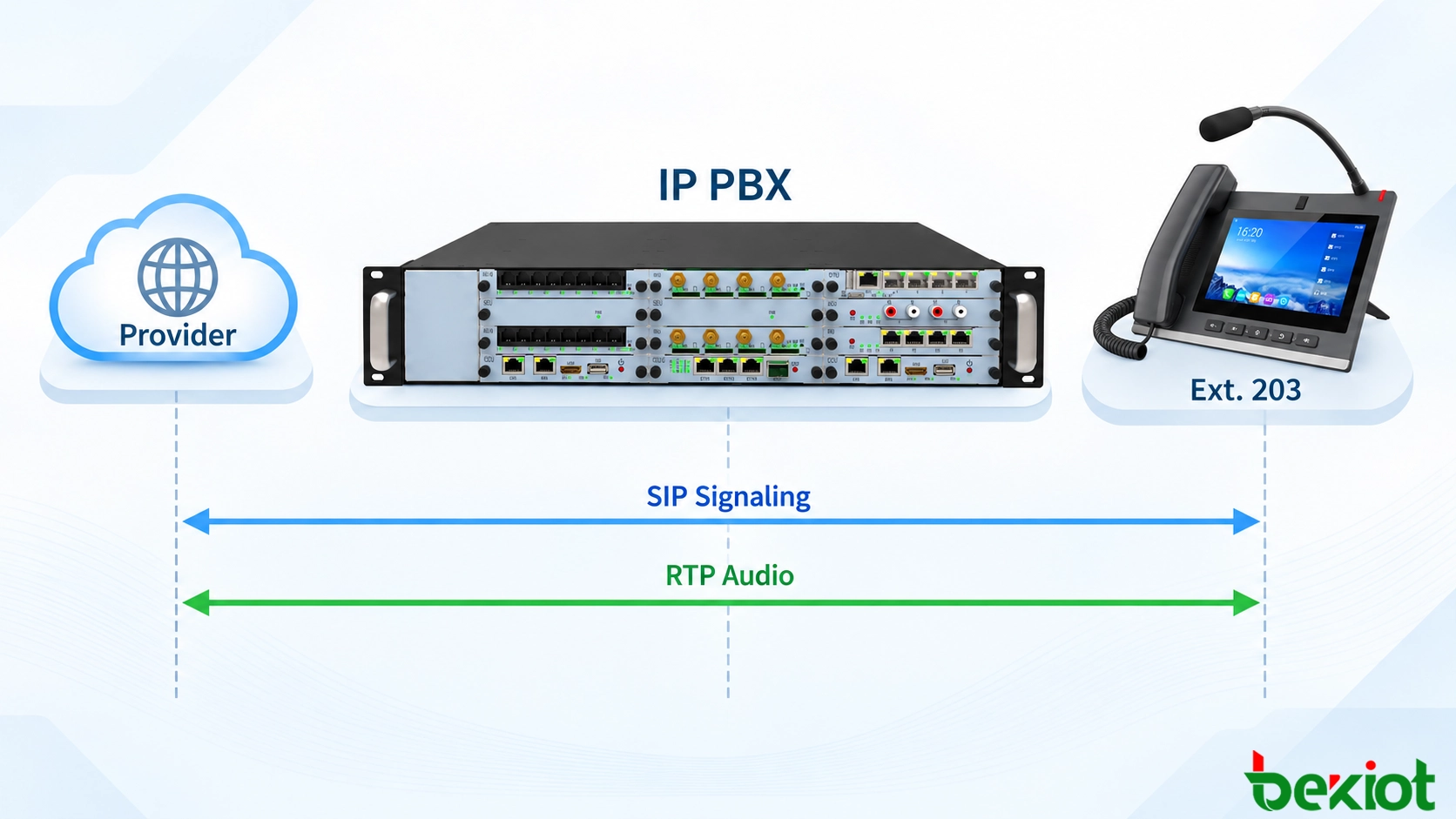
Figure 3. SIP signaling passes through the call-control system, while RTP follows the negotiated media route.
Busy, No Answer and Call Release
Not every inbound call reaches an answered conversation. If extension 203 is busy, the phone may return a response such as 486 Busy Here, or the PBX may apply its own busy-handling rule. The business outcome could be voicemail, another extension, a queue, or an announcement. If the phone rings without an answer, a configured timeout may trigger a different fallback route.
If the caller hangs up before the INVITE has been answered, the provider can send CANCEL to stop the pending attempt. Once a successful dialog has been established, an endpoint normally uses BYE to release it; the recipient responds with 200 OK. The PBX handles the release on the appropriate call legs and ends associated media resources.
These distinctions matter for call records. An attempted call, an unanswered call, and an answered conversation should not all be interpreted as completed conversations. Reports are most useful when they distinguish arrival, ringing, answer, and release times, particularly when a route includes several possible destinations.
Call Troubleshooting and Verification
When an inbound call fails, follow the same order as the call itself. First confirm that the provider's INVITE reached the SBC or PBX. Next identify the called number and matched inbound route. Then verify that an INVITE was sent to extension 203 and that the endpoint returned a ringing or answer response. Only after the call has been answered should RTP negotiation and packet flow become the main focus.
| Observed symptom | Likely area to investigate | Useful evidence |
|---|
| No incoming call reaches the PBX | Provider delivery, trunk addressing, SBC or firewall | Inbound INVITE trace at the network edge |
| Call reaches the wrong extension | DID normalization, inbound route and time rules | Called-number fields and the route matched by the PBX |
| Correct route selected, but phone does not ring | Endpoint contact, registration, DND or forwarding | Phone-facing INVITE and endpoint response |
| Call answers with one-way or no audio | SDP address, RTP ports, NAT and media relay | Negotiated SDP and bidirectional media capture |
| Call disconnects after answer | ACK delivery, session timers or network interruption | Correlated SIP traces, BYE details and timestamps |
Before putting a new route into production, place a real external call to each important DID and verify the selected destination. Check what happens when extension 203 answers, remains unanswered, is busy, or becomes unreachable. If the business uses after-hours routing, test it explicitly rather than assuming it follows the daytime rule. During answered calls, verify two-way audio and any required transfer, recording, or fallback function.
For difficult faults, capture both the provider-facing and phone-facing signaling, then correlate the call legs using PBX logs and timestamps. Review SDP and observed RTP traffic where media is relayed. Remove passwords, access tokens, and personal calling information before sharing traces outside the support team.
The practical test of an inbound IP PBX call is straightforward: the provider delivers the intended DID, the PBX routes it to the right endpoint, and both parties can communicate over the negotiated media path. Following these checkpoints turns an apparently simple missed call into a traceable sequence of technical events.
Frequently Asked Questions
How Many Simultaneous Calls Can a SIP Trunk Handle?
A SIP trunk can carry multiple calls over the same IP connection. The actual concurrency limit depends on the provider's service plan, IP PBX capacity, available bandwidth, and any applicable licensing restrictions. The number of assigned telephone numbers does not necessarily determine how many calls can take place simultaneously.
Can One SIP Extension Ring on Multiple Devices?
Yes, if the IP PBX supports multiple registrations or shared extension configurations. An employee may use the same extension on a desk phone and a softphone. Depending on the PBX settings, incoming calls can alert both devices simultaneously or follow a defined ringing policy. Registration limits and supported behavior vary by system.
Where Does the Caller Name Displayed on a SIP Phone Come From?
Caller names may come from information supplied by the telephone provider, SIP signaling fields, or a directory maintained by the IP PBX. Some systems match the incoming telephone number against internal contacts or CRM records. Name availability and accuracy depend on the provider, regional caller identification services, and local configuration.
Why Do IVR Keypad Inputs Sometimes Fail During a Connected Call?
Keypad digits are commonly transmitted using RTP telephone events defined by RFC 4733, although SIP INFO and in-band audio tones are also used in some systems. If the SIP trunk, IP PBX, and IVR application use incompatible DTMF methods or settings, spoken audio may work while keypad selections fail. The supported transmission method should be checked across the complete call path.
Can Incoming Calls Continue If the Main IP PBX Site Goes Offline?
Not automatically. If the primary PBX becomes unreachable, the provider may be unable to deliver incoming calls to that destination. Business continuity requires a planned alternative, such as carrier-side number forwarding, a backup SIP trunk destination, or a redundant PBX deployment. Local extension-to-extension calling may remain available during an internet outage if the PBX and local network are still operating.